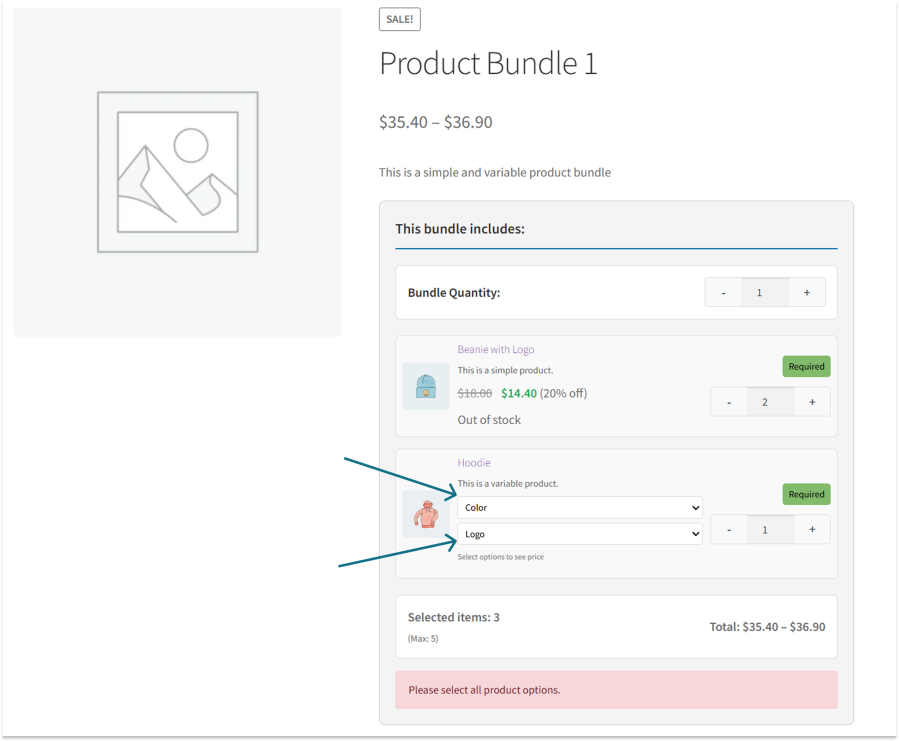
Easily include variable products in your bundles and let customers choose variations like size, color, or style. This ensures full flexibility while keeping the bundle experience seamless and intuitive.
Display All Bundles in One Place
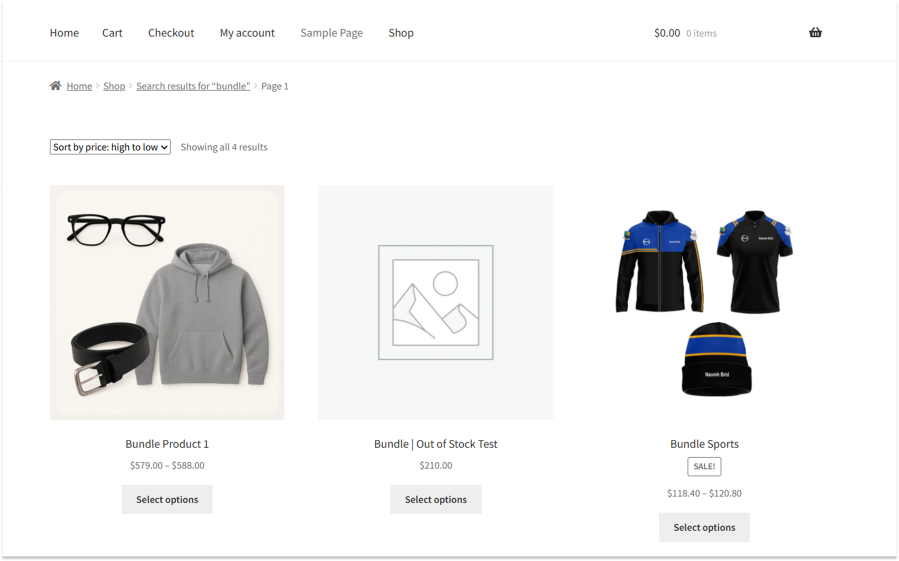
Show all available bundles together in a single view, making it easy for customers to find and compare options. This saves time and improves product discovery and conversions.
Minimum & Maximum Purchase Limits
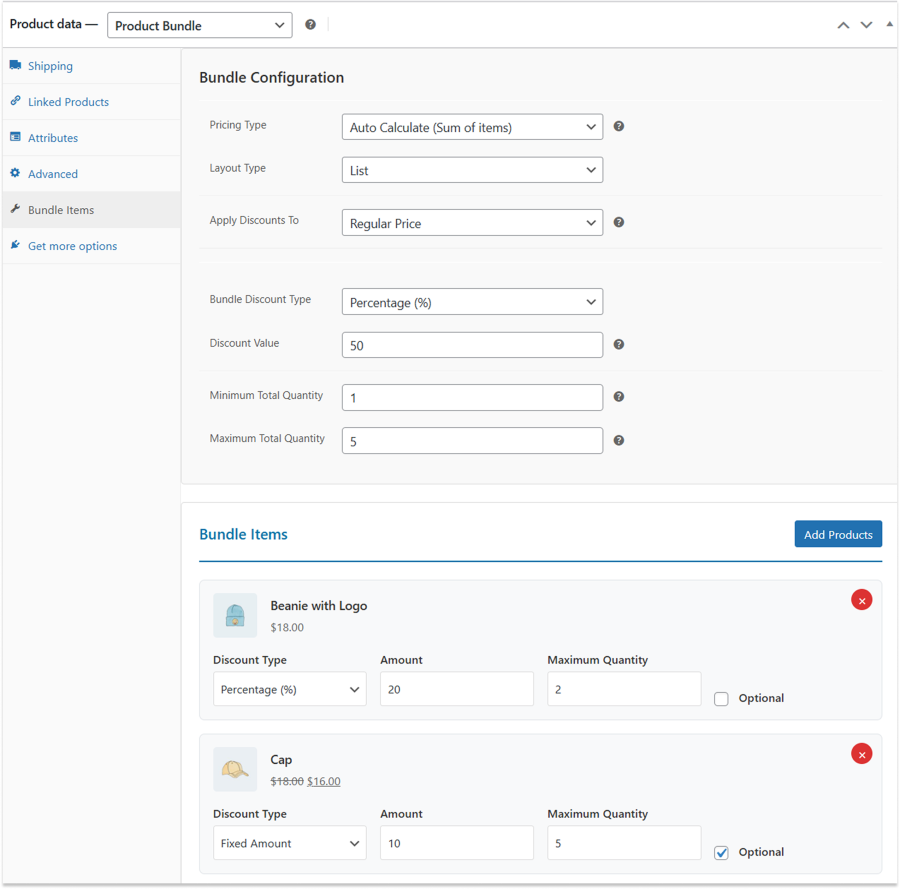
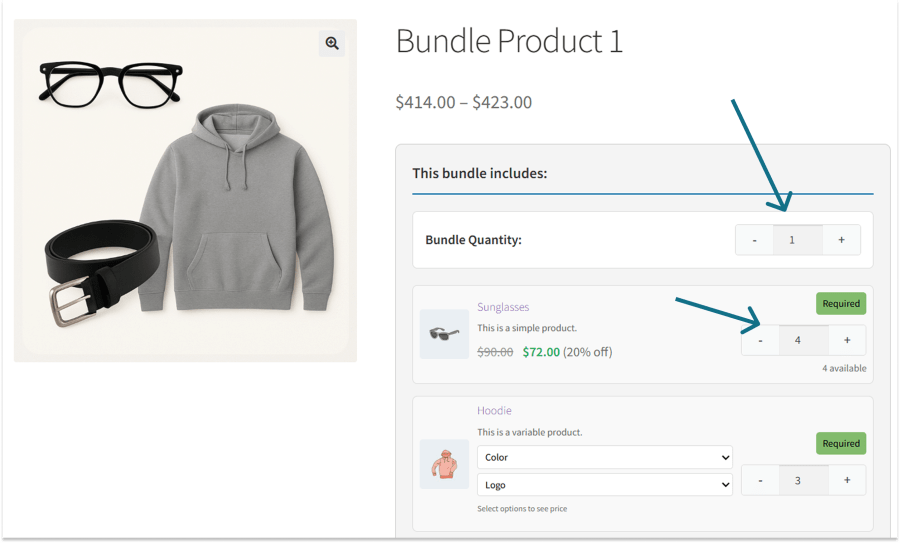
Set minimum and maximum quantity limits for the entire bundle or individual products within the bundle. This helps control inventory, prevent misuse, and guide customers toward optimal purchase quantities.
Smart Stock Handling for Bundles
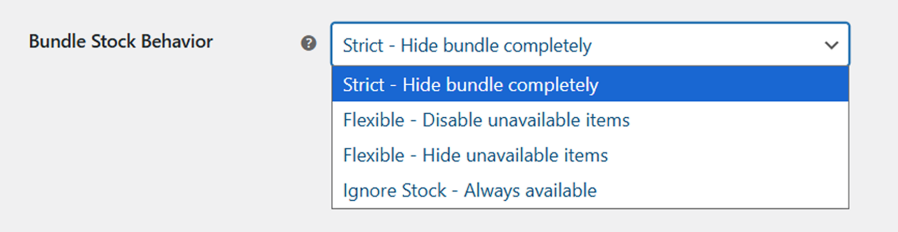
Define how bundles behave when products are out of stock or unavailable.
- Strict – Hide Bundle Completely
Hide the entire bundle if any item is unavailable. - Flexible – Disable Unavailable Items
Show the bundle but disable unavailable items. - Flexible – Hide Unavailable Items
Automatically hide unavailable items from the bundle. - Ignore Stock – Always Available
Keep the bundle available regardless of stock status.
Optional & Required Bundle Items
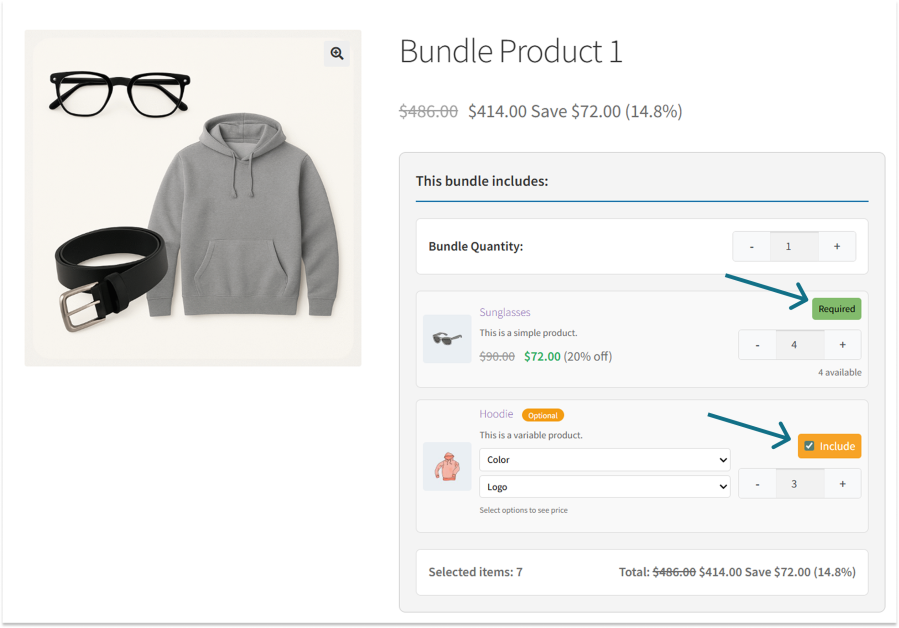
Mark bundle items as optional or required to control customer selections. Ensure essential products are always included while giving flexibility to add or skip optional items.
Bundle & Item-Level Discounts
Apply discounts at both the bundle level and the individual product level. Create powerful pricing strategies by combining overall bundle savings with item-specific discounts.
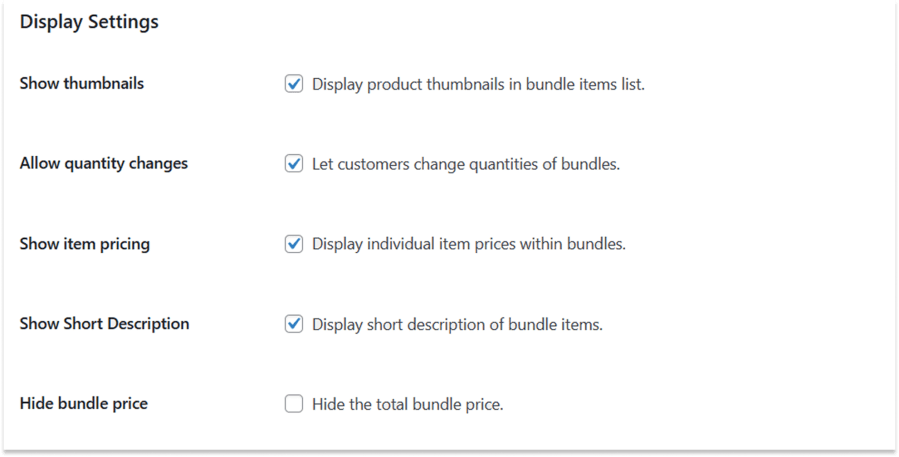
Display Settings
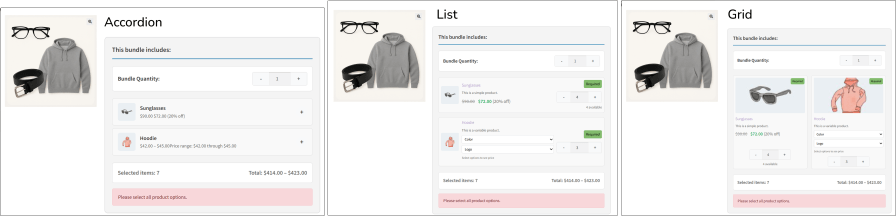
Control how bundle items appear on the product page with flexible display options. Show thumbnails, prices, and short descriptions, allow quantity changes, or hide the total bundle price for a cleaner presentation.
Fully Customizable Bundle Design
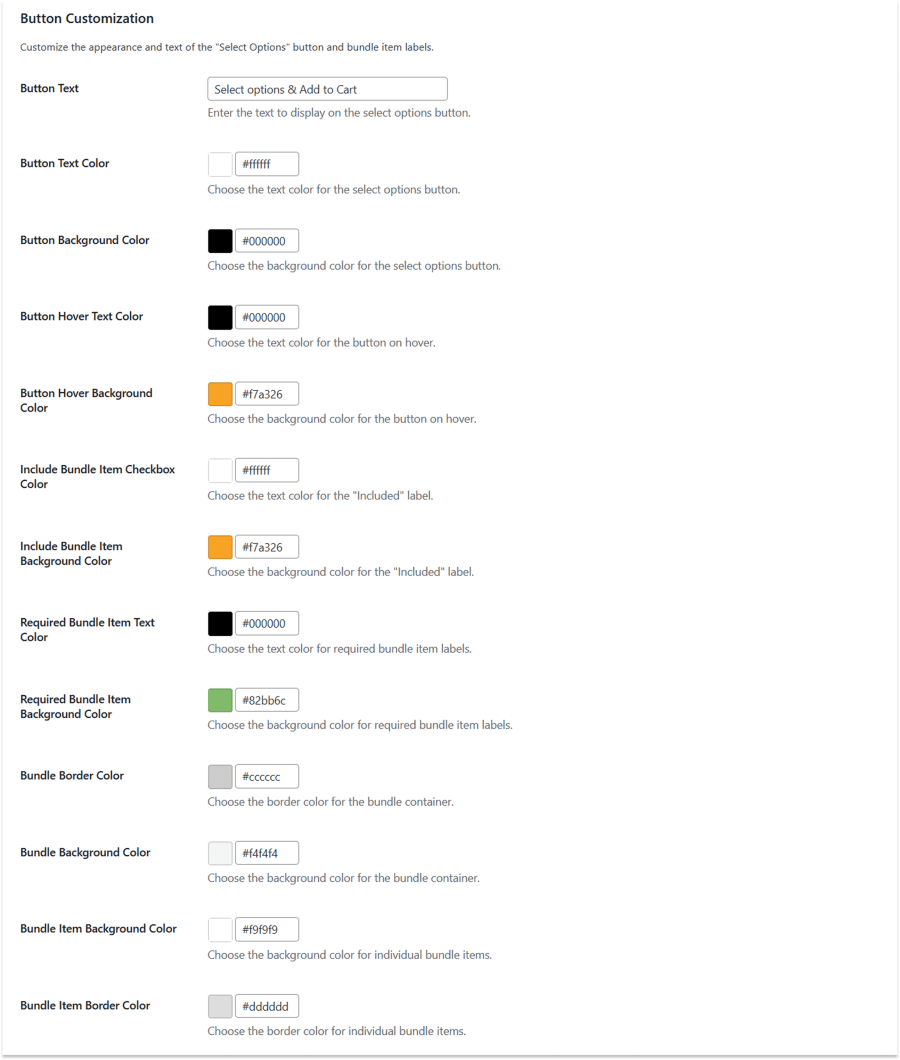
Customize buttons, labels, colors, and layouts to match your store’s branding. Create a seamless, consistent bundle experience without touching any code.