

A assinatura inclui
Suporte
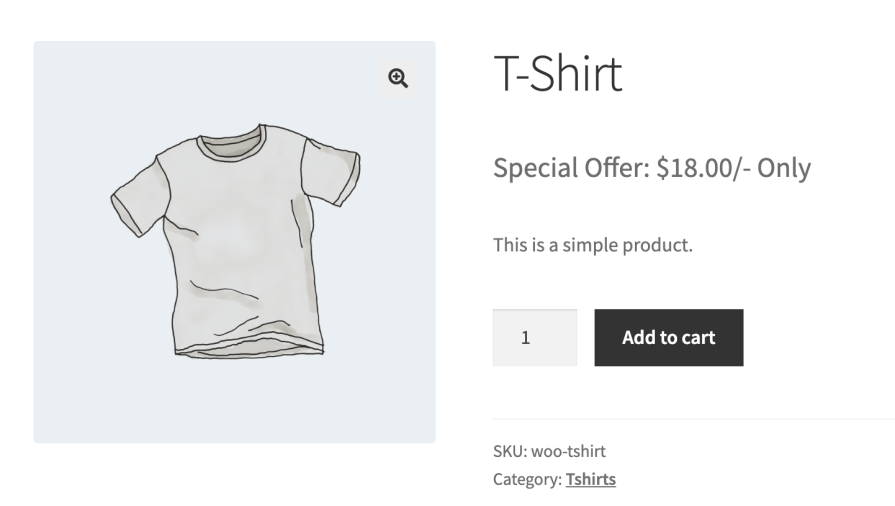
Change Price Title Pro for WooCommerce allows you to control how price labels are displayed across your store.
You can replace, hide, or conditionally modify the default WooCommerce price title globally or per product,
without changing your theme or core WooCommerce files.
The plugin is designed for store owners who want clear pricing communication, consistent presentation,
and flexibility when displaying prices for different product types, customer roles, or pricing strategies.
Default price labels such as “Price” or “From” are not always suitable for every product or business model.
This plugin helps you present price information in a way that better matches your store’s offerings,
whether you sell services, subscriptions, wholesale products, or quantity-based items.
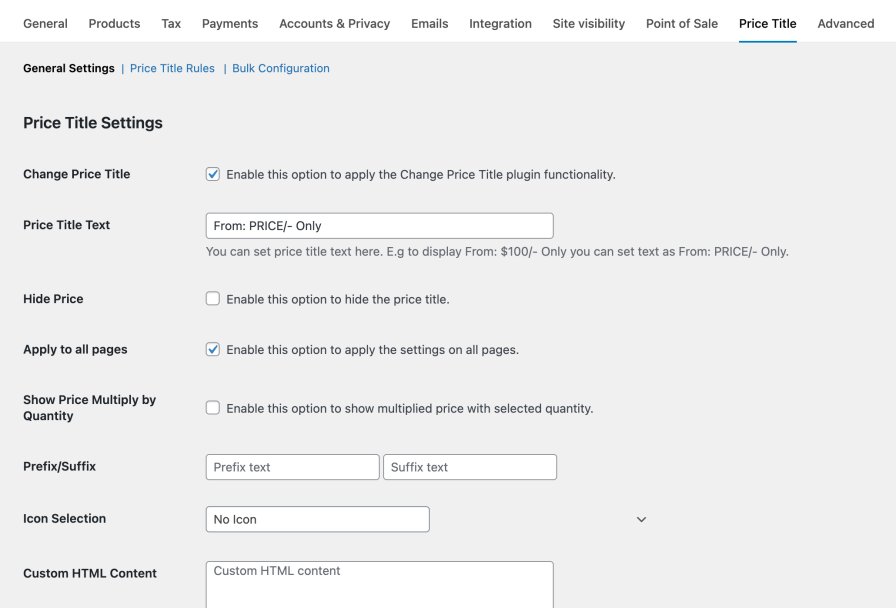
Configure store-wide price title rules from a single location.
Global settings allow you to ensure consistent pricing language across your entire product catalog
without manually editing each product.
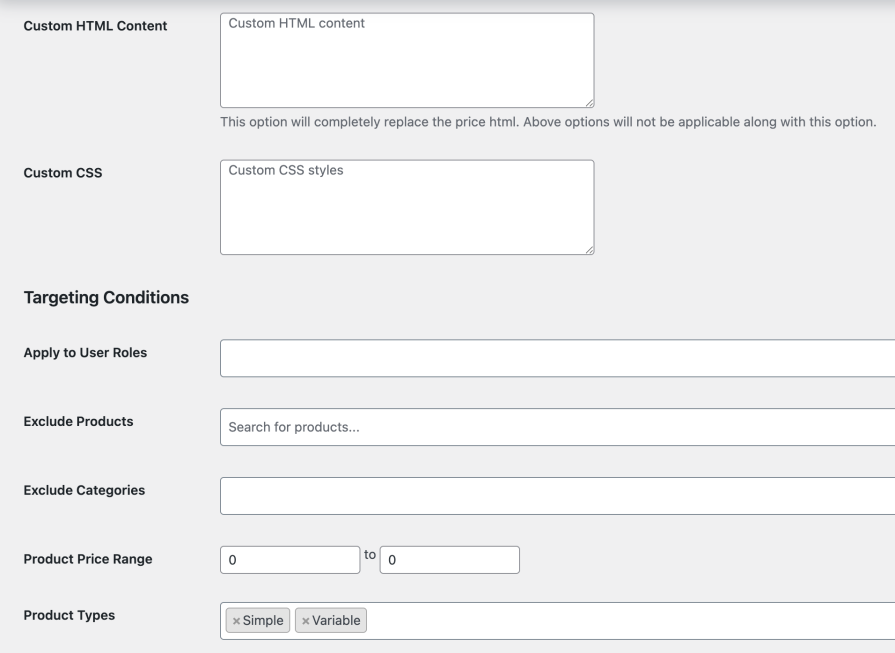
For products that require unique pricing behavior, you can override global settings directly
from the product edit screen. Product-level options always take priority over global rules.
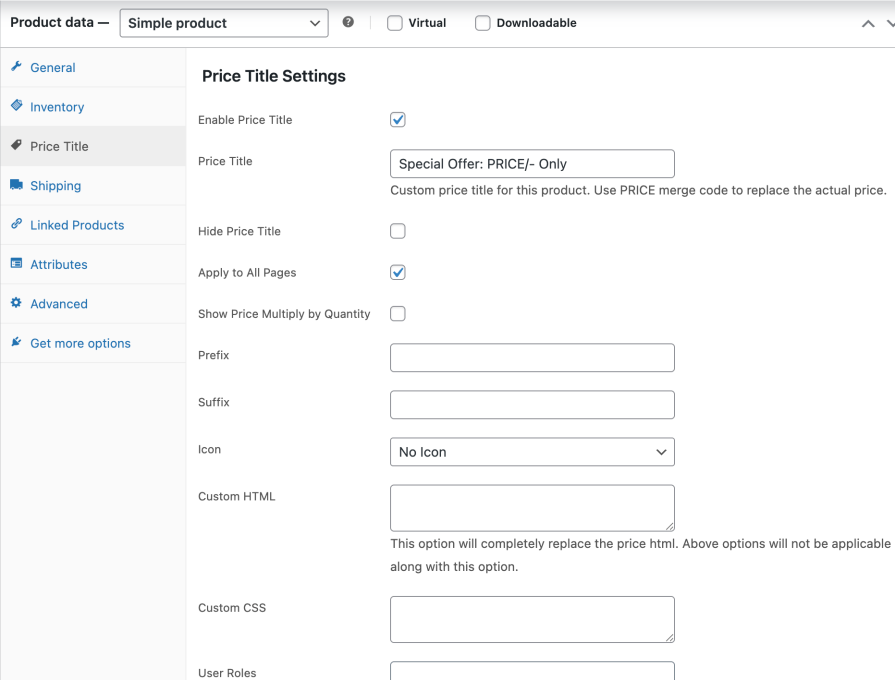
Create conditional rules to automatically apply different price titles based on multiple criteria.
When more than one rule applies, priority settings determine which rule is used.
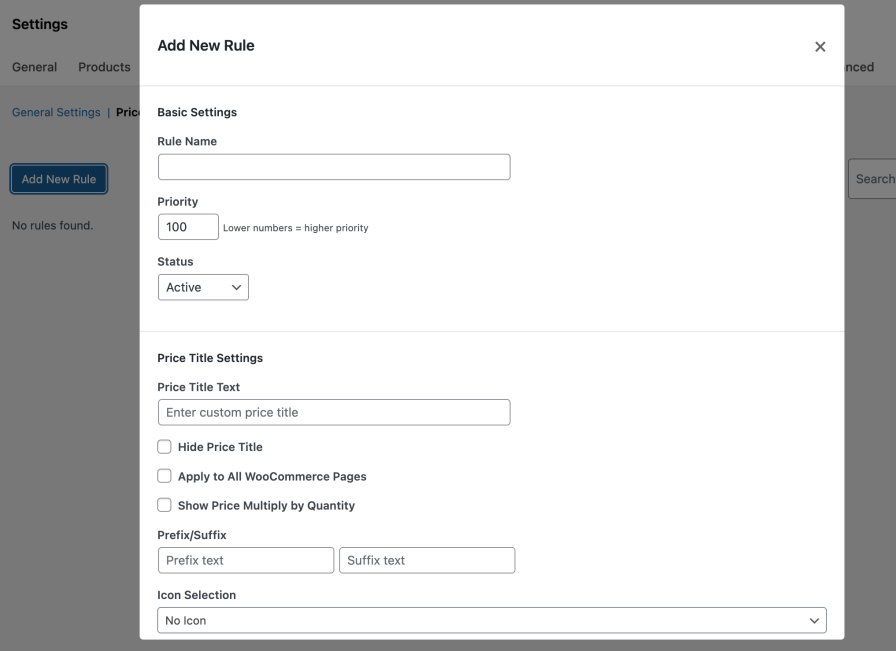
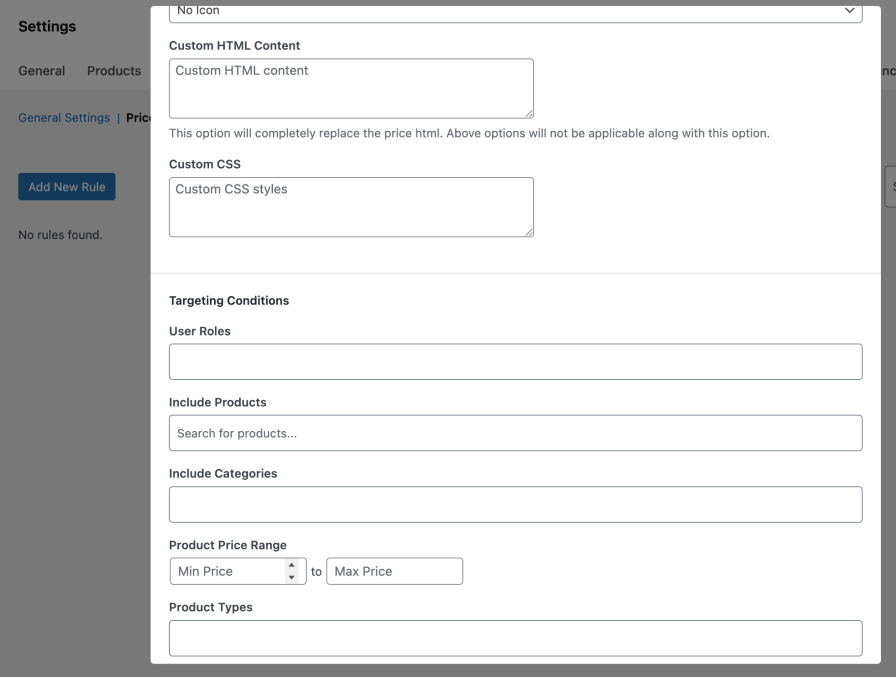
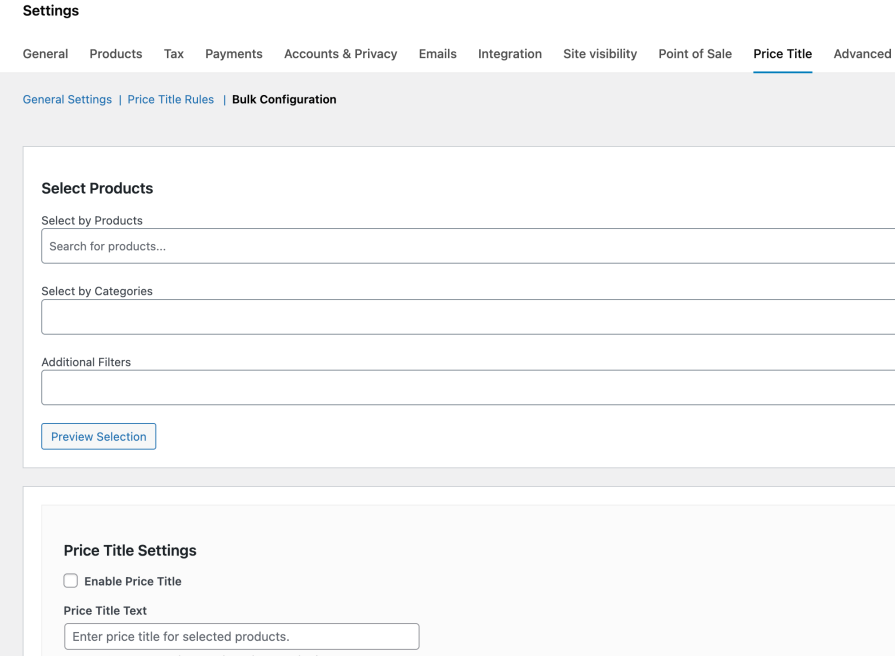
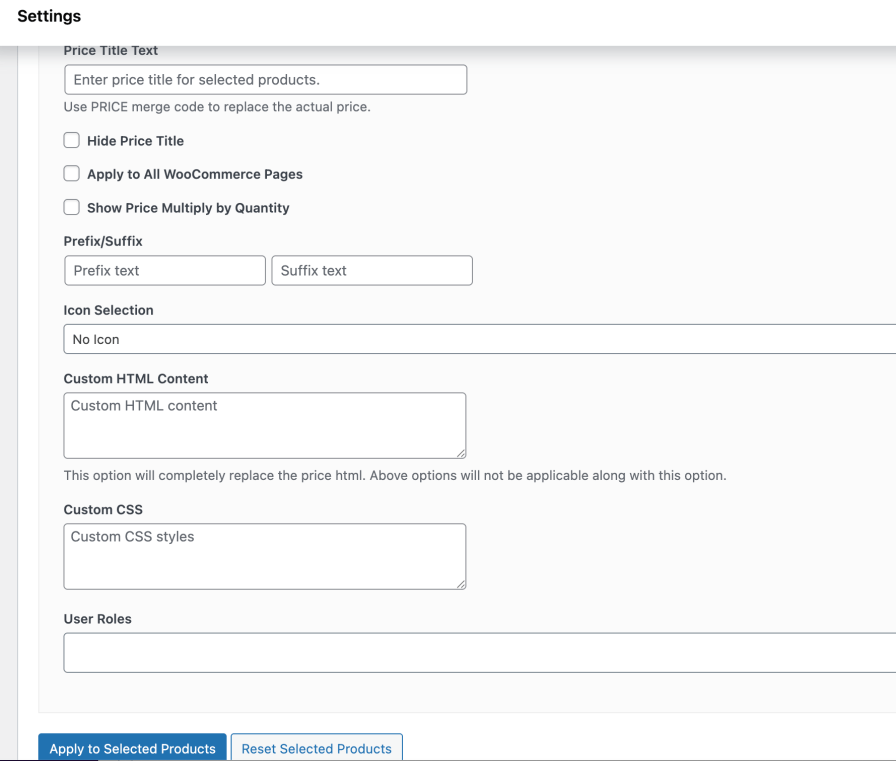
Manage large product catalogs efficiently using bulk configuration tools.
Apply price title changes to multiple products at once without editing each product individually.
Yes, You can set a global price title from the plugin settings that will apply to all WooCommerce products. This is useful if you want to replace “Price” with labels like Starting From, Per Unit, or Estimated Cost across your entire store.
Yes, You can hide the price title on a per-product basis using the Price Title tab in the product data section. This is helpful for service-based or custom-priced products where a price label is not required.
The plugin includes an option to display the price multiplied by the selected quantity. This is ideal for bulk products, wholesale items, or stores where customers expect to see the total cost instead of the single-unit price.
Yes, Product-level settings always take priority over global settings. This allows you to maintain consistent pricing behavior across your store while still customizing price titles or visibility for specific products when needed.
Custom price titles like “Starting From” or “Per Unit” set the right expectations for customers, reduce confusion, and build trust—leading to fewer abandoned carts and higher conversion rates.
Extension information
Quality Checks
Países








