
A assinatura inclui
Suporte
Give your customers the flexibility to order now and pay later while you stay in complete control of when invoice payment is available.
• Show or hide the invoice payment method based on user roles, specific customers, or guest users.
• Restrict availability by country, state, city, or ZIP code.
• Control access using cart totals, quantity limits, shipping methods, or selected products.
• Collect Purchase Order (PO) numbers and optional notes directly at checkout.
• Automatically generate branded PDF invoices and attach them to emails.
Invoice Payment Method works in two simple layers — basic activation and optional rule-based control.
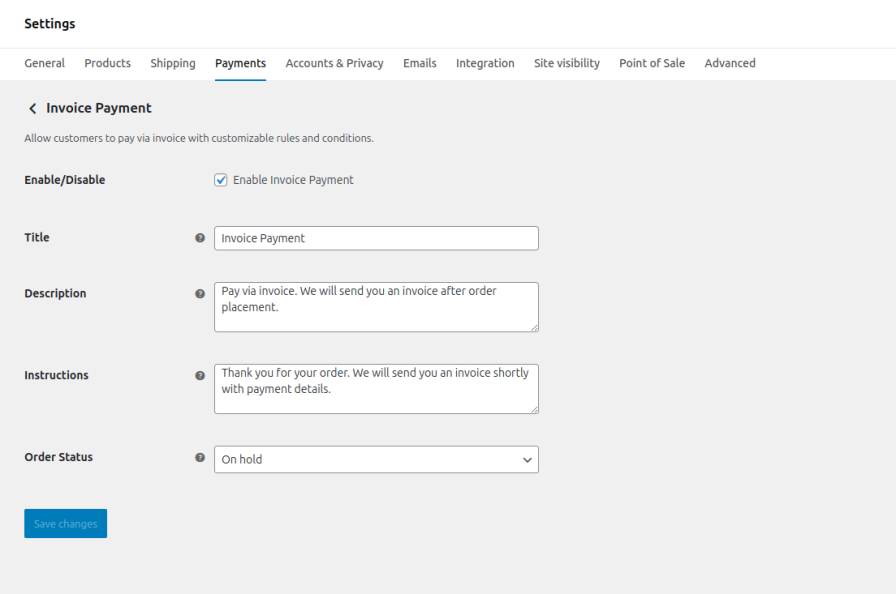
Payment Method Settings
Enable or disable the invoice payment option, customize its title, description, thank-you message, and set the default order status from WooCommerce settings (e.g., show “Pay by Invoice” only for B2B customers or rename it to “Invoice Payment”).
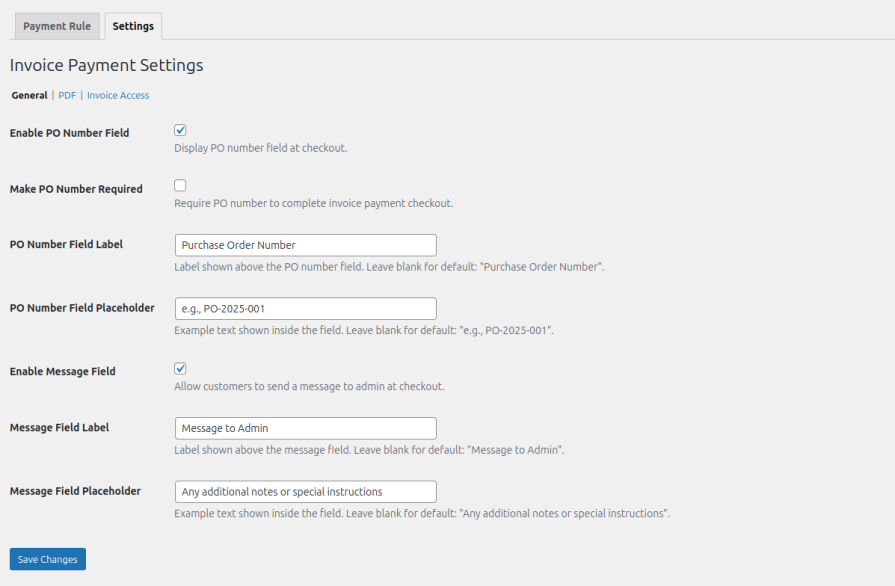
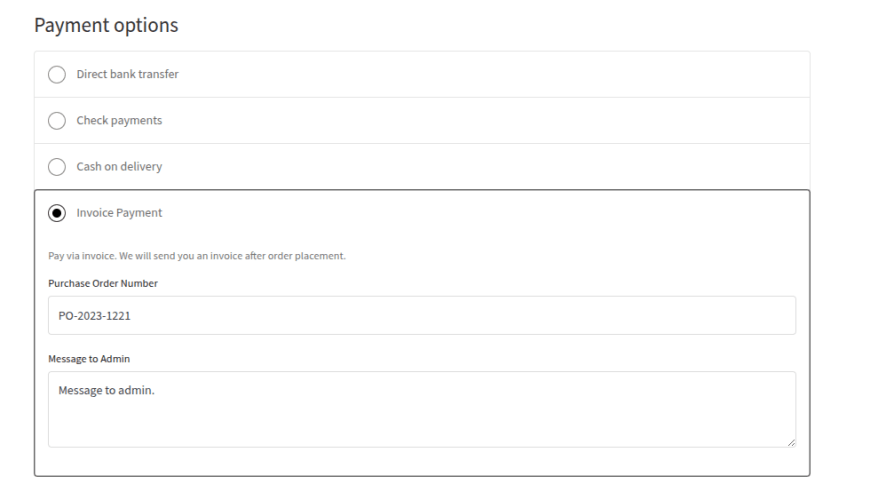
Quickly configure the checkout fields used with the invoice payment method. Enable a Purchase Order (PO) number field and allow customers to add a message for the admin when placing an order.
You can customize field labels, placeholders, and decide whether the PO number should be required or optional. These settings act as global defaults and can also be customized separately inside individual rules for more advanced control.
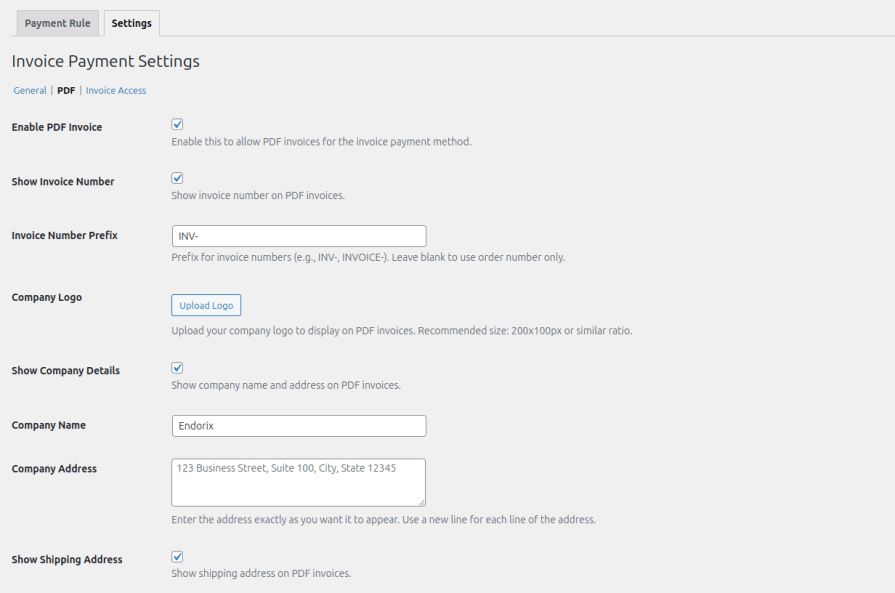
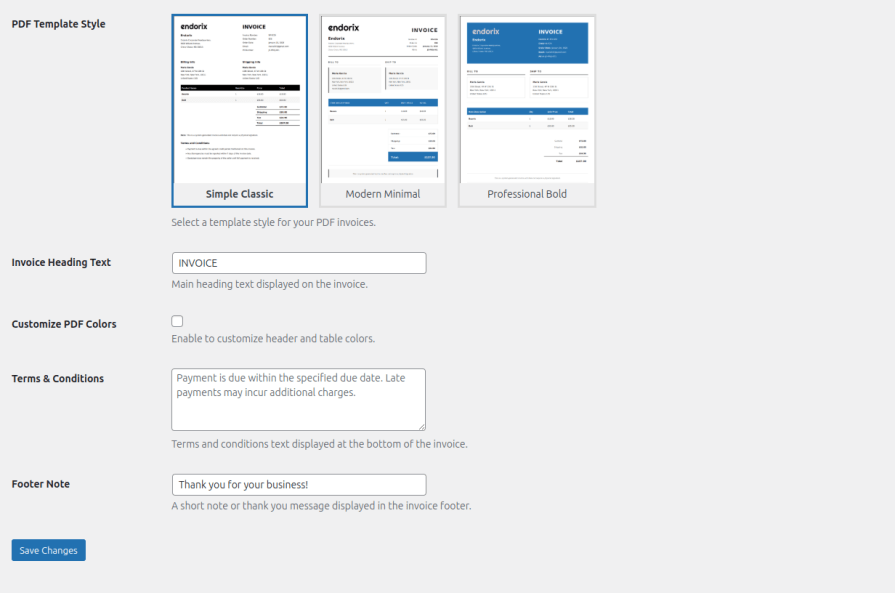
Automatically generate professional PDF invoices for orders placed using the invoice payment method. Choose from three built-in invoice templates, including Simple Classic, Modern Minimal, and Professional Bold.
You can further customize invoices with your company logo, invoice numbering prefix, company details, headings, colors, terms and conditions, and footer notes, ensuring every invoice reflects your brand while maintaining a clean professional layout.
You can check out design of each PDF template here:
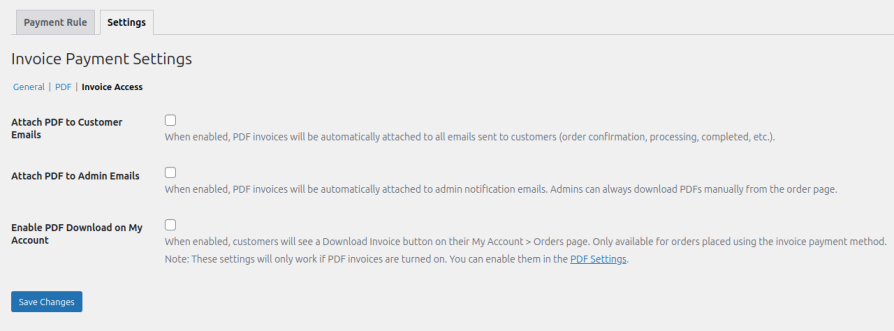
Control how invoice PDFs are shared with customers and administrators. Automatically attach invoices to customer emails, include them in admin notification emails, and allow customers to download their invoices directly from the My Account orders page.
These options ensure invoices are always accessible while keeping the order workflow smooth and organized.
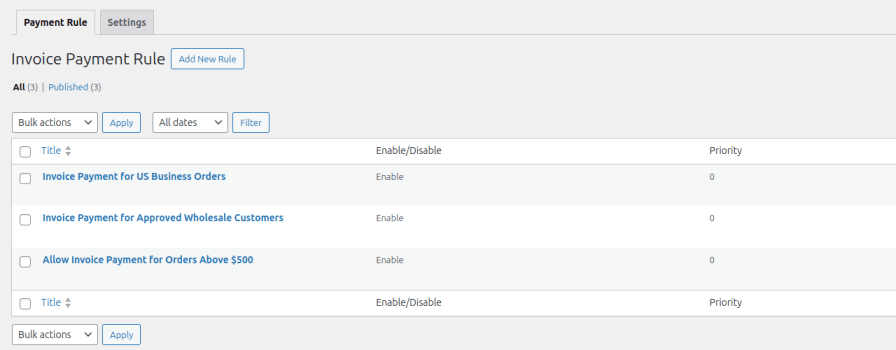
Create multiple rules to control when the invoice payment method appears at checkout. Each rule can be enabled or disabled individually and assigned a priority to determine which rule should apply first when multiple conditions are met.
This allows store owners to tailor invoice payments for different business scenarios without modifying code.
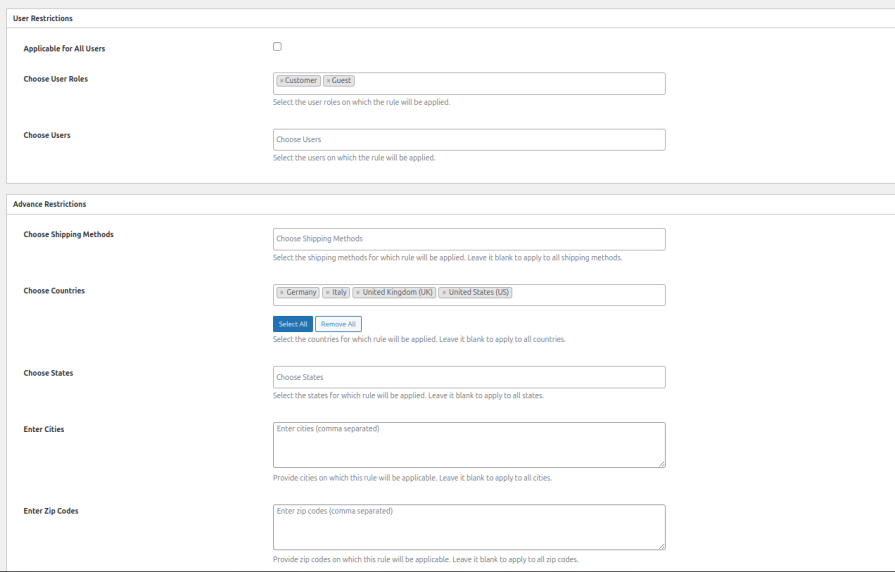
Control invoice payment availability based on user roles, specific customers, or guest users. You can also restrict access by country, state, city, or ZIP code, allowing invoice payments only in approved regions or for selected customer groups.
This makes it easy to offer invoice payments to trusted B2B customers or specific markets while keeping the option hidden from others.
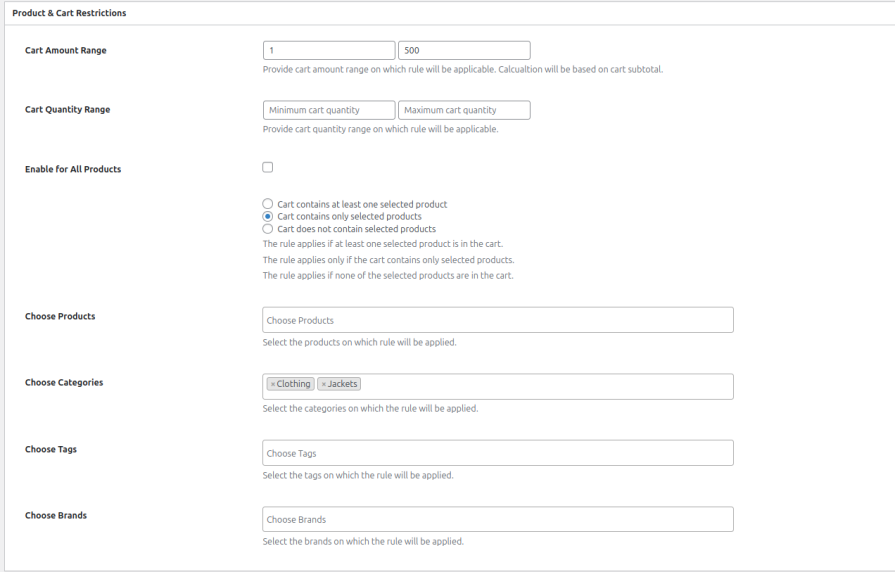
Define conditions based on cart total, quantity limits, shipping methods, products, categories, tags, or brands to determine when invoice payments should be available.
Rules can also override the global checkout field settings, allowing you to require PO numbers, enable customer messages, or apply different field behavior depending on the rule.
The invoice payment method appears along with other payment methods on the front-end.
Description:
You want to allow trusted wholesale or B2B customers to place orders using invoice payment, while regular customers must use standard payment methods like credit cards or PayPal.
Rule Configuration:
Description:
Some international customers may require invoice payments due to local banking restrictions or company purchasing processes.
Rule Configuration:
Yes. The Invoice Payment Method allows customers to place orders now and pay later via invoice. This is especially useful for B2B stores where businesses prefer paying after receiving an invoice.
Absolutely. You can control invoice availability using rules based on user roles, specific customers, locations, cart value, products, shipping methods, and more. This ensures the payment option only appears when your conditions are met.
Yes. You can enable a Purchase Order (PO) number field at checkout when customers select invoice payment. The field can be optional or required, helping businesses track and process orders more efficiently.
Yes. The plugin can automatically generate PDF invoices for orders placed using the invoice payment method. You can customize the invoice design, numbering, company details, and other elements to match your brand
Yes. You can choose to automatically attach PDF invoices to customer emails and admin notifications. This makes it easier for both customers and store managers to access invoice documents immediately after an order is placed.
Yes. Customers can download their invoice directly from their My Account → Orders page if the feature is enabled. This allows them to easily access their invoice whenever needed.
Categorias
Extension information
Quality Checks
Países







