

A assinatura inclui
Suporte
WooCommerce Shipping Packages is a robust plugin that allows you to divide a customer’s cart into multiple shipping packages. Each package and its included products appear separately on the checkout page, allowing you to apply different shipping methods or rates to each package according to your configuration.
The multiple shipping packages plugin allows you to create rules based on conditional logic. This gives you complete control over when packages are created and which products are assigned to them, allowing you to build shipping packages that precisely match your business rules and requirements.
During checkout, customers are presented with individual shipping options for each package you have defined. This adds clarity to the checkout experience, improves transparency, and gives customers greater flexibility and control over their shipping choices.
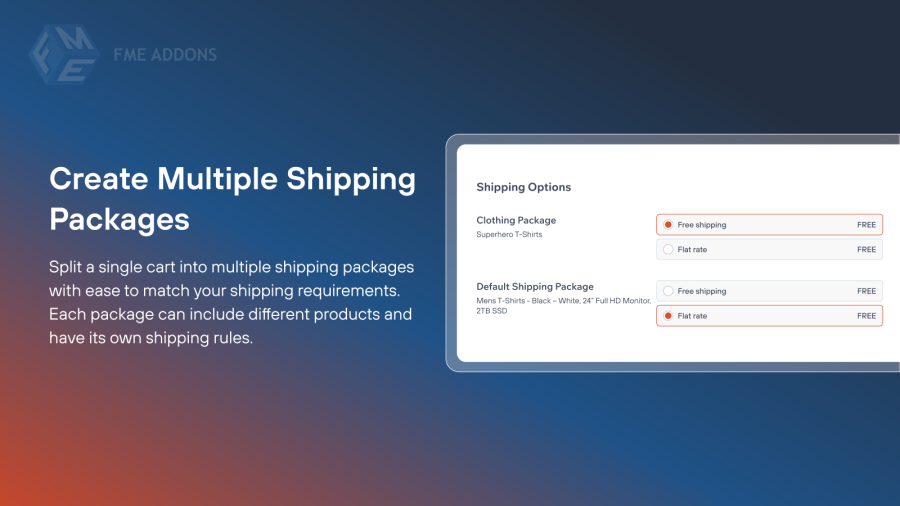
Split a single cart into multiple shipping packages with ease to match your shipping requirements. Each package can include different products and have its own shipping rules. This makes it simple to manage even the most complex shipping setups.
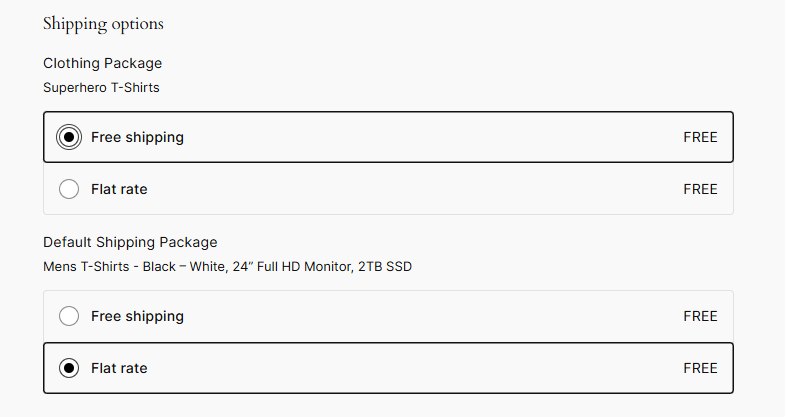
Use advanced conditional logic to control when packages are created and which products are added to them. Set rules based on products, categories, cart conditions, or other criteria. This ensures packages are created exactly as you intend.
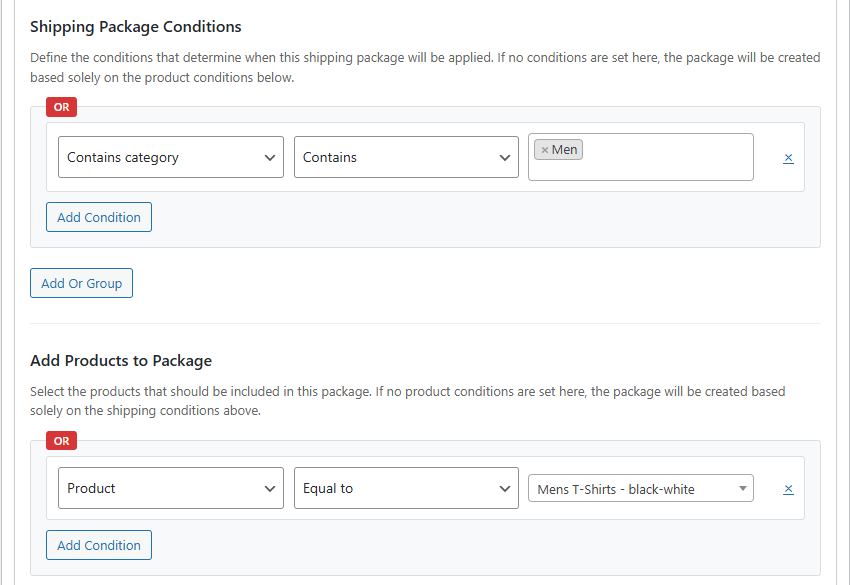
Show each shipping package separately on the cart and checkout pages for better clarity. Customers can view available shipping options for every package individually. This improves transparency and reduces confusion during checkout.
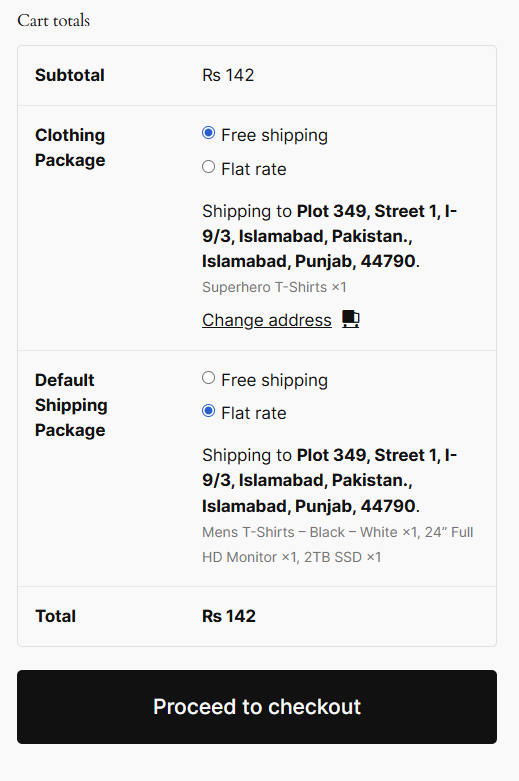
Assign custom names to each shipping package to clearly describe its contents or purpose. These names are displayed on the checkout page. This helps customers understand how their order is being shipped.

Disable certain shipping methods for selected packages when needed. This allows you to prevent incompatible or unwanted shipping options from appearing. As a result, customers only see relevant shipping methods for each package.

Multiple shipping packages allow you to apply different shipping methods and rates to different products in the same cart. This is useful for handling bulky items, fragile products, or items shipped from different locations.
Yes, you can use conditional logic to decide exactly which products are included in each package. Conditions can be based on products, categories, cart rules, or other criteria.
Yes, each shipping package is displayed separately on the cart and checkout pages. Customers can select shipping methods for each package, making the process clearer and more transparent.
Absolutely. You can set custom names for shipping packages so customers clearly understand what each package contains or how it will be shipped.
Yes, you can exclude specific shipping methods from selected packages. This ensures that only relevant and valid shipping options are shown for each package.
Categorias
Extension information
Quality Checks
Países








