

A assinatura inclui
Suporte
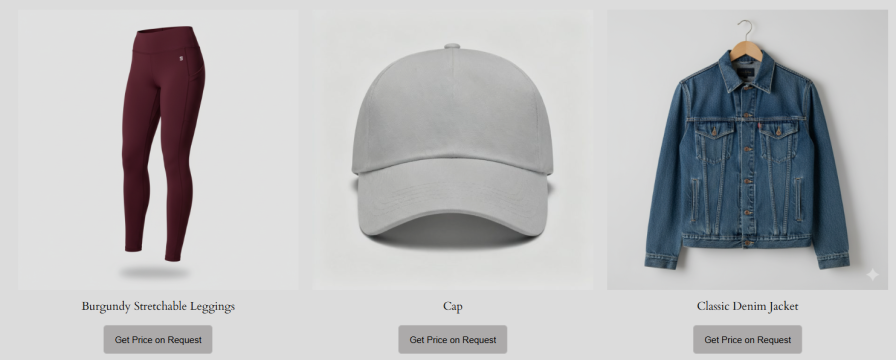
Request a quote for price for WooCommerce provides a smooth price quotation system for your store. Customers can add products to a quote request list, similar to a shopping cart, and submit their pricing requests through a simple request form for admin approval.
You can hide the “Add to Cart” button and display the “Add to Quote” option, encouraging B2B, wholesale, and retail customers to request custom pricing.
Display a quote button for all users, specific user roles, logged-in users, and guest customers. request a quote for WooCommerce enables you to display the quote request button for specific products or categories and hide/show the button for out-of-stock products.
Request a quote for WooCommerce allows you to add a customizable “Add to Quote” button on Shop, Product, Category, Cart, and Checkout Page. Customers can request a quote at any step of their shopping, making the process quick and simple. The quote button on the cart allows you to ask a quote for your whole cart.
Effortlessly hide product prices or the Add to Cart button, or both, to require customers to request a price estimate. You can apply these settings for specific products and categories, giving you complete control over pricing visibility and purchasing options.
Add unlimited fields to create a custom quote form with 13 field types. Customize the name, label, placeholder, default value, position, and status. Apply fields to all users, specific roles, logged-in users, or guests, and make them mandatory to capture all necessary details for accurate quotes.
Choose between two quote form layouts to match your store’s design. Use the Simple (single-column) layout for a clean, traditional form, or select the two-column layout to display fields side by side for a more compact and modern look.
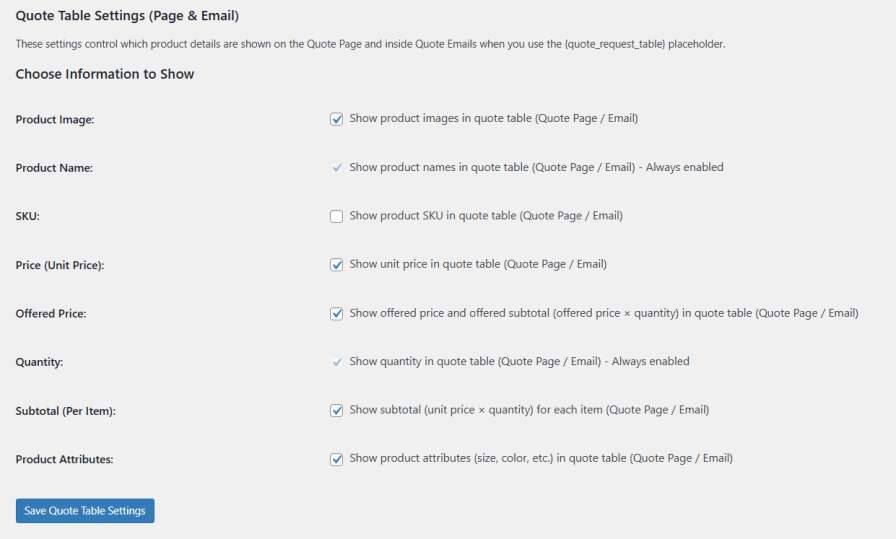
Easily control what details appear in the quote table, giving your customers a clear and organized view of their quotes on both the Quote Page and in emails.
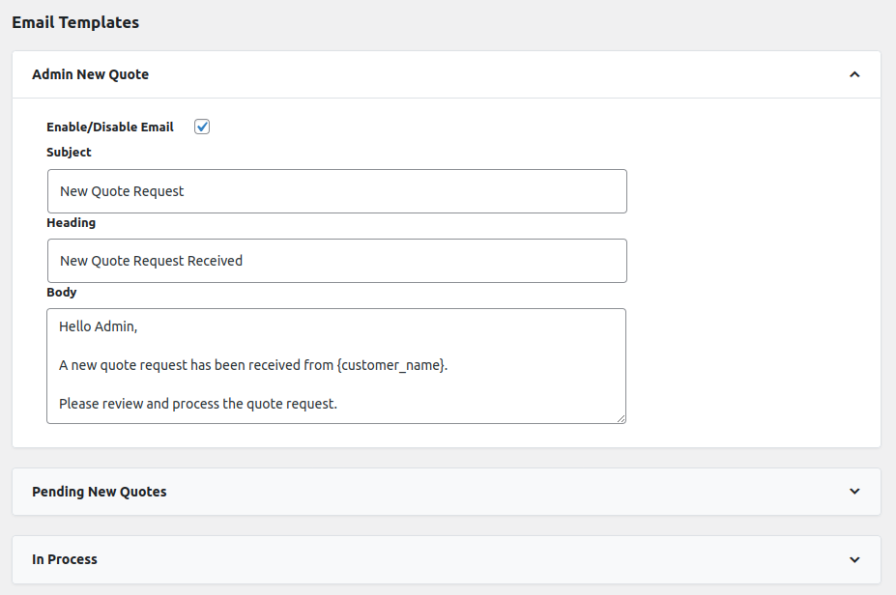
Enable the email notification to notify both the customer and admin about the status of the quotation. You can customize the email by adding a subject, heading, and body. You can customize the following:
You also have three pre-defined placeholders to automatically personalize the email – Customer’s Name, Quote Number, and Order Number (when converted).
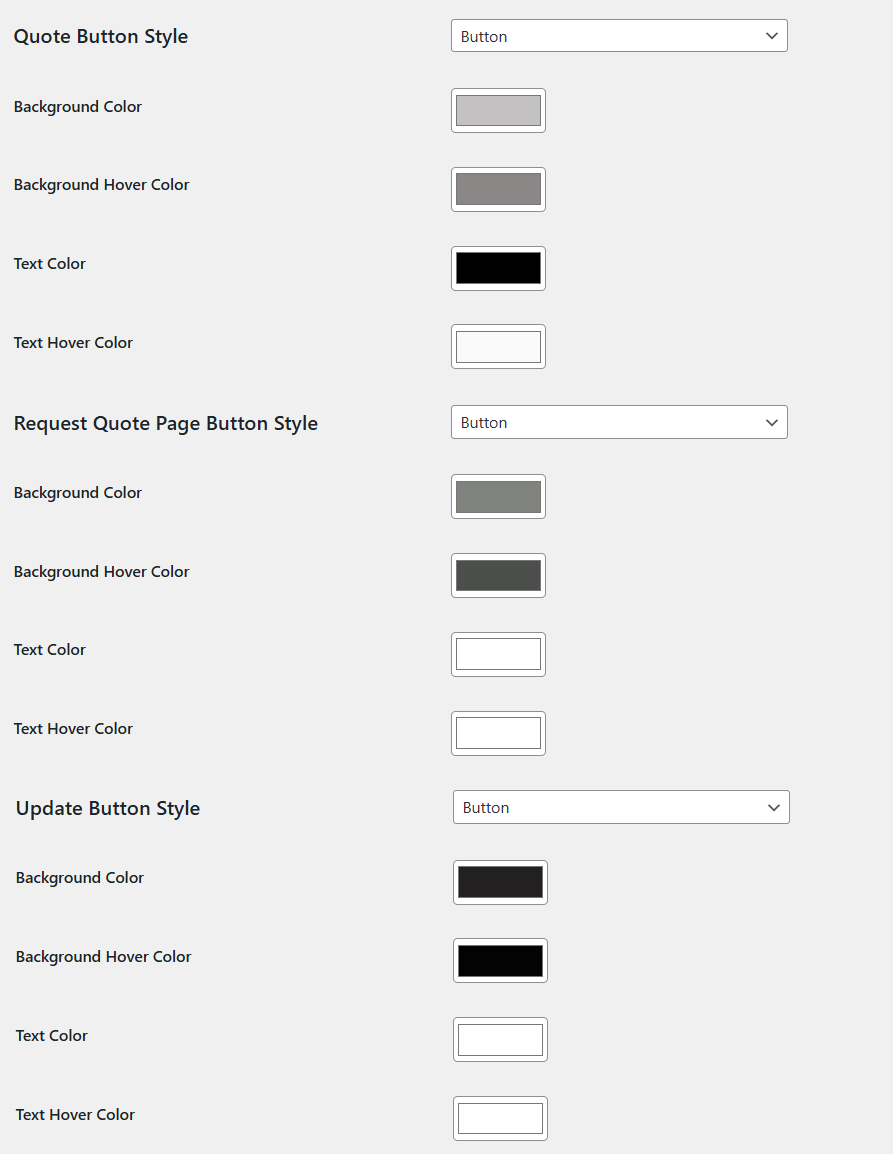
Enhance the user experience with request a quote for WooCommerce by fully customizing your quote buttons. Enable, disable, or style the Request a Quote button to match your store’s design. Choose the button type as Button or Text Link for Quote, Request Quote, and Update actions. Customize colors for each button, including:
Easily review and manage all quote requests from your store’s admin area. View complete quote details, including customer information, selected products, quantities, offered prices, and standard totals (based on your settings). You can also create new quotes directly from the backend and send them to customers via email.
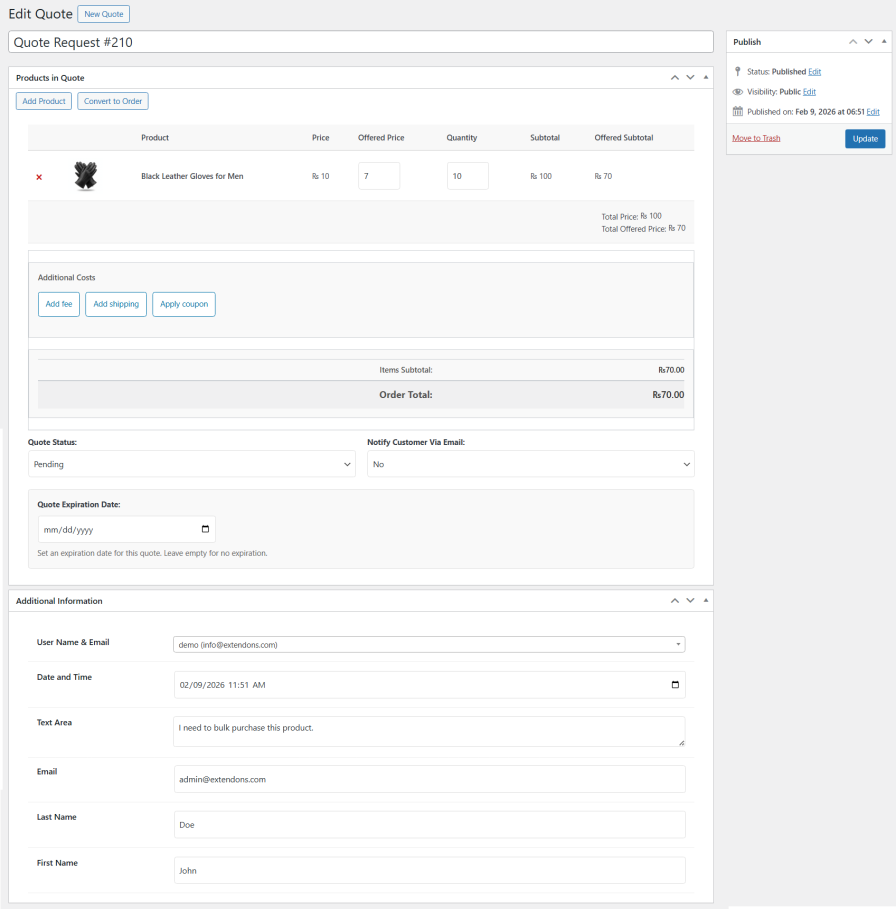
The request a quote plugin enables you to keep customers informed by automatically sending email notifications whenever a quote status is updated. You can also set an expiration date for each quote to encourage timely responses and prevent outdated pricing from being accepted.
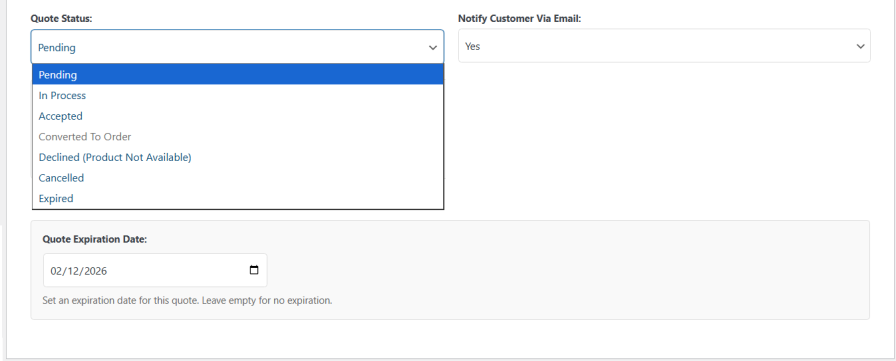
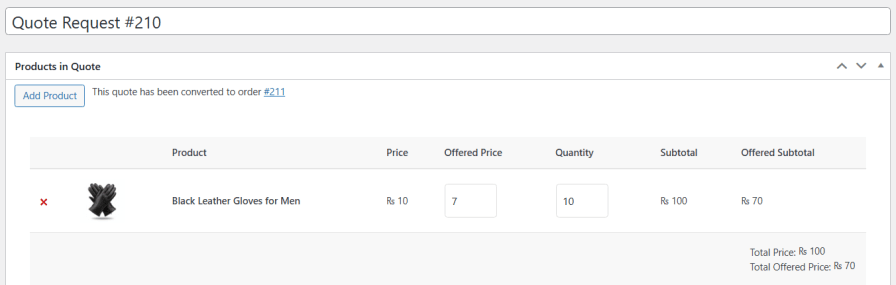
With quote request for WooCommerce, you can convert an accepted quote into an order using the offered price. Update the offered price if needed, and it will be applied as the product price in the order.
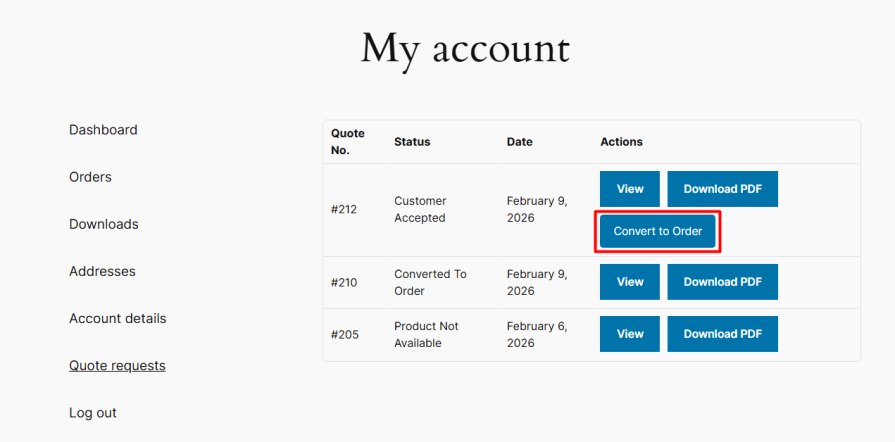
Change the status of the quote to accepted and allow customers to convert the quote into an order from my account page.
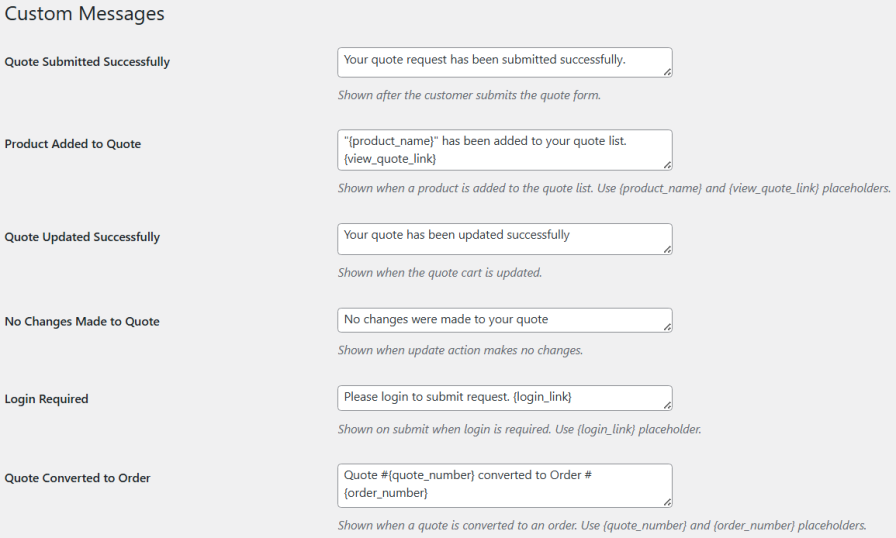
Request a quote for WooCommerce allows you display the custom messages upon requesting a quote. You can use a short code in messages to make it more personalized.
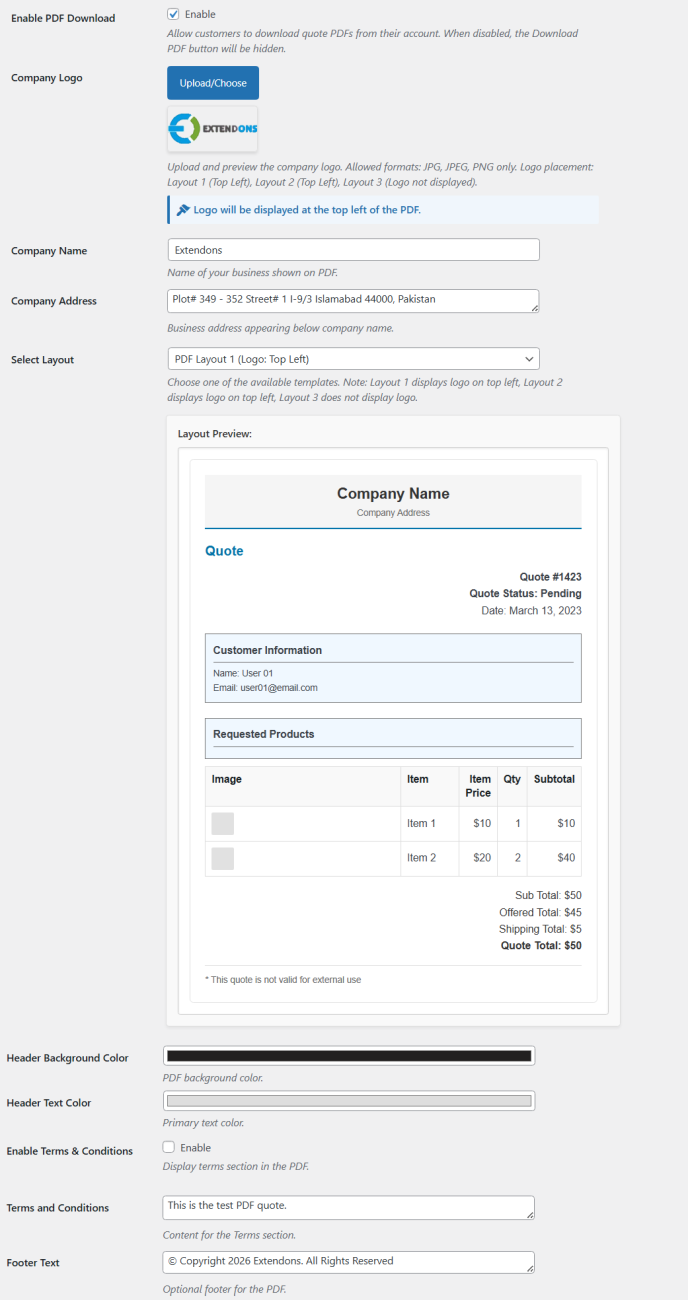
Attach quote PDFs to emails and display them on the My Account page, giving customers easy access to a copy of their quote anytime. You can customize the following:
Yes, you can hide prices and the Add to Cart button, replacing them with an Add to Quote option to encourage price requests.
Yes, display the quote button by user role, login status, and on specific products or categories across Shop, Product, Cart, and Checkout pages.
Request a quote for WooCommerce enables you to create custom forms with unlimited fields, multiple input types, and choose between single or two-column layouts.
Yes, admins can manage all quotes from the backend and convert accepted quotes into orders, and customers can also convert them from their account.
Yes, it sends automated status emails and allows you to attach customizable PDF quotes for customers.
You can enable reCAPTCHA on the quote form to block spam and ensure that only real customers submit requests.
Categorias
Extension information
Quality Checks
Países







