

A assinatura inclui
Suporte
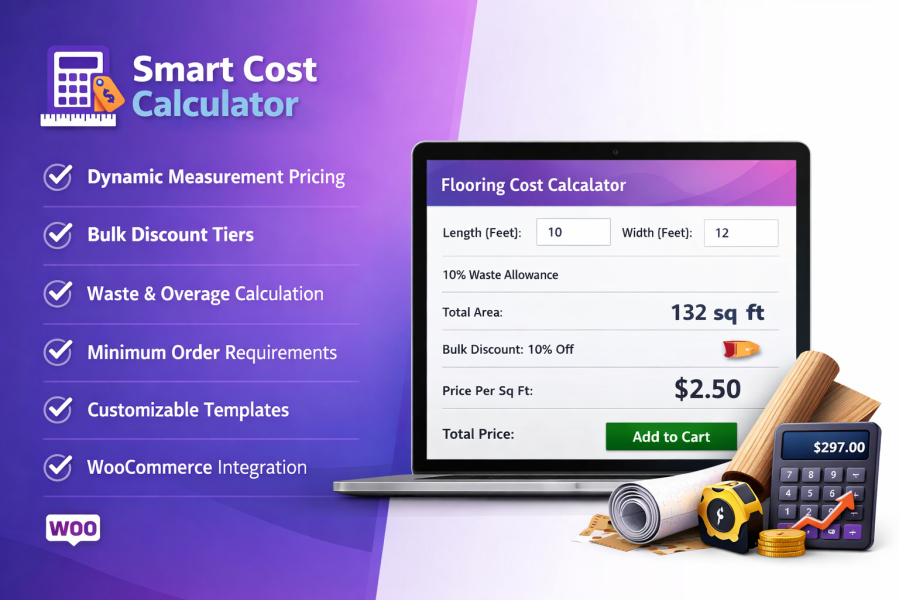
Smart Cost Calculator enables WooCommerce store owners to sell products based on customer-defined measurements instead of fixed quantities. Shoppers enter the exact size they need—such as length, area, volume, weight, or coverage—and the plugin calculates the final price instantly using your pricing rules.
This approach is ideal for stores selling flooring, fabric, tiles, construction materials, liquids, food items, cables, blinds, and made-to-order products where pricing depends on size rather than units.
Many products cannot be priced accurately using standard WooCommerce quantity fields. Smart Cost Calculator solves this problem by allowing customers to enter precise measurements directly on the product page, ensuring accurate pricing every time.
You can price products using the measurement method that best matches how they are sold. Customers enter dimensions relevant to the product, and pricing is calculated automatically.
This option is ideal for products sold by linear size, such as ropes, wires, pipes, fabrics, and cables. Customers enter the required length, and the product price updates automatically.
Multiple length units are supported, helping improve accuracy while eliminating manual calculations.
Perfect for goods sold by weight, including food items, grains, oils, raw materials, and bulk products. Customers select the required weight and see the final price instantly.
This ensures consistent pricing while simplifying bulk purchases.
Designed for products such as carpets, blinds, flooring, tiles, and panels. Customers enter both length and width to calculate the total required area.
This ensures customers pay only for the space they need, improving transparency and trust.
This option allows customers to enter a total area value in one field, making it ideal for printing services, wallpaper, or surface-based products.
The simplified input improves the shopping experience without sacrificing pricing accuracy.
Suitable for boxed products like tiles or packaged flooring. Customers enter their required dimensions, and the system calculates how many boxes are needed. Pricing is applied per box.
This helps prevent under-ordering and reduces installation issues.
Best for products sold by volume, such as mulch, soil, sand, or liquids. Customers enter length, width, and height, and pricing is calculated automatically.
This removes guesswork and ensures consistent volume-based pricing.
Ideal for products where total surface coverage matters, such as wrapping materials or coatings. Pricing is calculated using all visible sides of the product.
This method is especially useful for packaging and industrial use cases.
Create pricing ranges so larger measurements receive better rates. This encourages customers to purchase more by reducing the cost per unit as size increases.
Discounts are applied automatically when customers enter larger measurements. No coupons are required, keeping the checkout process simple.
Add an automatic extra allowance to account for cutting waste or installation loss. This helps customers order sufficient material and reduces follow-up orders.
Set minimum measurement values to prevent low-value or unprofitable orders. Customers receive instant feedback if their entry does not meet your requirements.
Stock can be managed using calculated measurements instead of unit quantities. Inventory updates automatically as orders are placed.
Smart Cost Calculator is designed for WooCommerce stores that sell products where size, weight, or coverage determines pricing, and where accuracy and automation are essential.
Smart Cost Calculator is a WooCommerce plugin that allows store owners to sell products based on customer-defined measurements such as length, area, volume, weight, or coverage. The final price is calculated instantly on the product page based on your pricing rules.
The plugin is ideal for products where pricing depends on size rather than quantity, including:
Smart Cost Calculator supports multiple pricing methods:
Yes. Prices update instantly on the product page as soon as the customer enters or changes their measurements. No page reload is required.
Absolutely. You can define tiered pricing ranges so larger measurements receive lower per-unit prices. This encourages larger purchases and increases average order value.
Categorias
Extension information
Quality Checks
Países







