

Das Abonnement beinhaltet
Support
WooCommerce booking & appointment plugin allows you to easily manage booking, appointments, and reservations. It is perfect for businesses offering services, rentals, classes, or accommodations that require scheduled bookings.
Set up daily or hourly bookings and easily manage appointments for any type of service. Whether you run a hotel, restaurant, or car rental service, you can keep your booking calendar organized and efficient.
WooCommerce appointment booking lets your customers select their preferred booking duration and add optional services. It offers dynamic pricing for different person types or room categories, sends automated emails to keep customers informed, and includes Google Maps integration for easy navigation.
This plugin offers three flexible options to suit different business needs, making it easy to manage reservations and appointments.
Offer both predefined and custom time slots to cater to different customer needs. This improves the overall booking experience while keeping your business operations efficient.
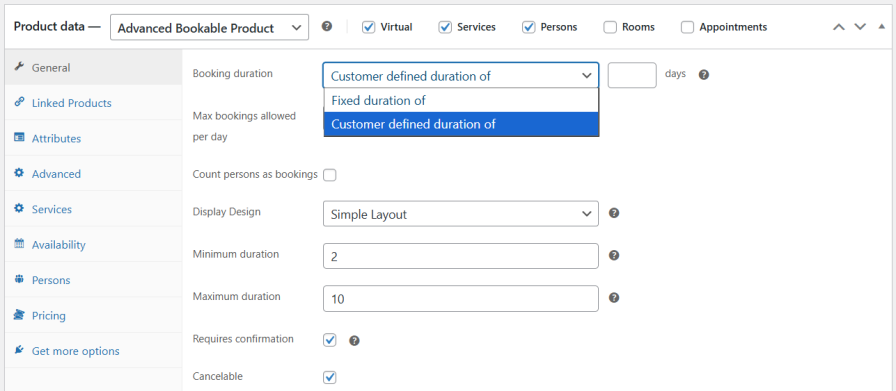
Create bookings based on the number and type of persons, such as adults, children, or any custom category. You can set separate pricing for each person type, ensuring accurate per-person charges and flexible rates.
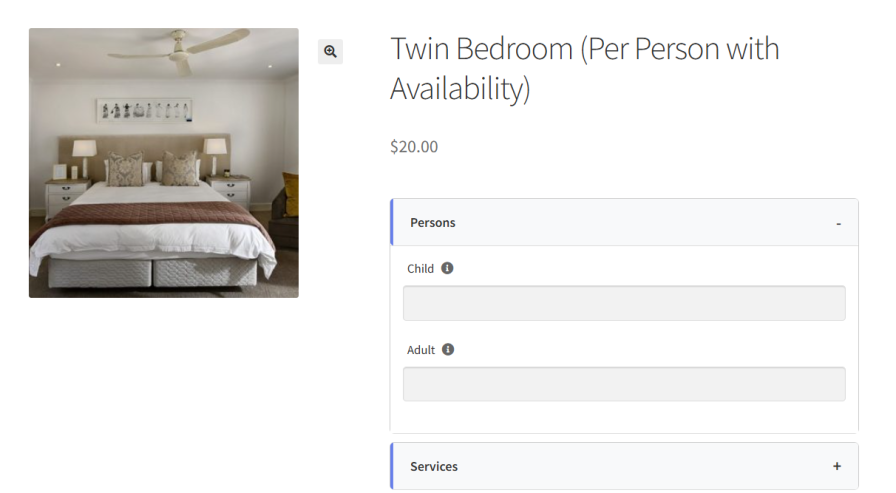
Allow customers to book one or multiple rooms based on their needs. You can set the minimum and maximum number of rooms per booking and define the price per room, giving you full control over availability.
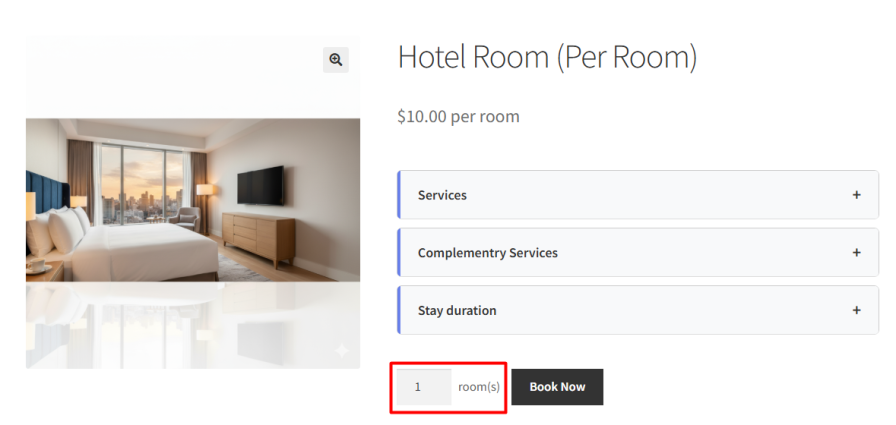
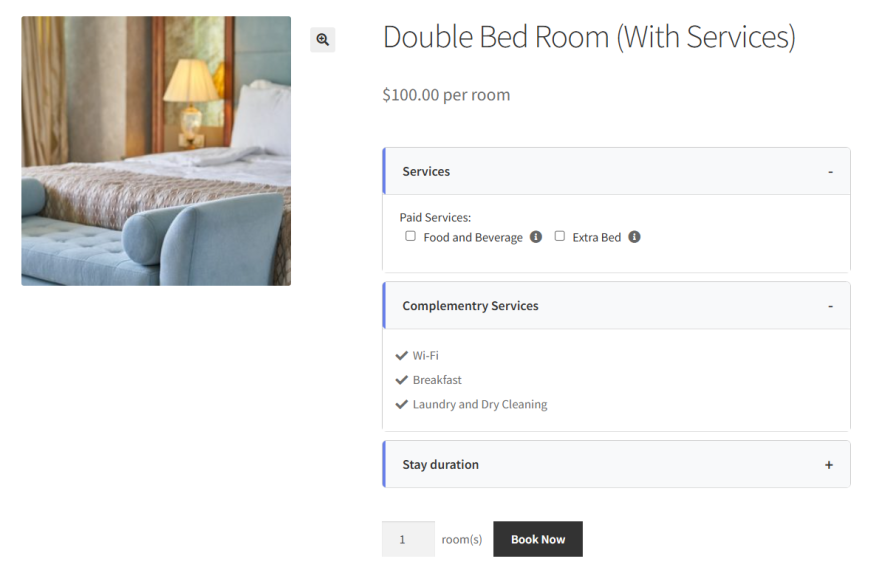
Add extra services or resources to your bookings and choose to offer them for free or at an additional cost. You can include them automatically or let customers select them during booking, such as parking for hotel stays or an extra bed for accommodations.
Easily integrate Google Maps with the WooCommerce bookings plugin to showcase your business location. This feature helps customers quickly find your venue, improving their overall experience and making it easier for them to navigate to your business.

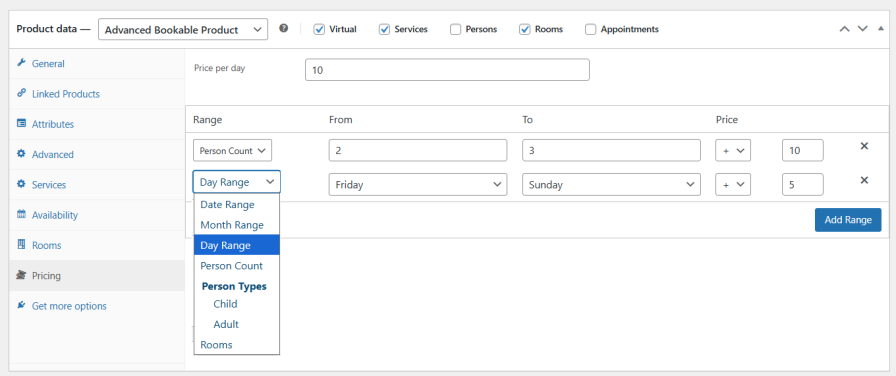
Set flexible pricing based on date, month, specific days, number of persons, person types, or number of rooms. This allows you to adjust rates according to demand, season, or booking details. It helps you automatically calculate the correct booking cost and apply the appropriate rate to each reservation.
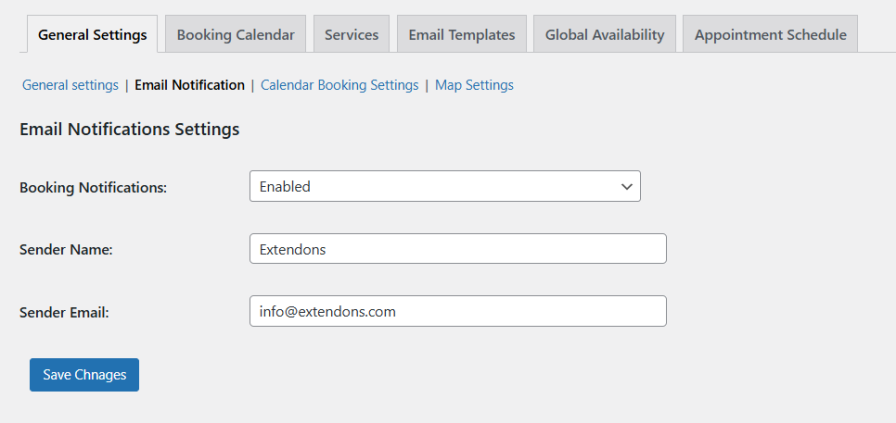
Keep your customers informed with automated email notifications. The plugin sends instant booking confirmations, reminders, and status updates, ensuring customers are always updated on their reservations. This enhances communication, boosts customer satisfaction, and improves overall service quality.
Note: Email notifications are supported for both bookings and appointments.
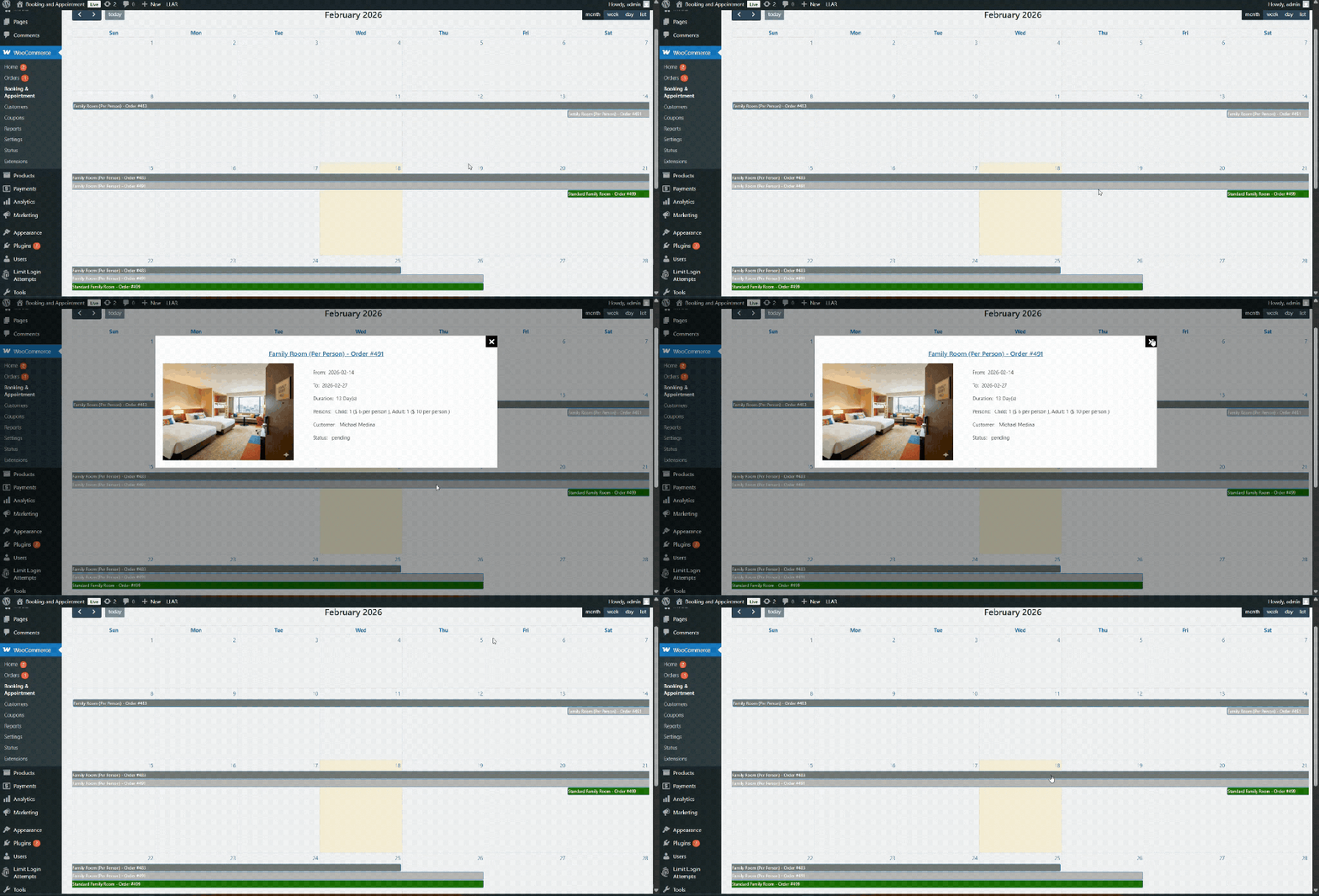
Booking for WooCommerce has an interactive booking calendar that allows admins to efficiently track and manage all reservations. With the ability to view both upcoming and past bookings in one location, this feature ensures streamlined booking management and enhances operational efficiency. Stay organized and on top of every reservation, all from an easy-to-use interface.
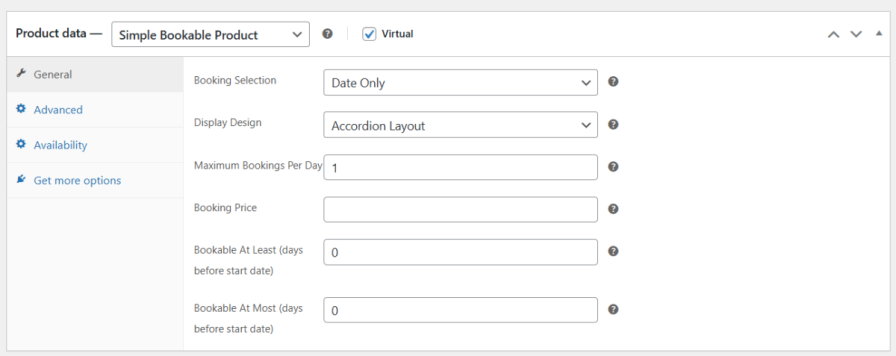
With the simple booking option, the WooCommerce booking plugin lets customers make quick and easy reservations using either Date Only or Date & Time selection. It includes simple controls for pricing, availability, and daily limits, providing a hassle-free setup for fast booking management.
Choose the booking layout of your choice to improve the customer booking experience. You can select from Simple and Accordion layout.
Note: This option is also available for advanced booking and appointments.
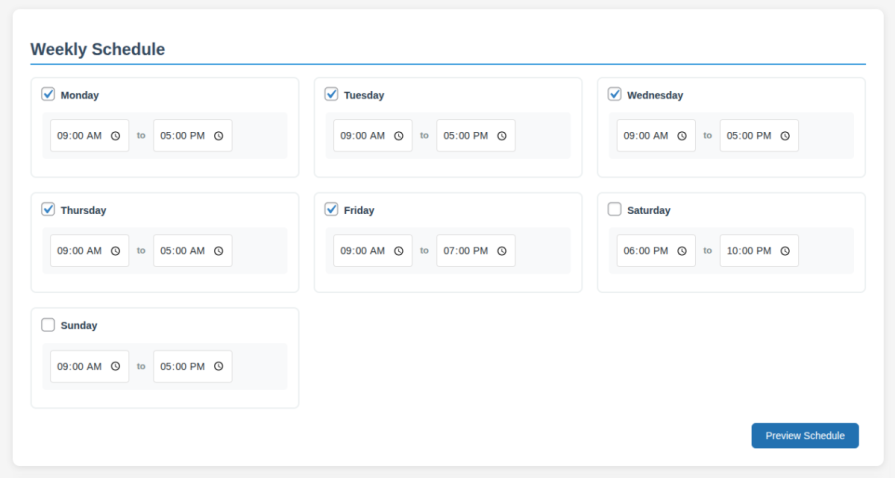
WooCommerce appointments allows you to create an appointment schedule by selecting your working days and setting specific time slots. You can set the weekly schedule with a time duration according to availability.
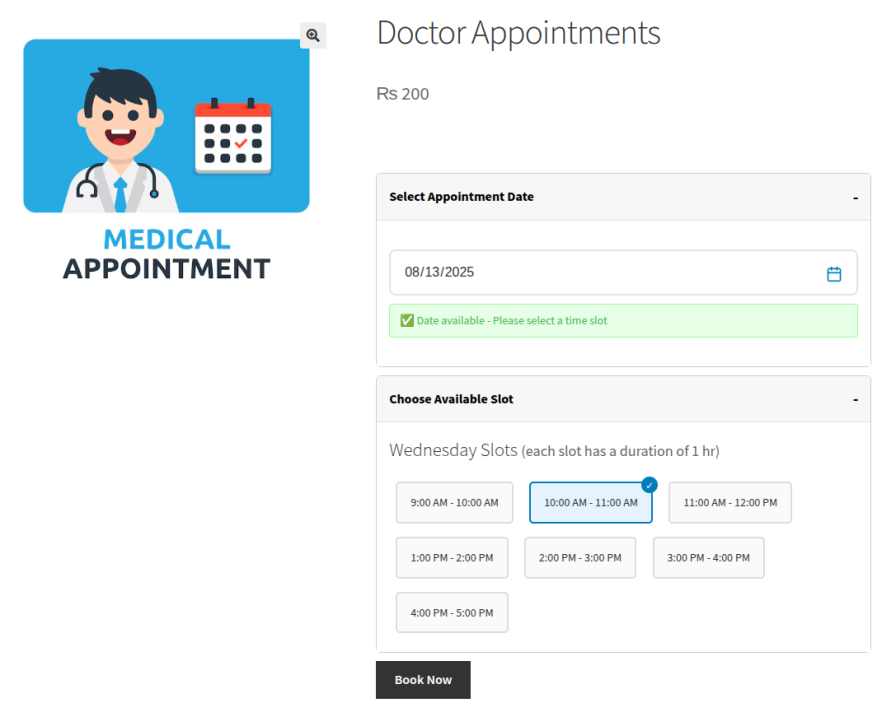
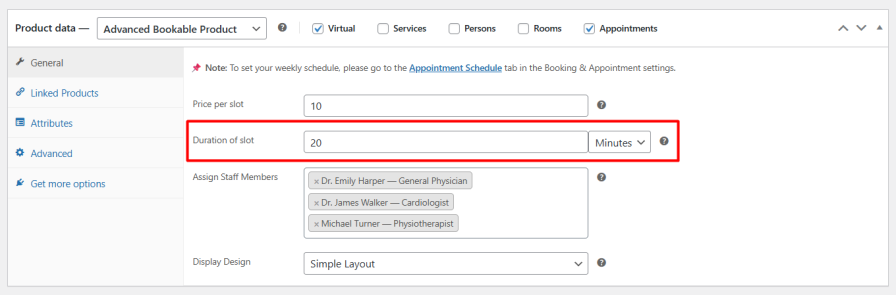
Set a custom price for each time slot based on your service. You can also define how long each appointment should last, whether it’s 15 minutes or two hours, allowing you to manage time and pricing more effectively.
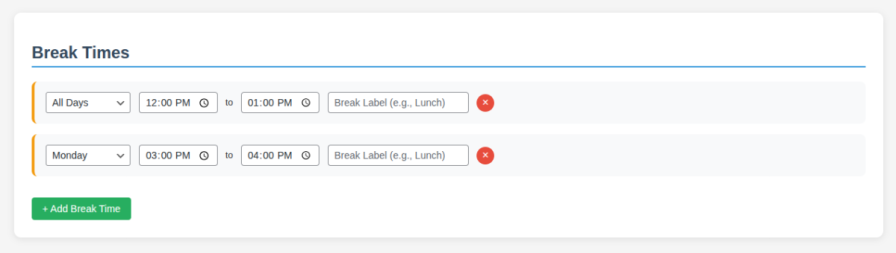
Add breaks between appointment slots to manage your schedule effectively. It helps you prepare, rest, or wrap up before the next booking. This helps you improve the quality of your service.
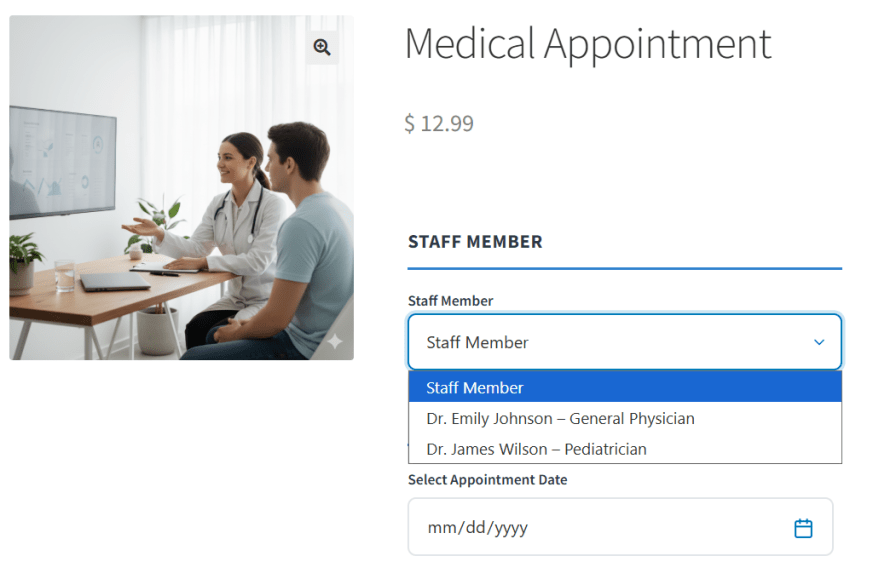
Easily manage your team by adding multiple staff members, allowing customers to choose their preferred staff. You can also set individual availability, breaks, and off days for smooth scheduling and a better booking experience.
WooCommerce bookings and appointments enable you to mark specific days as unavailable for appointments. Whether it’s a weekend, public holiday, or a day off, you have full control to disable bookings on those dates. This ensures you’re never overbooked and helps manage customer expectations.
Yes, you can set maximum booking limits to control availability for each date or time slot, ensuring you don't overbook your resources.
Yes, WooCommerce booking plugin allows you to add optional services such as cleaning, Wi-Fi, or meals, each with clear pricing details, allowing customers to customize their bookings according to their preferences.
You can integrate the WooCommerce booking & appointment plugin with Google Maps to display your business location on the booking page. This helps customers easily locate your venue, improving navigation and enhancing their overall booking experience.
Yes, the plugin provides an interactive booking calendar within your WordPress admin panel, allowing you to view, manage, and track all reservations efficiently, helping to avoid scheduling conflicts and streamline operations
Yes, WooCommerce bookings and appointments allow you to define customizable pricing based on person types, such as adults and children, enabling accurate billing and accommodating various customer categories.
You can define custom price ranges for different person categories and room types. This tiered pricing strategy allows you to cater to various customer groups.
Extension information
Quality Checks
Länder








