

Das Abonnement beinhaltet
Support
Boost customer engagement, retention, and sales with Loyalty Press – Points and Rewards, the best WooCommerce points and rewards plugin. This powerful loyalty program plugin lets you create an engaging, fun online store experience for your customers.
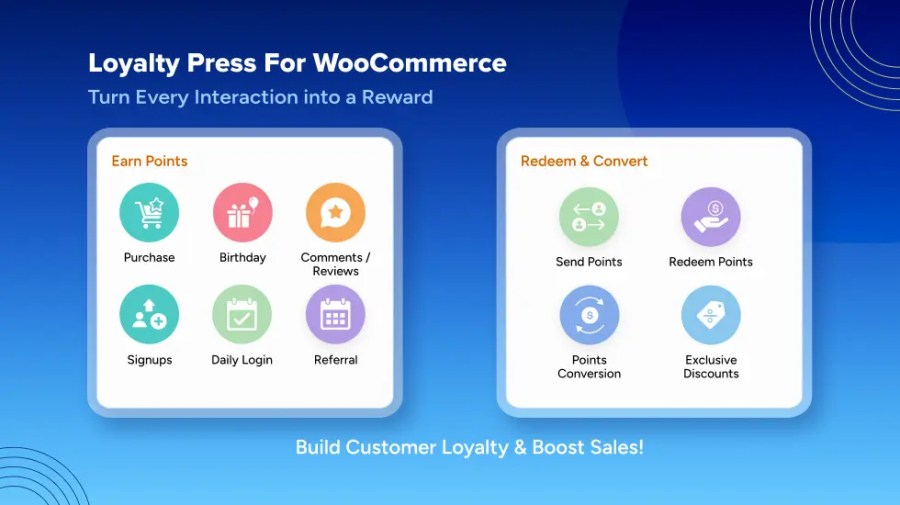
With gamified features like daily login rewards, referral bonuses, signup points, and birthday perks, it transforms shopping into a rewarding experience while increasing repeat sales.
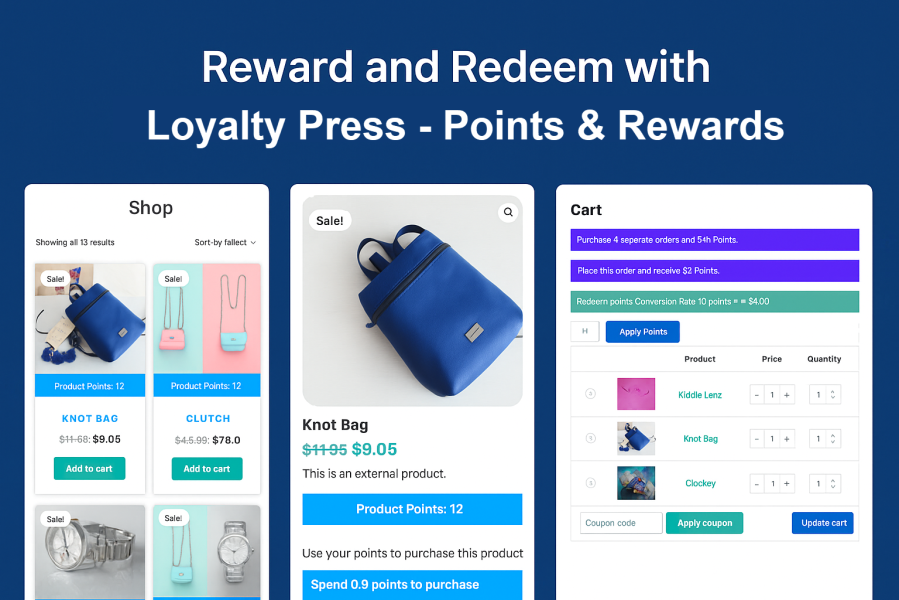
Customers can earn points, redeem them for discounts, convert them into coupons, or even share them with friends—making it a truly flexible WooCommerce Rewards and Points plugin.
With Order Points settings, store owners can assign loyalty points based on the number of orders placed or the cart subtotal amount.
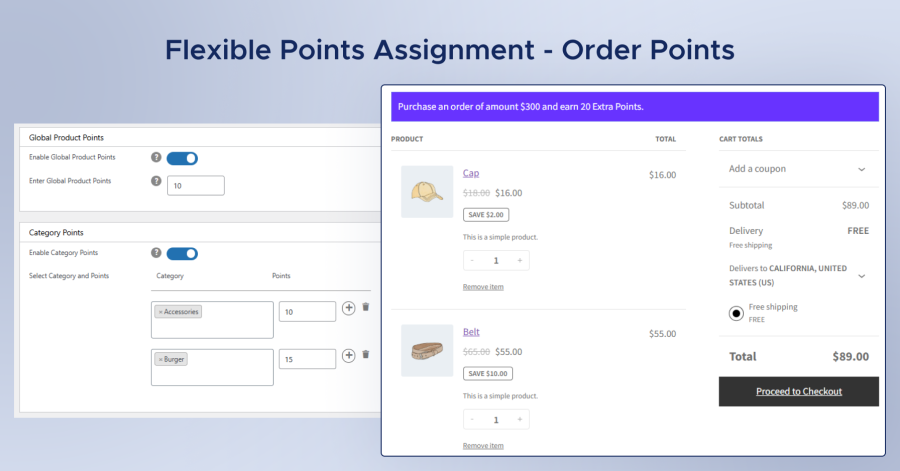
The Product Points settings let store owners assign specific point values to individual products or entire product categories. This gives complete flexibility in creating targeted reward strategies — for example, offering higher points on selected items to promote sales or rewarding specific categories to encourage repeat purchases.
Maintain accuracy and consistency in your loyalty system with flexible rounding rules for earned and redeemed points. Choose how point values are calculated based on your store’s reward strategy.
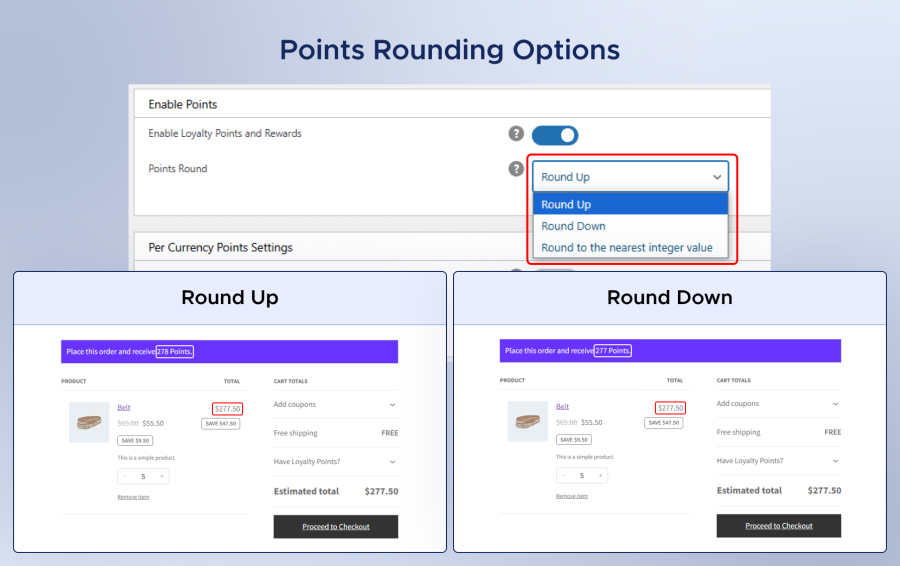
This WooCommerce rewards and points plugin gives customers multiple ways to use their points.
Customers can redeem their earned points in multiple ways — for instant discounts at checkout, to purchase products directly, or to convert points into discount coupons for future use.
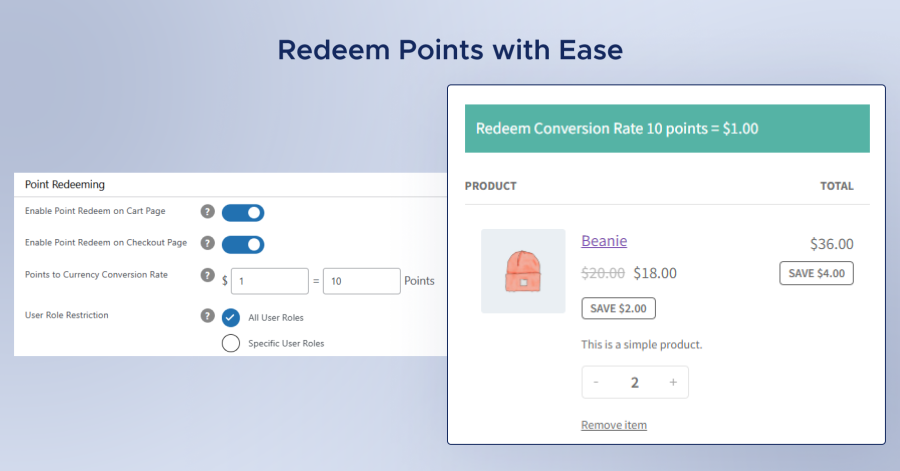
Store admins can define a conversion rate to determine how many points equal a specific discount value and even set user restrictions on which roles are eligible to redeem points.
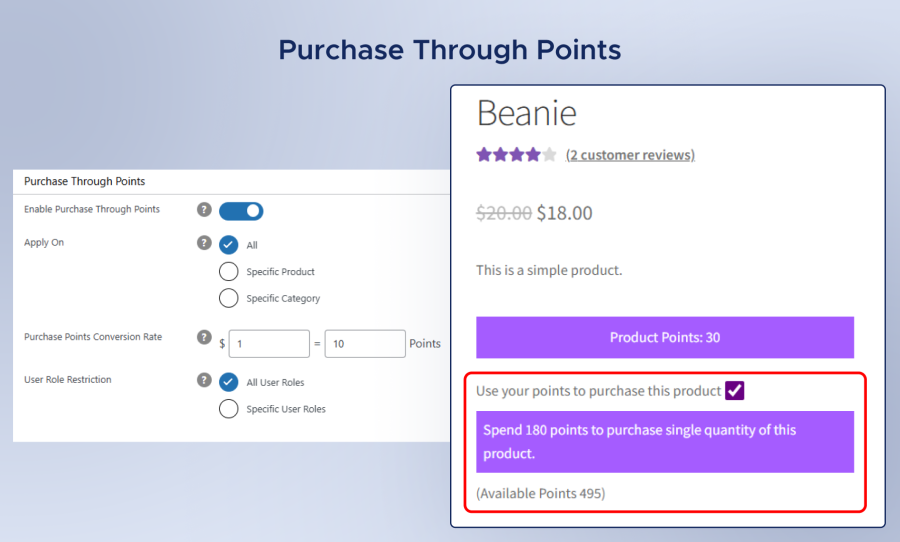
Empower customers to use their earned loyalty points as an alternative payment method. With this feature, users can purchase products directly using points instead of money.
Loyalty Press lets you transform points into coupons through advanced coupon management options.
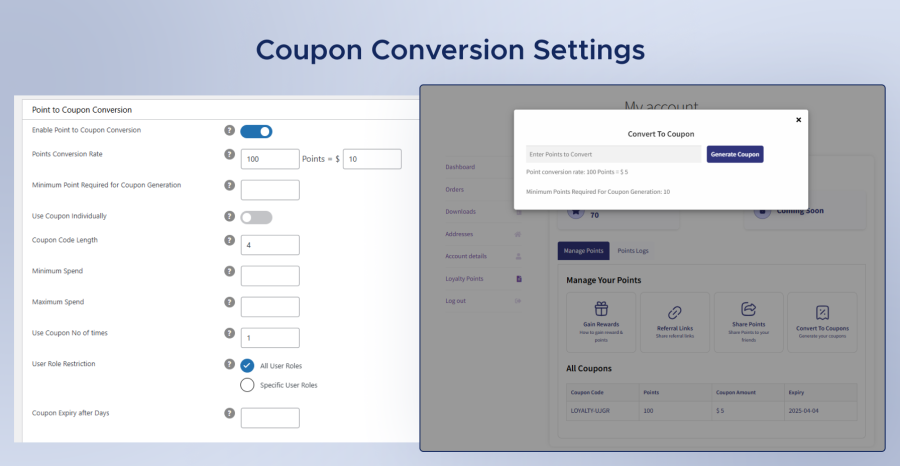
Admins can:
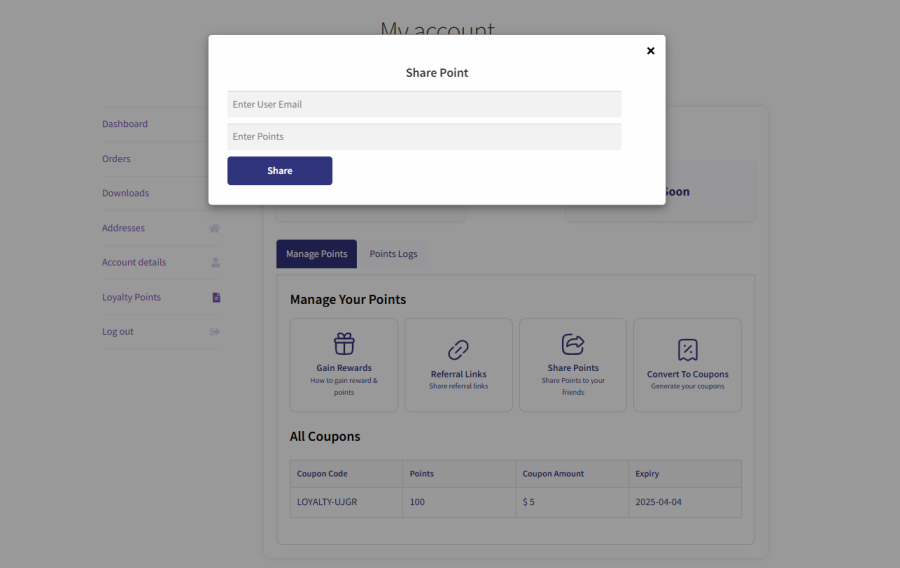
Customers can also share their earned points with friends, family, or fellow shoppers, introducing a social and interactive element to the loyalty program. This not only encourages community engagement but also makes the shopping experience more fun and rewarding.
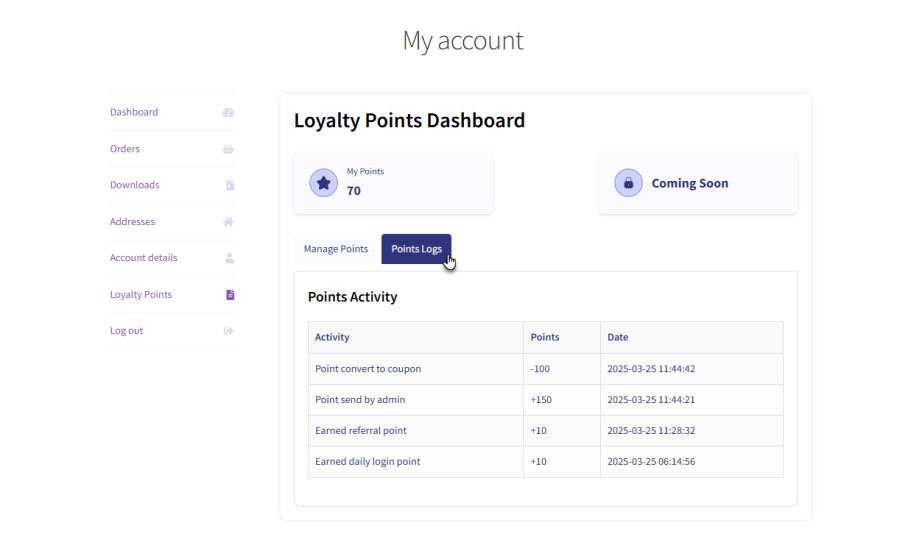
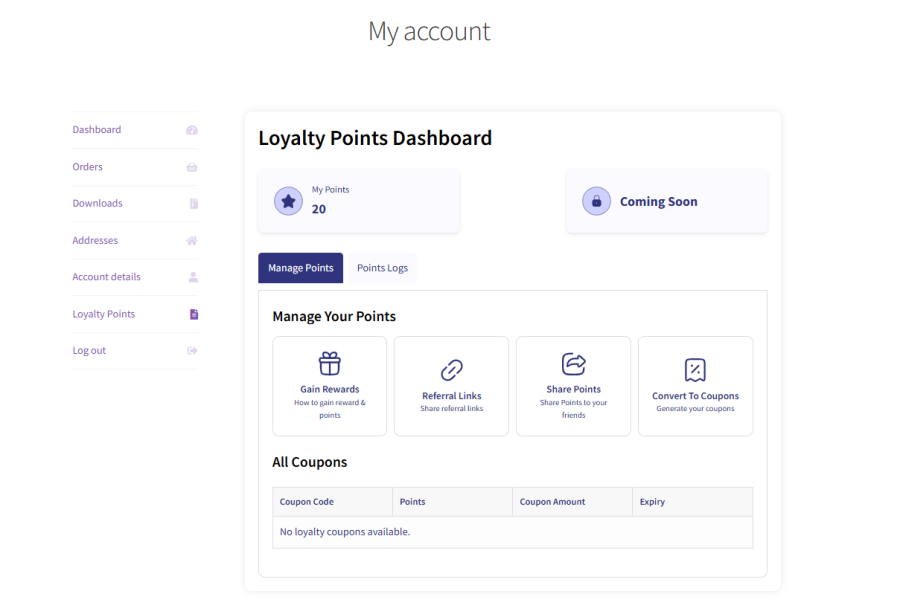
All activities related to points—earning, deduction, sharing, or updates—are tracked in a detailed log. Customers and admins can easily view their points history, providing complete transparency and building trust in your loyalty program.
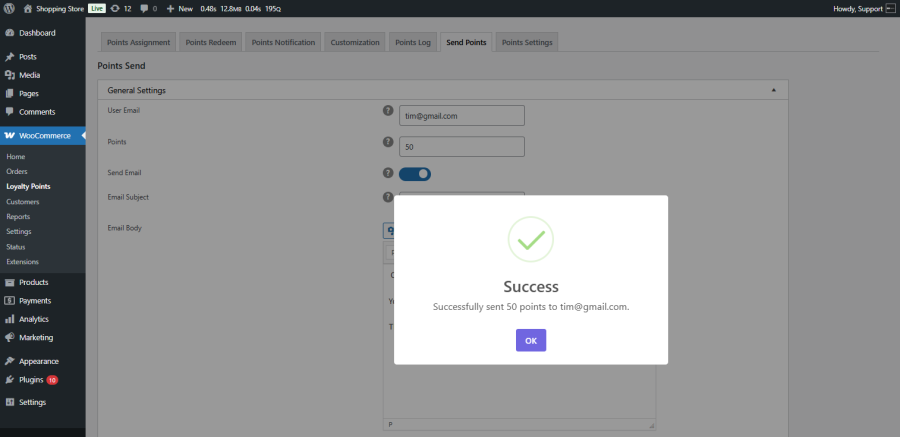
The Points Send feature enables admins to assign loyalty points manually to any customer. This is especially useful for running special promotions or compensating customers. Automated email notifications can be sent to inform users whenever they receive points.
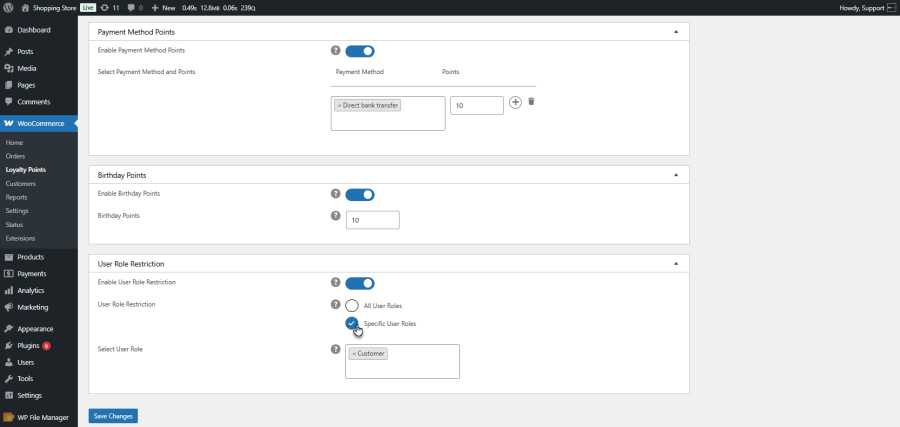
Admins can restrict points and rewards to specific user roles. This means you can customize loyalty benefits for different customer groups, such as VIPs, wholesale buyers, or regular shoppers.
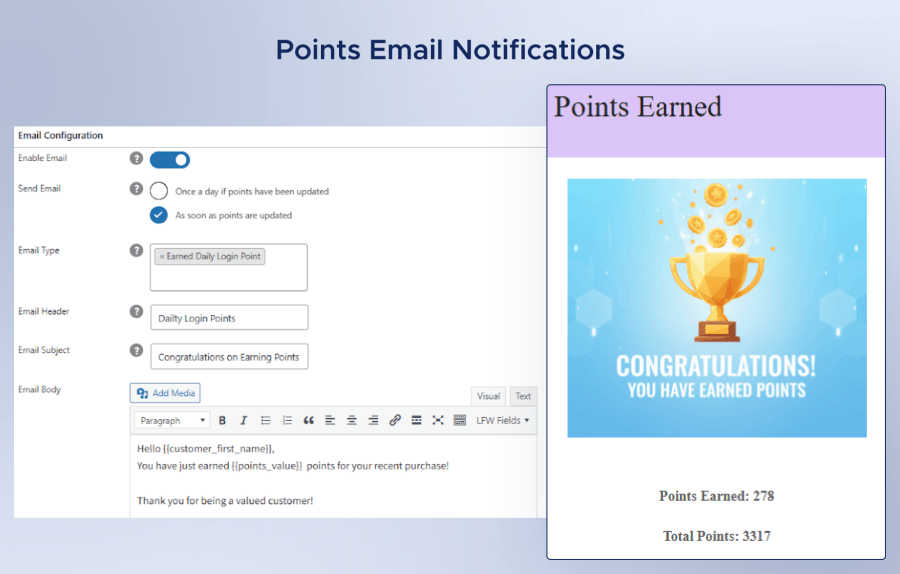
Customers are kept informed with automatic emails whenever their points change. Admins can choose to send these notifications instantly or in a daily summary, ensuring that users are always aware of their rewards.
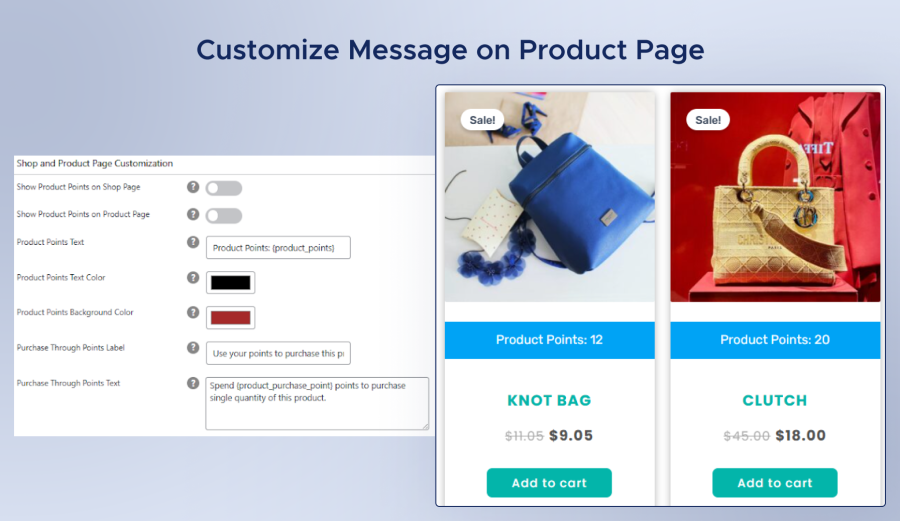
The Customization tab empowers store owners to control how loyalty points information is displayed across key store pages. Admins can configure personalized messages showing how many points customers will earn on:
Shop and Product Pages: Display potential points for each item to motivate customers to add more to their cart.
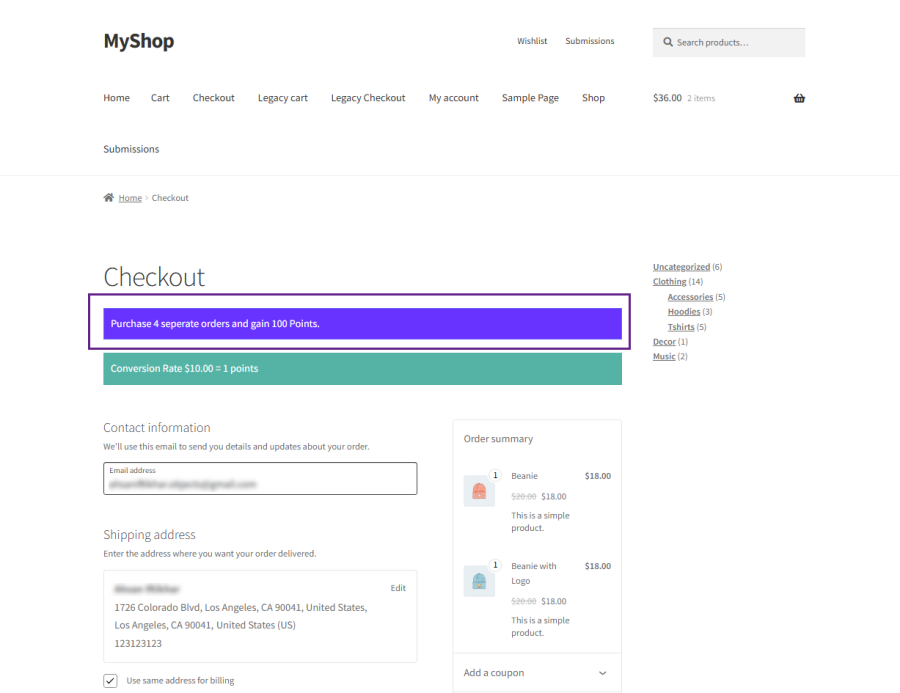
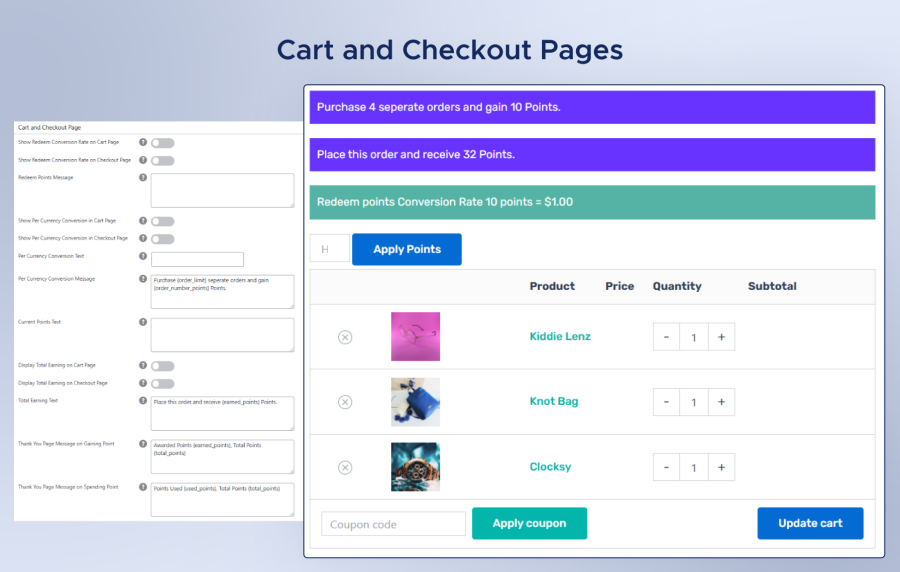
Cart and Checkout Pages: Show total points that will be earned on the current purchase to encourage completion.
My Account and Thank You Pages: Reinforce loyalty after purchase by displaying total accumulated points and thank-you messages.

The Loyalty Points Dashboard provides customers with a clear, interactive overview of their rewards activity. It helps them stay engaged by tracking points earned, redeemed, and shared — all in one place. The dashboard includes three main sections:
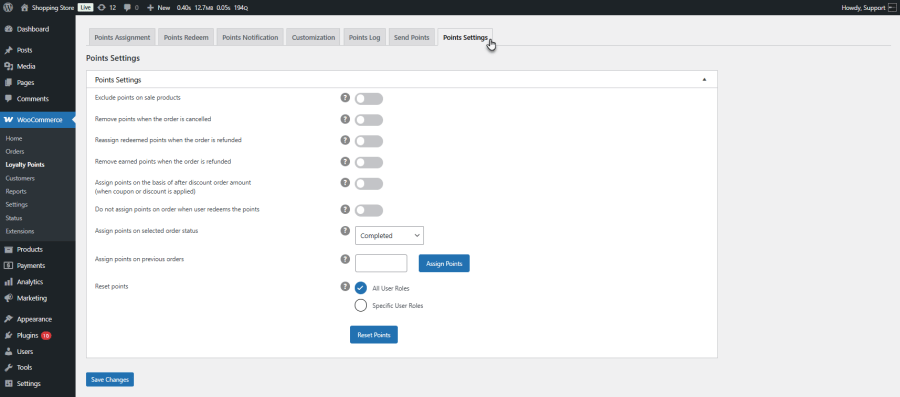
The plugin includes advanced settings to manage how points are awarded, reset, and handled across different scenarios. This includes managing points for past orders, canceled orders, or custom order statuses, ensuring maximum flexibility in how your Loyalty Program Plugin operates.
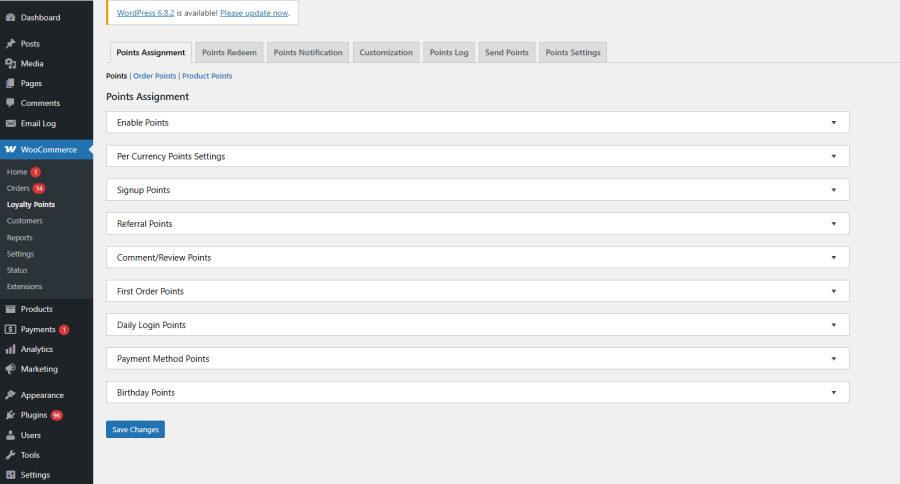
Keep your customers engaged with multiple opportunities to collect points and unlock rewards. Loyalty Press is designed to reward everyday actions, encouraging repeat purchases and stronger brand loyalty. Here are 8 exciting ways your customers can earn points:
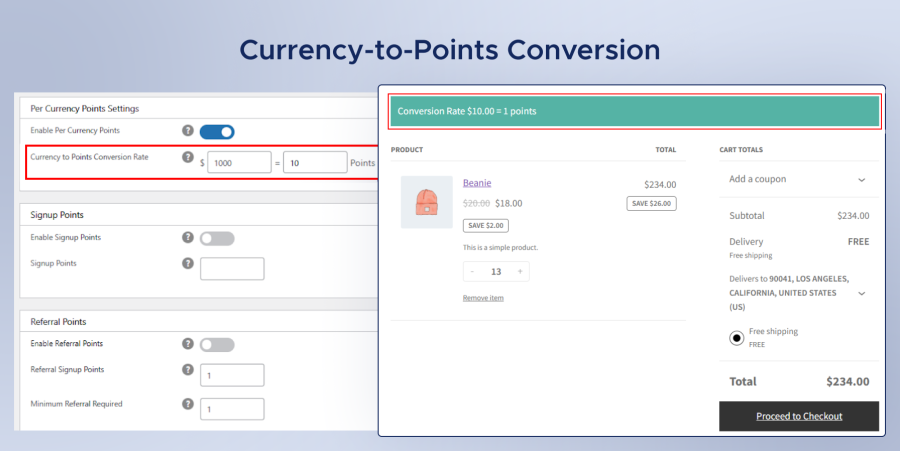
Admins can set a custom conversion rate to determine how customers earn points based on their order total. The conversion rate can also be displayed on the cart and checkout pages, helping users clearly understand how their purchases translate into rewards.
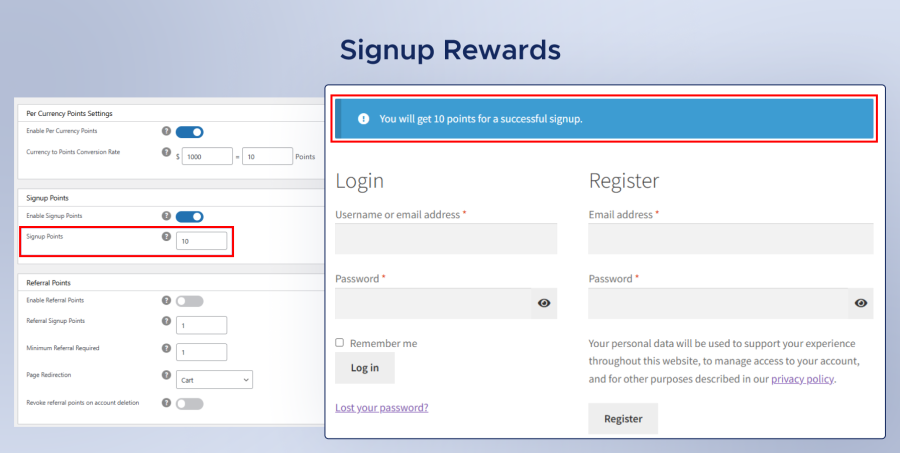
Encourage new registrations with Signup Points. Customers can earn points simply by creating an account, giving them an immediate reason to start shopping. This feature can be enabled or disabled by the admin as needed.
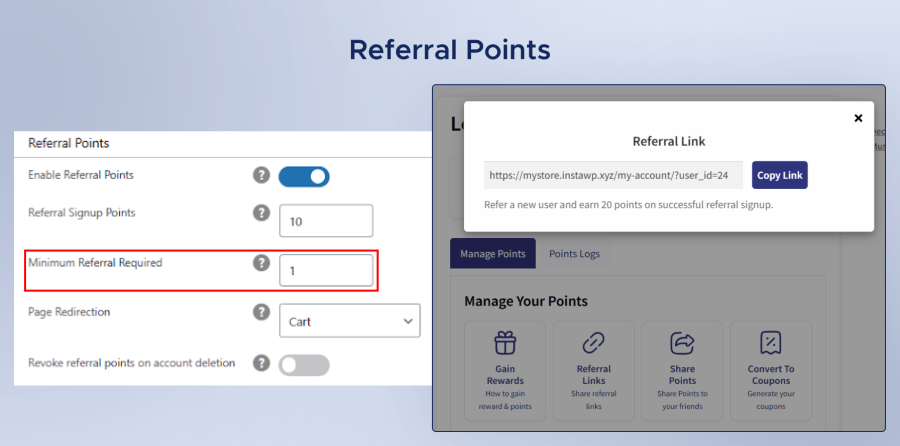
With referral points, users earn rewards by inviting new customers to your store. Once the referred user registers, the referrer earns points, making this a powerful feature for organic customer growth.
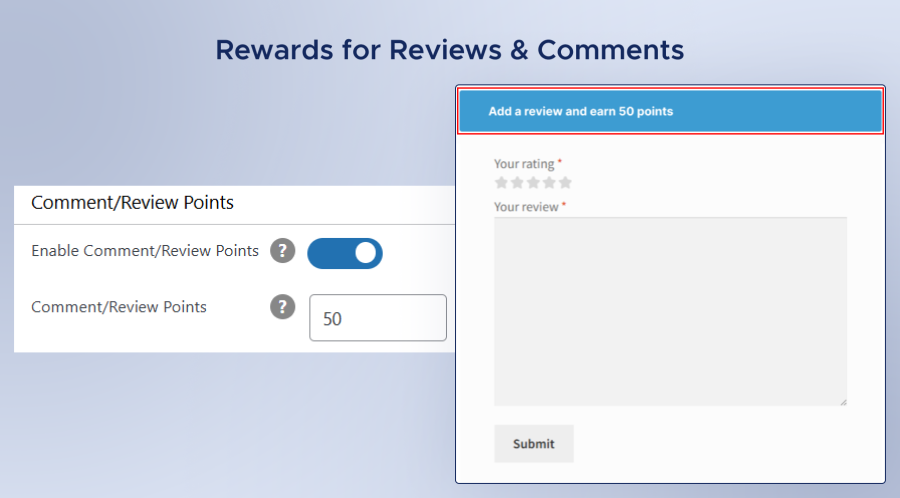
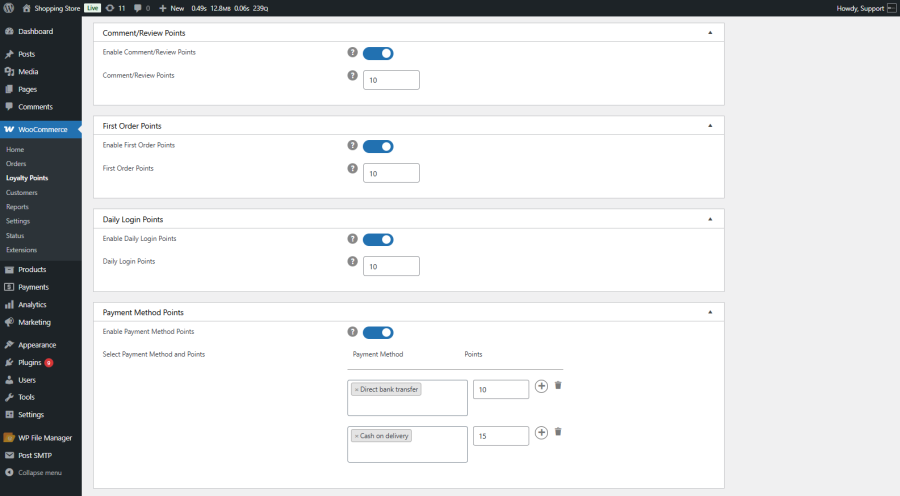
Boost product credibility and engagement by awarding points for reviews or comments. Customers who share their feedback are rewarded, encouraging more authentic reviews and building trust in your store.
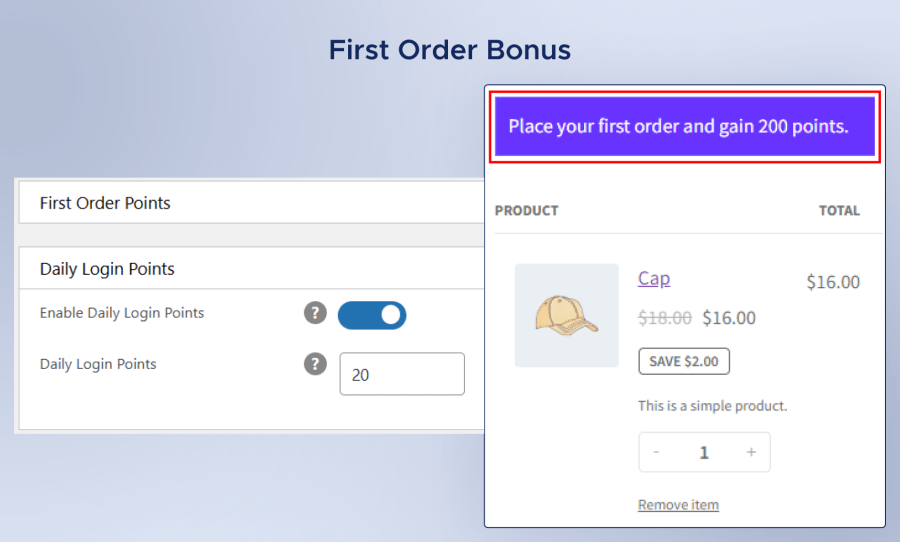
Give your new customers a warm welcome by offering them extra points on their very first purchase. This instant reward not only creates a positive first impression but also motivates them to return and shop again. By making their first shopping experience more valuable, you increase the chances of building long-term loyalty and turning first-time buyers into repeat customers.
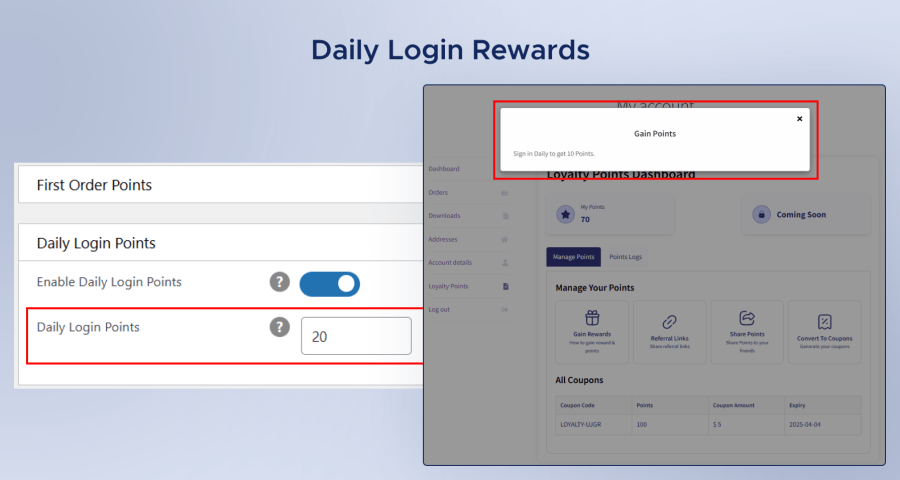
Keep customers coming back every day with Daily Login Points. This gamification feature encourages repeat site visits, which can increase engagement and boost sales.
Reward customers with loyalty points based on the payment method they use at checkout. This not only motivates buyers to choose your preferred gateways but also helps you manage transaction costs more effectively.
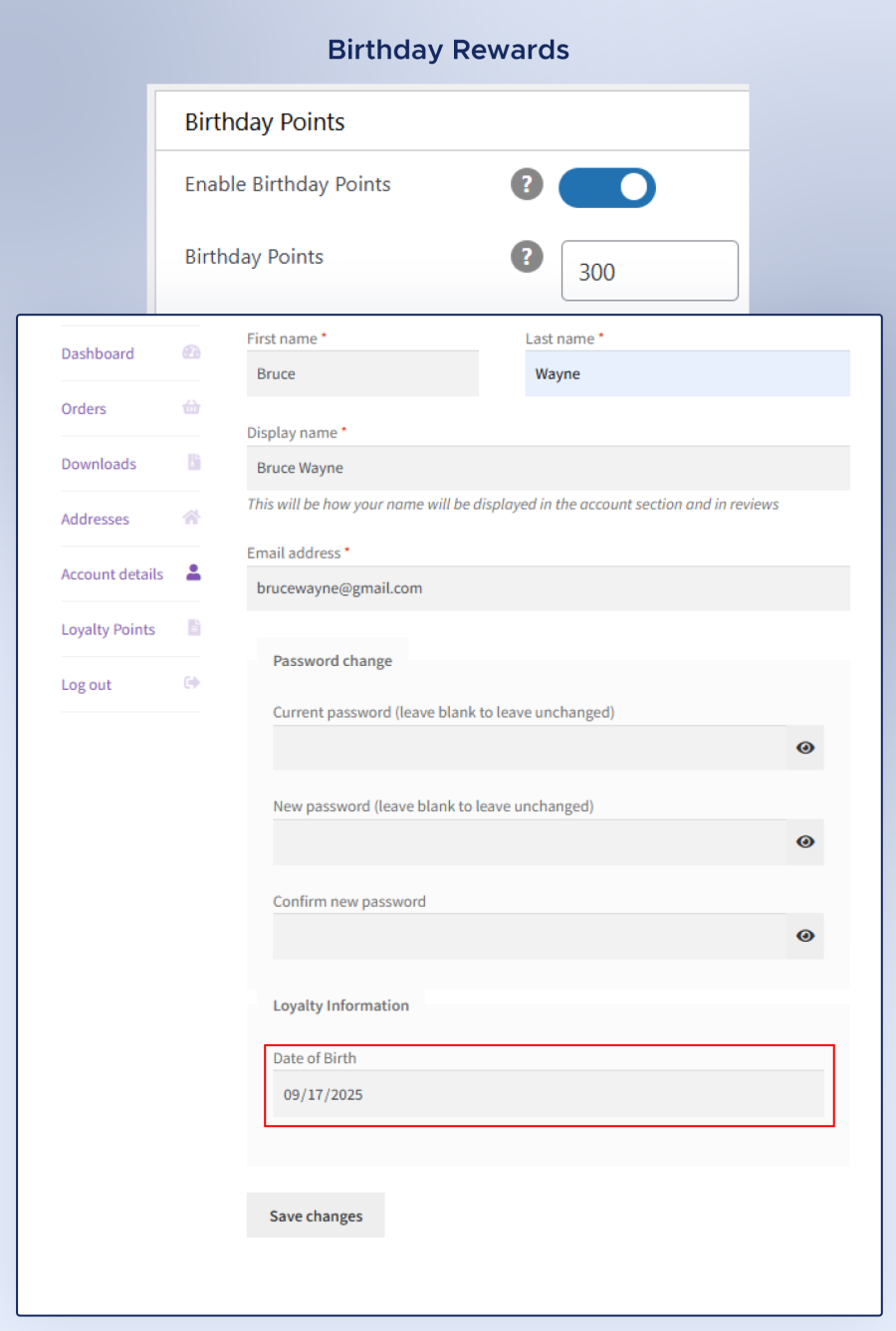
Make your customers feel special with Birthday Points. On their birthday, users receive bonus points, adding a personal touch that strengthens brand loyalty.
Who it’s for: Online stores that want to build long-term customer relationships.
How it helps: Encourage customers to buy again by awarding loyalty points for every purchase. Over time, shoppers accumulate points they can redeem for discounts or coupons, increasing repeat orders and customer retention.
Who it’s for: eCommerce brands looking to boost daily user activity and site engagement.
How it helps: Offer points for daily logins, reviews, referrals, and social interactions. This turns shopping into a game-like experience, motivating customers to return more often and interact more with your brand.
Who it’s for: Stores that want to convert visitors into registered users.
How it helps: Give instant points to users when they register for an account. It creates an immediate incentive for signups and starts the customer journey with a positive reward.
Who it’s for: Businesses aiming to expand their customer base organically.
How it helps: Reward customers for referring new users who register or make their first purchase. This transforms your existing customers into active brand advocates.
Who it’s for: Brands that want to add a personal touch to customer relationships.
How it helps: Automatically award bonus points on a customer’s birthday, creating goodwill and emotional connection that increases loyalty and lifetime value.
Who it’s for: Stores seeking more authentic customer feedback.
How it helps: Offer points for posting product reviews or comments. This encourages customers to share their experiences, building social proof and trust among new buyers.
Who it’s for: Businesses looking to reduce transaction fees or promote specific gateways.
How it helps: Reward users who choose certain payment methods with extra points—steering them toward lower-cost or more efficient payment options.
Who it’s for: B2B stores or high-end retailers with VIP or premium customers.
How it helps: Assign exclusive loyalty tiers or higher point multipliers for select user roles, ensuring your top buyers feel valued and motivated to keep purchasing.
Who it’s for: New eCommerce stores or growing brands.
How it helps: Reward customers with points for completing their first order. This encourages hesitant buyers to take the plunge and sets the stage for repeat engagement.
Launch Your Points and Rewards System Today!
Whether you want to encourage sign-ups, motivate referrals, or reward purchases, Loyalty for WooCommerce Points Plugin gives you complete control to design loyalty plans that fit your business goals
Customers can earn points through various actions, including purchases, daily logins, sign-ups, referrals, product reviews, comments, choosing specific payment methods, and even on special occasions like birthdays. Store admins can fully customize which actions reward points.
Yes. Customers can use their loyalty points at checkout as discounts, purchase products directly using points, or even convert them into discount coupons. The this WooCommerce extension also supports point sharing between customers.
Store admins can define the conversion rate of currency to points, ensuring that rewards align with the store’s pricing and profit goals. The conversion rate can also be displayed on the cart and checkout pages for transparency.
With Loyalty Press, you can set user role restrictions, allowing store owners to decide which customer roles can earn and redeem points. This makes it ideal for offering loyalty benefits only to specific groups, such as VIP members.
This WooCommerce extension supports customizable points email notifications. Customers can receive updates instantly when their points are updated, keeping them informed about their rewards.
The Points Log records every action related to points—earning, redemption, sharing, or deduction. Both admins and customers can track point activities to maintain complete transparency.
Extension information
Quality Checks
Länder








