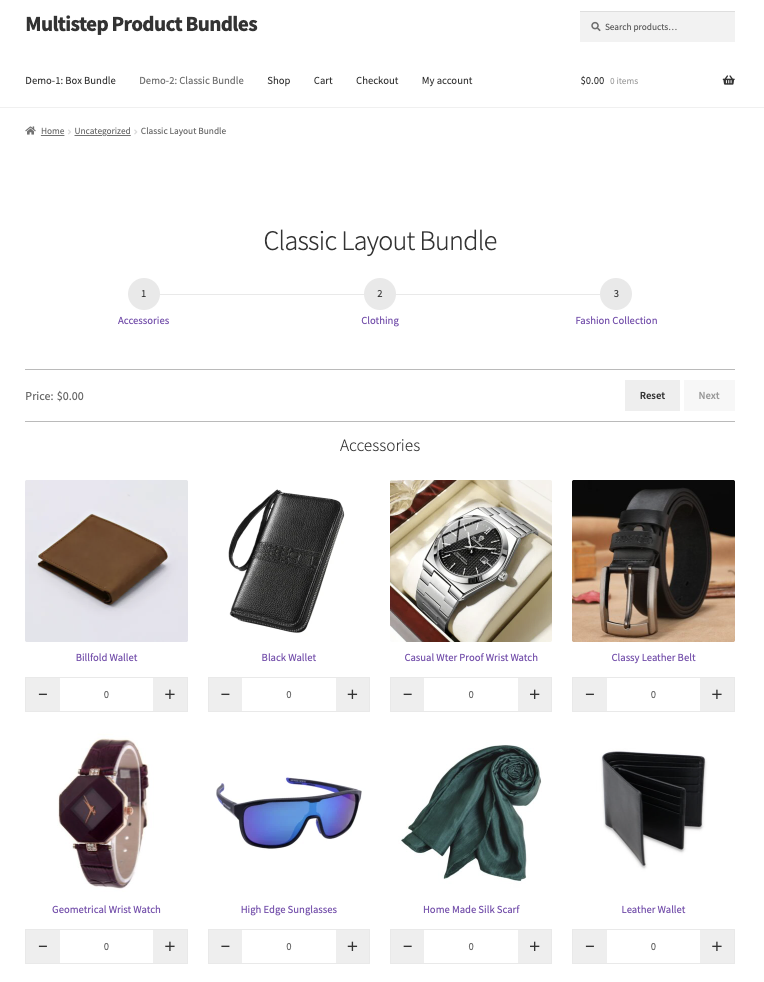
Multistep Product Bundles gives store owners a guided bundle builder that turns complex choices into simple, step-by-step buying experiences. Create flexible product bundles in WooCommerce with configurable WooCommerce product options, selection rules, and multiple pricing modes (per-item, fixed, hybrid). Use steps (boxes) to require or limit picks, pull products from categories or lists, and present clean bundle layouts that increase average order value. Quick to set up and fully integrated with WooCommerce, this extension makes it easy to build, display, and sell configurable WooCommerce bundle products that convert.
Use Case Examples
- Build personalized gift sets: Use the Multistep Product Bundles extension to create step-by-step WooCommerce bundle products, allowing customers to select items such as candles, snacks, and greeting cards in a guided flow. Required and optional selections ensure customers complete their bundles correctly, improving conversions and enhancing the shopping experience.
- Meal kits and subscription boxes: Offer configurable product bundles WooCommerce style, guiding customers through steps such as “Main,” “Sides,” and “Add-ons.” Category-based product selection and minimum/maximum rules simplify complex orders for both recurring and one-time purchases while keeping the process intuitive.
- Configurable hardware or PC builders: Present technical options in a logical sequence (CPU → Motherboard → RAM → Storage) while enforcing step rules and supporting variable products. The WooCommerce bundle builder ensures customers make compatible selections and enjoy a smooth, guided purchasing experience.
- B2B or wholesale kits: Design fixed or configurable bundles for trade customers, with required and optional items. WooCommerce product options and bundle rules ensure only authorized users can access wholesale packs, streamlining bulk or specialized ordering while reducing errors.
Features of WooCommerce Product Bundles
- Unlimited Bundle Steps: Create as many steps (boxes) as needed for each bundle, each with its own selection rules, minimum/maximum requirements, and layout. Perfect for complex kits like gift sets, meal boxes, or technical configurations.
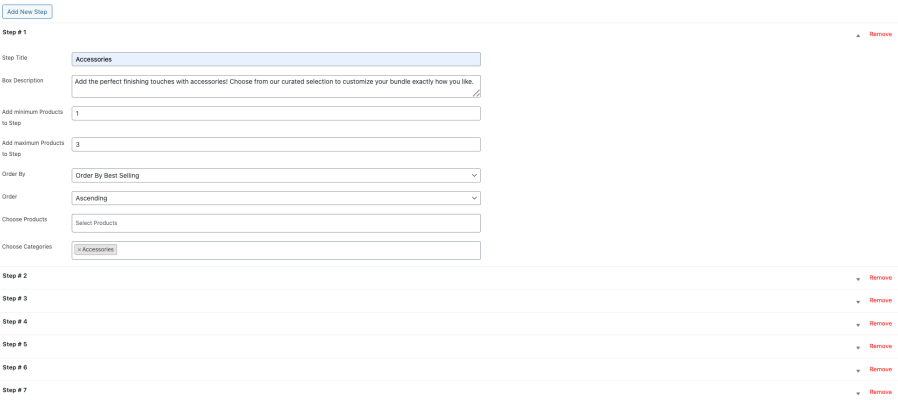
- Flexible Product Options: Include simple, variable, or category-based products in each step, allowing customers to mix and match selections while adhering to the rules you define.
- Step-Based Pricing Controls: Choose from per-item pricing, fixed bundle pricing, or hybrid pricing. Easily manage discounts and promotions across steps to maximize conversions and average order value.
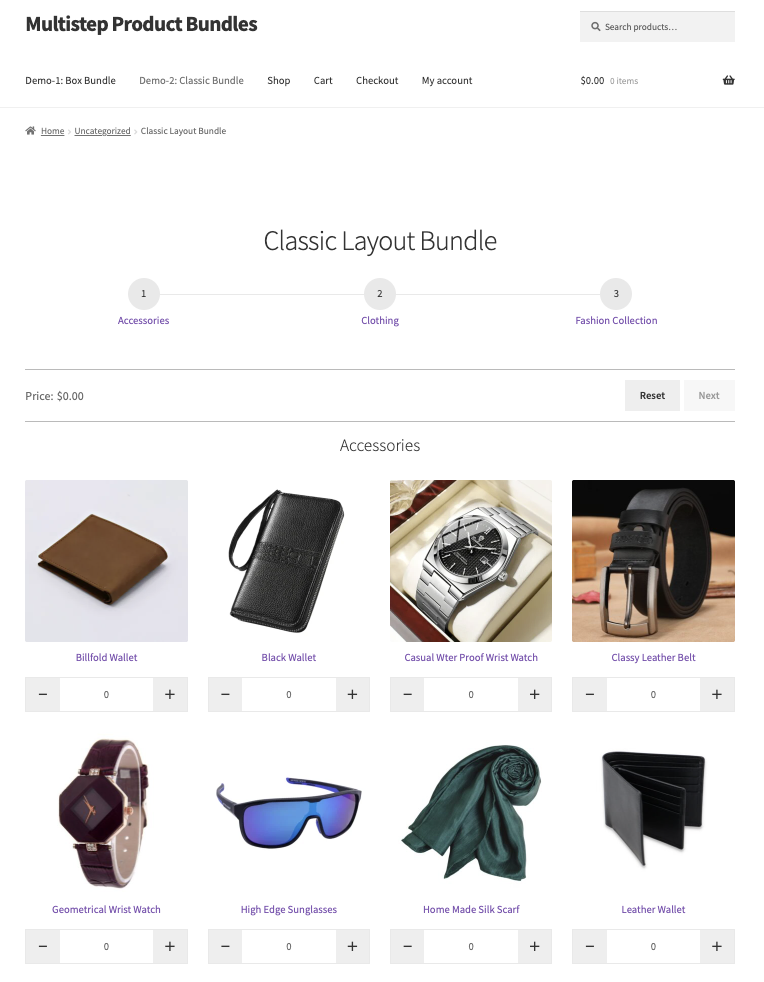
- Customizable Layouts & Display: Present bundles in grid, boxes, or classic layouts. Control columns, products per page, quick-view options, and banner images to deliver a polished, intuitive shopping experience.
- Rule-Based Selection Logic: Enforce required and optional picks, min/max quantities, and step dependencies to ensure bundles are completed correctly. Step rules give store owners precise control over customer choices.
- Variable Product Support: Allow customers to select variations (size, color, type) within bundle steps, making it ideal for configurable products, PC builders, or curated kits.
- Dynamic Discounts & Promotions: Automatically apply percentage or fixed discounts when bundle conditions are met. Highlight promotional messaging on the bundle page to guide customers.
- Seamless WooCommerce Integration: Fully compatible with your existing WooCommerce store, themes, and extensions. Changes are applied instantly on the front end without affecting page load or performance.
- Smart Control of Customer Experience: Guide customers through complex bundles while simplifying decisions. Enhance engagement, reduce errors, and increase order completion rates with a professional, structured interface.
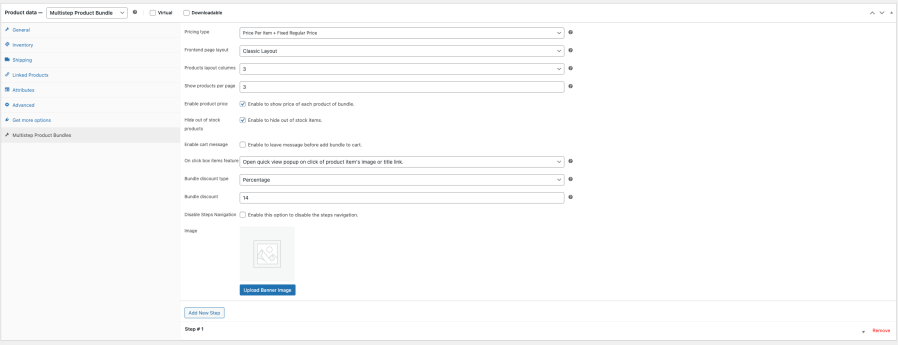
Quick Setup for WooCommerce Product Bundles
- Install and activate the Multistep Product Bundles plugin in your WooCommerce store.
- Go to Products → Add New and select Multistep Product Bundle in the Product Data panel.
- Set a regular price and an optional sale price.
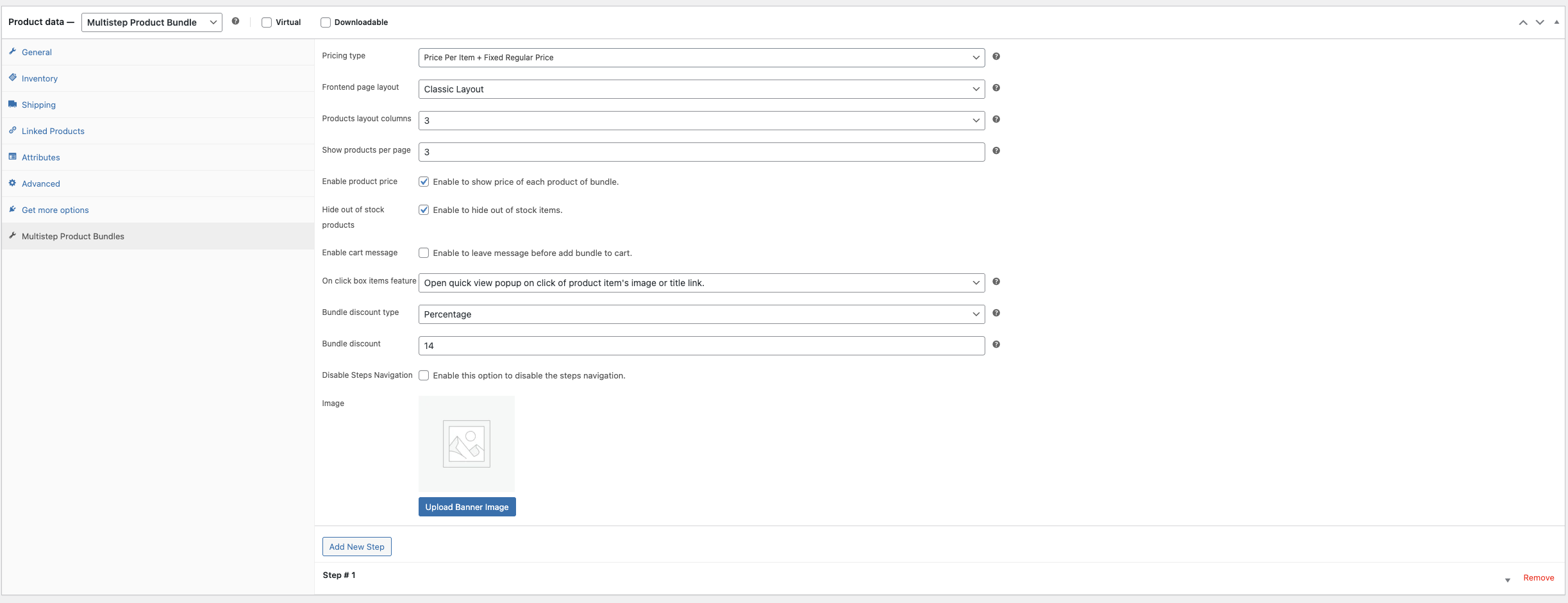
- Open the Multistep Product Bundles tab to configure pricing type, layout, display options, on-click behavior, optional discounts, and banner images.
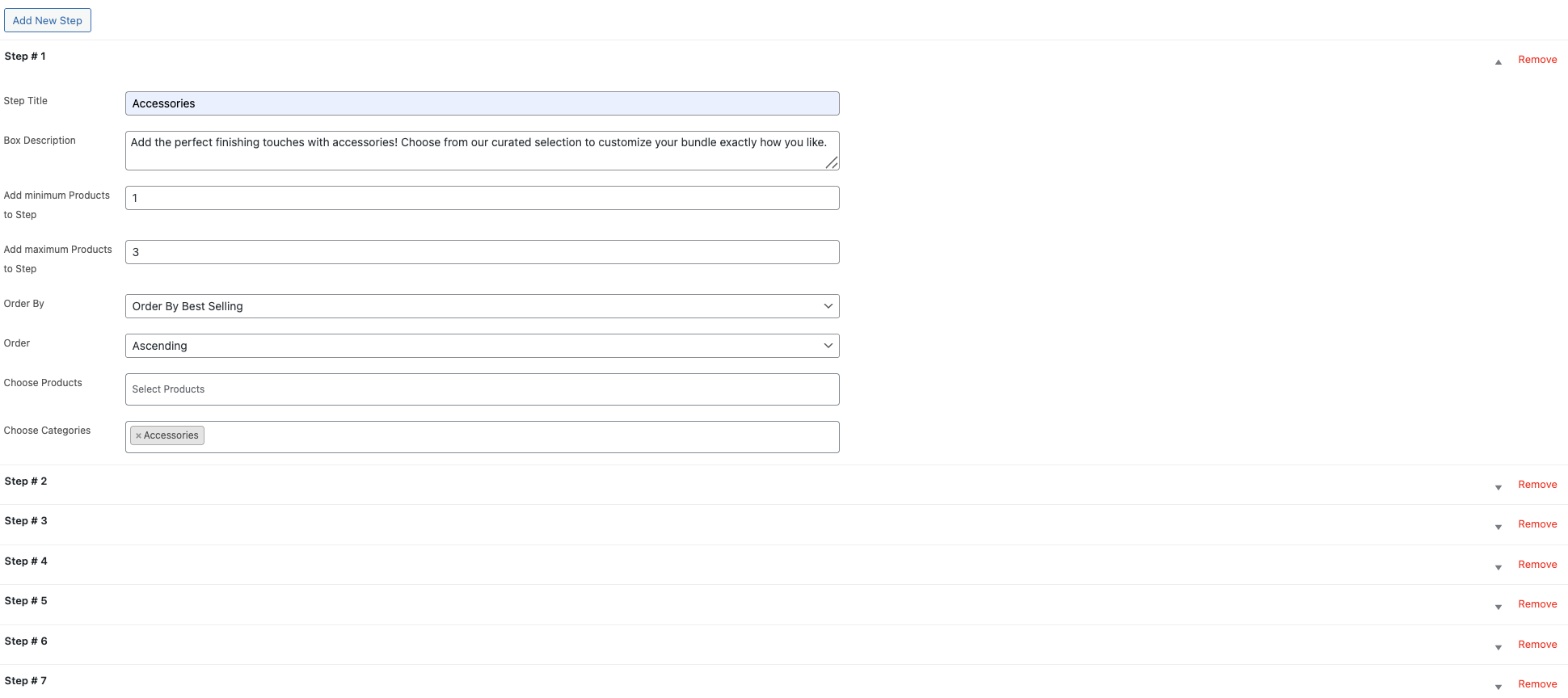
- Create steps, assign products or categories to each step, and define minimum and maximum selection limits for each step.
- Save the bundle and preview it on the frontend to ensure everything looks and works correctly.
- For more help, refer to our detailed documentation.
Frequently Asked Questions
Q: How is pricing handled for bundle products, and can I offer automatic discounts?
A: Multistep Product Bundles lets you choose price per item, fixed bundle pricing, or a hybrid model (base price plus per-item adjustments). You can also apply percentage or fixed discounts that activate automatically when bundle rules (like min/max selections per step) are met. This ensures WooCommerce bundle products are priced correctly, and promotions run seamlessly.
Q: How can I manage customer experience for complex bundles?
A: You can guide customers through multiple steps with titles, descriptions, banners, and layouts (grid, boxes, or classic). Each step can enforce minimum and maximum selections, ensuring customers complete bundles correctly. This keeps the process intuitive for configurable WooCommerce bundle products and reduces checkout errors.
Explore More WooCommerce Extensions
Improve your store’s performance and functionality with these extensions: