Product Icon

Store Modes Manager for WooCommerce

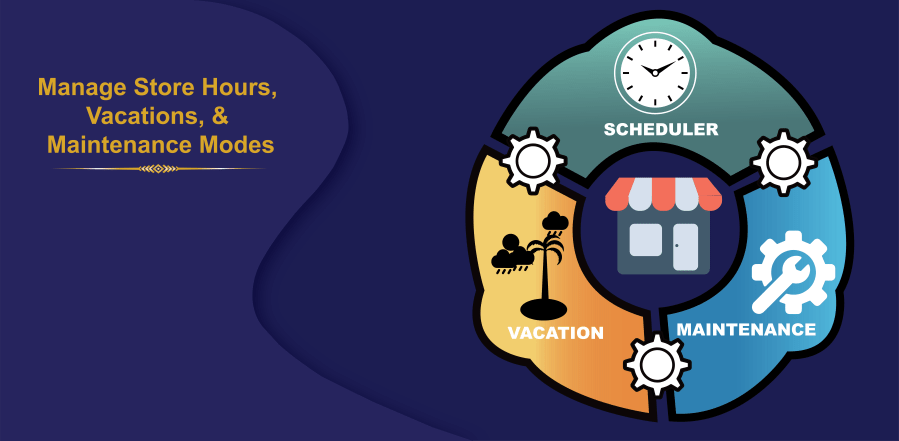
Manage store hours, vacations, and maintenance modes in WooCommerce with smart scheduling and clear customer communication.
Choose a billing option
$39
Save 20%
$78 $62.40

Das Abonnement beinhaltet

  • Product updates and improvements
  • Kundensupport
  • 30-tage geld-zurück-garantie

Top Features:

  • Specify store working hours with multiple daily breaks
  • Display holiday notices during normal operations
  • Schedule multiple vacations with automatic order restriction
  • Enable instant or scheduled maintenance mode
  • Apply maintenance to the entire store or selected pages
  • Disable add to cart during breaks, holidays, vacations, maintenance
  • Customize header and footer messages with colors
  • Show countdown timers for store reopening
  • Customize the maintenance page with content, logo, and images
  • Set priority between working, vacation, and maintenance modes
  • Add animation to header and footer messages with text scrolling

Features Details

Working Mode for Daily Operations

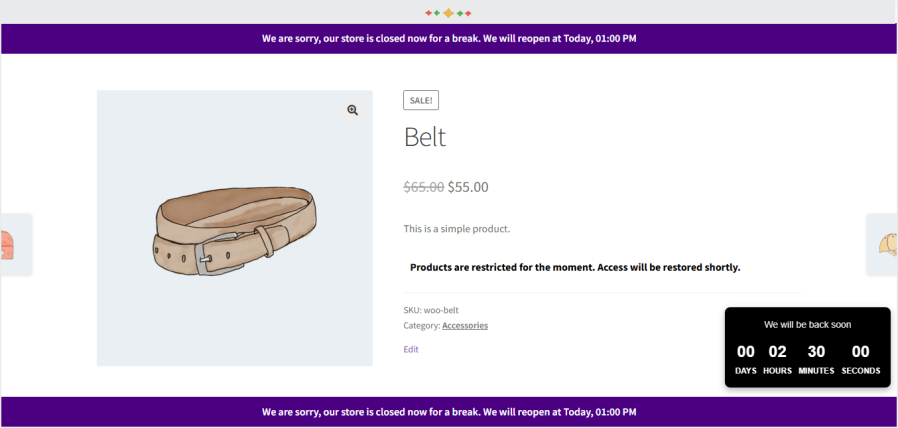
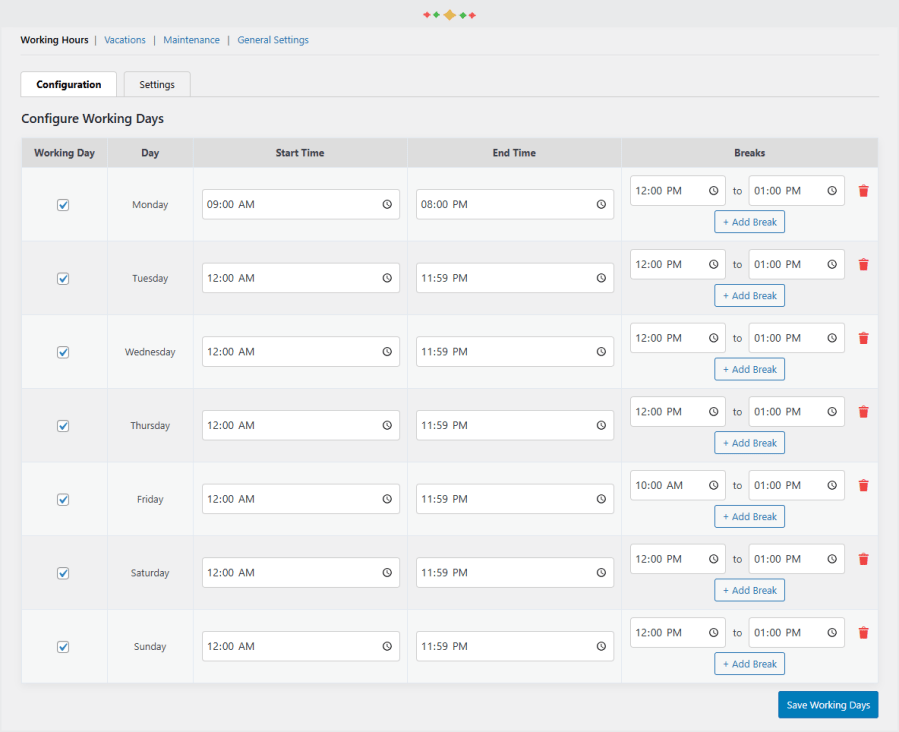
Run your store smoothly during normal operations by defining opening and closing hours for each day. Set multiple break timings, display holiday notices by customizing messages in the header and footer with text and background color preferences .woocommerce store modes plugin
Vacation Mode for Planned Closures

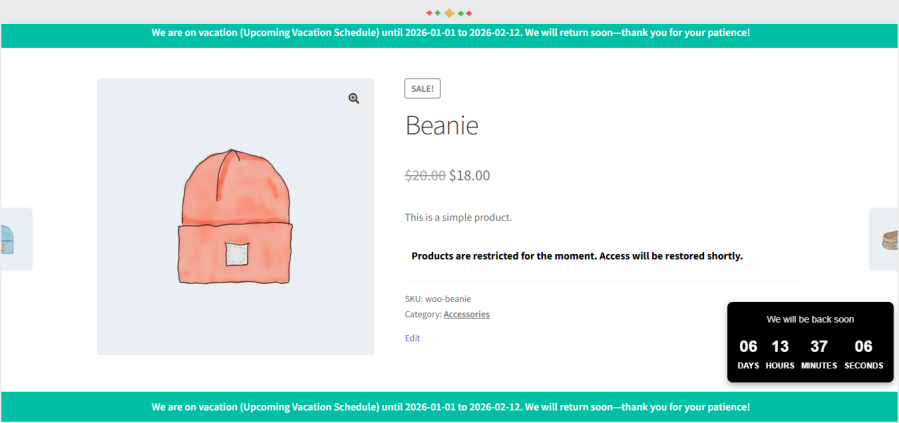
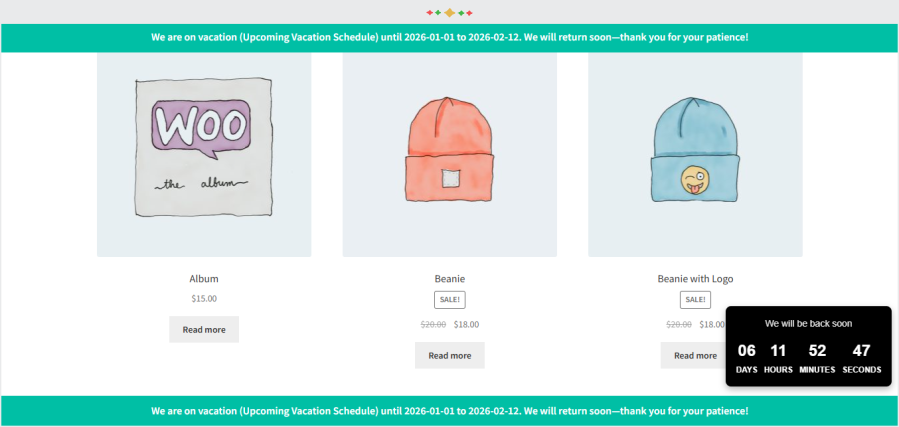
Schedule one or multiple vacations to automatically restrict orders when your staff is unavailable. Define vacation titles, and start and end dates. Here, again, you can communicate vacations in personalized header and footer messages. Make potential customers return back with a timer for store opening.woocommerce store modes plugin
woocommerce store modes plugin

Maintenance Mode for Updates and Fixes

Enable instant or scheduled maintenance mode when performing updates or fixes. Let the customers know some crucial updates are on the way and that the store will be up and running again soon. You can apply maintenance mode either to the entire store, or selected products, categories, or CMS pages. Let the users shop around while the collection affected by maintenance stays restricted.woocommerce store modes plugin

Restrict Add to Cart Button

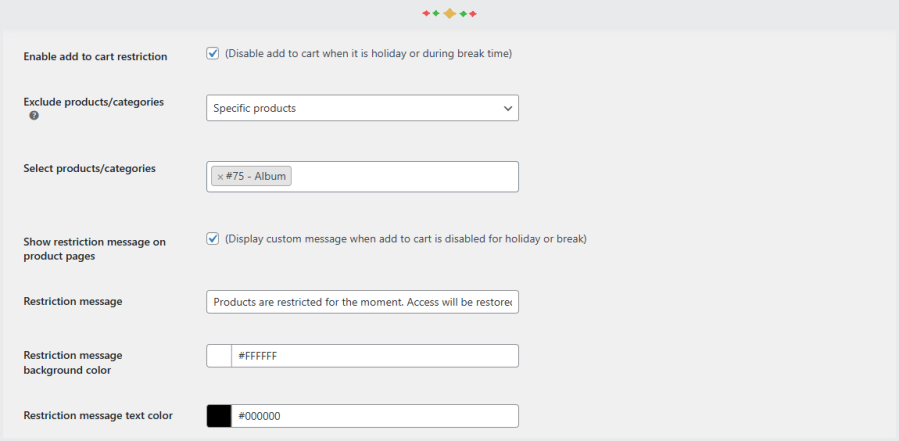
Prevent unwanted orders by disabling the ‘Add to Cart’ button during breaks, vacations, or maintenance periods for the whole store.woocommerce store modes plugin
woocommerce store modes plugin

Header and Footer Notification Bars

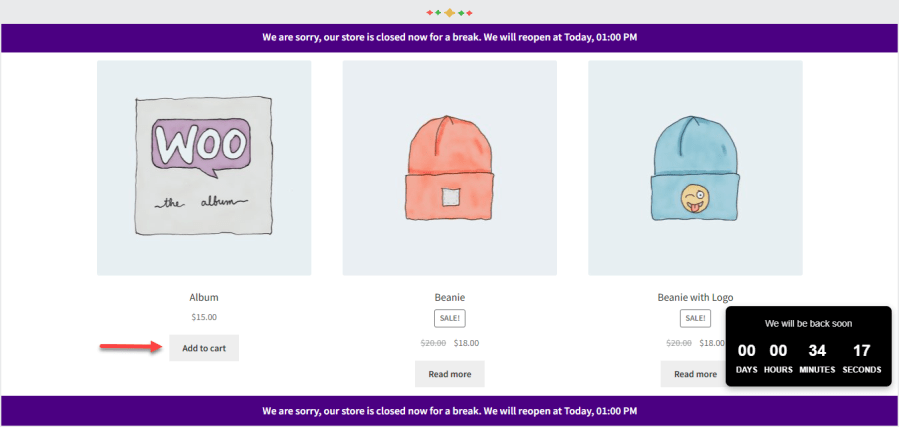
Display informative header or footer bars during working hours, breaks, vacations, holidays, or maintenance mode to clearly communicate your store’s current availability status. Add animations to header and/or footer to make sure the message gets the limelight.

Product and Category Exclusions

Exclude specific products or categories from store restrictions to keep selected items available while other parts of the store remain closed.woocommerce store modes plugin
Countdown Timer for Reopening

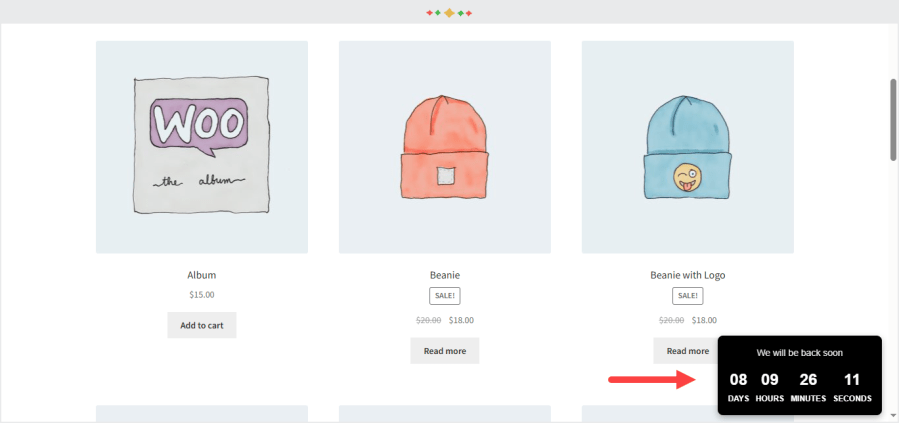
Show a live countdown timer that informs customers when your store will reopen and start accepting orders again. Enable it separately for each store mode. Let it be the normal work days, holidays, breaks, maintenance or vacations.woocommerce store modes plugin

Advantages

  • It helps store owners control store availability without manual intervention.
  • This extension improves customer communication during closures and downtime.
  • It prevents unwanted orders when staff or systems are unavailable.
  • It allows flexible scheduling for working hours, vacations, and maintenance.
  • It ensures smooth store operations by automating mode transitions.

Häufig gestellte Fragen

Can we show messages to customers when the store is closed or on break?

Yes. The plugin allows you to display custom headers, footers, and countdown timers during off-hours, breaks, vacations, or maintenance.

Can we prevent customers from purchasing certain products during off-hours?

Yes. The Add to Cart Restriction feature lets you disable purchasing for selected products or categories during breaks, non-working days, vacations, or maintenance.

Do we need to manually enable modes every day?

No. once configured, all modes, schedules, messages, and restrictions work automatically according to your settings.

Kundenbewertungen

Related Products

Price $79 Jährlich
Rated 3.4 out of 5 stars
Price $59 Jährlich
Rated 3.1 out of 5 stars
Price $109 Jährlich
Rated 2.9 out of 5 stars
Price $49 Jährlich
Rated 4.1 out of 5 stars
Price $109 Jährlich
Rated 2 out of 5 stars
Price $109 Jährlich
Rated 2.3 out of 5 stars
Price $109 Jährlich
Rated 2 out of 5 stars
Price $109 Jährlich
Rated 2.6 out of 5 stars
Price $109 Jährlich
Rated 2.3 out of 5 stars