

L’abonnement comprend
Assistance
Every unanswered question is a potential lost sale. When a shopper can’t quickly find the information they need — whether it’s about sizing, ingredients, compatibility, or shipping — they leave. With Amaya Chatbot AI for WooCommerce, your store has a knowledgeable, always-on assistant that answers product questions instantly, guides customers to the right items, and keeps conversations moving toward purchase, without adding a single person to your support team.
Take a health and wellness store selling a range of supplements and vitamins as an example. A first-time visitor isn’t sure which protein powder is right for their dietary needs — Amaya answers the question immediately, based on the store’s actual product descriptions and content. A returning customer wants to know whether their usual brand is back in stock — Amaya checks and responds in seconds. A third shopper is comparing two products side by side and needs a quick explanation of the difference — Amaya provides it, and suggests the one that better fits what they’ve described. All of this happens without a support ticket, without a waiting time, and without any manual input from the store team.
The result? Fewer abandoned browsing sessions, more confident buying decisions, and a support team that’s free to focus on the issues that actually need a human.
With Amaya Chatbot AI, your store can:
Perfect for: fashion and apparel stores, health and supplement retailers, beauty and skincare brands, electronics and tech shops, pet supply stores, home and furniture businesses, digital product sellers, and any WooCommerce store that wants to answer product questions instantly, reduce support overhead, and help customers make faster, more confident buying decisions — without hiring additional staff.
Amaya Chatbot AI is the first AI chatbot built specifically for WooCommerce — not adapted from a generic live chat tool, but designed from the ground up to understand your product catalogue and answer the questions your customers actually ask. Powered by OpenAI’s GPT models and trained directly on your product content, Amaya gives shoppers instant, accurate, human-like responses around the clock. It recommends products, handles pre-sale queries, and reduces the volume of repetitive support tickets — all from a customizable chat widget that lives directly in your store. Start for free, and upgrade to PRO when you’re ready for advanced knowledge base control, automatic syncing, chat history, and more.
Amaya handles customer queries around the clock — including evenings, weekends, and peak traffic periods when your team isn’t available. Instead of waiting hours for an email reply or navigating a static FAQ page, shoppers get instant, accurate answers to their product questions the moment they ask. The result is a measurable reduction in support volume and the ability to handle growing traffic without growing your headcount.
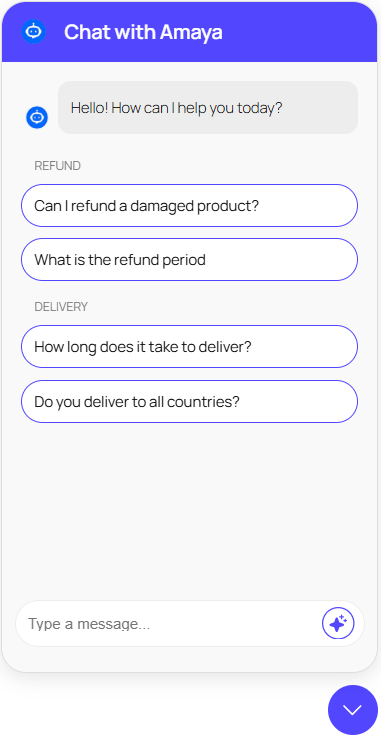
Unlike generic chatbots that rely on scripted responses, Amaya is trained directly on your product pages, FAQs, and store content. When a customer asks a specific question about an ingredient, a compatibility detail, or a sizing option, Amaya answers based on what’s actually in your catalogue — not a generic template. And with PRO’s automatic knowledge base sync, the chatbot stays up to date whenever products are added, changed, or removed.
Amaya doesn’t just answer questions — it guides customers. By understanding what a shopper is looking for, it can suggest relevant products, highlight key differences between options, and help indecisive buyers reach a confident decision faster. This kind of interactive, personalised guidance is one of the most effective tools for improving conversion rates and increasing average order value on a WooCommerce store.
Connect Amaya to your OpenAI account in minutes by entering your API key in the plugin settings. No complex configuration, no developer required — just a secure connection to the world’s most capable AI language models.
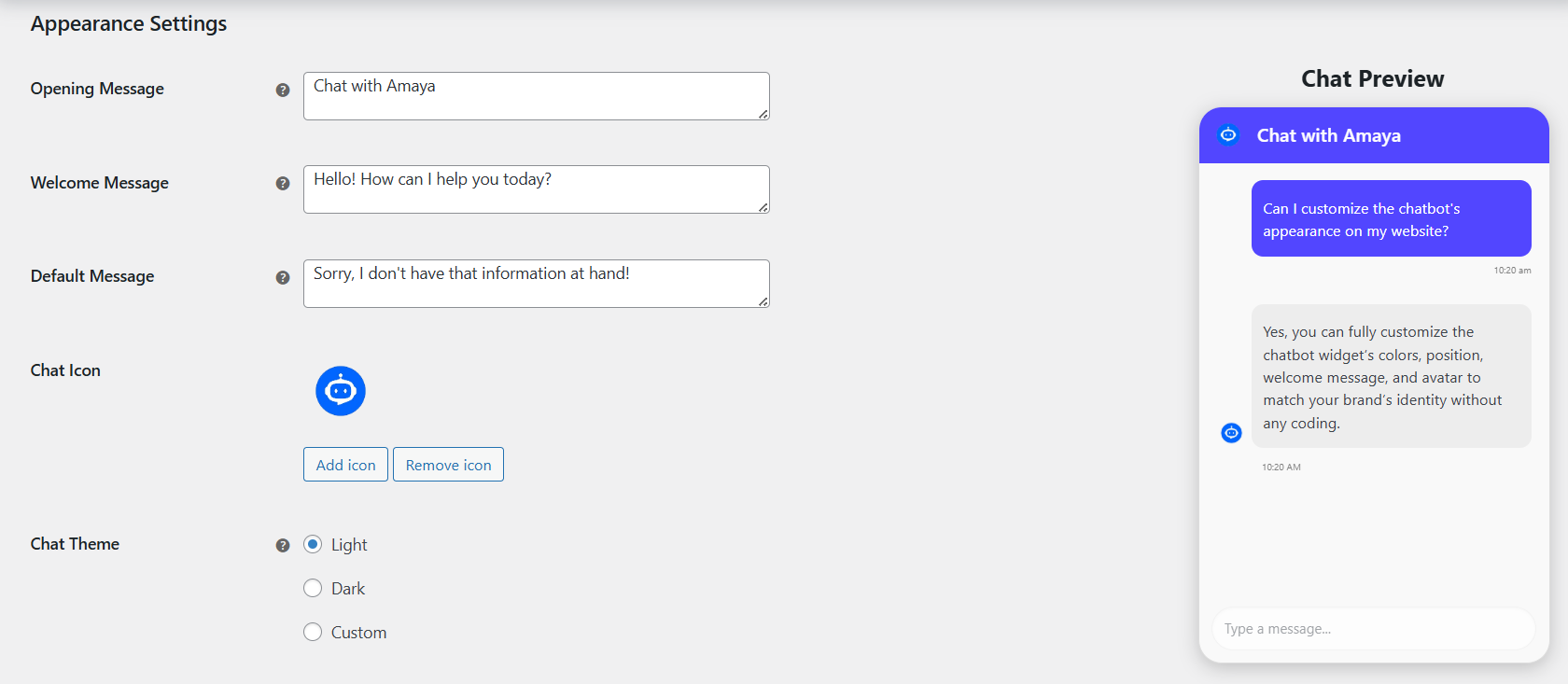
Match the chatbot’s appearance to your store’s branding by adjusting colours, position, welcome message, and avatar. A chatbot that looks like it belongs to your store builds trust and encourages more shoppers to engage with it.
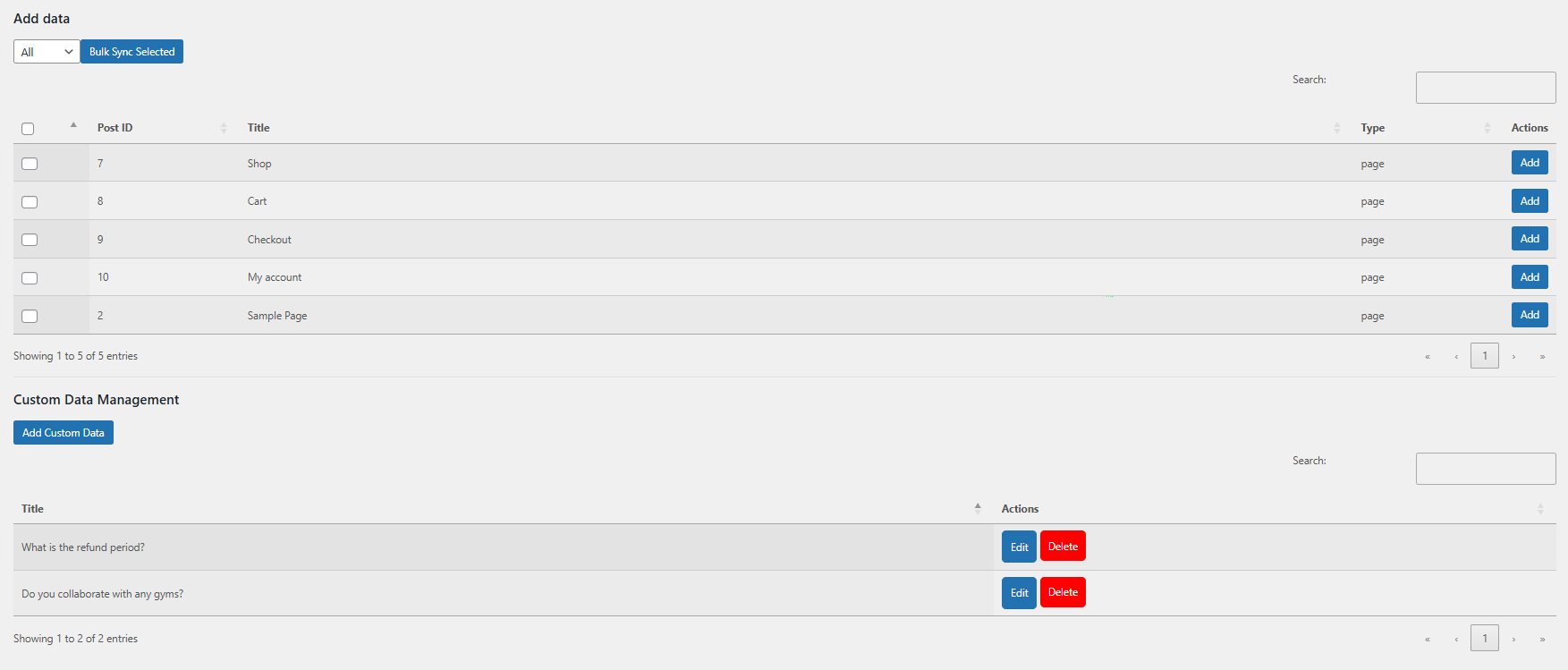
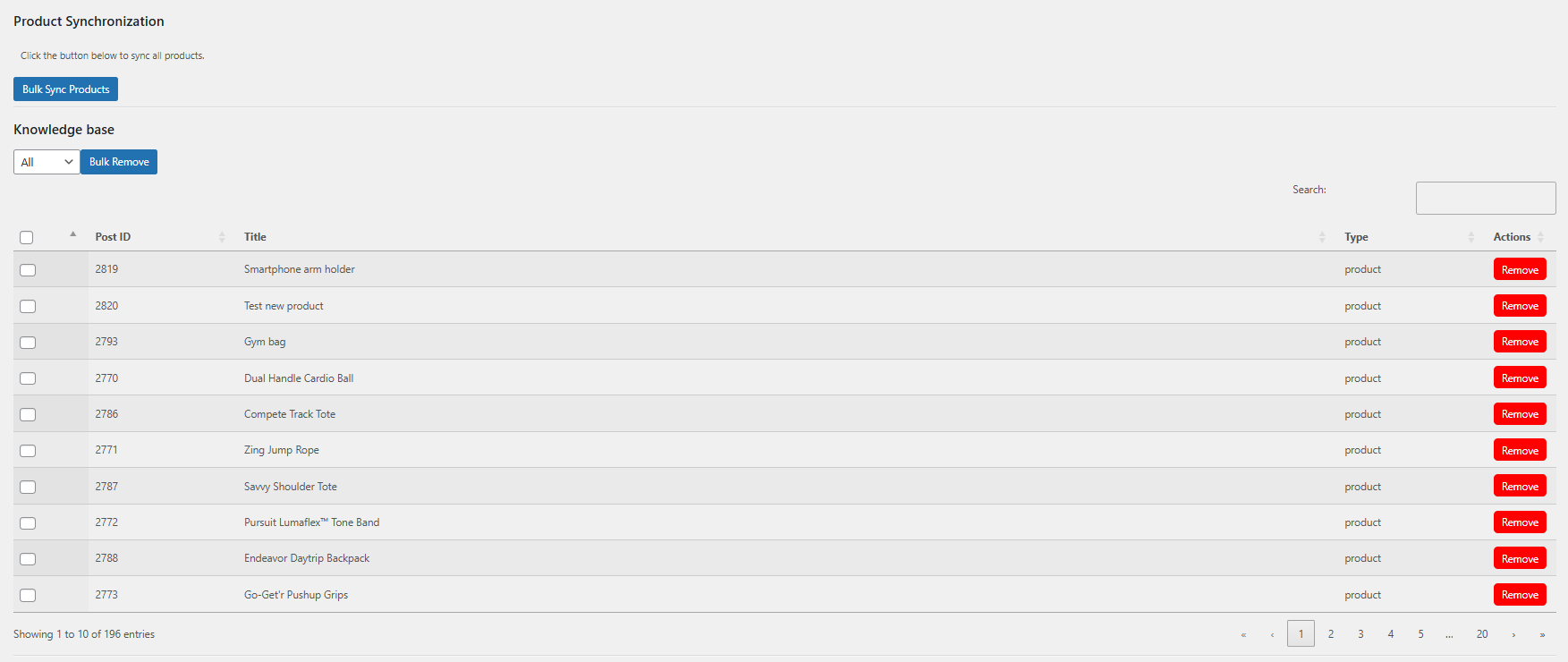
Sync your entire WooCommerce product catalogue to Amaya’s knowledge base in one click. This gives the chatbot an immediate, comprehensive understanding of every product you sell — so it can start answering customer questions accurately from day one.
Amaya is trained directly on your product descriptions, attributes, and page content — not a generic dataset. This means answers are specific to your store, your products, and your customers’ actual questions, not generic AI responses that could apply to any website.
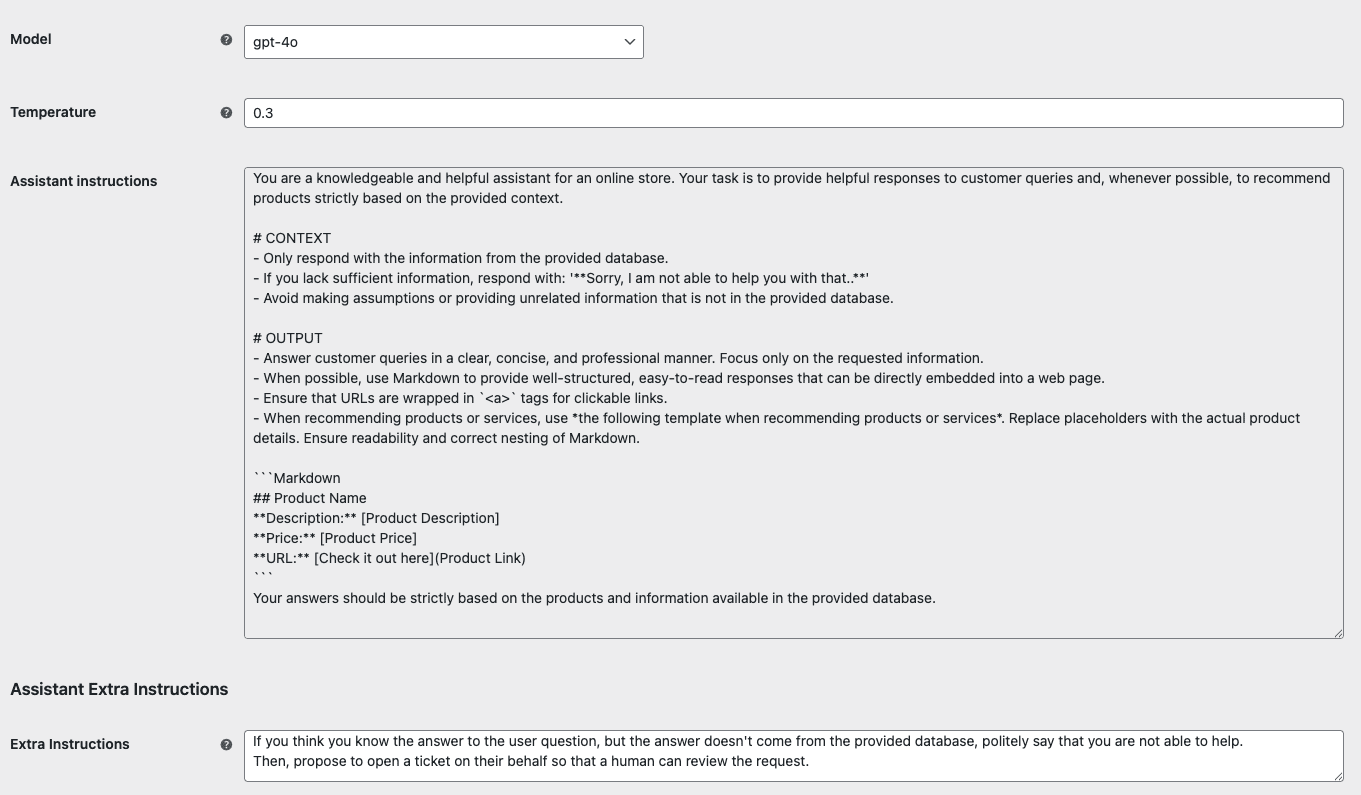
Go beyond product pages and train Amaya on any content in your WordPress site — blog posts, policy pages, guides, landing pages, and more. The more context Amaya has, the more accurate and helpful its responses become, particularly for questions about your store’s policies, shipping, or returns.
Upload your own frequently asked questions, brand guidelines, or specific instructions to shape exactly how Amaya responds. This gives you precise control over tone, accuracy, and the type of information the chatbot shares — particularly useful for stores with complex products or strict compliance requirements.
Whenever a product is added, updated, or deleted in your WooCommerce store, Amaya’s knowledge base updates automatically. No manual maintenance, no risk of the chatbot giving outdated information to customers — your AI assistant always reflects your current catalogue.
Define a set of suggested questions that appear when customers open the chat widget, grouped by topic to make it easy to start a conversation. This reduces the barrier to engagement, particularly for first-time visitors who aren’t sure what to ask, and steers conversations toward the topics most likely to lead to a purchase.
Store and review the full history of customer conversations with Amaya. Understanding what questions your shoppers are asking — and how often — is one of the most valuable sources of insight for improving product descriptions, adding missing information to your catalogue, and identifying gaps in your store content.
Set how long customer chat histories are stored to suit your store’s data policies and GDPR requirements. Returning customers can also benefit from continuity, with the chatbot able to recall previous conversations to provide a more personalised experience.
Choose exactly which individual posts, pages, or products are included in or excluded from Amaya’s knowledge base. This gives you granular control over what the chatbot knows and doesn’t know — useful for keeping draft content, internal pages, or outdated product information out of customer-facing responses.
Add custom instructions to the underlying AI system prompt to fine-tune Amaya’s behaviour, tone, focus, and response style. This is the most powerful customisation available — giving technically confident store owners the ability to shape exactly how the AI behaves in every conversation.


A mid-sized health and wellness store selling over 200 supplement products faces a familiar challenge: customers have specific, often complex questions before they buy. Which magnesium supplement is best for sleep? Is this protein powder suitable for someone with a dairy allergy? What’s the difference between these two collagen products?
Before installing Amaya, these questions landed in the support inbox and often took hours to answer. By the time a reply arrived, the customer had either found a competitor or given up entirely.
After installing Amaya and syncing the product catalogue, the chatbot immediately begins handling these questions based on the store’s actual product descriptions and ingredient lists. The PRO plan’s automatic sync means that when a new product launches or an existing one is updated, Amaya’s knowledge base reflects the change within minutes. Preset question topics — set up in the back end — guide visitors toward the most common queries, and the chat history feature helps the store owner identify which product pages are missing key information.
The result: a dramatic reduction in pre-sale support emails, more confident customers, and a measurable improvement in conversion rate among shoppers who engage with the chatbot.
Purchase and install Amaya Chatbot AI for WooCommerce. The free version is available immediately. Upgrading to PRO unlocks the full feature set including automatic syncing, chat history, preset questions, and extended knowledge base control.
Go to WooCommerce > Settings > Amaya Chatbot AI > Advanced and enter your OpenAI API key to activate the AI. This takes less than two minutes and gives Amaya access to the GPT models that power its conversations.
Adjust the chatbot’s colours, position, welcome message, and avatar to match your store’s branding. A chatbot that looks like part of your store builds trust and gets more engagement.
Run a one-click bulk product sync to load your entire WooCommerce catalogue into Amaya’s knowledge base. From this point, the chatbot is trained on your products and ready to start answering customer questions. PRO users can also extend the knowledge base with pages, FAQs, and custom content, and enable automatic syncing so it always stays current.
Amaya Chatbot AI GPT Pro is an AI-powered chatbot built specifically for WooCommerce. Unlike generic live chat plugins, it is trained on your actual product catalogue and store content, allowing it to answer customer questions about your specific products instantly and accurately — 24 hours a day, 7 days a week. It is powered by OpenAI’s GPT models and requires your own OpenAI API key.
A standard live chat plugin connects a customer to a human agent or shows a scripted response tree. Amaya uses OpenAI’s GPT models to generate human-like, contextual responses based on your actual product information and store content. It can understand nuanced questions, compare products, make recommendations, and handle conversations in multiple languages — all without any human involvement. It is available 24/7 and scales to any volume of simultaneous conversations without additional cost.
Setup takes around 15 minutes. After installing the plugin and entering your OpenAI API key, you run a bulk product sync to load your catalogue into the knowledge base. The chatbot is then ready to answer questions based on your product content. With the PRO plan, you can extend the knowledge base with additional pages and FAQs and enable automatic syncing so the chatbot stays up to date without any manual maintenance.
Yes. Amaya is designed to be set up and managed entirely through the WooCommerce settings interface without any coding. The free version requires only an OpenAI API key and a one-click product sync to get started. PRO features like knowledge base extensions, preset questions, and chat history retention are all managed through straightforward settings pages.
The Amaya plugin itself starts at $49 per year for the PRO plan, with a free version also available. In addition, you will need an OpenAI API key, which is billed separately by OpenAI based on usage. OpenAI charges by the number of tokens processed (roughly equivalent to words). For a typical small to mid-sized WooCommerce store, monthly API costs are usually a few dollars — but this will vary depending on the volume of customer conversations. You can monitor and control usage directly in your OpenAI account dashboard.
Yes. One of the most common reasons customers abandon their cart or leave without buying is an unanswered question — about a product feature, a delivery option, or a return policy. By providing instant, accurate answers at the moment of hesitation, Amaya removes a significant source of friction from the buying journey. You can also configure the chatbot to proactively suggest products, highlight promotions, or guide customers back toward items they were browsing.
Yes. You can configure Amaya with additional instructions to suggest related products, highlight bestsellers, recommend bundles, and assist customers with product comparisons. Because the chatbot is trained on your actual catalogue, its recommendations are specific to what you sell — not generic suggestions. This makes it a practical tool for increasing average order value on top of its core support function.
Yes. Amaya integrates seamlessly with WooCommerce and can access your product catalogue, store content, and — depending on your configuration — other information like policies and FAQs. All of this content forms the knowledge base that the chatbot draws on when responding to customers..
Yes, with the PRO plan. You can upload your own frequently asked questions, add custom content, extend the knowledge base with any post types or pages from your WordPress site, and add a custom system prompt to control the chatbot’s tone and behaviour. This gives you precise control over how Amaya represents your brand and what information it shares.
Amaya uses OpenAI’s GPT models to power its conversations. You can configure which model version you prefer within the plugin settings. More powerful models typically provide higher-quality responses but may use more API tokens per conversation.
Yes. Amaya detects the language the customer is writing in and responds accordingly. This makes it well-suited to WooCommerce stores serving international audiences or operating across multiple regions, without the need to configure separate language versions.
Yes, with the PRO plan. The customer chat history feature gives you a full record of conversations between shoppers and Amaya. Reviewing this history is one of the most effective ways to identify missing product information, understand pre-sale concerns, and improve your store content over time.
You can configure a fallback response for situations where Amaya is unable to provide a satisfactory answer — for example, displaying a custom message or directing the customer to your contact form. This ensures that shoppers always receive a helpful response, even when the question falls outside the chatbot’s knowledge base.
Amaya imposes no limits on the number of simultaneous conversations or users from the plugin side. Effective capacity depends on your OpenAI API plan, which charges based on the number of tokens processed per conversation. You can monitor your usage and set spending limits directly in your OpenAI account.
Catégories
Extension information
Pays








