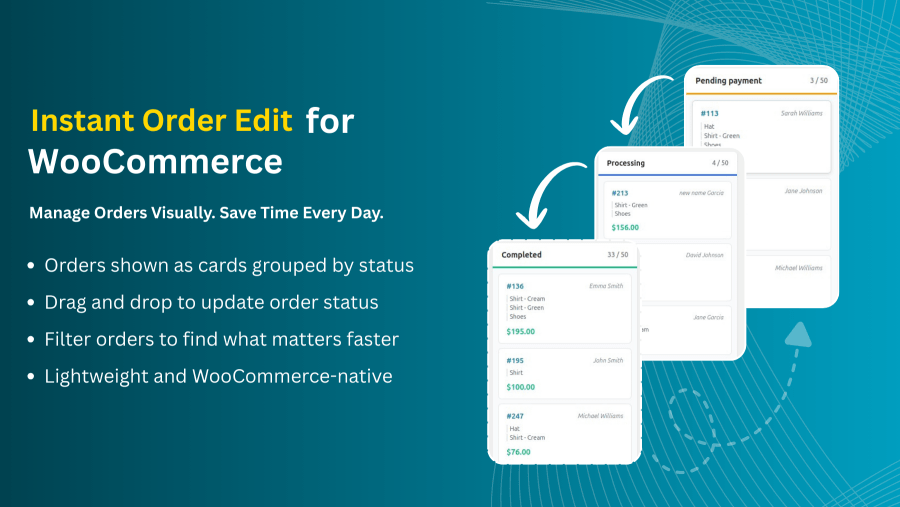
Visual Order Management Made Simple
Instant Order Edit gives you a faster way to manage WooCommerce orders by turning your order list into a clear, visual board that updates in real time.
With a single screen, you can:
- View all orders grouped by status in a visual layout
- Update order statuses using drag-and-drop actions
- Filter and search orders by customer, payment method, date, order ID, or products in the order
- Reduce clicks, page reloads, and admin friction
- Keep the workflow fully synced with WooCommerce
Fewer clicks. No page reloads. Real-time order updates.
Features
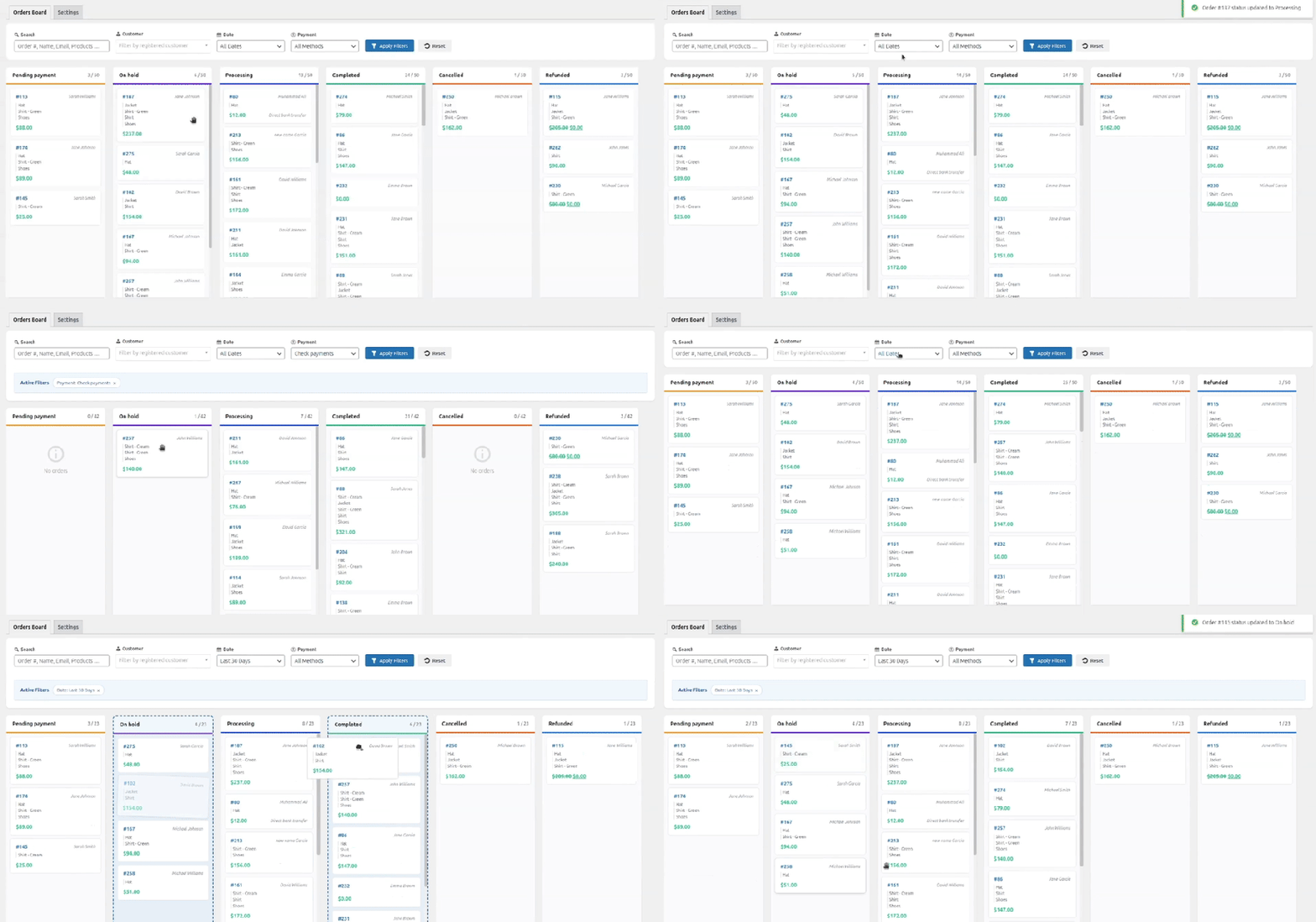
- Visual Order Board
Organize WooCommerce orders into drag-and-drop status columns with color-coded categories for instant workflow visibility and one-click status updates.
- Direct Order Access in Popup
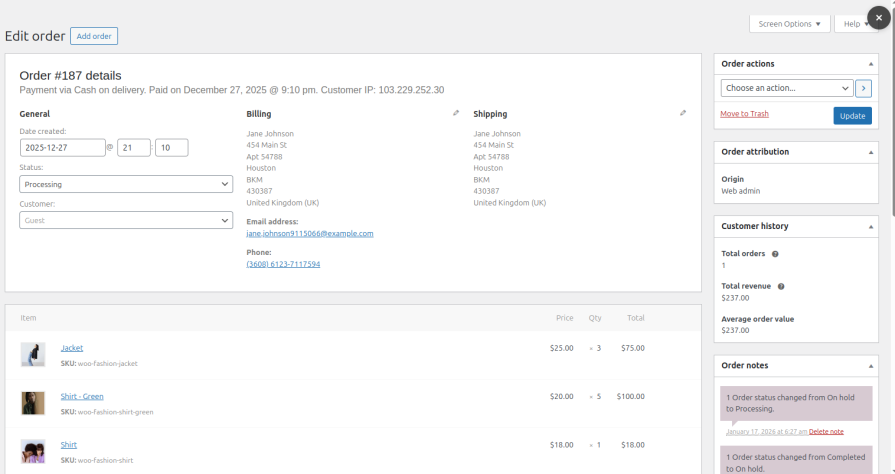
Clicking an order card opens the full WooCommerce order editor in a popup, allowing complete order updates without leaving the board.
- Advanced Customer Filtering
Select specific customers from a searchable dropdown to instantly view all their orders across every status, perfect for customer service inquiries.
- Payment Method Controls
Filter orders by payment gateway such as PayPal, COD, Credit Card, or Bank Transfer to batch-process similar transactions or prioritize specific payment types.
- Flexible Date Ranges
Narrow the view to today’s orders, yesterday, last 7 days, last 30 days, or define custom date ranges for performance reviews or seasonal analysis.
- Real-Time Search
Search orders by order number, customer name, email address, or products purchased and apply the filter to see results.
- Customizable Status Columns
Choose which order statuses appear on the board, arrange them in any sequence, and show only the workflow stages relevant to business operations.
- Smart Load Management
Set initial order display limits with load more functionality for high-volume stores, balancing performance with accessibility.
- Clean, Performance-Focused Interface
Minimalist design built on WooCommerce best practices ensures clarity and efficiency with no unnecessary animations or external dependencies.
Simple Setup, Clear Controls
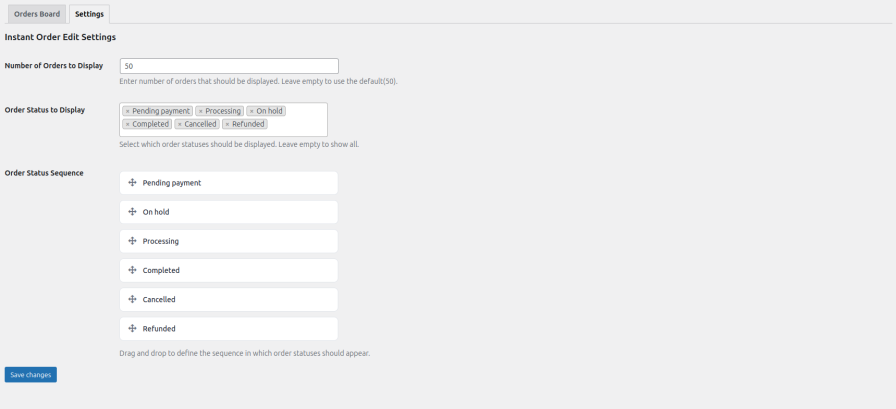
Instant Order Edit includes a dedicated settings panel that lets store owners control how the order board is displayed.
Set the number of orders to load initially, choose which order statuses should appear on the board, and define the sequence in which those statuses are shown. The settings stay focused on order visibility and workflow, keeping configuration minimal and easy to manage.
Visual Order Board
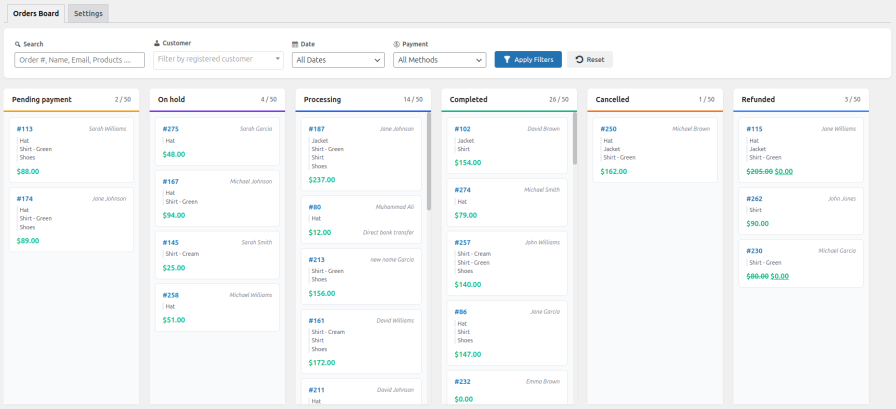
The order board is where daily order management happens. Orders are displayed as cards grouped by status, allowing quick scanning, filtering, and drag-and-drop status updates.
Filters for customers, payment methods, dates, and search help narrow large order volumes, while direct order access lets you open full WooCommerce order details without leaving the board.
Quick Access to Full Order Details
Each order appears as a compact card on the board. Clicking a card opens the complete WooCommerce order editor in a popup, providing access to all standard order details, notes, items, and actions.
This allows full order updates without leaving the board, keeping the workflow uninterrupted while still using native editing interface.
Use Cases / Real-World Scenarios
- Scenario 1: Daily Order Processing
Your store receives 50-200 orders daily across multiple payment methods. Instead of scrolling through linear order lists, you see everything organized visually by status. Filter to « today’s orders, » drag new Pending orders to Processing as you begin fulfillment, and move shipped orders to Completed, all from one screen without opening individual order pages.
- Scenario 2: Bottleneck Identification
Count badges reveal that 45 orders are stuck in « Processing » while only 8 are in « Pending. » This visual signal immediately shows where your team needs support, allowing you to reallocate resources or investigate delays before customers complain.
- Scenario 3: Customer Service Excellence
A customer calls asking about their order status. Use the customer drop-down to instantly filter their complete order history across all statuses. Click their current order card to view full details and update them immediately, no searching through order lists or asking them to repeat information.
- Scenario 4: Payment Method Batching
You process COD orders separately from prepaid orders for logistics efficiency. Filter by « Cash on Delivery » to see only COD orders across all statuses, process them for your courier service, then switch to credit card orders, each payment type managed as a focused group.
- Scenario 5: Seasonal Rush Management
During Black Friday or holiday sales, increase your display limit to 100+ orders and use date filters to separate today’s rush orders from yesterday’s backlog. The visual layout prevents orders from being overlooked even when volume spikes dramatically.
Perfect For
- Small to Medium Stores
Solo operators and small teams processing 20-500 daily orders who need visual clarity without enterprise complexity.
- High-Volume Operations
Stores handling 500+ orders that require efficient filtering, workload visibility, and quick status updates across large order volumes.
- Multi-Person Fulfillment Teams
Operations where several people manage orders and need shared visual coordination to prevent errors and duplicated effort.
- Customer Support Teams
Support staff who field order inquiries and need instant access to customer order histories without navigating complex backend systems.
- Stores with Multiple Payment Methods
Businesses accepting various payment types that need to batch-process or prioritize orders based on payment gateway.