Product Icon

FAQs Manager for WooCommerce

Add FAQs and display them product pages and a separate store FAQs page. Allow customers ask questions!
Choisissez une option de facturation
$39
Save 20%
$78 $62.40

L’abonnement comprend

  • Mises à jour et améliorations du produit
  • Assistance client
  • Remboursement garanti sous 30 jours

Add Store FAQs and Product FAQs

FAQs Manager for WooCommerce enables you to add FAQs and display them on relevant products and dedicated store FAQs pages. Build a knowledge base to address frequently asked questions and boost your conversion rate.

Allow customers to ask a question by submitting an « ask a question » form. The admin can review, answer the question and display it as a FAQ on relevant product pages. Enable email notifications for customers and admins. Send notifications when users submit questions and admins answer.

Create multiple FAQ categories to address refunds, payment, shipping, privacy, and other store-related questions on separate FAQ pages. Choose from multiple page layout options and show FAQs in according or list view.

The option to restrict FAQs by user roles enables you to address B2B-related FAQs on the same page and only display them to B2B customers.

Features of FAQs Manager for WooCommerce

  • Display FAQs on product pages
  • Create a dedicated page using shortcode for store-related FAQs
  • Allow customers to ask questions
  • Customize button labels and text
  • Smart FAQ submission form for registered users
  • Manage FAQ-visibility by user roles
  • Email notifications for admins and customers
  • Create FAQs categories and tags for easy navigation
  • Display FAQs in accordion and list view
  • Allow customers to submit feedback to your answer
  • Allow customers to make their questions private
  • Add FAQs from the backoffice and assign them to relevant products and categories
  • Multiple layout options for FAQ pages
  • Display product FAQs in a tab, after related products, or before tabs
  • Creates a dedicated page for each FAQ for SEO purposes
  • Automatically add read more buttons to keep your layout intact

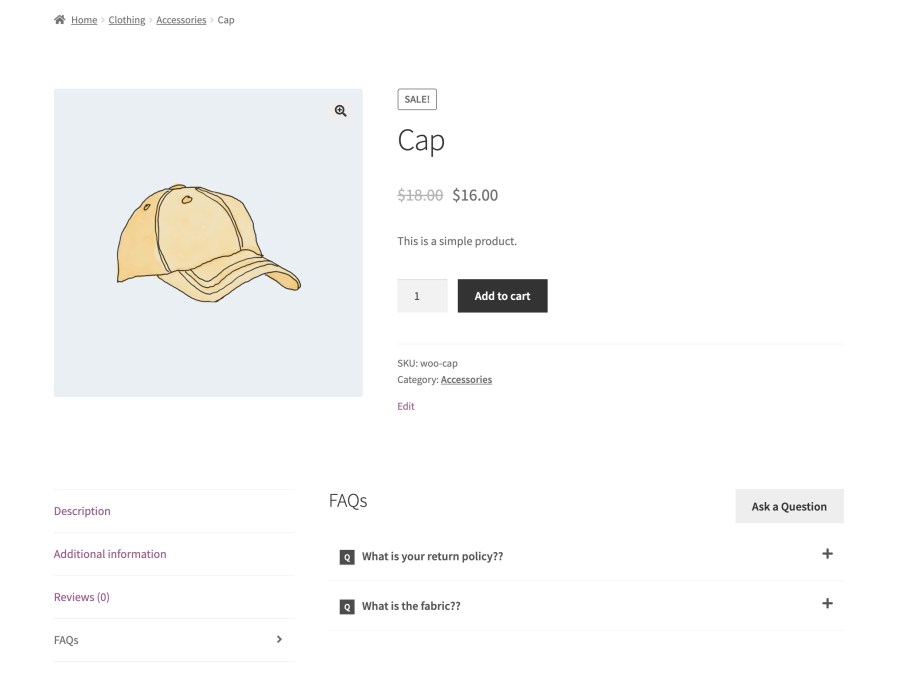
Add FAQs to Product Pages

With FAQs Manager for WooCommerce, you can add product-related FAQs and display them on specific product pages. Choose to display FAQs in tabs, after related products, or before tabs.
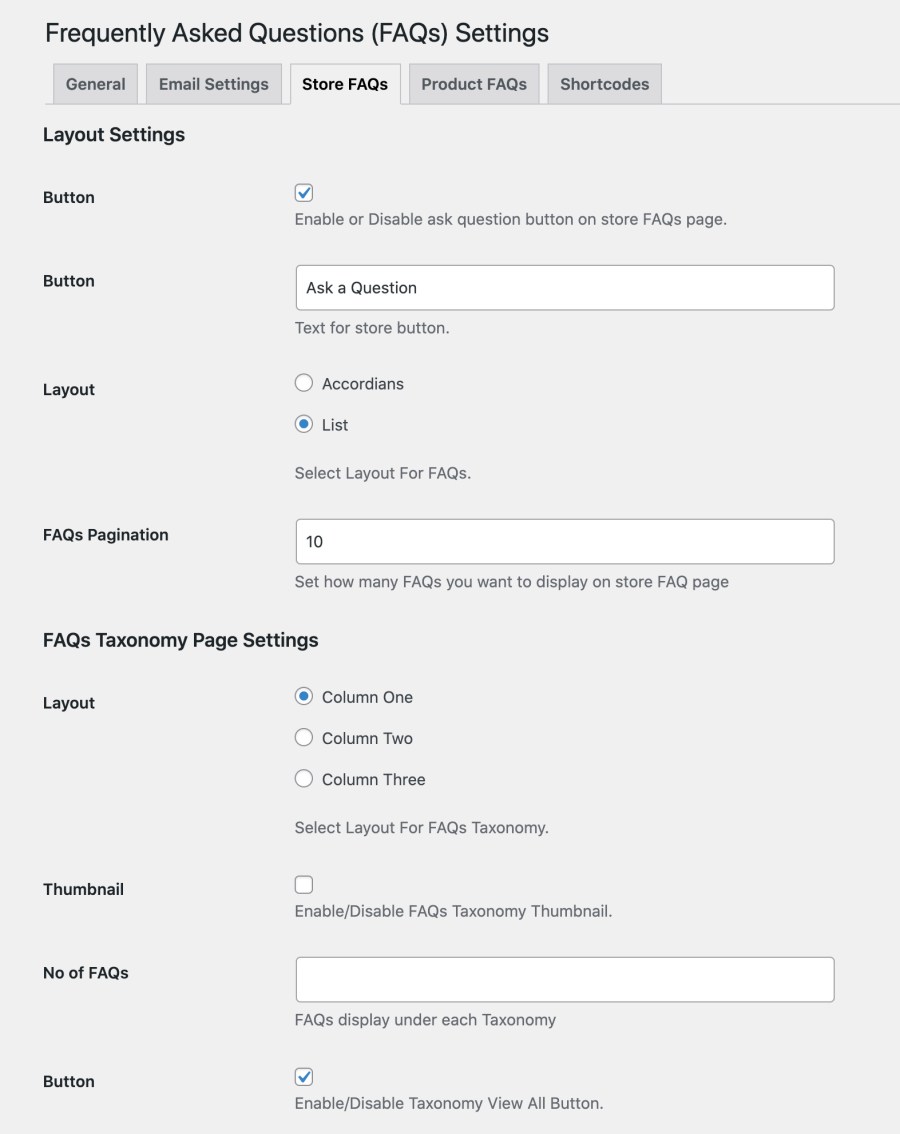
Add Separate Store FAQs Page:

Create a store FAQs page by using a short-code to display answers to store-related questions. Add multiple categories to divide FAQs into different topics for easy navigation. Choose from single, two, or three-column layouts for FAQ pages and show FAQs in list or accordion view.
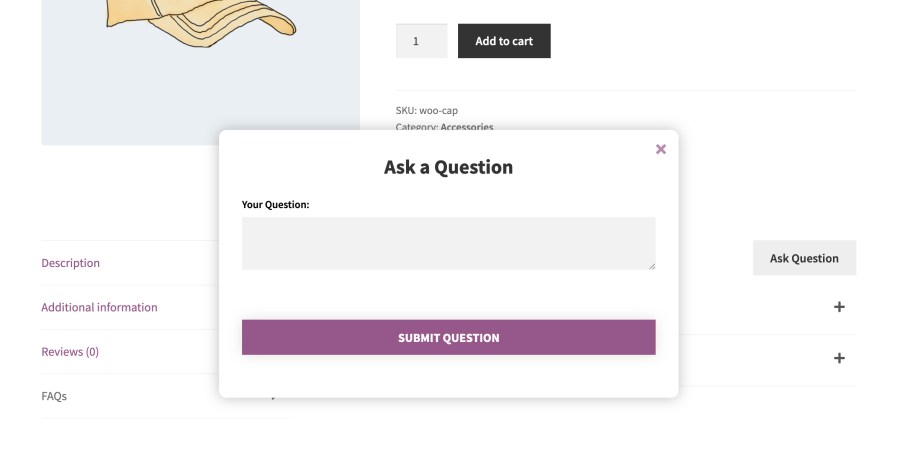
Ask a Question

You can add a customizable « Ask a Question » on products and store FAQ pages to let customers submit questions. Only registered customers can submit questions.
 

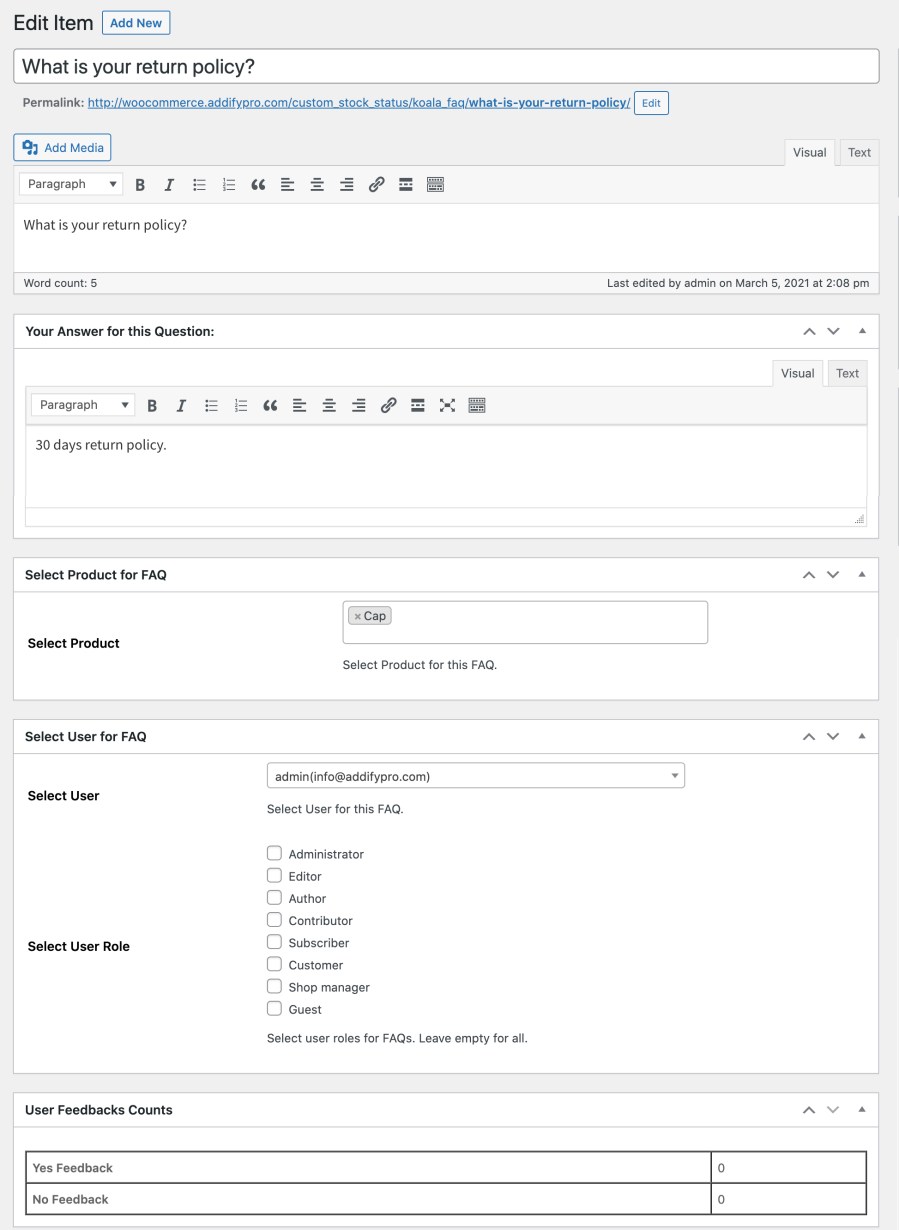
Adding FAQs from Backoffice

FAQs Manager for WooCommerce enables you to manually add FAQs from backoffice and assign them to relevant products, FAQ categories and user roles. By using editor, you can answer the questions in detail with images, videos and links. The feedback count shows how relevant the answer is and allows you to improve the FAQs with bad feedback.

Avis Clients

Moyenne des notes 2.3
3 avis
5 étoiles, 33 % des avis
4 étoiles, 0 % des avis
3 étoiles, 0 % des avis
2 étoiles, 0 % des avis
1 étoile, 67 % des avis
3 avis
  • Richard Martin
    Noté 1 sur 5
    Facilité d’utilisation
    Nov 26, 2025
    Facilité d’utilisation
    The plugin forces a koala_faq into the URL slug which looks terrible, understandable if it had a free version, but it doe not. I have used FAQ plugins that exist as a drop down menu on each product, this does not have that feature, instead it is a complicated system where you have to treat each individual question as a separate page that when previewed exists as a 404 error page. No simple way of contacting support and having a conversation with an agent.
  • russdx
    Noté 5 sur 5
    Nov 10, 2023
    Outstanding support
    The plugin basically did exactly what I wanted out the box but I needed a minor tweak which the team was happy to accommodate me for and send a customised php file with my change within 1 day! The speed and level of support was outstanding! Will certainly purchase more plugins from this developer int he future.
  • djcharlesthecanvasguru
    Noté 1 sur 5
    Oct 6, 2023
    This extension affected CSS.
    When the extension was activated none of the page or product titles were visible. I had to deactivate it.

Extension information

  • Version de WordPress requise: 4.6
  • Version de WooCommerce requise: 2.6.0
  • PHP version required: 7.4
  • Tested with WordPress: 6.*.*
  • Tested with WooCommerce: 10.*.*
  • Requires at least WordPress: 6.5

Pays

  • Mondial

Langues

English (United States)

Related Products

Prix $79 par an
Noté 3.4 sur 5 étoiles
Prix $59 par an
Noté 3.1 sur 5 étoiles
Prix $279 par an
Noté 3.2 sur 5 étoiles
Prix $109 par an
Noté 2.8 sur 5 étoiles
Prix $49 par an
Noté 4.1 sur 5 étoiles
Prix $109 par an
Noté 2 sur 5 étoiles
Prix $109 par an
Noté 2.3 sur 5 étoiles
Prix $109 par an
Noté 2.6 sur 5 étoiles
Prix $109 par an
Noté 2 sur 5 étoiles
Utilisation de vos données personnelles
Nous et nos partenaires traitons vos données personnelles (telles que les données de navigation, adresses IP, informations sur les cookies et autres identifiants uniques) sur la base de votre consentement et/ou de notre intérêt légitime afin d’optimiser notre site web, nos activités marketing et votre expérience utilisateur.




