

L’abonnement comprend
Assistance
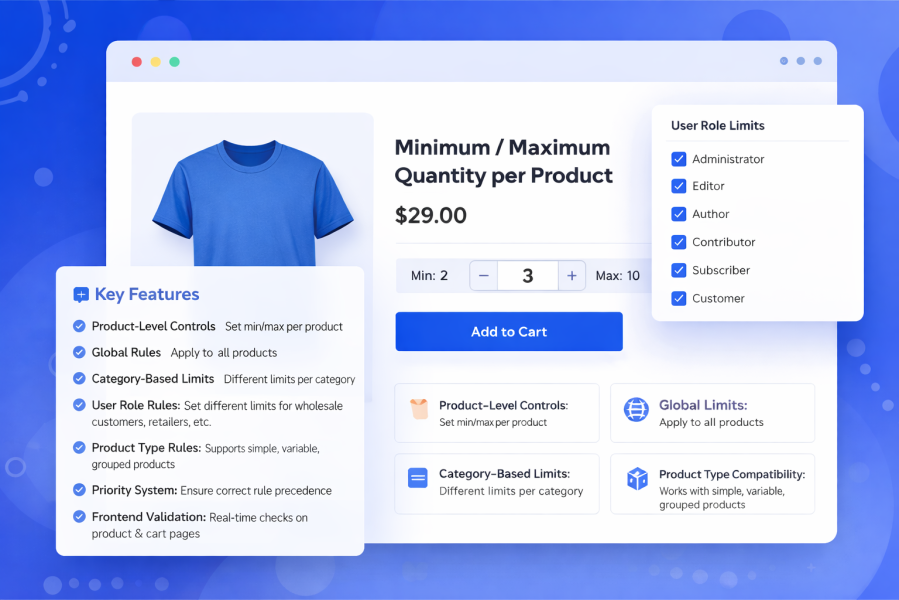
The Minimum / Maximum Quantity per Product plugin is the ultimate solution for controlling WooCommerce product quantities. With a powerful, rule-based system, you can enforce quantity limits per product, category, user role, or product type, making it ideal for wholesale stores, bulk sellers, and inventory management.
Why this plugin matters:
Set minimum and maximum quantities for each product individually. Product-level settings always override global rules.
Apply default quantity limits for all products at once. Great for consistent store-wide policies.
Assign different rules to different categories. Example: Electronics max 2, Accessories max 10 per customer.
Set rules for retail, wholesale, subscribers, or any custom role. Ideal for B2B stores.
Supports simple, variable, and grouped products seamlessly.
Control which rules take precedence using priority numbers. First match wins, but product-level settings always take the highest priority.
Customers see limits instantly on product pages and during checkout. Clear, friendly error messages reduce cart abandonment.
Yes. You can set a minimum quantity, a maximum quantity, or both. Either value can be left empty or set to 0 if you don’t want to enforce that limit.
Absolutely. You can create global rules that apply to all products in your store, then override them using category, role, or product-specific rules.
Rules use a priority-based system:
Product-level settings always have the highest priority
Rule-based limits are applied by priority (lower number = higher priority)
The first matching rule is applied
Yes. You can create rules based on user roles such as wholesale customers, subscribers, retailers, or any custom role.
Yes. This plugin is ideal for wholesale and B2B setups where minimum order quantities or bulk limits are required.
Yes. You can set product-level minimum and maximum quantities in the Inventory tab. These settings always override any rules.
Yes. Category-based rules allow you to apply different quantity limits for different categories.
Yes. The quantity input field automatically reflects the minimum and maximum limits, and customers will see clear validation messages if limits are exceeded.
Catégories
Extension information
Quality Checks
Pays







