

L’abonnement comprend
Assistance
Automatically generates invoices and credit notes that follow accounting and tax requirements (EU and beyond), so you can stay confident and worry-free.
No more manual invoice creation or sending. PDFs are generated and delivered automatically after purchase.
Send clean, beautiful PDF invoices with your logo and brand colors—customers trust stores that look serious.
Whether it’s a partial or full refund, the plugin automatically generates the correct credit note PDF.
Supports multilingual invoices and multi-currency formatting based on the customer’s language and region.
Export everything in seconds for your accountant, audits, or monthly reporting—without digging through orders.
Add legal mentions, terms & conditions, footers, notes, logos, or custom fields with just a few clicks.
Install and go. Works out-of-the-box—no need to touch your checkout or order flow.
Fast support and continuous improvements to keep your invoicing workflow reliable and future-proof.
Specifications:
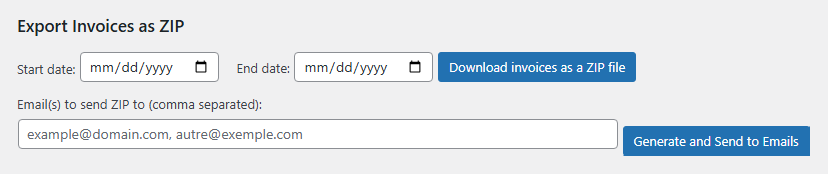
Download a ZIP file (for a selected date range) containing: CSV files for accountants ,PDF versions of invoices and credit notes
Send this ZIP file to a selected email address
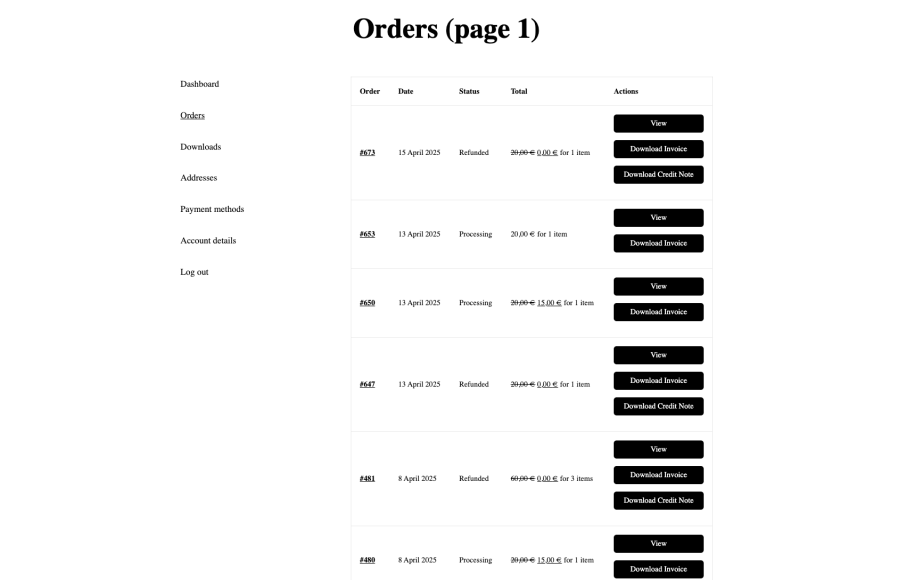
Customers can easily access and download their PDF invoices and credit notes from the « My Orders » section, enhancing transparency and user experience.
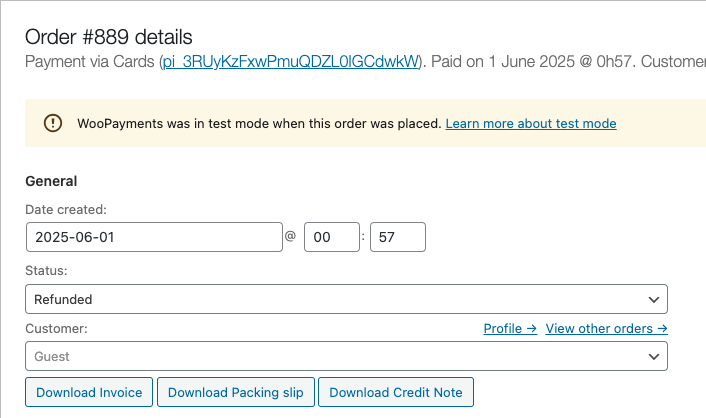
Invoices and credit notes are also available directly from the order details page in the customer dashboard.
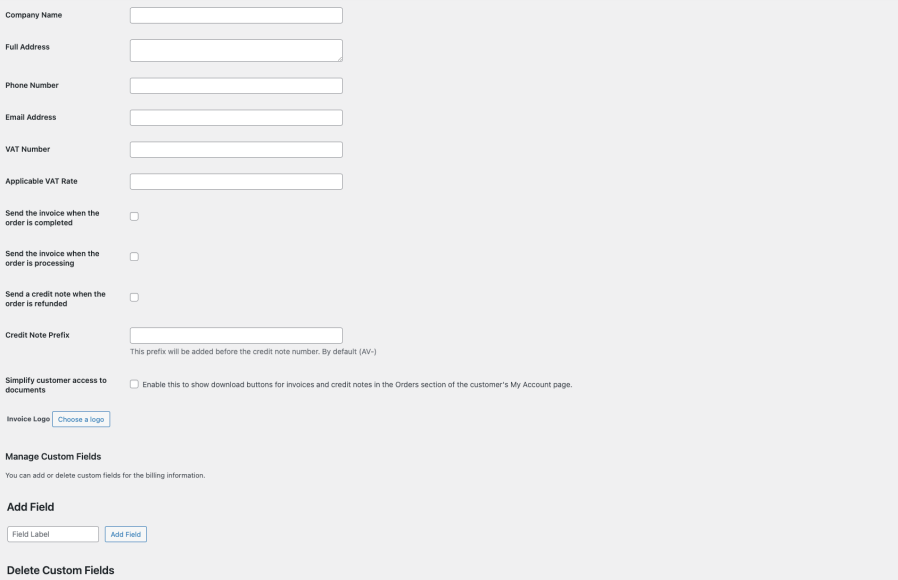
Easily insert custom notes, legal information, or any additional content to meet your business or regulatory requirements.
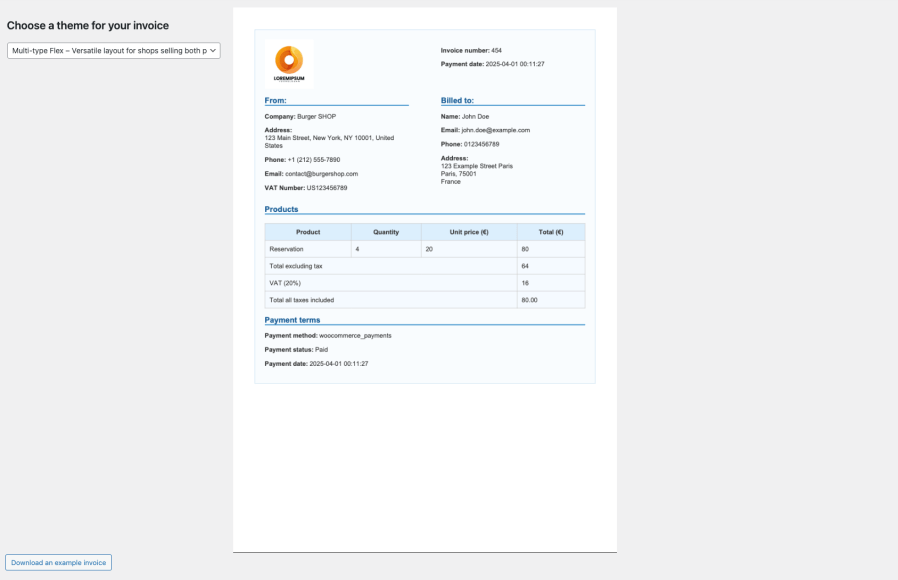
Customize the look of your invoices with ease — each theme is optimized for clarity and professionalism.
Download a ZIP file (for a selected date range) containing: CSV files for accountants ,PDF versions of invoices and credit notes.
Send this ZIP file to a selected email address.
Go to WooCommerce > Settings > Invoices, upload your logo under Choose a logo, click Choose this logo, and then click Save changes. Your logo will automatically appear on all generated PDFs.
Under WooCommerce > Settings > Invoices, in the 'Choose a theme for your invoice' section, you can select from several predefined themes. Don’t forget to click Save changes.
When a full or partial refund is processed through WooCommerce, the plugin automatically generates a corresponding credit note PDF, provided that the 'Send a credit note when the order is refunded' option is enabled under WooCommerce > Settings > Invoices.
When an order is marked as Processing or Completed in WooCommerce, the plugin automatically generates a corresponding invoice PDF, provided that the 'Send the invoice when the order is processing' option (for Processing orders) or the 'Send the invoice when the order is completed' option (for Completed orders) is enabled under WooCommerce > Settings > Invoices.
Yes, invoices and credit notes are automatically generated by the plugin. You can access them directly from the order details page in your WooCommerce dashboard.
Yes, customers can view and download their invoices and credit notes from the Orders section of their My Account page — but only if the option "Enable this to show download buttons for invoices and credit notes in the Orders section of the customer's My Account page." is enabled under WooCommerce > Settings > Invoices
Catégories
Extension information
Pays
Conditions






