

Active installs
700
L’abonnement comprend
Assistance
WooCommerce Product Prices by User Roles allows you to set product prices and shipping charges based on user roles at the global and product level.
Many WooCommerce stores have different prices for user roles. For example, the price for a Customer (logged-in user) will be different from a Guest who has yet to make a purchase on the site. WooCommerce Product Prices by User Roles gives you the flexibility to create different prices based on user roles.
Below is an example of how the prices will be displayed for different roles.
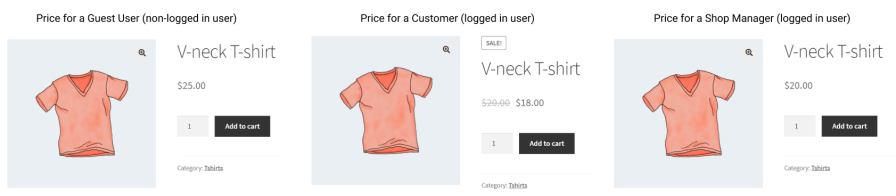
As shown above, a price of $25 is displayed for guest visitors vs. $18 for a logged-in customer. The normal price for a Shop Manager is $20.
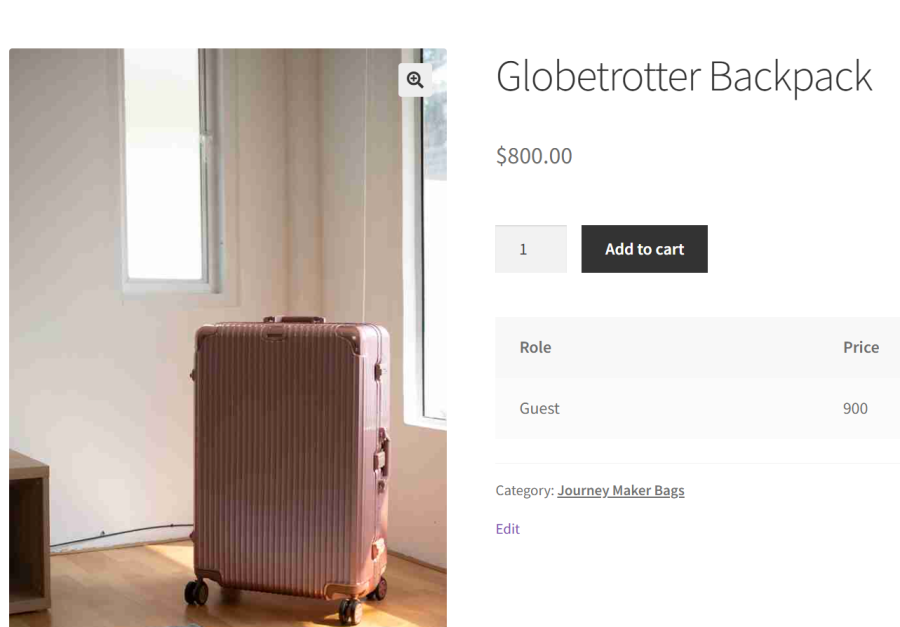
With this extension you can hide prices for guest users.
With this WooCommerce pricing plugin for customers groups & user roles you can also set shipping charges based on user roles. Based on the example above, you can set a reduced shipping charge for customers vs. guest users and a further shipping price reduction for a custom role such as « wholesaler. »
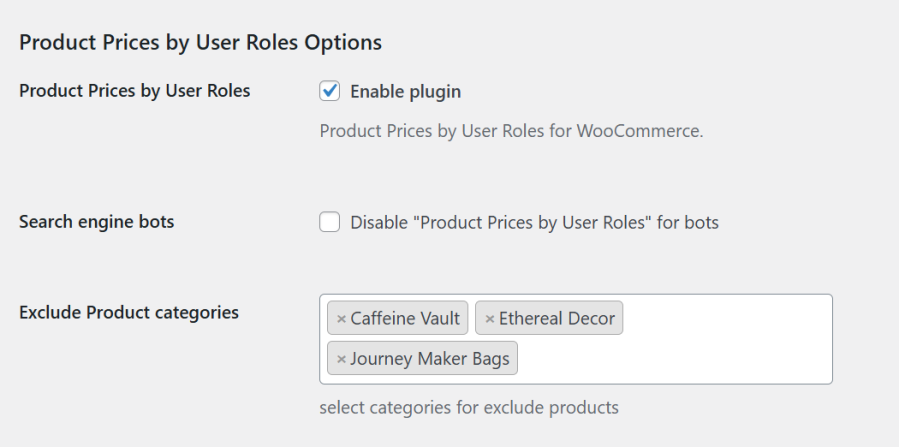
Exclude Product Categories
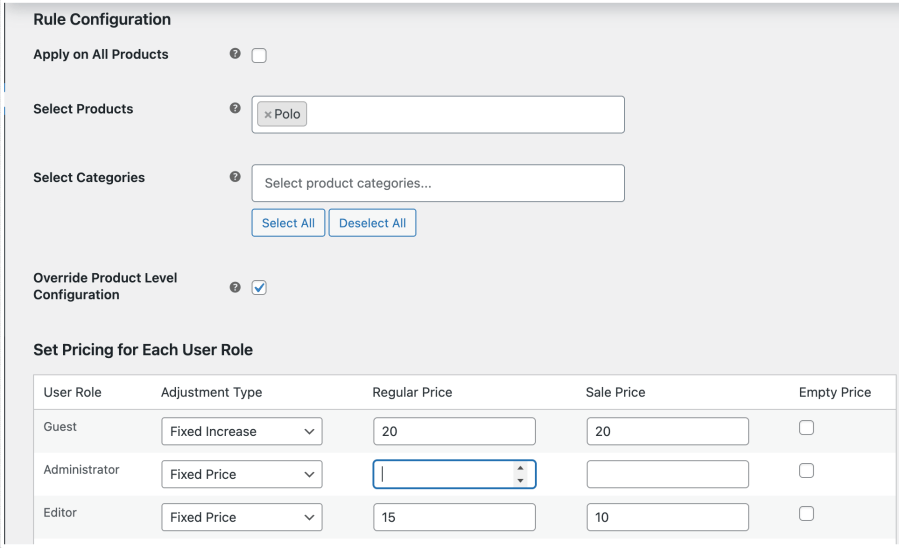
Apply Rule-Based Pricing in Bulk
Get control over WooCommerce product prices for different roles.
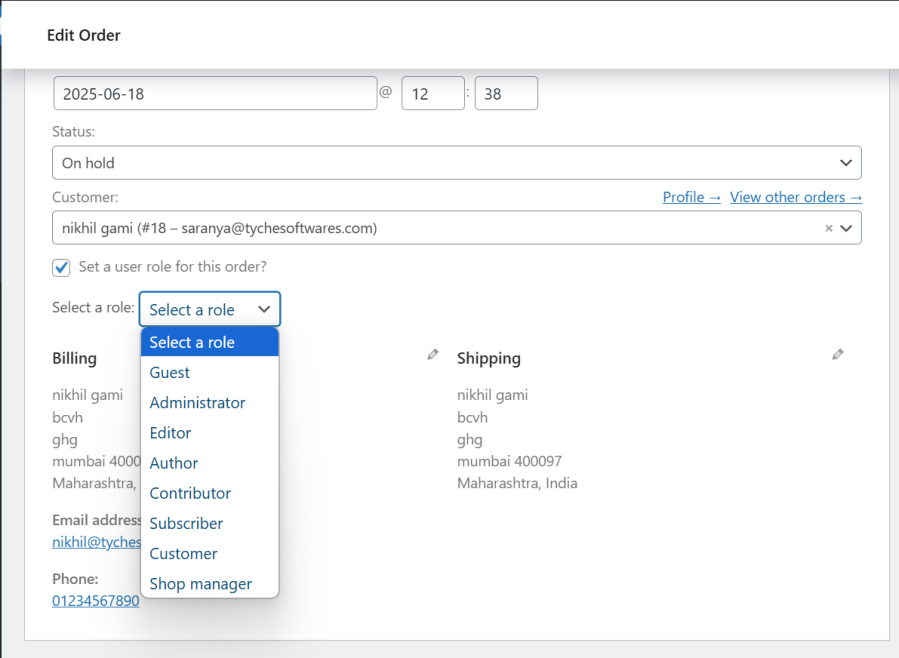
Yes. You can assign different prices for user roles such as Customers, Wholesalers, Subscribers, or any custom role you create. Users would automatically see their role-based price when they log in, helping you manage dynamic pricing based on user roles easily.
Yes. You can assign different pricing to wholesale and retail users within the same store. This eliminates the need for separate WooCommerce installations.
Yes. You can apply a price multiplier for each user role to increase or decrease product prices across your entire store automatically.
For example, you could set a 0.9 multiplier for Wholesale Customers to give them a 10% discount, or a 1.1 multiplier to increase prices by 10% for a specific role, without editing each product individually.
Yes. You can apply role-based pricing rules globally, to specific products, or to selected product categories. This allows you to efficiently apply dynamic pricing for multiple products at once.
Yes. The plugin allows you to set different prices for each product based on user roles.
Yes. You can increase or decrease product prices for different user roles using either a fixed amount or a percentage. For example, you could reduce prices by 10% for Wholesale Customers or add a $5 increase for a specific role automatically.
Yes. Customers will automatically see their assigned price. If it requires them to login, then they would see their price once they are logged-in. This ensures a personalized shopping experience.
Yes. You can hide product prices for selected user roles. For example, you can hide prices for Guest users and display them only to logged-in customers such as Wholesale Customers or Members. This is useful if you want users to log in before viewing their assigned pricing.
Yes. You can set different prices for each product variation based on user roles. For example, wholesale customers can see lower prices for specific variations while regular customers see the standard price.
Yes. The role-based price is automatically applied throughout the ordering process, including the product page, cart, and checkout. This ensures customers see and pay the correct price based on their user role.
Yes. You can set minimum and maximum quantity limits for each user role, and the role-based price will apply only when those quantity conditions are met. For example, you can offer wholesale pricing only when a customer purchases at least 5 items.
Yes. You can apply the price multiplier to shipping charges, allowing you to adjust shipping costs based on user roles.
Yes. The plugin works with both default and custom user roles. You can assign specific prices or adjustments to any role, allowing you to offer tailored pricing for wholesalers, members, VIP customers, or any custom role you create.
We have made every effort to make our plugin compliant to the GDPR guidelines. As a part of compliance, we do not capture any data of end users and customers without consent.
Please fill out this pre-sales form.
Catégories
Extension information
Quality Checks
Pays







