
L’abonnement comprend
Assistance
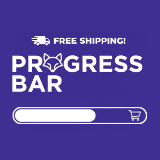
Shipping Progress Bar turns your free shipping threshold into a powerful sales tool. By showing customers exactly how close they are to unlocking free shipping, this plugin creates a psychological incentive that naturally encourages larger purchases.
Research shows that visual progress indicators create commitment to completing a goal. When customers see they’re just $15 away from free shipping, they’re far more likely to add another item rather than abandon their cart. It’s simple psychology that translates directly into higher revenue.
Increase average order value by 30-50% – Customers consistently add more items when they can visualize their progress toward a reward.
Reduce cart abandonment – Clear, real-time feedback eliminates confusion about shipping costs and motivates completion.
Zero configuration required– Automatically detects your WooCommerce free shipping settings. Install, activate, and it works.
Universal compatibility – Seamlessly integrates with Astra, Storefront, Elementor, Divi, and all WooCommerce themes.
Smart automation – Hides automatically for virtual/downloadable products where shipping isn’t relevant.
The progress bar appears on product pages, cart, and checkout with smooth, real-time updates as customers shop. Dynamic color transitions provide instant visual feedback:
Choose your own colors
eg :
– Red (0-30%) – Shows there’s room to add more
– Yellow (30-60%) – Progress is being made
– Green (60-100%) – Almost there, keep going!
– Success state – Celebration when threshold is reached
Updates happen instantly without page reloads, creating a satisfying, game-like experience that keeps customers engaged.
No manual threshold entry – Reads directly from your existing WooCommerce shipping zones and free shipping methods.
Multi-location display – Choose where the bar appears or use the `[shipping_progress_bar]` shortcode for precise placement.
HPOS ready – Full compatibility with WooCommerce 8.0+ High-Performance Order Storage.
Translation ready – Fully internationalized and ready for multilingual stores.
Performance optimized – Lightweight code that won’t slow down your site.
– Stores offering free shipping thresholds
– Merchants wanting to increase average order value
– Shop owners looking to reduce cart abandonment
– Anyone wanting to improve customer experience with clear shipping incentives
For optimal display on product pages with Divi Builder, use the provided shortcode `[shipping_progress_bar]` in a Code module. Full instructions included in settings.
Get started in minutes
1. Install and activate
2. Ensure free shipping is configured in WooCommerce
3. Customize colors and messages (optional)
4. Watch your average order value grow
No complicated setup. No hidden fees. Just a simple tool that makes a measurable difference in your store’s performance.
Yes! Shipping Progress Bar is compatible with all WooCommerce themes. It uses standard WordPress hooks and doesn’t modify core files.
No. The plugin is lightweight and optimized for performance. It loads asynchronously and doesn’t impact page speed.
Yes, it’s fully responsive and optimized for mobile, tablet, and desktop. You can even set mobile-specific styling.
Not at all. Everything is configured through an intuitive settings interface with live preview.
Yes! The plugin automatically detects customer location and applies the correct free shipping threshold based on your WooCommerce shipping zone settings. No additional configuration required.
Yes. Simply configure different free shipping methods with different minimum amounts in your WooCommerce shipping zones. The plugin will automatically use the appropriate threshold based on customer location.
Yes! The calculation updates automatically when coupons are applied, based on your « Calculate based on » setting (subtotal vs total).
Yes! Use [shipping_progress_bar] to manually place the bar in any post, page, or widget area. This is especially recommended for Divi theme users on product pages.
Yes. Configure custom messages for different progress milestones (e.g., 50%, 75%, 100%).
Yes, the plugin is RTL-compatible and works with languages like Arabic and Hebrew.
Yes! For product pages in Divi, use a Code module with the [shipping_progress_bar] shortcode for optimal integration.
Yes, as long as your custom shipping method integrates with standard WooCommerce shipping calculations.
No. The plugin only reads cart data temporarily and doesn’t store any personal information. Fully GDPR compliant.
Yes! All strings are translatable using standard WordPress .po/.mo files or plugins like WPML/Loco Translate.
Yes, but you may need to exclude AJAX requests from caching for real-time updates. Instructions provided in documentation.
The plugin itself doesn't track analytics, but threshold completions can be tracked using Google Analytics events (documentation included).
Catégories
Extension information
Quality Checks
Pays







