

Subscription includes
Support
Manage your WooCommerce store data smarter with Google Sheet Connector for WooCommerce.
This powerful plugin lets you sync orders and products directly with Google Sheets in real time—making reporting, order management, inventory updates, and team collaboration effortless.
No manual exports. No outdated spreadsheets. Just live WooCommerce data inside Google Sheets.
Connect WooCommerce with Google Sheets to automatically sync all essential order data in one place. The plugin sends complete order details to Google Sheets in real time, making it easy to manage, track, and analyze your orders.
Synced data includes: Order ID, order date, customer details, billing and shipping information, order status, totals (tax, shipping, discounts), payment method, product names, SKUs, quantities, and customer notes.
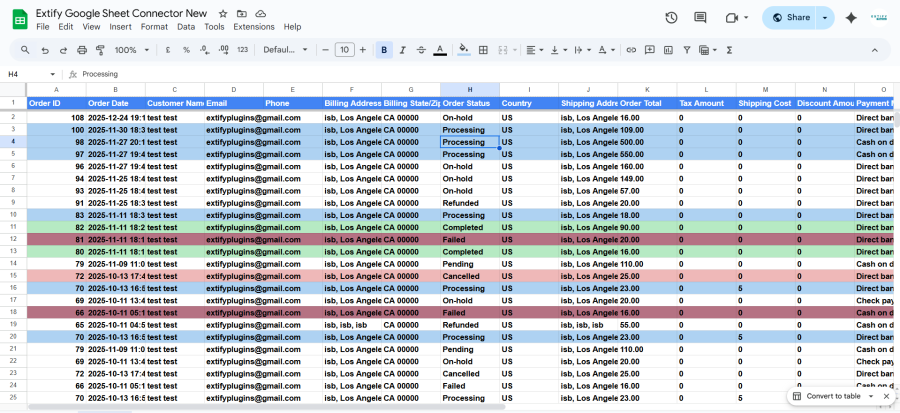
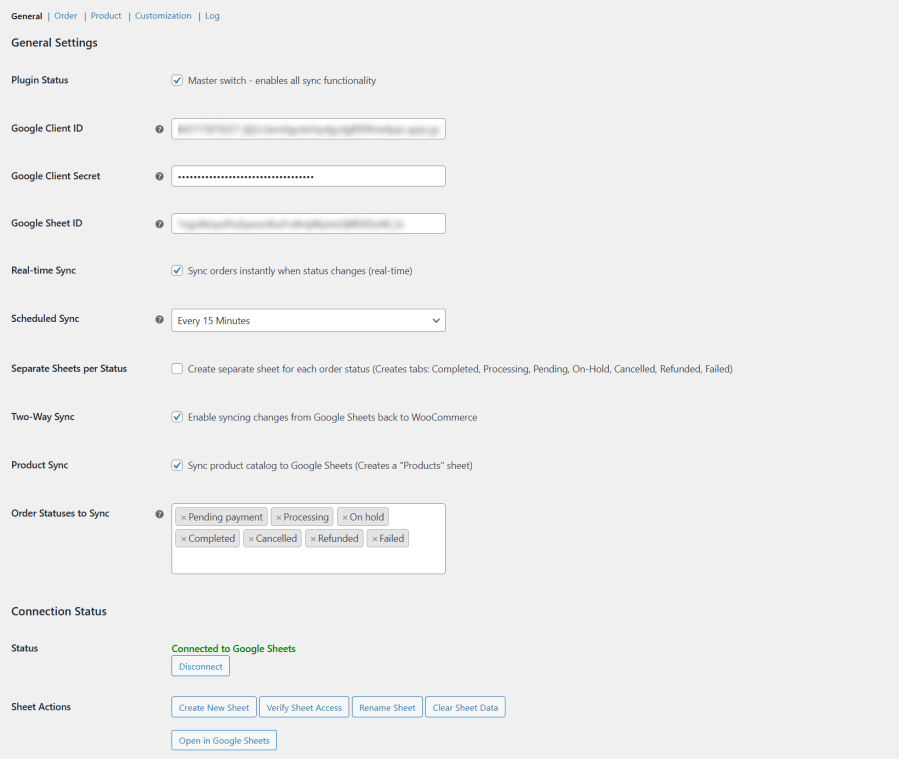
Whether you need instant updates or automated background syncing, the plugin adapts to your workflow.
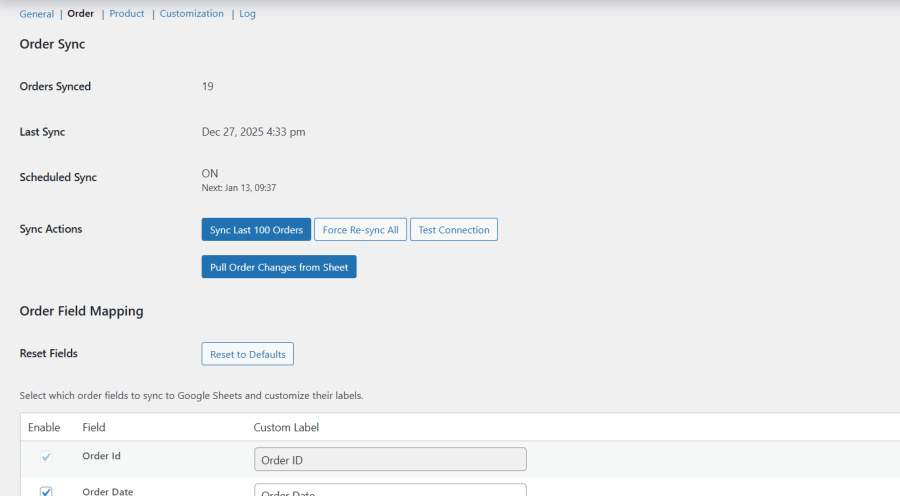
Make changes directly in Google Sheets and sync them back to WooCommerce with confidence.
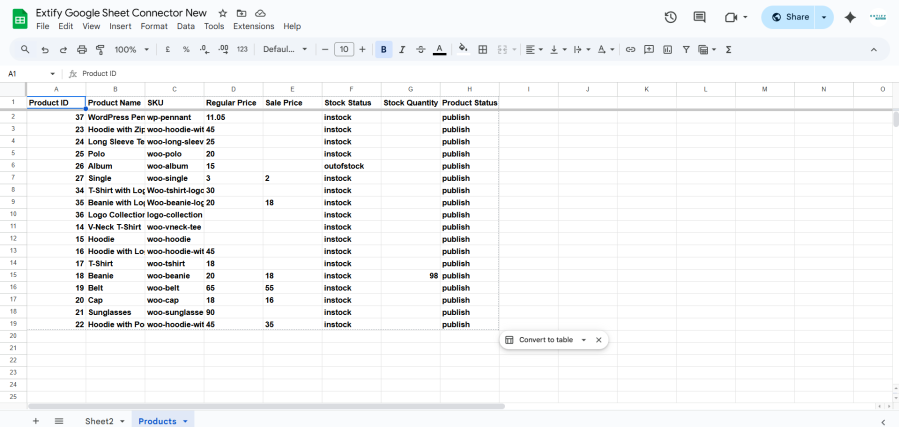
Sync your entire WooCommerce product catalog into a dedicated Products sheet.
Keep pricing, stock levels, and product statuses aligned between WooCommerce and Google Sheets—without switching dashboards.
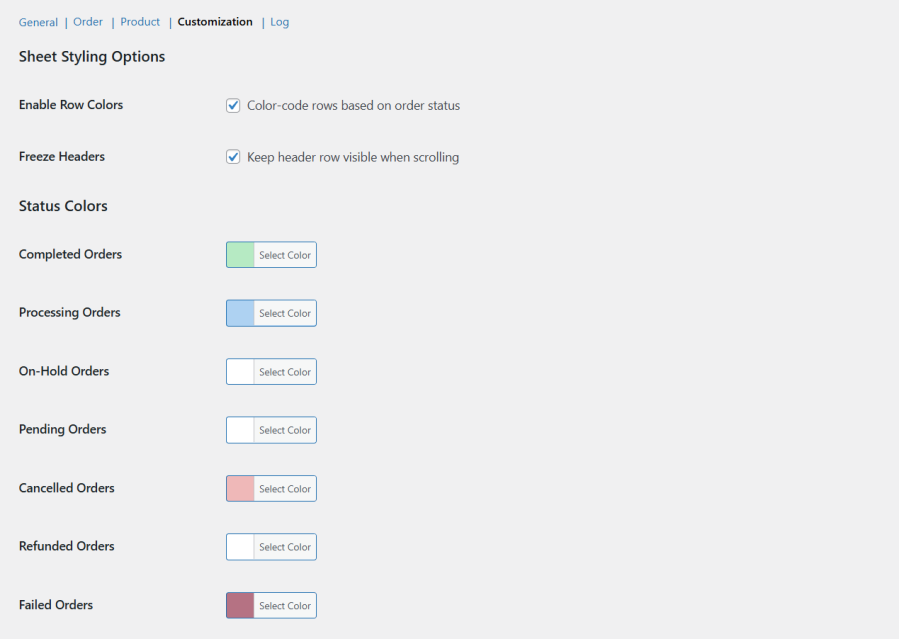
Turn messy spreadsheets into clear, actionable data:
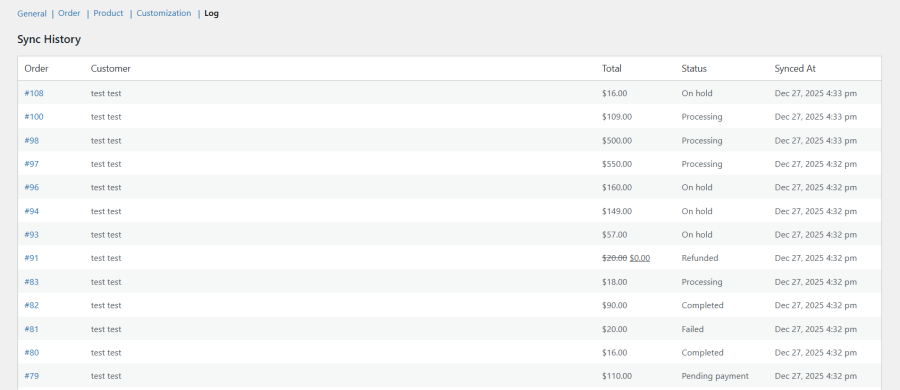
Track every sync action with complete transparency:
The plugin uses the latest Google API libraries and secure OAuth authentication to ensure reliable and safe data synchronization—without slowing down your store.
Check our detailed Documentation to easily configure and use the plugin step by step.
The plugin syncs your WooCommerce orders and products directly with Google Sheets. You can view, manage, and update store data in real time without exporting CSV files.
Yes. Orders are synced instantly to Google Sheets whenever the order status changes. You can also use scheduled syncing if preferred.
You can sync the following WooCommerce order statuses:
You can choose which statuses to sync from the settings.
Yes. You can manage all orders in a single Google Sheet or enable the option to create separate sheets for each order status.
Yes. You can update order and product data directly from Google Sheets and sync those changes back to WooCommerce.
Yes. The plugin syncs your entire product catalog to a dedicated Products sheet and supports two-way syncing for price, stock quantity, and product status.
You can choose from multiple scheduled sync intervals:
Absolutely. You can select which order and product fields to sync and customize column labels using the field mapping options.
Yes. You can:
Yes. The plugin uses secure Google OAuth authentication and the latest Google API libraries to ensure safe and reliable data syncing.
Yes. With one click, you can create a new Google Sheet, verify access, rename sheets, or clear existing sheet data.
Yes. The plugin includes a one-click disconnect option, and the connection status is always visible in the dashboard.
Extension information
Quality Checks
Countries







