
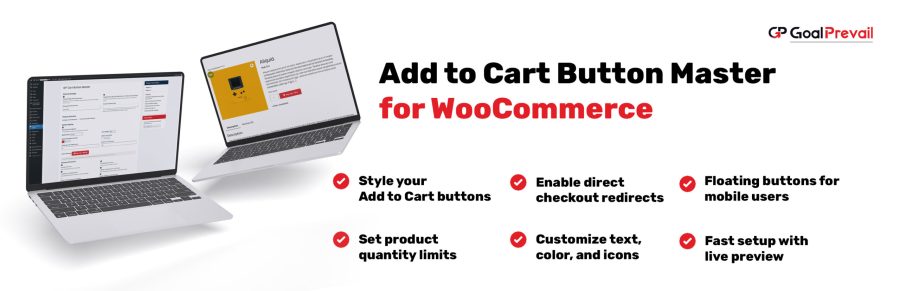
Product Icon

GP Cart Button Master for WooCommerce

Rule-based Add to Cart button control for WooCommerce. Change button text, redirects, styling, icons/price, floating mobile button, and quantity limits without editing theme files.
Scegli un'opzione di fatturazione
USD $49
Risparmia 20%
USD $98 USD $78.40

Subscription includes

  • Product updates and improvements
  • Servizio clienti
  • 30-day money-back guarantee

Boost conversions with smarter Add to Cart buttons. Create rule-based button text, redirects, styling, mobile floating buttons, and quantity limits, without touching theme files.

GP Cart Button Master is:

  • Rule-based (all products or specific products)
  • Conversion-focused (direct checkout + custom redirect)
  • Design-friendly (fonts, colors, radius, custom CSS)

Why stores use Cart Button Master

WooCommerce’s default Add to Cart button is the same everywhere. With Cart Button Master you can tailor button behavior and design per product group, and optionally apply changes on shop/category archives too.

  • Direct checkout: Skip the cart and send customers straight to checkout (or a custom URL).
  • Rule scopes: Apply changes to all products or only selected products.
  • Archive controls: Decide what applies on shop/category pages.
  • Mobile-ready: Optional floating Add to Cart button on product pages.

Key features

  • Direct Checkout: Skip the cart page and send customers straight to checkout.
  • Button text control: Change “Add to cart” to anything you want per rule.
  • Custom styling: Font, size, weight, background, text color, border radius.
  • Icons & price display: Show an icon or price inside the button.
  • Floating Add to Cart on mobile: Sticky button on single product pages.
  • Quantity limits: Set a maximum quantity per product (per rule).
  • Advanced effects: Optional shake animation for extra attention.
  • Custom CSS: Extend design flexibility with your own CSS.

Popular use cases

“Buy now” button for high-intent products

  • Enable Direct Checkout for specific bestsellers.
  • Optional: set a custom redirect URL (landing page, upsell, checkout, etc.).
  • Apply on archives if you want the same behavior on shop/category pages.

Brand-consistent buttons across a collection

  • Style buttons with your brand colors and typography.
  • Use rule scopes to style only certain product lines.
  • Add custom CSS for advanced theme-specific tweaks.

Prevent bulk-buy abuse or enforce pack limits

  • Set a maximum quantity limit per product.
  • Keep carts clean and reduce order exceptions.

How it works

  1. Install and activate the extension.
  2. Create a rule: Target all products or select specific products.
  3. Configure: General (text/redirect), Styling (design), Advanced (icon/price/floating/limits).
  4. Choose archive behavior: Apply changes on shop/category pages if needed.
  5. Save: The first matching rule applies automatically.

Compatibility notes

For variable or out-of-stock products, Cart Button Master skips certain “general” changes, while styling may still apply.


Default vs. GP Cart Button Master

Capability Default WooCommerce GP Cart Button Master
Per-product rules Limited All products or selected products
Button text changes Theme/plugin code Rule-based button text control
Direct checkout Not built-in Redirect to checkout (or custom URL)
Styling controls Theme CSS Fonts, colors, size, radius + custom CSS
Mobile floating button No Optional floating Add to Cart
Quantity limits Custom code Max quantity per rule
Shop/category archives One-size-fits-all Choose what applies on archives

Domande più comuni

Can I apply different settings to specific products?

Yes. Each rule can target all products or only selected products.

Does it support shop/category archives?

Yes. You can choose whether each rule applies on shop/category pages (archives) using the “Apply on archives” toggles.

Do variable or out-of-stock products get affected?

General changes like button text, redirects, icon, and price display are skipped for variable or out-of-stock products. Styling can still apply.

Does it include a floating mobile Add to Cart button?

Yes. Enable it in Advanced settings and it will appear on single product pages on mobile.

Can I limit quantities?

Yes. You can set a maximum quantity per product (per rule) in the Advanced tab.

Recensioni dei clienti

Related Products

Price USD $79 Annualmente
Rated 3.4 out of 5 stars
Price USD $59 Annualmente
Rated 3.1 out of 5 stars
Price USD $109 Annualmente
Rated 3.1 out of 5 stars
Price USD $49 Annualmente
Rated 4.1 out of 5 stars
Price USD $109 Annualmente
Rated 2 out of 5 stars
Price USD $109 Annualmente
Rated 2.3 out of 5 stars
Price USD $39 Annualmente
Rated 2.8 out of 5 stars
Price USD $109 Annualmente
Rated 2 out of 5 stars
Price USD $109 Annualmente
Rated 2.6 out of 5 stars




