Product Icon

Sort Product Catalog for WooCommerce

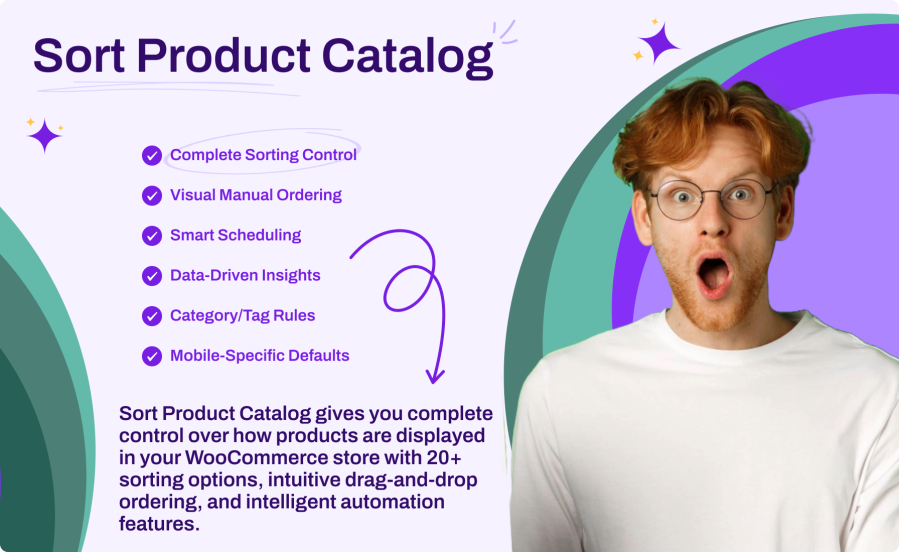
Sort Product Catalog gives you complete control over how products are displayed in your WooCommerce store with 20+ sorting options, intuitive drag-and-drop ordering, and intelligent automation features. Set different defaults per category, schedule sorting changes for promotions, show personalized sorting to different customer roles, and track which options perform best with built-in analytics.
Scegli un'opzione di fatturazione
$29
Risparmia 20%
$58 $46.40

Subscription includes

  • Product updates and improvements
  • Servizio clienti
  • 30-day money-back guarantee


Key Benefits

  • Complete Sorting Control – 20+ sorting options including popularity, price, ratings, stock status, discount percentage, and more
  • Visual Manual Ordering – Drag-and-drop interface to manually arrange products for shop, categories, or tags
  • Smart Scheduling – Automatically change sorting during promotions, seasons, or special events
  • Data-Driven Insights – Analytics integrated into WooCommerce Analytics showing which sorting options customers use

Main Features

  • 20+ Sorting Options – The most comprehensive sorting library including unique options like discount percentage
  • Drag-and-Drop Ordering – Intuitive visual interface for pixel-perfect product placement
  • Time-Based Scheduling – One-time, daily, weekly, monthly, or yearly recurring schedules
  • Role-Based Sorting – Different default sorting for wholesale, retail, or custom user roles
  • Category/Tag Rules – Set specific sorting defaults per category or product tag
  • Mobile-Specific Defaults – Optimize sorting for mobile shoppers separately
  • Customer Preference Memory – Remember each visitor’s preferred sorting option
  • WooCommerce Analytics Integration – See sorting usage data in your familiar analytics dashboard

Powerful Sorting Library

Go beyond basic price and date sorting with 20+ options including popularity, average rating, stock status, sale items first, featured products, discount percentage, review count, SKU, and more. Customize labels for each option to match your brand voice.

Visual Manual Ordering

Take complete control with drag-and-drop product arrangement. Reorder products for your entire shop or specific categories and tags. Search, filter, and paginate through thousands of products with ease.

Intelligent Scheduling

Automate sorting changes for any occasion. Schedule “Featured First” for product launches, “Biggest Discount First” for Black Friday, or “Newest First” for seasonal refreshes. Set one-time or recurring schedules with priority rules.

Segment-Based Sorting

Show different default sorting to different customers. Display wholesale customers products by price while retail customers see popularity sorting. Target by user role with configurable priority when users have multiple roles.

How It Works

  1. Install & Activate – Upload the plugin and activate it in WordPress
  2. Enable Sorting Options – Choose which sorting options to show in your dropdown
  3. Set Defaults – Configure default sorting for shop, categories, and mobile
  4. Create Rules (Optional) – Add category rules, schedules, or role-based sorting
  5. Track Performance – Monitor which sorting options customers prefer in Analytics

20+ Sorting Options

The most comprehensive sorting library available:

  • Popularity & Social – Best sellers, most reviewed, highest rated, trending
  • Price – Low to high, high to low
  • Date – Newest first, oldest first
  • Alphabetical – A-Z, Z-A by product name
  • Stock – In stock first, by stock quantity
  • Promotions – On sale first, biggest discount first, featured first
  • Inventory – SKU (A-Z, Z-A)
  • Other – Random, menu order, recently modified

Smart Scheduling

Automate your catalog for any occasion:

  • One-Time Events – Product launches, flash sales, special promotions
  • Daily Rotation – Fresh product arrangements every day
  • Weekly Campaigns – Weekend specials or weekly features
  • Monthly Themes – Seasonal collections or monthly highlights
  • Yearly Events – Black Friday, Cyber Monday, holiday seasons
  • Priority Rules – Handle overlapping schedules with configurable priorities

Sorting Analytics

Make data-driven decisions with built-in analytics:

  • Usage Tracking – See which sorting options visitors use on your store
  • Page-Level Data – Track sorting separately for shop, category, and tag pages
  • Date Range Filtering – Analyze trends using WooCommerce’s standard date picker
  • Seamless Integration – Access analytics directly from WooCommerce > Analytics menu
  • Privacy-Focused – Server-side tracking with no personally identifiable information

Seamless Integration

Works perfectly with your existing setup:

  • WooCommerce HPOS – Fully compatible with High-Performance Order Storage
  • WooCommerce Blocks – Works with block-based shop and archive templates
  • Elementor – Compatible with Elementor product widgets and loops
  • Any Theme – Works with any properly coded WooCommerce theme
  • Import/Export – Easy migration of settings between sites

Domande più comuni

How many sorting options does Sort Product Catalog include?

Sort Product Catalog includes 20+ sorting options — more than any other solution on the market. This includes popularity, price, ratings, stock status, alphabetical, SKU, on sale first, featured first, biggest discount percentage, review count, random, and more. Each option can be individually enabled or disabled, and labels can be customized to match your brand.

Can I set different default sorting for different categories?

Yes! Use the Category Rules feature to assign specific default sorting to any category or product tag. For example, show "Biggest Discount First" in your Sale category, "Newest" in New Arrivals, and "Popularity" everywhere else. You can also override products per page on a per-category basis.

Does Sort Product Catalog work with WooCommerce Blocks and Elementor?

Yes, the plugin is fully compatible with WooCommerce Blocks (block-based shop and archive templates) and Elementor product widgets including the Products widget, Archive Products, and Loop Grid. Your sorting rules automatically apply to all product displays.

How does the scheduling feature work?

Scheduling lets you automatically change sorting at specific times. Create one-time schedules for flash sales or recurring schedules (daily, weekly, monthly, yearly) for regular promotions. For example, schedule "Featured First" every weekend or "Biggest Discount First" during Black Friday. When multiple schedules overlap, priority settings determine which one applies.

Will this plugin slow down my store?

No. All sorting is applied at the database query level using optimized SQL, not in PHP. This means sorting happens during the initial product query with no additional processing overhead. Analytics tracking is lightweight and server-side only, with no client-side scripts or AJAX requests affecting page load times.

Recensioni dei clienti

Related Products

Price $79 Annualmente
Rated 3.4 out of 5 stars
Price $59 Annualmente
Rated 3.1 out of 5 stars
Price $109 Annualmente
Rated 3 out of 5 stars
Price $49 Annualmente
Rated 4.1 out of 5 stars
Price $109 Annualmente
Rated 2 out of 5 stars
Price $109 Annualmente
Rated 2.3 out of 5 stars
Price $109 Annualmente
Rated 2.6 out of 5 stars
Price $109 Annualmente
Rated 2 out of 5 stars
Price $109 Annualmente
Rated 2.3 out of 5 stars




