Ícone do produto

File Upload para WooCommerce

Allow customer file uploads on product, cart, checkout, and order pages with optional fee add-ons and smart restrictions.
Escolha uma opção de cobrança
$49
Economize 20%
$98 $78.40

Comparação de produtos

A assinatura inclui

  • Melhorias e atualizações de produtos
  • Suporte ao cliente
  • Garantia de 30 dias para reembolso

Highlights

  • Allow customers to upload files from product, cart, checkout and order detail page
  • Enable file upload for specific products, categories, user roles and order statuses
  • Option to charge extra fee in fixed or percentage amount for file uploads
  • Offer product customization or collect any files required to process order
  • Restrict file types a customer can upload and approve/disapprove uploaded files
  • View detailed features

Customization

Customization flexibility

Let customers upload reference images or files for tailored, made-to-order products.

Revenue

Increased revenue

Charge a fee for file uploads and turn customization into a new revenue stream.

Competitive edge

Competitive advantage

Stand out from competitors by offering true product personalization.

Integration

Seamless integration

Works smoothly on product, cart, and checkout pages, including block themes.

User friendly

User-friendly interface

Simple drag-and-drop uploads make attaching files effortless for customers.

Customer experience

Improved customer experience

Customers share logos, artwork, or docs in one place, cutting back-and-forth.

Allow Customers to Upload Files with Orders

Does your store create custom orders or sell a product or service that requires customer documentation? The File Upload for WooCommerce extension allows your customers to upload files with their orders.
File Upload for WooCommerce also allows store owners to require uploads (make them mandatory) and charge fees for them. Fees can be based on a percentage or a fixed amount. Store owners can charge a fee for all uploads or a separate fee for each upload.
File Upload for WooCommerce adds an Upload button to pages you assign that may include product, Cart, Checkout, or order-detail pages.
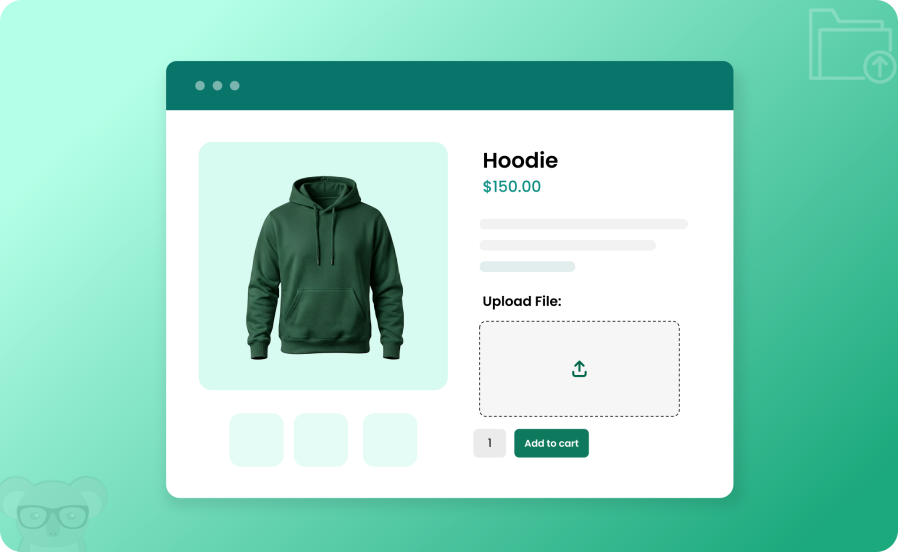
File Upload for woocommerce-1

Who needs a file upload option?

Personalized Products

Stores that sell made-to-order products, like custom printing, may need customers to upload event details or a company logo to complete an order.

Legal Requirements

Some stores require legal documentation before allowing orders. For example, a store might need proof of age or a copy of a buyer’s wholesale or tax information to complete an order or create an account. File Upload for WooCommerce gives store owners the option of requiring an upload of information before the customer adds items to their carts or places an order.

———————— Detailed Features of Order Chat for WooCommerce ————————-

Allow Customers to Upload Files through Product, Cart & Checkout Pages

The plugin allows you to display a file upload option on the product, cart, and checkout pages for all or specific products. Through a rule-based system, you can easily control where the feature is displayed and on which pages and products.
Once uploaded, the file can be viewed on the Cart, Checkout Page, Thank-You, and Order Detail Pages. You can allow customers to upload images, files, graphics, etc.
You can easily limit the number of files uploaded and adjust the position of the upload option on the cart page. For ease, you can add a shortcode to place the file upload option anywhere you like
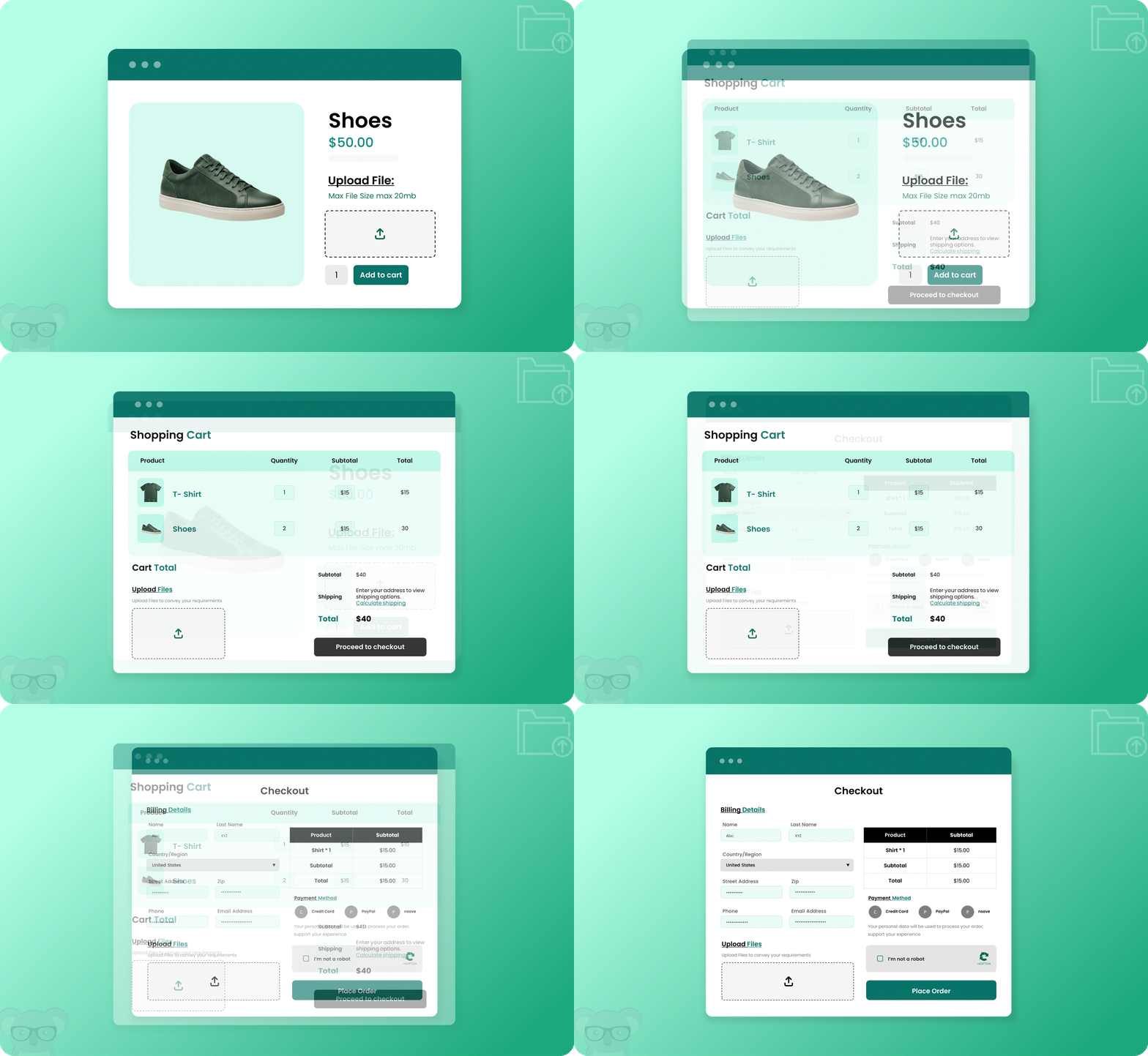
File upload for woocommerce-2

Manage File Upload Visibility by User Roles, Order Status, Products, Tags, Brands & Categories

With the File upload for WooCommerce extension, you can choose to display the file upload option only for specific customers and desired products and categories. This will allow you to target the right audience and offer them a convenient and customized shopping experience.
Additionally, you can choose the order status at which the customer will have permission to upload a custom file, ensuring smooth operations in your store.
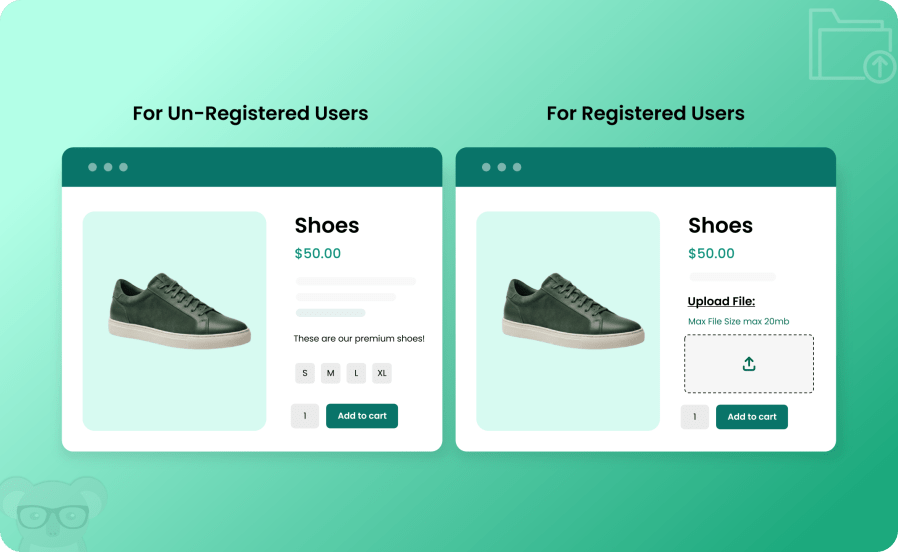
File upload for woocommerce-3

Allow separate attachments for each cart item or a single attachment for the whole order

The WooCommerce file upload plugin allows merchants to collect files either globally on the cart page for the entire order or individually per product. This gives customers the flexibility to attach specific files to individual items or upload a single file for the whole purchase. This upload mechanism gives merchants the flexibility to display the right upload fields base don scenarios, while boosting customer satisfaction through product customization.
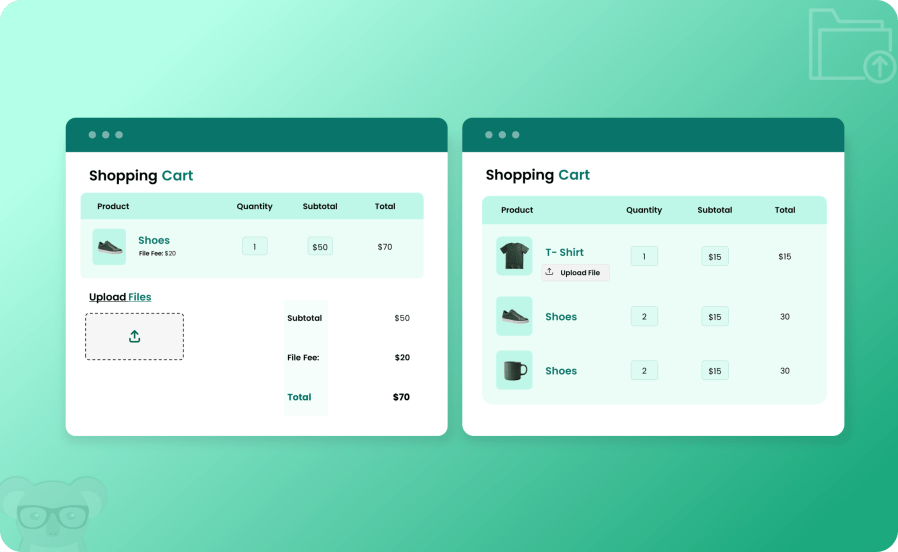
File upload for woocommerce-4


Charge a Fee & Display on Desired Pages

You can charge a fee for each file uploaded to your store. The fee can be displayed on the Product, Cart, and Checkout pages and applied as a whole or to each file separately. Furthermore, you can choose to charge a fixed amount or a percentage rate based on your requirements.
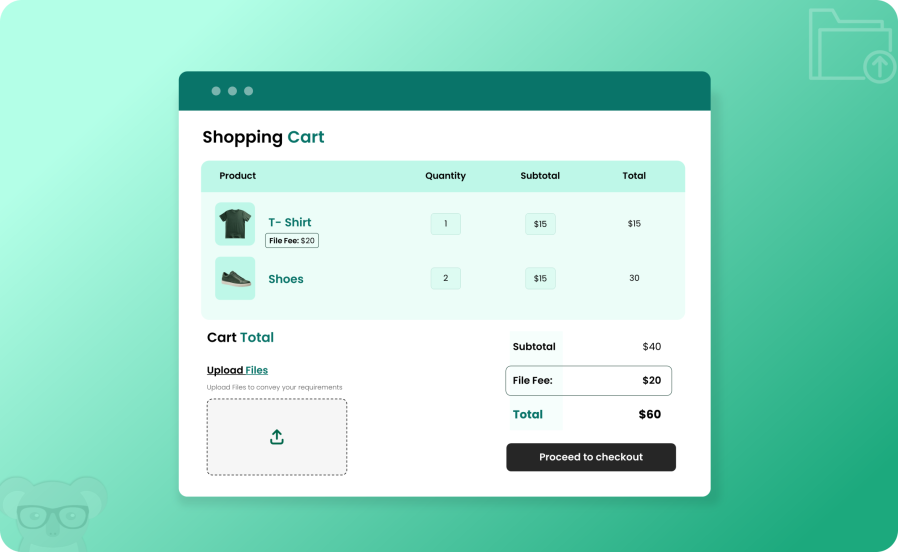
File upload for woocommerce-5

Customers can Drag & Drop their File Uploads

With the new update, customers can now drag & drop uploads by simply dragging their desired files to the upload box on any page!
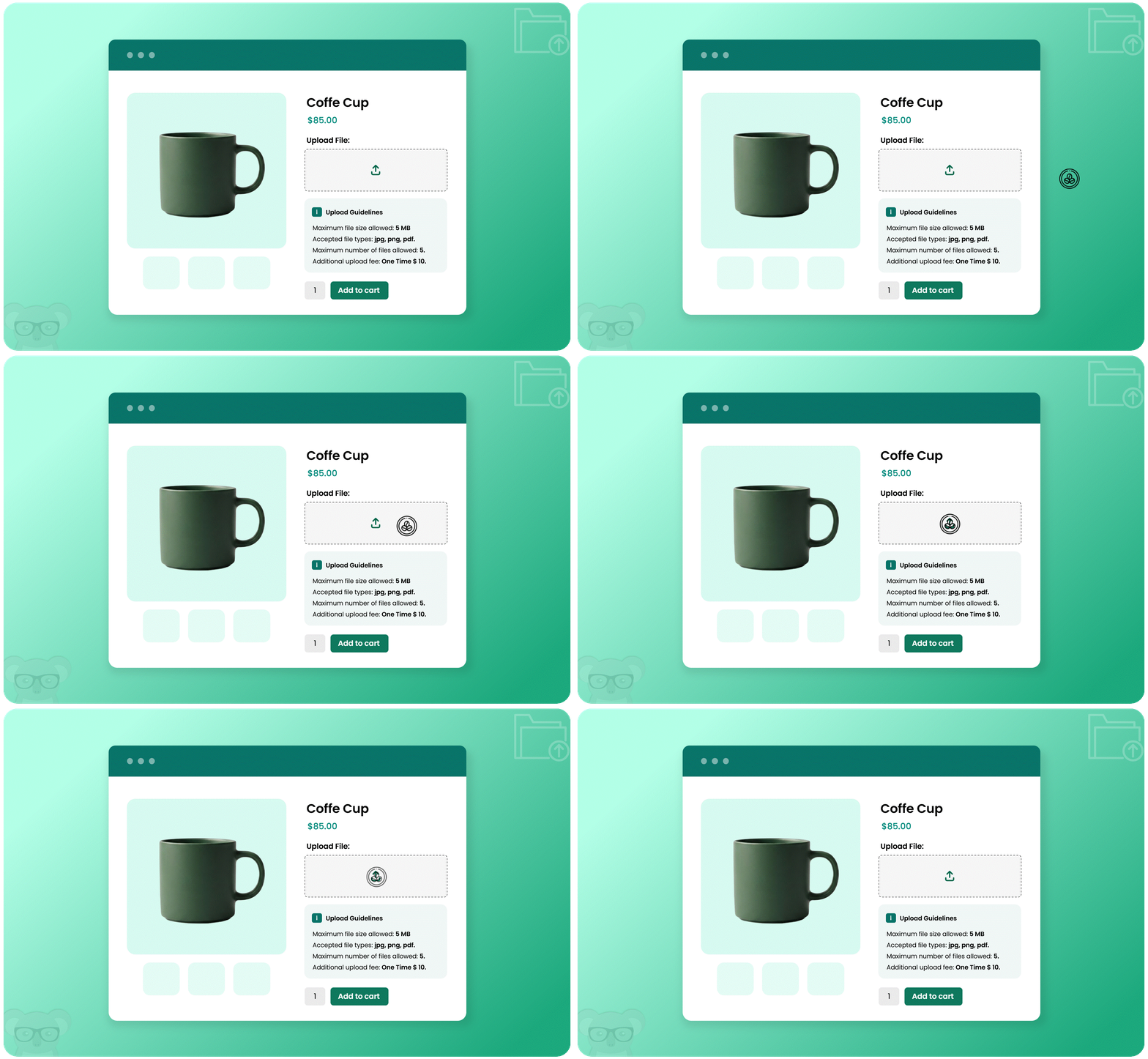
File upload for woocommerce-6

Specify File Size and Types for Customers

With the plugin, you can restrict file sizes, the number of files, and file types that a user can upload. This step will give you more control over the type of files uploaded and allow for smooth order management.
Once a file is uploaded, you can showcase custom success and error messages to keep users informed. To better manage approved and disapproved file uploads, you can also set up email notifications for store admins to keep them in the loop.
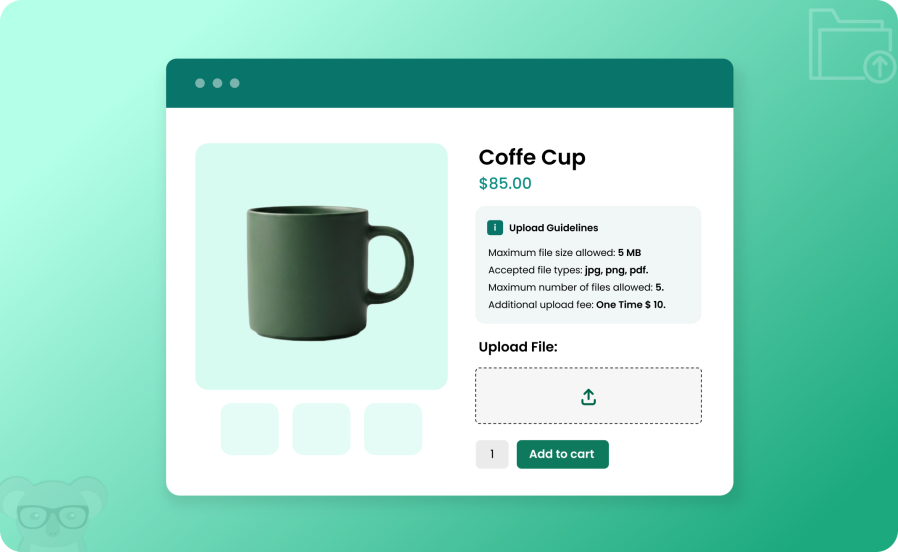
File upload for woocommerce-7

Warning! File Upload Extension May Cause Increased Average Order Value, Enhanced Conversion, and Ultimate Customer Satisfaction. Buy Now

Display Uploaded Files on Cart, Checkout, Thank You & Order Details Pages

You can showcase the uploaded files on the Thank You, Order Details, Cart and Checkout Pages for customers to view and access anytime. Along with the files you can showcase the name, file type, size, and price details as well.
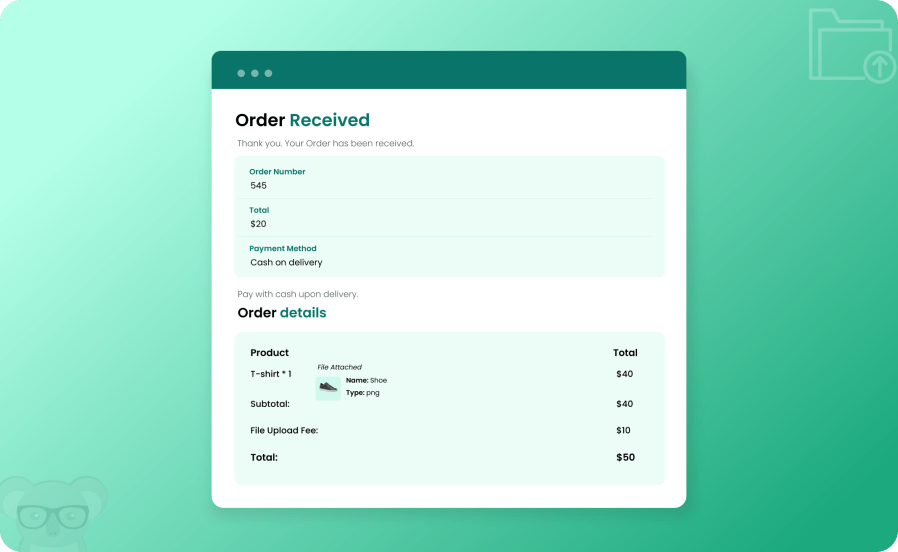
File upload for woocommerce-8

Customize File Upload Icon, Button, & Message Styling

Using the file upload for WooCommerce extension, you can highlight the file upload option on your store and customize the button, icon, and message styling. Enable custom styling on the cart, order, and checkout pages, add desired text, and choose colors for the Upload Button, Button Background, File Type and Size Message, etc.
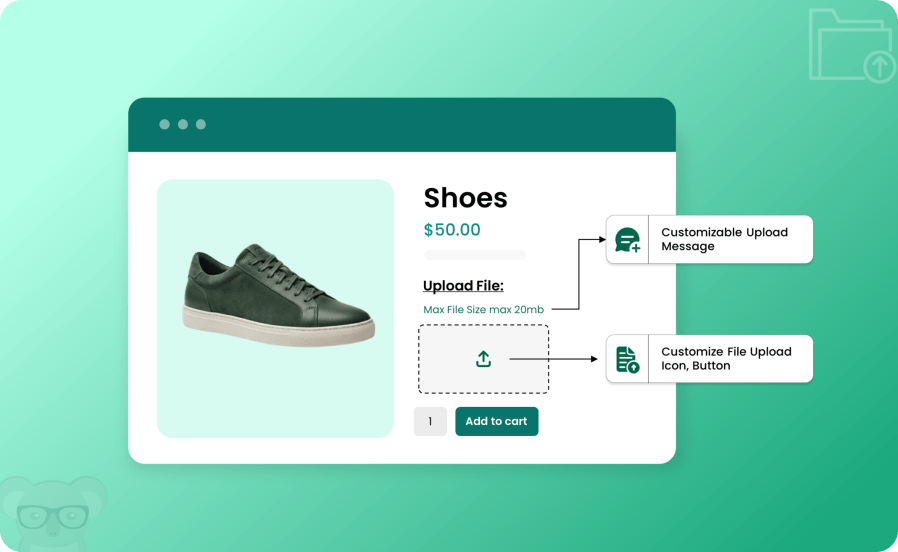
File upload for woocommerce-9

Allow Customers to Write Down Special Instructions Along with their Uploads

With the customer upload file extension, you can also allow customers to add any special instructions they like to their file upload attachments. The admin then receives these instructions with the order, which ensures that the customer’s requirements are met accurately.
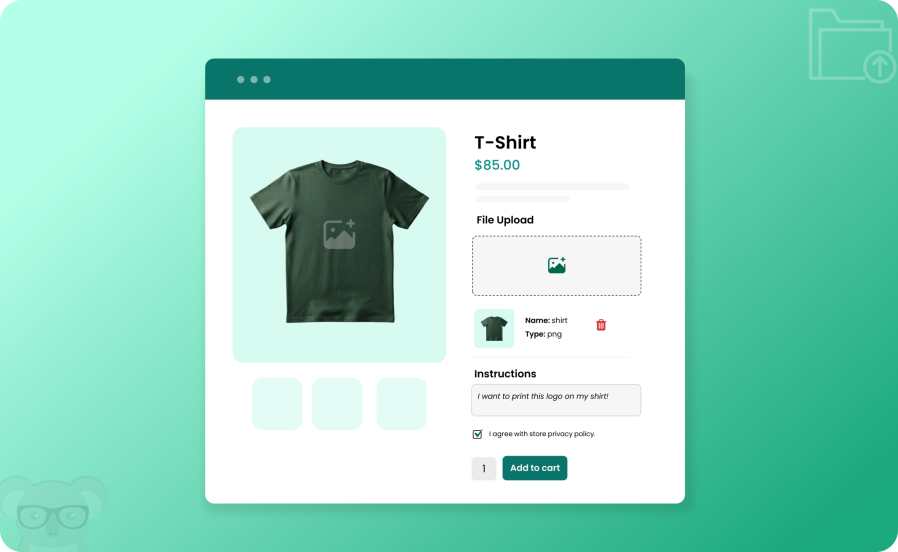
File upload for woocommerce-10

More Features

  • Create rules to allow file uploads from:
    • Product Page
    • Cart Page
    • Checkout Page
    • Thank you Page
    • Order Detail Page
  • Option to add extra fees for uploaded files in fixed or percentage amounts
  • Add a one-time or per-file fee
  • Enable single or multiple file uploads
  • Display file upload options for selected:
    • Product
    • Category
    • User Role
    • Product brand
    • Product Tags
  • Add minimum and maximum file sizes for upload
  • Approve/disapprove uploaded files from the backend (New)
  • Send email Notification to the customer on file approval or disapproval (New)
  • Allow customers to drag and drop files for upload (New)
  • Allow specific file formats like PDF, DOCX, XLS, etc
  • Make file uploads mandatory or optional
  • Restrict uploading new or editing existing files from order-detail pages
  • Storefront design improvements (New)
  • Enable the file upload option on:
    • Product Page
    • Cart Per Item
    • Full Cart & Checkout
  • Add a one-time, per-file fee, or File x Quantity
  • Display the file upload option as
    • Inline
    • Popup
  • Display message field with file upload
  • Add a privacy policy checkbox and message
  • Option to let customers download their uploaded files
  • Create custom file- upload errors and success messages
  • Add a custom file upload icon
  • Choose the desired position where the file upload option will be displayed on the Cart page
    • After Cart Coupon Code
    • Before Cart Total Heading
    • After Cart Total Heading
    • Shortcode
  • Customize colors for file upload buttons, text, trash icons, and more
  • Compatible with cart and checkout blocks (New)

Informações da extensão

  • Versão do WordPress obrigatória: 4.6
  • Versão do WooCommerce obrigatória: 3.1.0
  • Versão PHP necessária: 7.4
  • Testado com WordPress: 7.0
  • Testado com WooCommerce: 11.0
  • Requer pelo menos o WordPress: 6.5
  • Requer pelo menos o WooCommerce: 4.0

Países

  • Em todo o mundo

Idiomas

English (United States)

Avaliações de clientes

Classificação média 4.0

4 reviews from verified users

5 estrelas, 75% de avaliações
4 estrelas, 0% de avaliações
3 estrelas, 0% de avaliações
2 estrelas, 0% de avaliações
1 estrela, 25% de avaliações
  • Classificado com 5 de 5
    tvokhaEstados Unidosfev 17, 2026
    I would like to express my sincere appreciation for the outstanding support I received. Ahmed provided exceptional assistance — professional, precise, and highly responsive. Every issue was carefully examined and resolved efficiently, without delays or the need for repeated follow-ups. Even when the situation required deeper technical attention, he remained fully engaged until everything was working exactly as expected. What impressed me most was the reliability and clarity throughout the entire process. Communication was structured and timely, and there was complete confidence that the matter would be handled properly. Thank you to Ahmed for the excellent support, and thank you to Team Koala for maintaining a standard of professionalism that is rarely seen. A truly well-deserved 5-star experience.
  • Classificado com 5 de 5
    JAM Packed (Pty) LtdÁfrica do Suljun 30, 2025
    We had a small issue with using the plugin with variable products. Ahmed and the KoalaApps were very helpful and resolved the issue without problems. Their response time was very good and they were always willing to assist. Highly recommended!
  • Classificado com 5 de 5
    marketing720244b6e5Holandaabr 15, 2025
    Initially the plugin didn't work properly. However, the guys from KoalaApps debugged it and now it's working properly. And after some feedback on styling details, they even styled the whole upload box for me. Best service we could wish for!
  • Classificado com 1 de 5
    jordinkniessEstados Unidosago 13, 2023
    Breaks wordpress site, even on basic light weight themes After activating this plugin, I couldn't update any of my pages. I tried deactivating all other plugins and this was the only plugin that gave me trouble. I tried it with multiple basic wordpress themes and it was the same thing. The settings are clunky and confusing to say the least. I wouldn't recommend this product unless they find a fix for these issues.

Related Products

Preço: $79 Anualmente
Classificado com 3.4 de 5 estrelas
Preço: $279 Anualmente
Classificado com 3.2 de 5 estrelas
Preço: $59 Anualmente
Classificado com 3.1 de 5 estrelas
Preço: $109 Anualmente
Classificado com 2.7 de 5 estrelas
Preço: $109 Anualmente
Classificado com 2 de 5 estrelas
Preço: $49 Anualmente
Classificado com 4.1 de 5 estrelas
Preço: $109 Anualmente
Classificado com 2.3 de 5 estrelas
Preço: $109 Anualmente
Classificado com 2.6 de 5 estrelas
Preço: $109 Anualmente
Classificado com 2.3 de 5 estrelas
Uso dos seus dados pessoais
Nós e nossos parceiros processamos seus dados pessoais (como dados de navegação, endereços IP, informações de cookies e outros identificadores únicos) com base em seu consentimento e/ou nosso interesse legítimo para otimizar nosso site, atividades de marketing e sua experiência de usuário.