

A assinatura inclui
Suporte
WooCommerce tells you how much stock you have. StockTrack shows exactly where it is stored and how it moves. Add warehouse locations, stock history, and visual warehouse control directly inside WooCommerce — without switching to a full WMS.
No external WMS.
No syncing layers.
Just one accurate WooCommerce stock total.
StockTrack turns WooCommerce into a lightweight warehouse system without replacing its native inventory engine.
With StockTrack you can:
WooCommerce works well when inventory is stored in one place.
But as soon as products are spread across:
• shelves • storage rooms • multiple warehouses
a single stock number is no longer enough.
Teams start relying on:
• spreadsheets • memory • sticky notes
This leads to:
• slower picking • misplaced products • incorrect stock adjustments • poor inventory visibility
StockTrack solves this by adding location-based inventory directly inside WooCommerce.
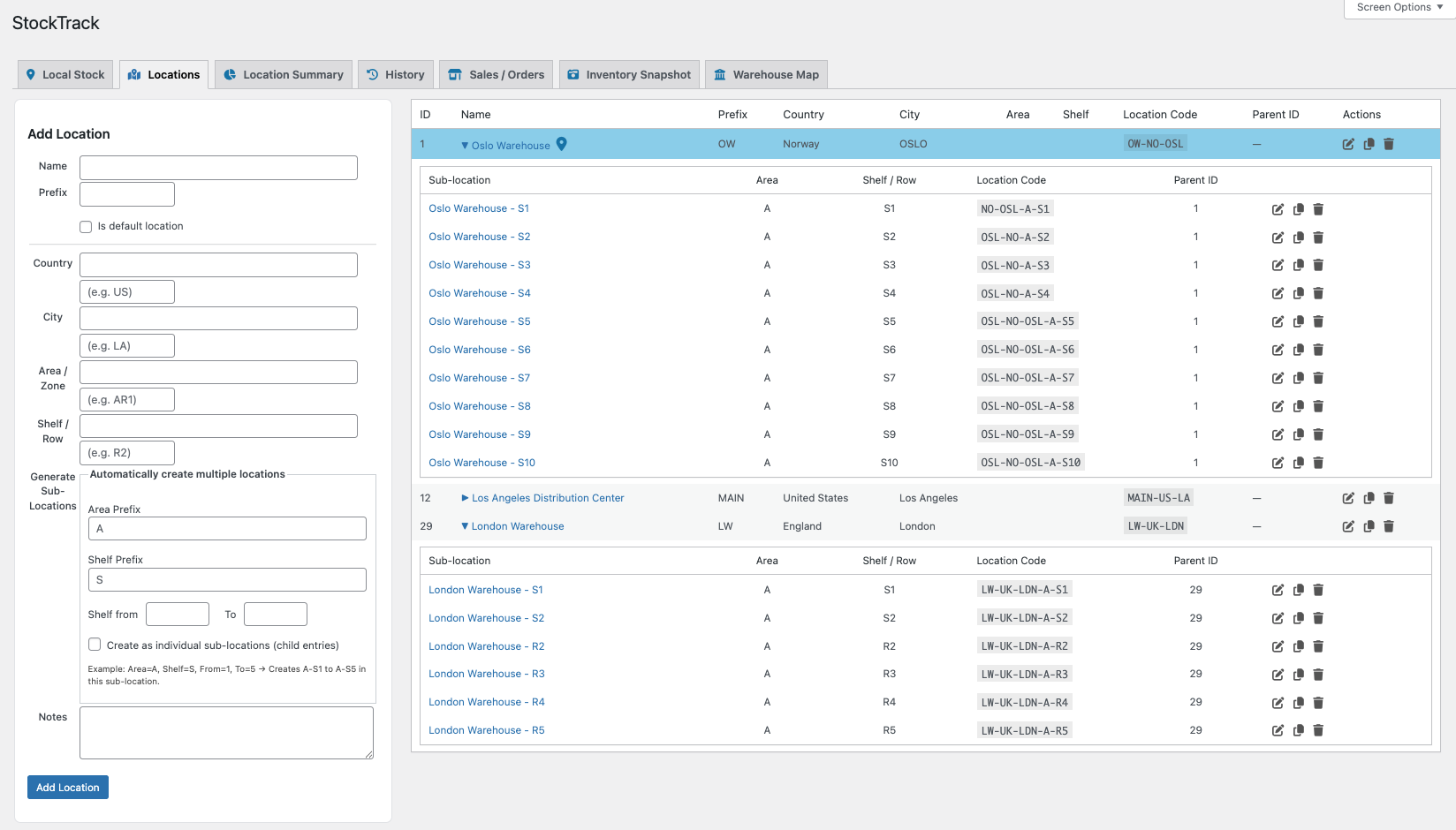
When inventory lives in physical locations, structure becomes essential. StockTrack lets you organize stock using warehouses and structured sub-locations such as:
• areas
• rows
• shelves
• bins
Each location receives a clean location code so your team always knows where products belong.
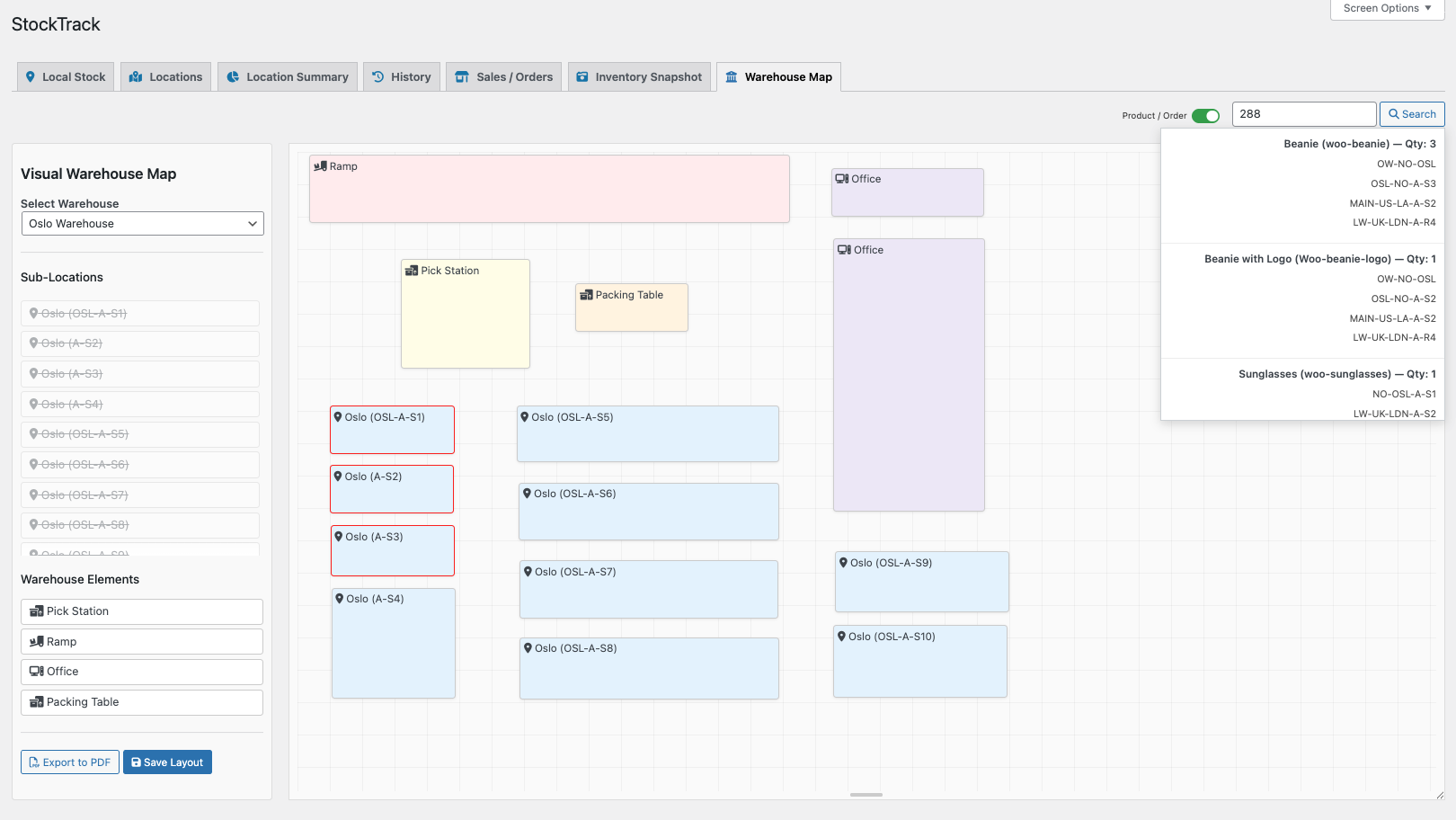
Bring your warehouse to life with an interactive layout.
Create a visual representation of your warehouse including:
• shelves
• pick stations
• packing tables
• ramps
• storage areas
Search for a product and instantly see where it is stored.
Search for an order and highlight all product locations required for picking.
This helps teams navigate the warehouse faster and reduces time spent searching.
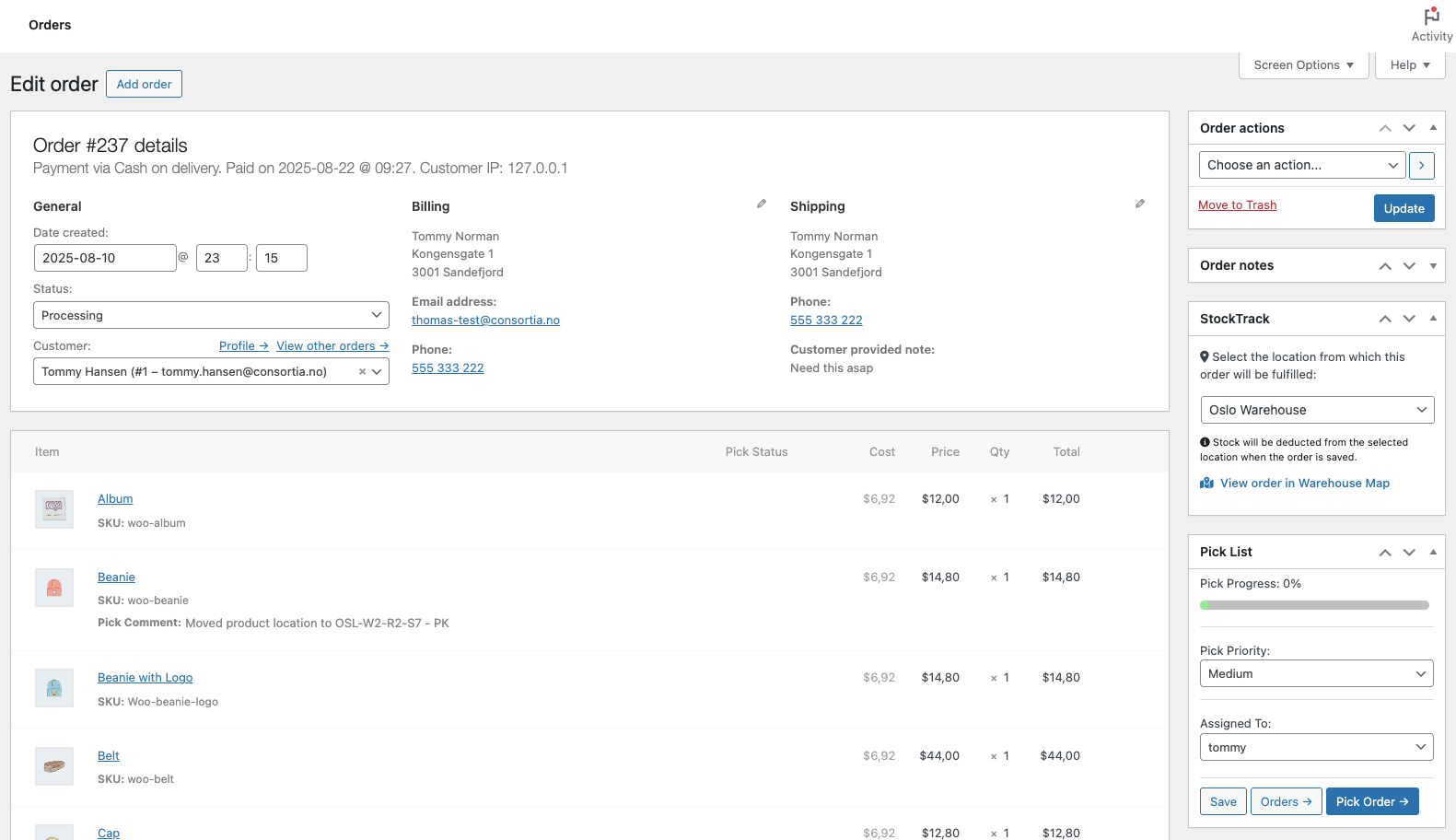
StockTrack integrates directly with WooCommerce orders.
When fulfilling an order you can select which warehouse or location should supply the items.
StockTrack will:
• withdraw stock from the selected location
• record the movement in the history log
• keep WooCommerce stock totals accurate
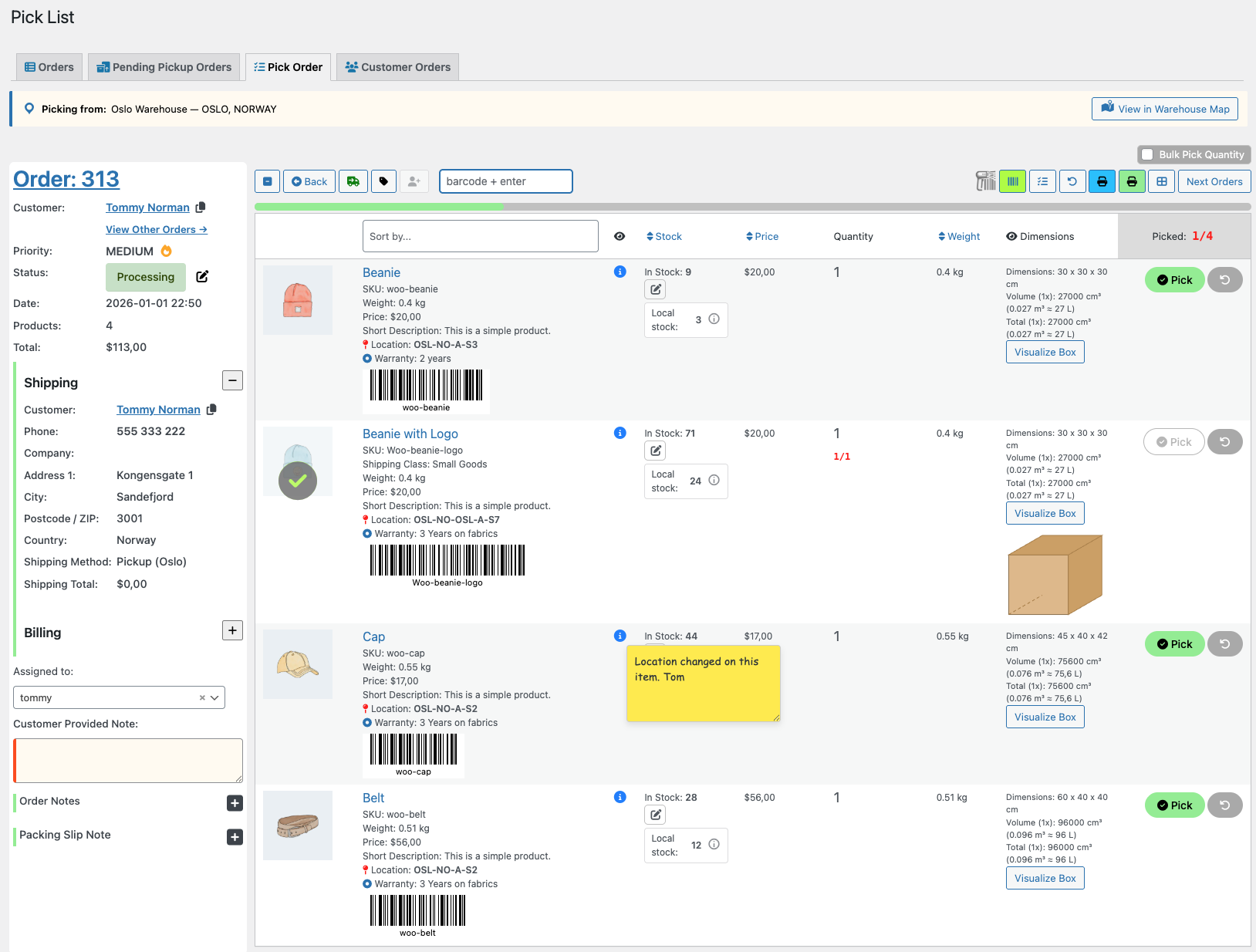
StockTrack integrates directly with Pick List for WooCommerce.
During picking, staff can see:
• the fulfillment warehouse
• exact product locations
• local stock quantities
• a link to open the warehouse map directly from the order
This ensures picking always starts in the right place. More about Pick List →
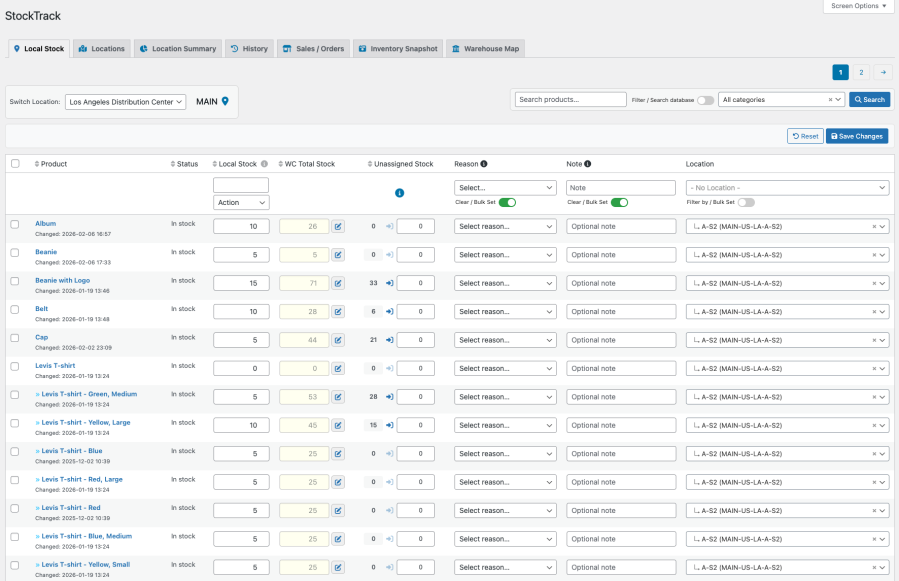
Local Stock Control with Bulk Tools
Assign stock to locations, adjust quantities, claim existing WooCommerce stock, and update products in bulk. This makes onboarding new warehouses and handling large catalogs fast and predictable.
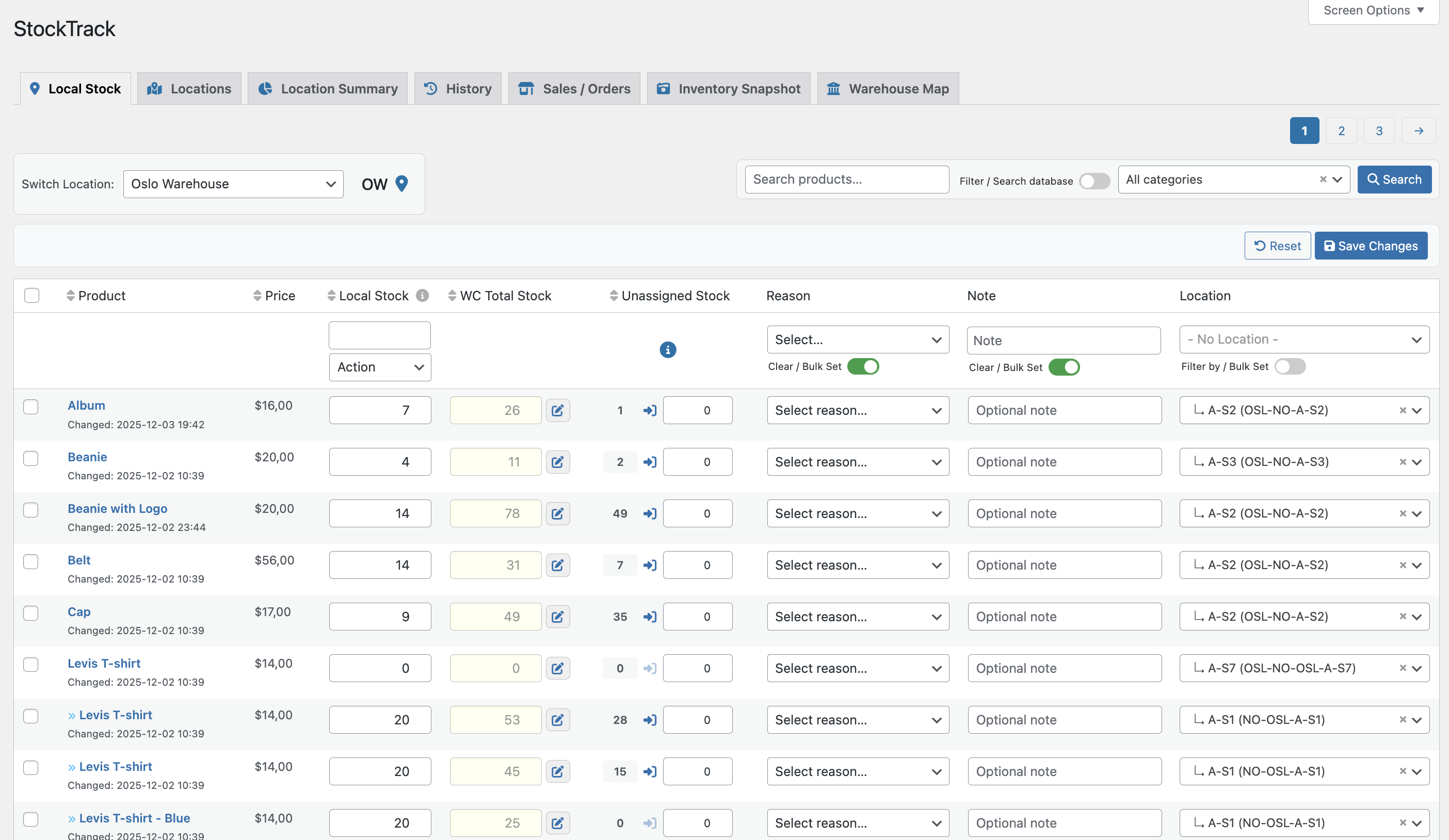
StockTrack extends WooCommerce inventory instead of replacing it.
Local stock values are automatically summed and synced to WooCommerce’s native stock field.
Your storefront, reports, and integrations always show the correct total.
No duplicate inventory systems.
No synchronization layers.
Full Stock Movement History
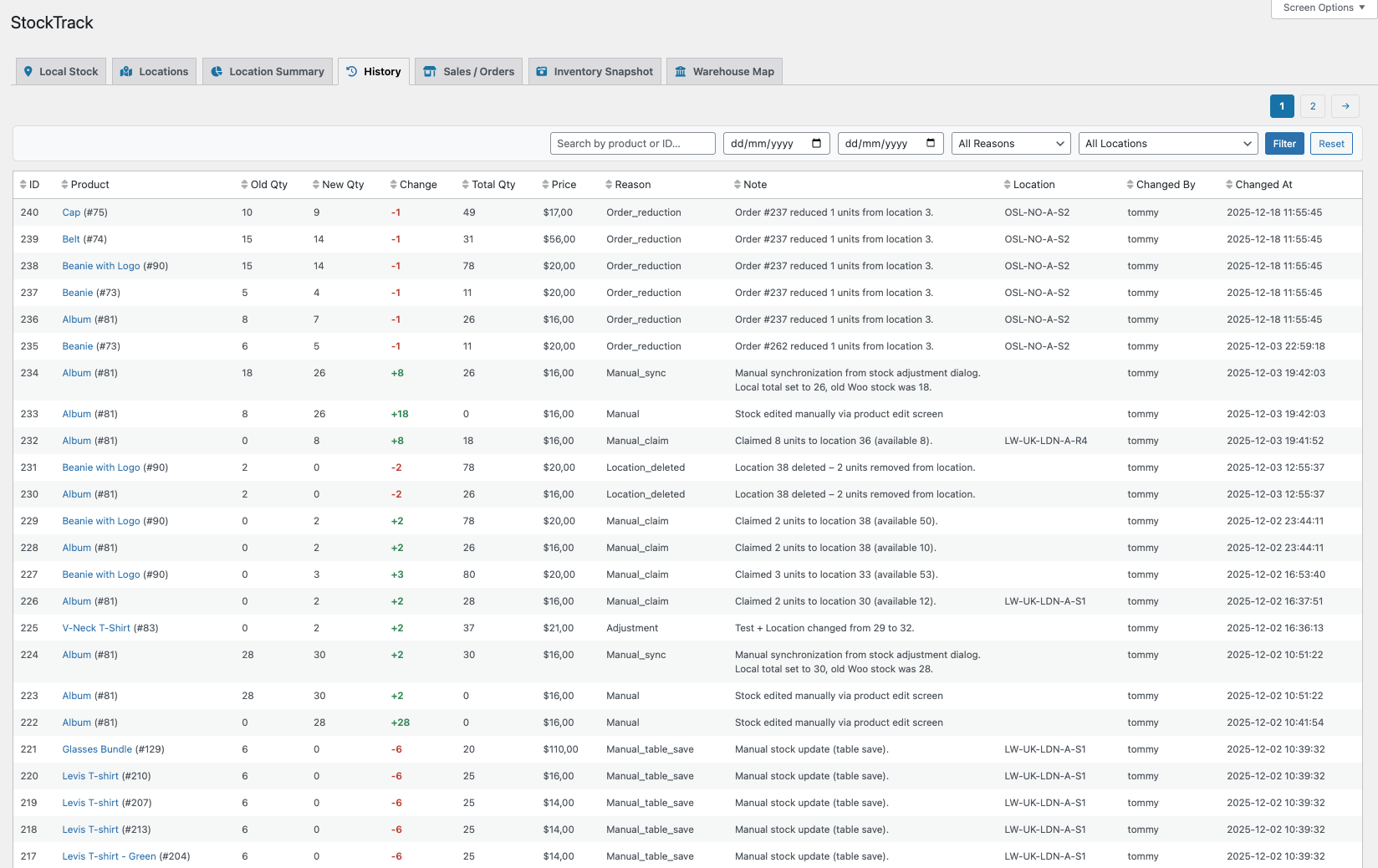
Every stock change is recorded automatically.
StockTrack logs:
• previous and new values
• differences
• location
• user
• reason
• timestamp
This creates a clear inventory audit trail, making it easy to investigate discrepancies or review warehouse activity.
Inventory Snapshots and Valuation
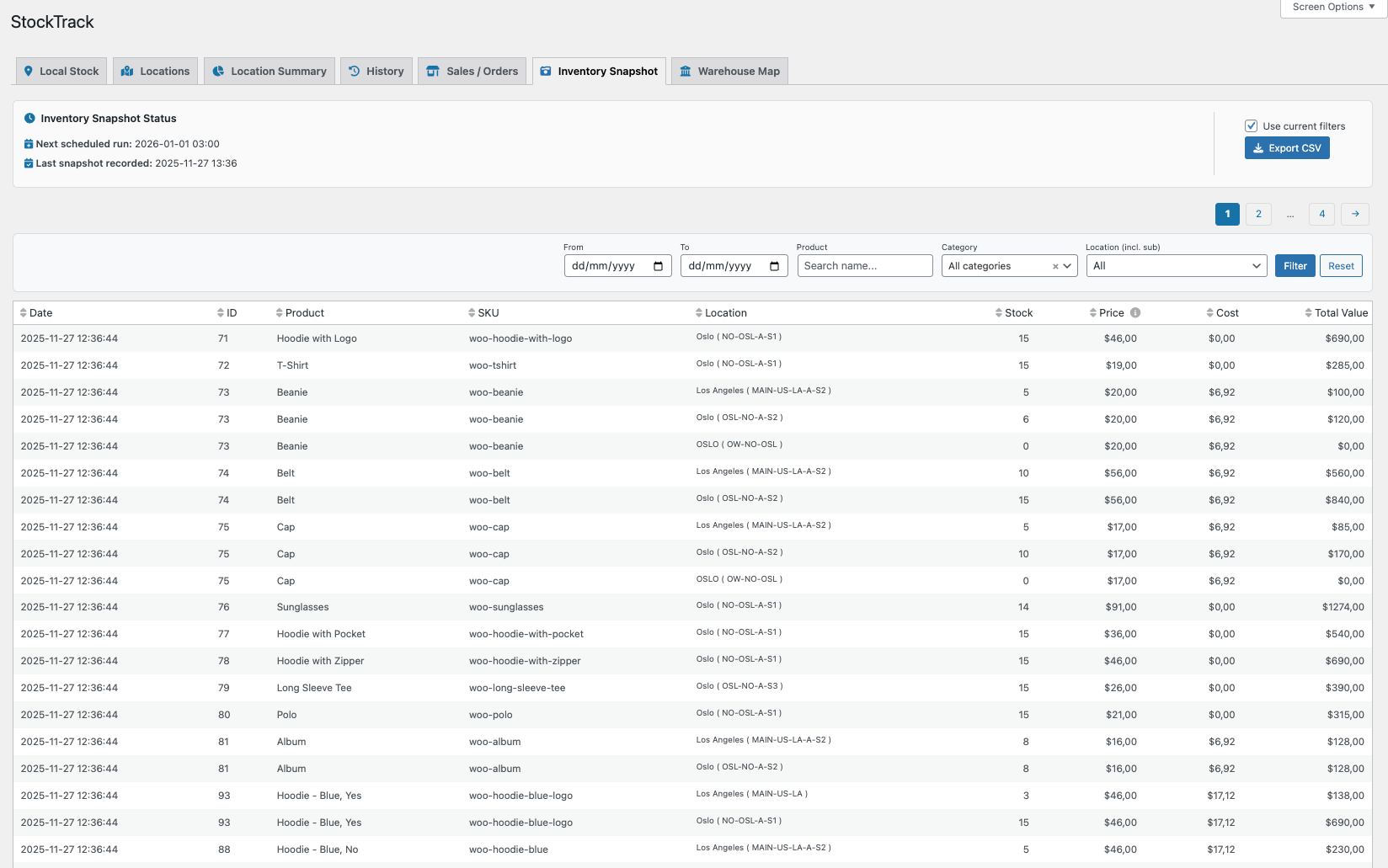
Capture inventory snapshots manually or on a schedule.
Each snapshot records:
• product quantity
• product cost (COGS)
• total inventory value
This allows you to answer questions like:
• What was our stock level on January 1st?
• How did inventory value change month to month?
• What products increased or decreased in stock?
Snapshots can also be exported to CSV for reporting.
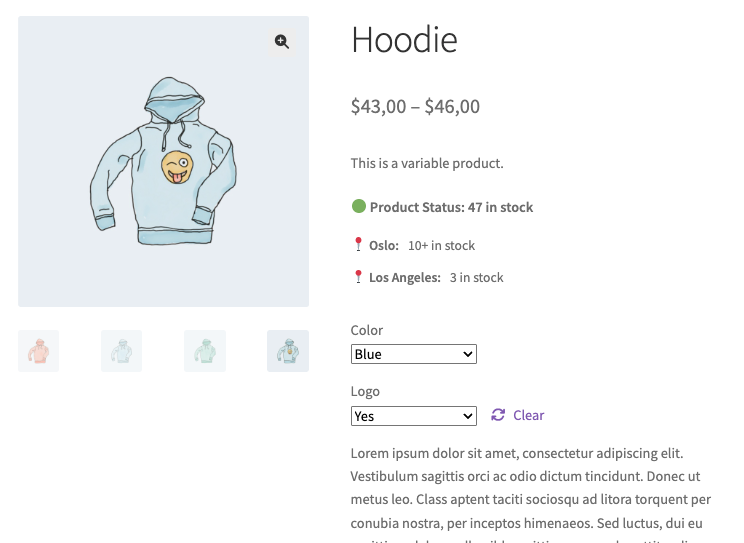
Frontend Availability by Location
Optionally show customers where products are available using a flexible shortcode. Supports variable products, expandable location lists, and capped quantity display.
StockTrack is designed for WooCommerce stores that have outgrown “one stock number” but are not ready for a full warehouse management system.
Typical users include:
• stores operating one or multiple warehouses
• teams managing shelves or storage areas
• merchants needing stock traceability
• warehouses fulfilling orders from multiple locations
If your team needs to know where products are stored and how stock moves, StockTrack brings that visibility directly into WooCommerce.
No. StockTrack extends WooCommerce’s native inventory system.
WooCommerce continues to manage the total stock quantity for each product.
StockTrack simply adds warehouse locations and stock movement tracking on top of it.
Local stock values are automatically summed and synced to WooCommerce’s native stock field, ensuring your storefront and reports always show the correct total.
Yes.
StockTrack allows you to create multiple warehouses and organize them into structured locations such as:
Each product can be stored in one or more locations across different warehouses.
Yes.
StockTrack lets you search for a product and instantly see all locations where it is stored.
If you use the Warehouse Map, the locations will be highlighted visually so your team can quickly find them.
Yes.
Every stock adjustment is logged automatically, including:
This creates a full inventory audit trail, making it easy to investigate stock discrepancies.
Yes.
StockTrack includes inventory snapshots, which record stock quantity, cost, and total inventory value at a specific point in time.
This allows you to answer questions like:
Snapshots can also be exported to CSV.
Yes.
When fulfilling an order in WooCommerce you can select which warehouse or location should supply the items.
StockTrack will automatically withdraw stock from the selected location and record the movement in the history log.
Yes.
StockTrack fully supports variable products and variations.
Each variation can have its own location-based stock assignments and stock history.
Categorias
Extension information
Quality Checks
Países







