
Instalações ativas
1K+
A assinatura inclui
Suporte
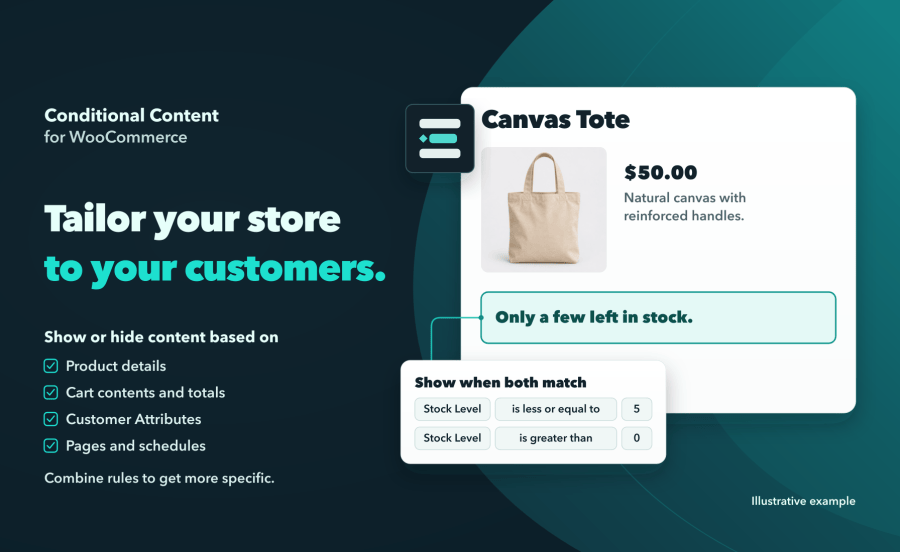
Conditional Content for WooCommerce shows a message, a banner or a block when the rules you set match. Show a low-stock notice on a product page, a delivery note when certain items are in the cart, or a welcome back offer for returning customers. Watch the short demo to see it in the editor and on the storefront.
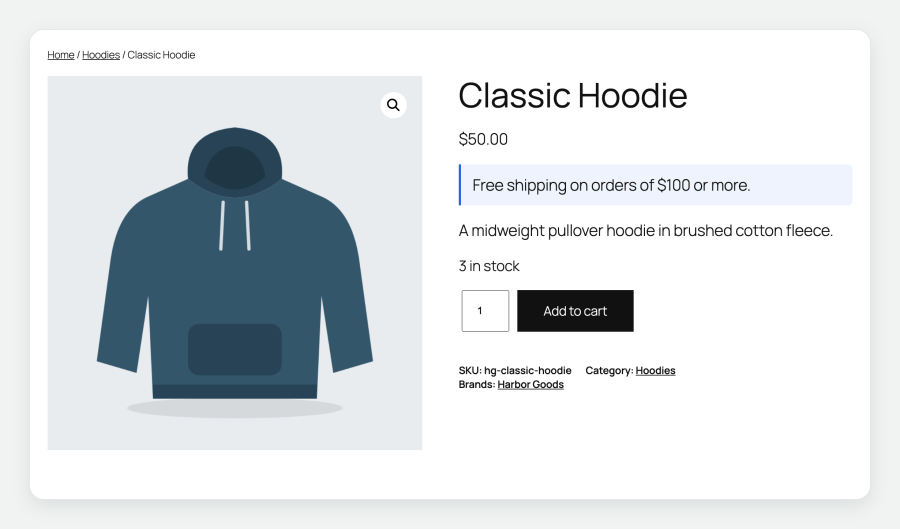
Each content block carries its own rules. Rules in the same rule group must all match. Add a second rule group to show the content when either group matches.
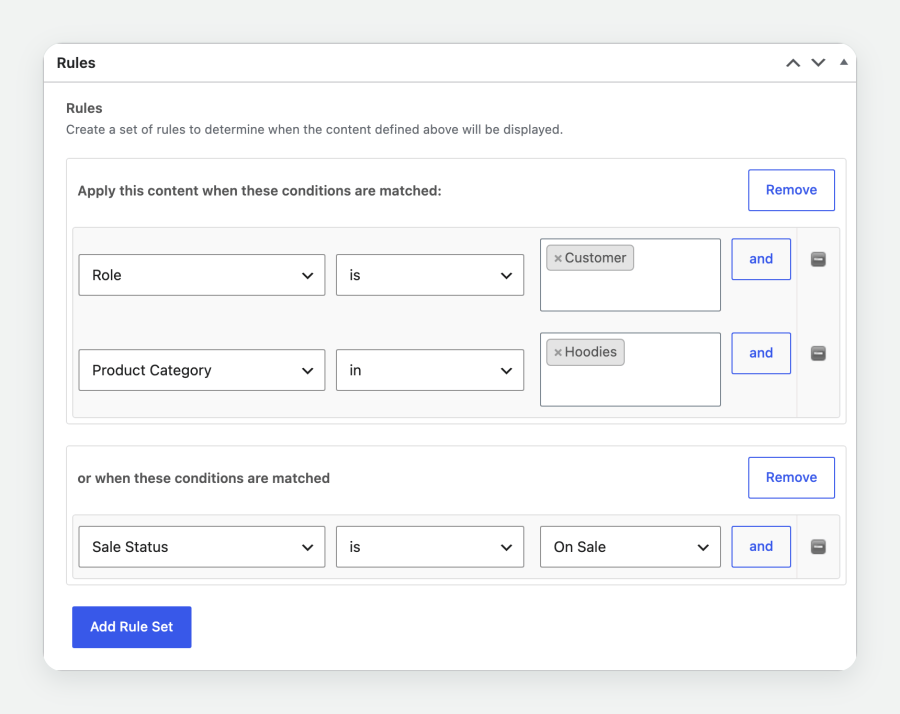
Tell a shopper their order qualifies for free gift wrapping the moment the cart reaches $100. A message with a cart rule, placed with the Conditional Content block, Display conditions or the shortcode, appears and leaves as shoppers add items, remove them or change quantities. The page stays where it is, and cached pages show each shopper the right message.
On the classic cart page, choose a location WooCommerce redraws, such as Before cart table, and the message updates with the cart.
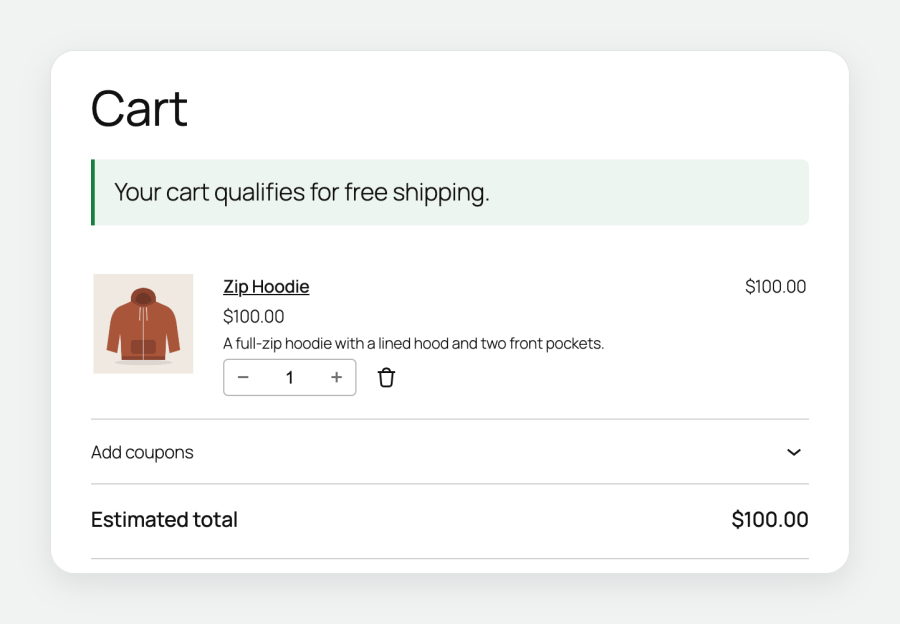
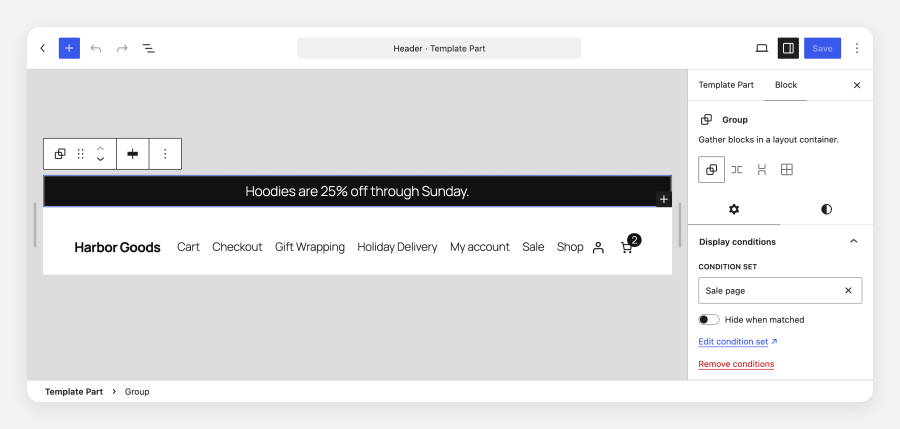
Save a group of rules as a Condition Set, then choose it in the Display conditions panel of a block in the Site Editor or the post editor. The block shows when the set matches. Turn on Hide when matched to show the block to everyone else.
Apply one Condition Set to as many blocks as you like. Edit the set once and every block that uses it follows the updated rules.
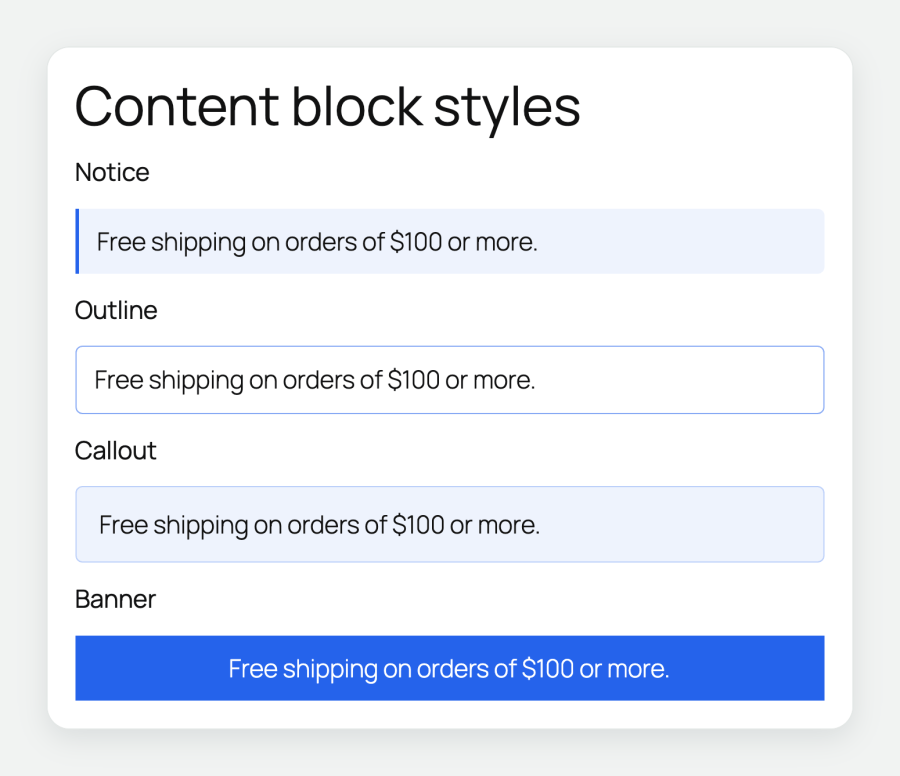
Give a content block a Notice, Outline, Callout or Banner style. Pick a Neutral, Info, Success or Warning tone, or enter a custom color to match your brand. A live preview shows the result as you choose, and the message keeps its look wherever it appears.
Show an offer message or a pricing table under the same conditions as a Dynamic Pricing discount, so shoppers see the offer where it applies.
Register your own rule types and locations with filters. Ask a Condition Set from code with wccc_matches(), and print a content block from a template with woocommerce_conditional_content(). The documentation lists the hooks.
Requirements: WordPress 6.5 or later, WooCommerce 9.0 or later and PHP 7.4 or later.
Support tickets are answered by the Conditional Content developer.
Yes. On a block theme, place the Conditional Content block in the Site Editor or add Display conditions to a block already on the page. On a classic theme, choose a WooCommerce location on the product, shop, cart, checkout, order received or mini-cart view.
Yes. Select the block, open the Display conditions panel and choose a Condition Set. The block shows when the set matches. Turn on Hide when matched to show it to everyone else.
Yes. Apply the same saved Condition Set to each block through Display conditions. Edit the set in one place and every block using it follows the updated rules.
Yes. Use the Cart Total Monetary Amount rule, such as is greater or equal to 100. A message placed with the Conditional Content block, Display conditions or the shortcode appears as the shopper updates the cart, on the same page.
Yes. Choose Cart Products, select the product, and set the rule to contains at least 1. Use Cart Categories to check for items from a particular category.
Yes. Create a Condition Set with the Role rule and select your wholesale role. Choose the set in the block's Display conditions panel to show the block to customers in that role.
Yes. Customer rules read a logged-in customer's order history: Order Count and Status, Total Spent, Days Since Last Order and Ordered Product(s). Welcome back a customer who has spent $100, or show a care guide to buyers of one product.
Yes. Stock Level and Stock Status rules read the product's inventory, and Sale Status and Sale Date rules follow its sale schedule. Place the message under the price, beside the add to cart button or on shop tiles.
Yes. Date, Day and Time rules show content from a start date, until an end date, on chosen days of the week or after a time of day. They follow your site's timezone.
Yes. Rules in the same rule group must all match. Add another rule group to show the content when either group matches.
Yes. Choose a Notice, Outline, Callout or Banner style and a Neutral, Info, Success or Warning tone, or enter a custom color. A live preview shows the result, and the message keeps its look wherever it appears.
Yes. Every content block has a shortcode, such as [woocommerce_conditional_content id="123"]. Paste it into any shortcode widget, text widget or classic editor page. The shortcode is tested in Elementor's Shortcode widget.
Yes. Content with a cart rule, placed with the Conditional Content block, Display conditions or the shortcode, is decided for each shopper after the page loads, so it works on cached pages. For other content, clear the page cache after you change a rule.
Yes. The Country rule uses WooCommerce geolocation, and the WPML Language Code rule follows the active WPML language.
Yes. Show an offer message or a pricing table under the same conditions as a Dynamic Pricing discount, so shoppers see the offer where it applies.
Yes. Register your own rule types and locations with filters, ask a Condition Set from code with wccc_matches(), and print a content block from a template with woocommerce_conditional_content(). See the documentation for the hooks.
WordPress 6.5 or later, WooCommerce 9.0 or later and PHP 7.4 or later.
Questions before you buy go through the pre-sales form. After purchase, open a ticket from your WooCommerce.com account. Support tickets are answered by the Conditional Content developer.
Categorias
Informações da extensão
Verificações de qualidade
Países