

Das Abonnement beinhaltet
Support
Customers expect convenience when they shop online, especially when buying for multiple people or locations. WooCommerce only allows one shipping address per order, which slows customers down and forces them to place multiple orders.
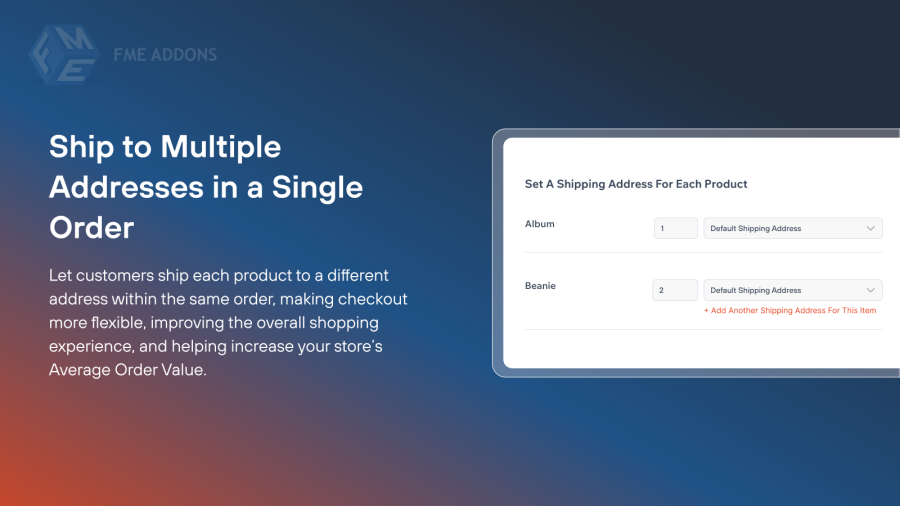
The WooCommerce Multiple Shipping Addresses plugin removes that limitation and gives your shoppers a smooth, flexible checkout experience. They can assign different shipping addresses to individual products in a single order and complete everything in one go. This helps you reduce abandoned carts, increase customer satisfaction, and make multi-destination deliveries effortless for both shoppers and store owners.
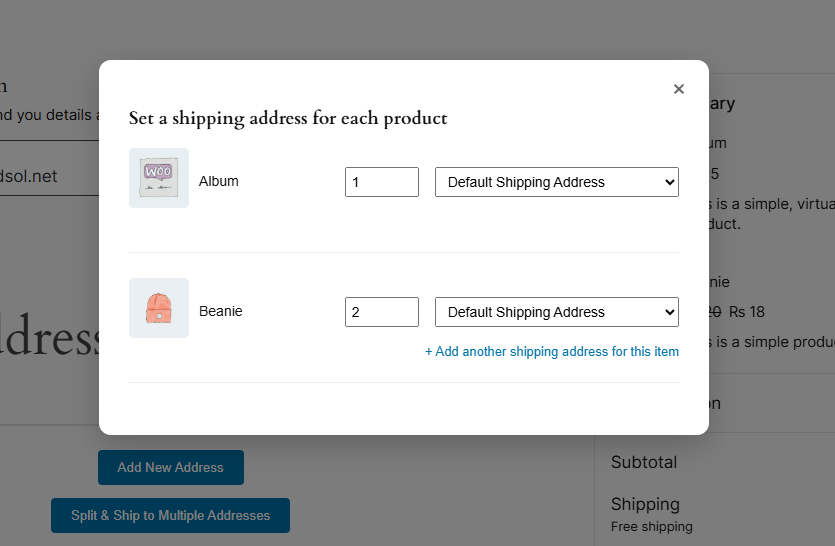
Allow customers to ship each item to different addresses in the same order with the WooCommerce multiple shipping addresses plugin. This helps you increase your Average Order Value (AOV) and improve the user experience for a smooth ordering process.
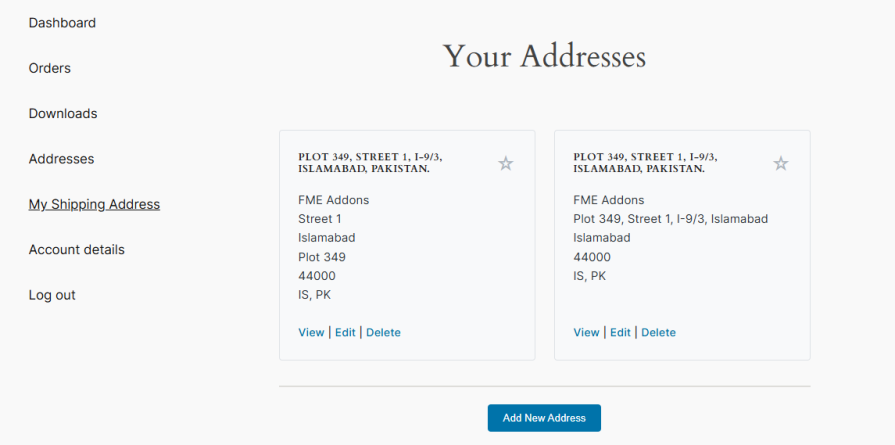
Entering the same address again and again during checkout slows customers down and hurts their shopping experience. The Multiple Shipping Addresses plugin solves this by letting customers save multiple addresses in their account. They can quickly select any saved address during checkout, making repeat orders faster, easier, and more convenient.
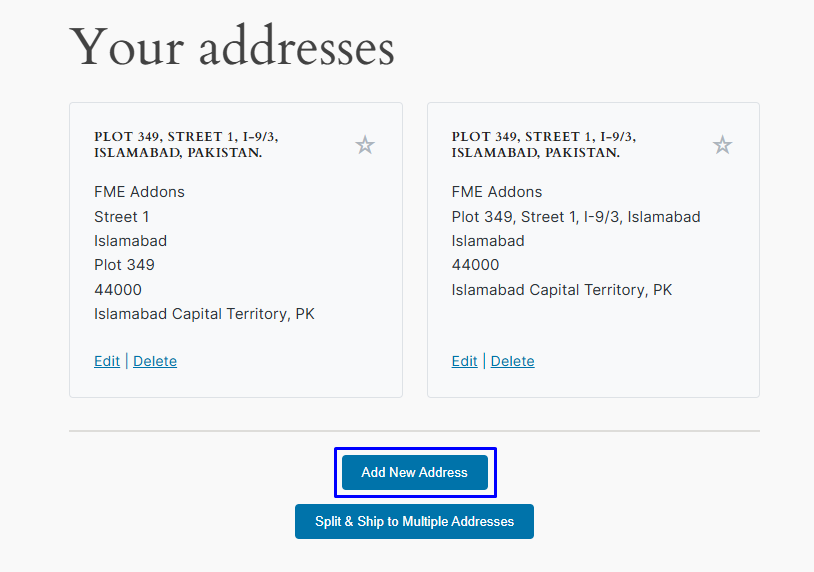
The Multiple Shipping Addresses plugin lets customers add new addresses right from the checkout page. Instead of navigating to the My Account area, they can quickly enter billing and shipping details while placing their order. With just a few clicks, customers can manage all their addresses during checkout, making the process faster and helping them send items to different locations without delay.
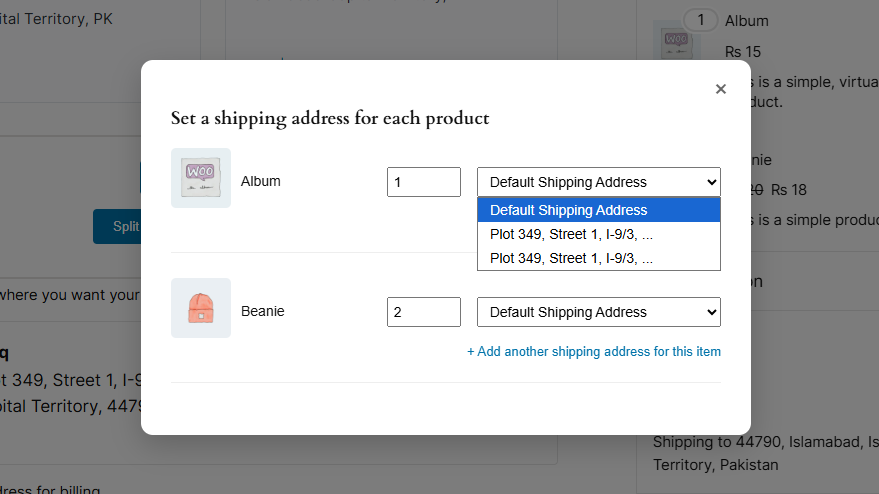
WooCommerce multiple shipping addresses plugin provides a dropdown menu at checkout, which allows customers to select the most relevant address from previously saved addresses. In this way, customers don’t have to re-enter details for every order and can quickly select an address from the dropdown list.
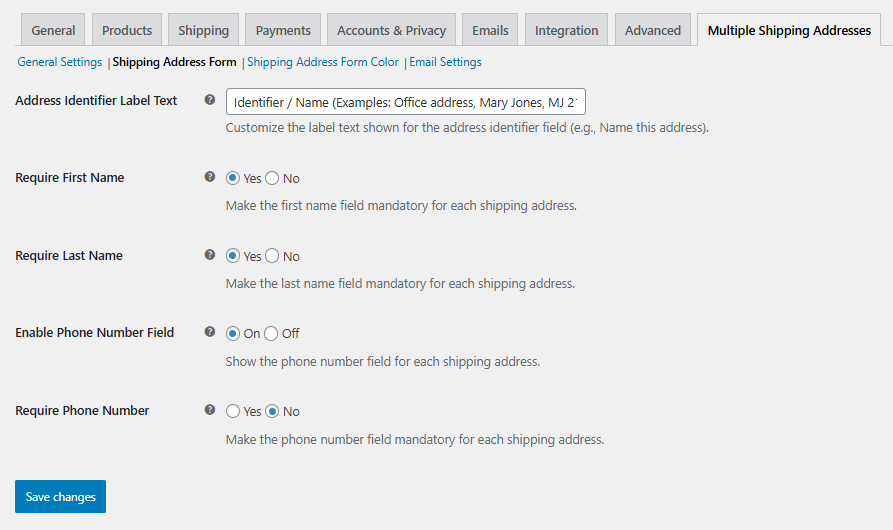
Create a customizable Shipping Address Form by using the Multiple Shipping Addresses plugin. You can easily optimize different aspects of the form, such as the address identifier label, first name, last name, phone number, and make fields mandatory. These options help you capture accurate shipping information while keeping the checkout process simple and flexible for your customers.
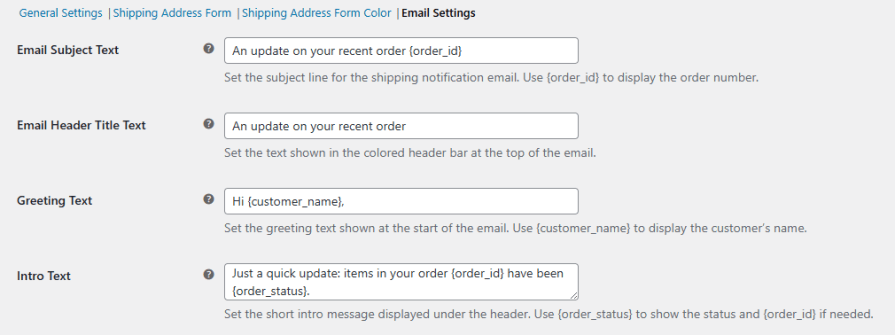
Keep customers informed on the shipping status of their orders with customized email notifications. The multiple shipping addresses plugin allows you to personalize the email by setting up the Subject, Header Title Text, Greeting Text, Intro Text, and colors of different parts of the email. This way, you can keep customers well informed and increase satisfaction.
It allows customers to ship individual items from a single order to multiple addresses, making checkout faster and more convenient.
Yes. Customers can add new billing and shipping addresses directly from the checkout page without going to the My Account section.
Yes. Customers can save as many addresses as they want in their account and quickly select them during future checkouts.
Yes, you can choose whether to allow multiple addresses for guest users or restrict this feature to logged-in customers.
Yes. The plugin allows customers to split product quantities across different shipping addresses.
Yes. Store owners can set a maximum number of shipping addresses a customer can use per order.
Yes. You can customize the address identifier label, make fields like first name, last name, and phone number mandatory, and control which fields are shown to customers.
Yes. The plugin allows you to customize email notifications for each shipping address, keeping customers informed about their order status.
Kategorien
Extension information
Quality Checks
Länder







