


Aktive Installationen
100+
Das Abonnement beinhaltet
Support
Pick List for WooCommerce helps you pick, pack, and ship orders faster — while reducing errors and keeping your fulfillment workflow organized.
Whether your team prefers live, on-screen picking or printed pick lists and packing slips, Pick List adapts to how you work — not the other way around. Everything runs directly inside WooCommerce, so your team always knows what to pick, what’s done, and what’s next.
From growing stores to busy warehouses, Pick List brings clarity, speed, and confidence to daily order fulfillment.
What Pick List Does (In Simple Terms)
WooCommerce creates orders.
Pick List helps you fulfill them efficiently.
Pick List brings picking, packing, and shipping into a single workflow, so warehouse staff always know:
No switching tools. No guesswork.
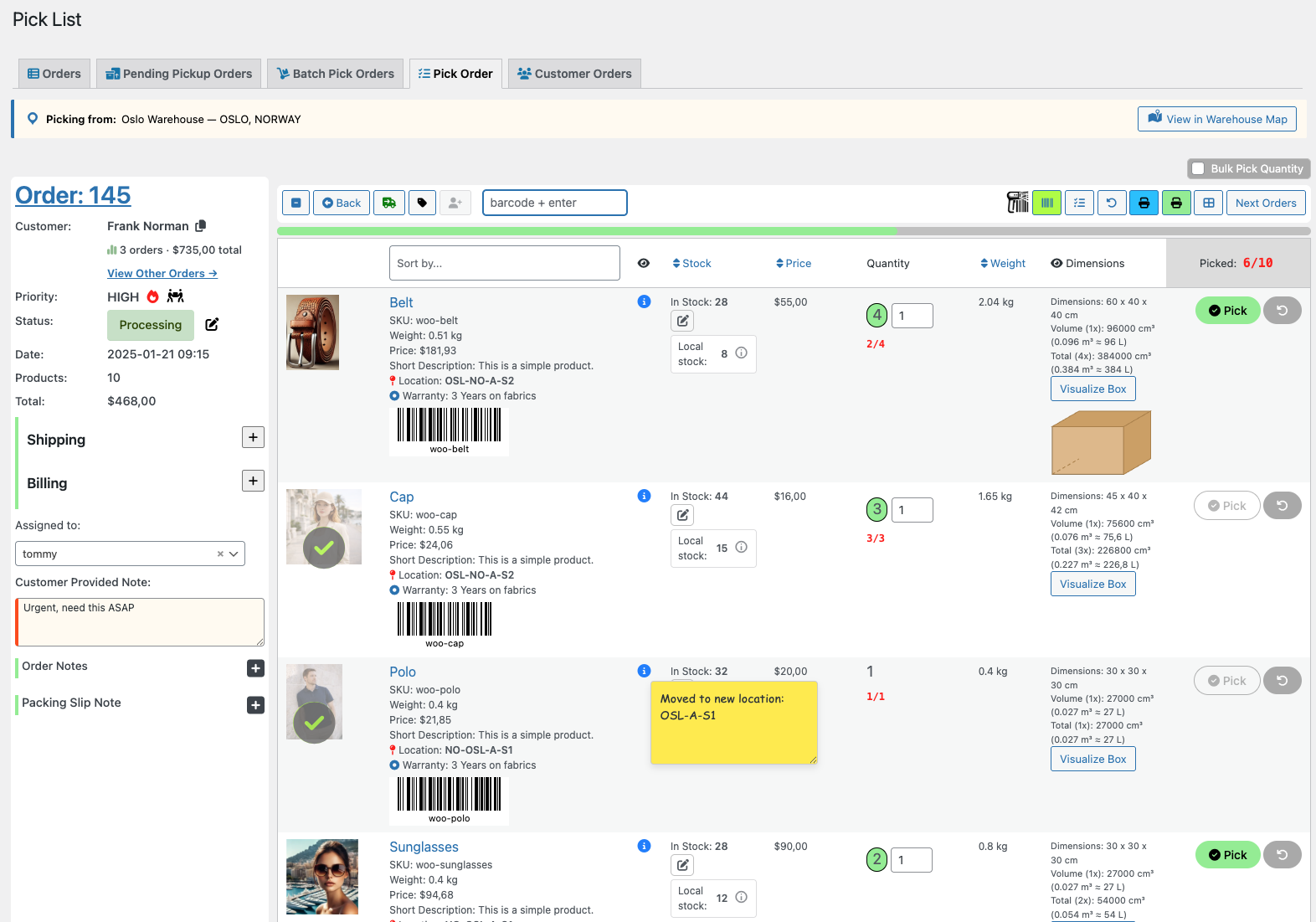
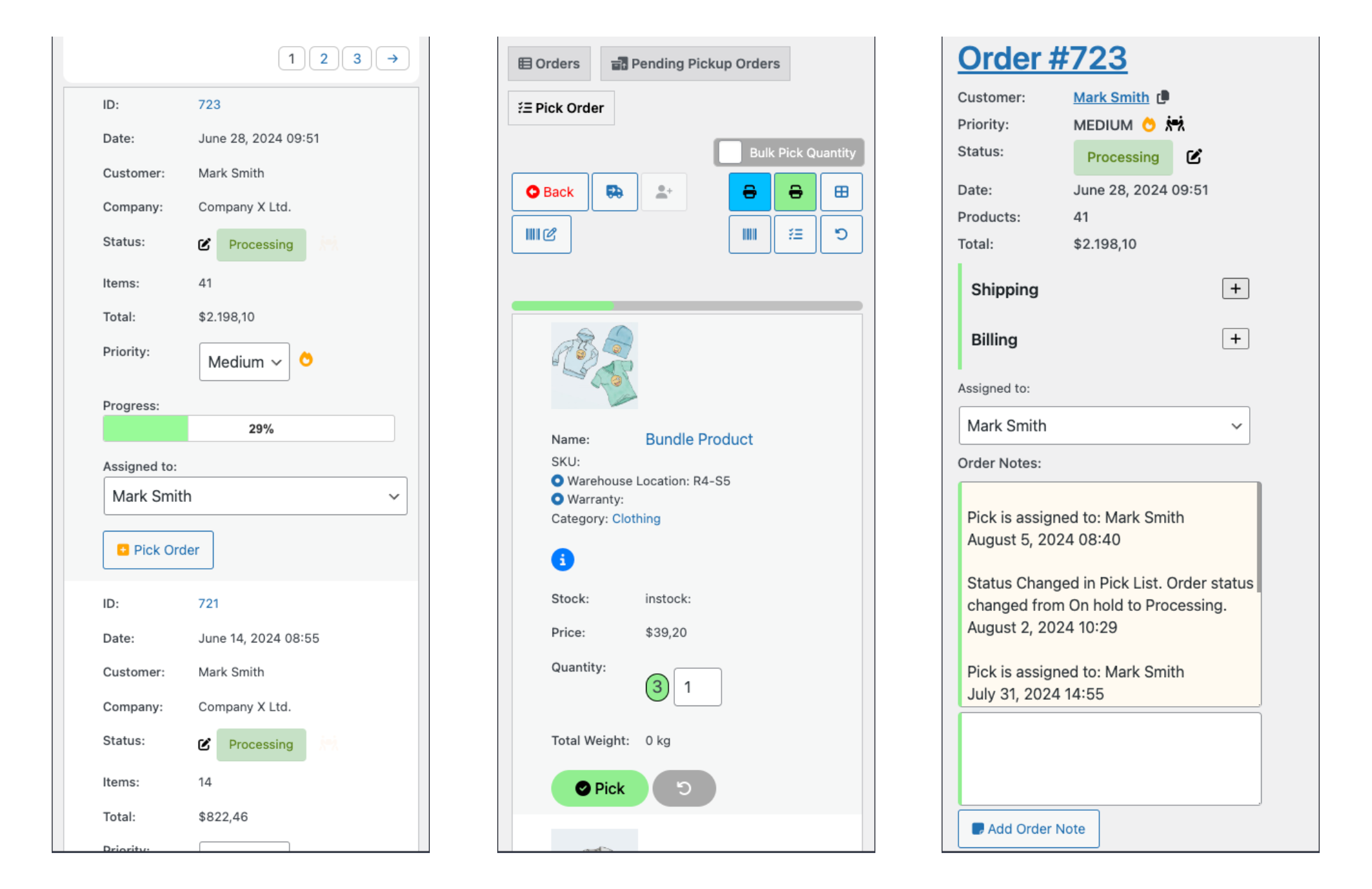
Pick orders digitally with a clear, visual picking interface. See products, quantities, and progress instantly, with visual indicators showing what’s completed and what remains. This makes it easy to handle multiple orders at the same time without losing overview.
Ideal for teams that want real-time feedback while picking.
Scan barcodes or QR codes to confirm the correct product and quantity before packing. If something doesn’t match, Pick List alerts the user immediately — helping prevent shipping mistakes before they happen.
Supports common barcode formats and WooCommerce’s Global Unique ID field.
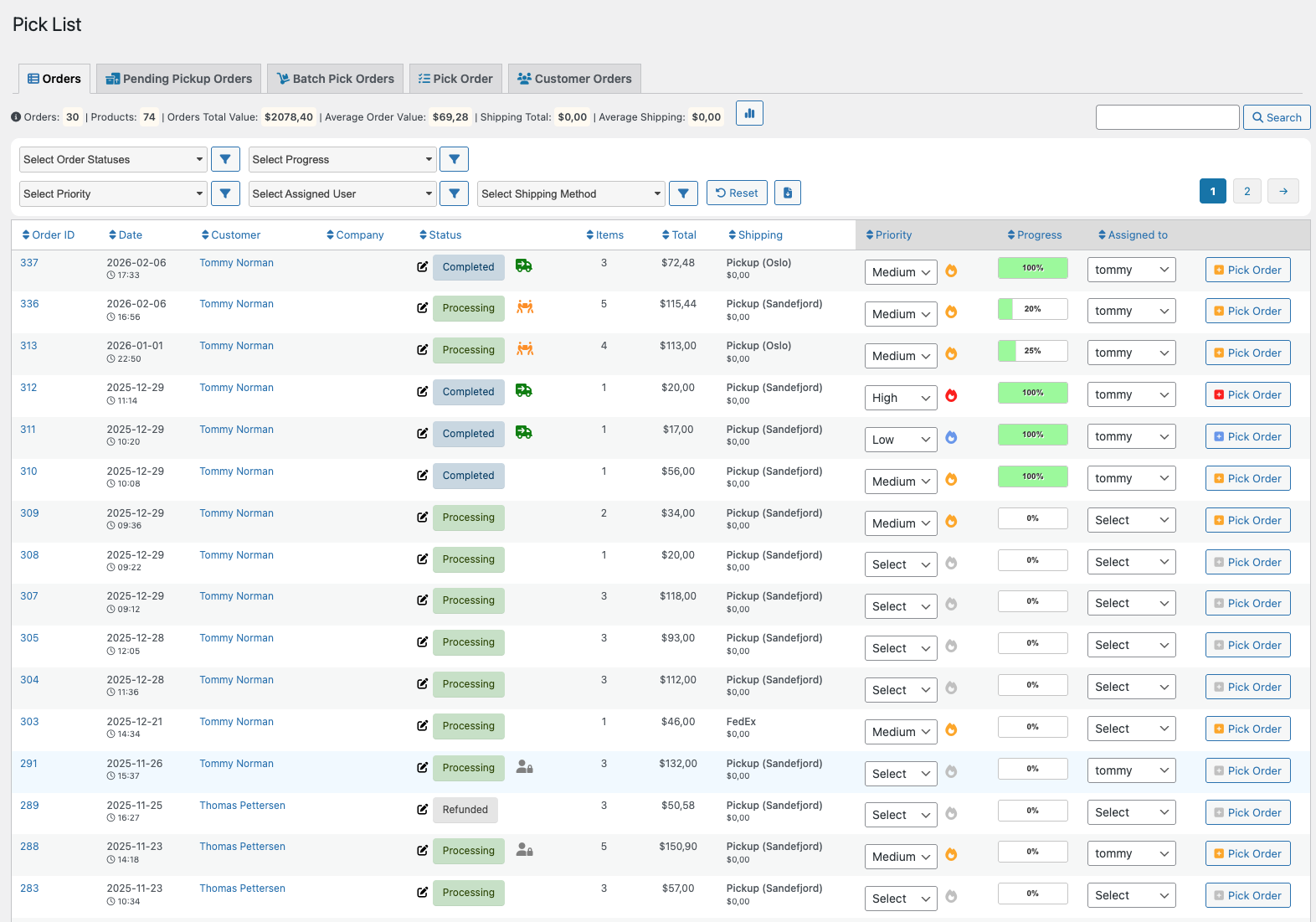
Manage all fulfillment tasks from a single interface. Filter, sort, and prioritize orders by status, progress, priority, or assigned staff member. Real-time updates ensure everyone sees the same information, without manual refreshes.
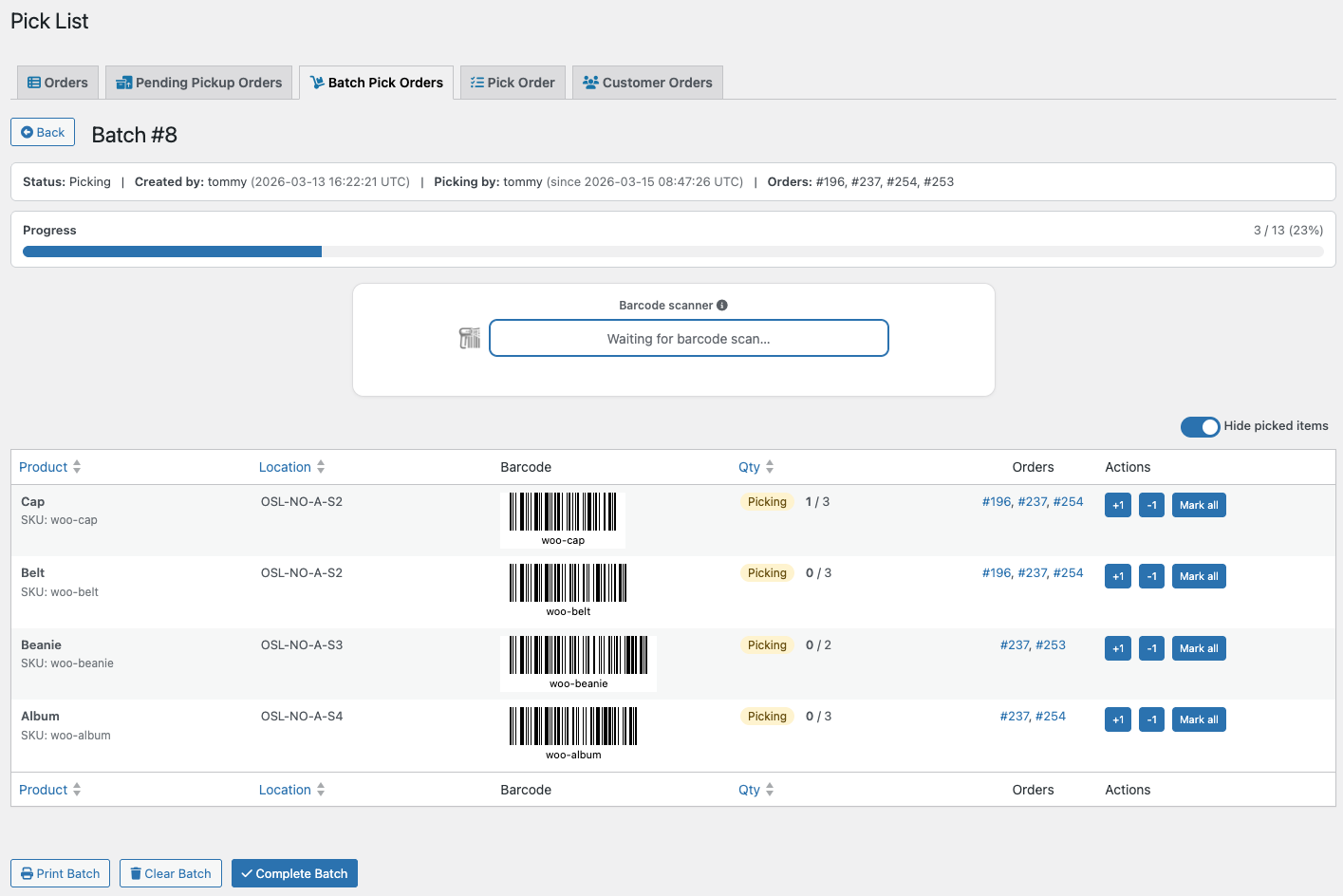
Pick smarter, not one order at a time. Batch picking lets you group multiple orders and collect all items in a single round, reducing walking time and improving efficiency. Use barcode scanning or manual controls, print batch lists, and move seamlessly to packing and shipping.
Limit access to picking tools for warehouse staff while hiding prices and sensitive data. Keep teams focused on fulfillment, not storefront details. Ideal for multi-staff warehouses and B2B environments.
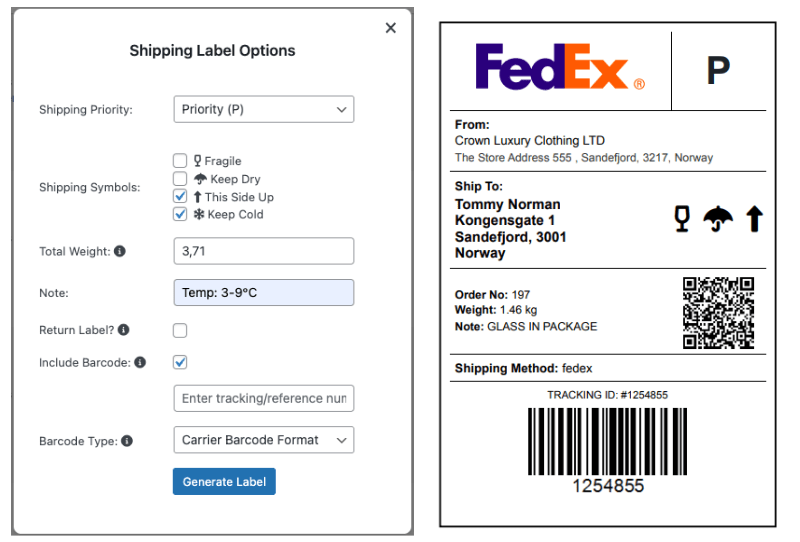
Create shipping and return labels directly from Pick List. Add priority, handling symbols, weight, notes, barcodes, and tracking numbers — without needing an extra plugin.
New in version 2.6.5: A shipping integration hook allows you to connect third-party shipping providers.
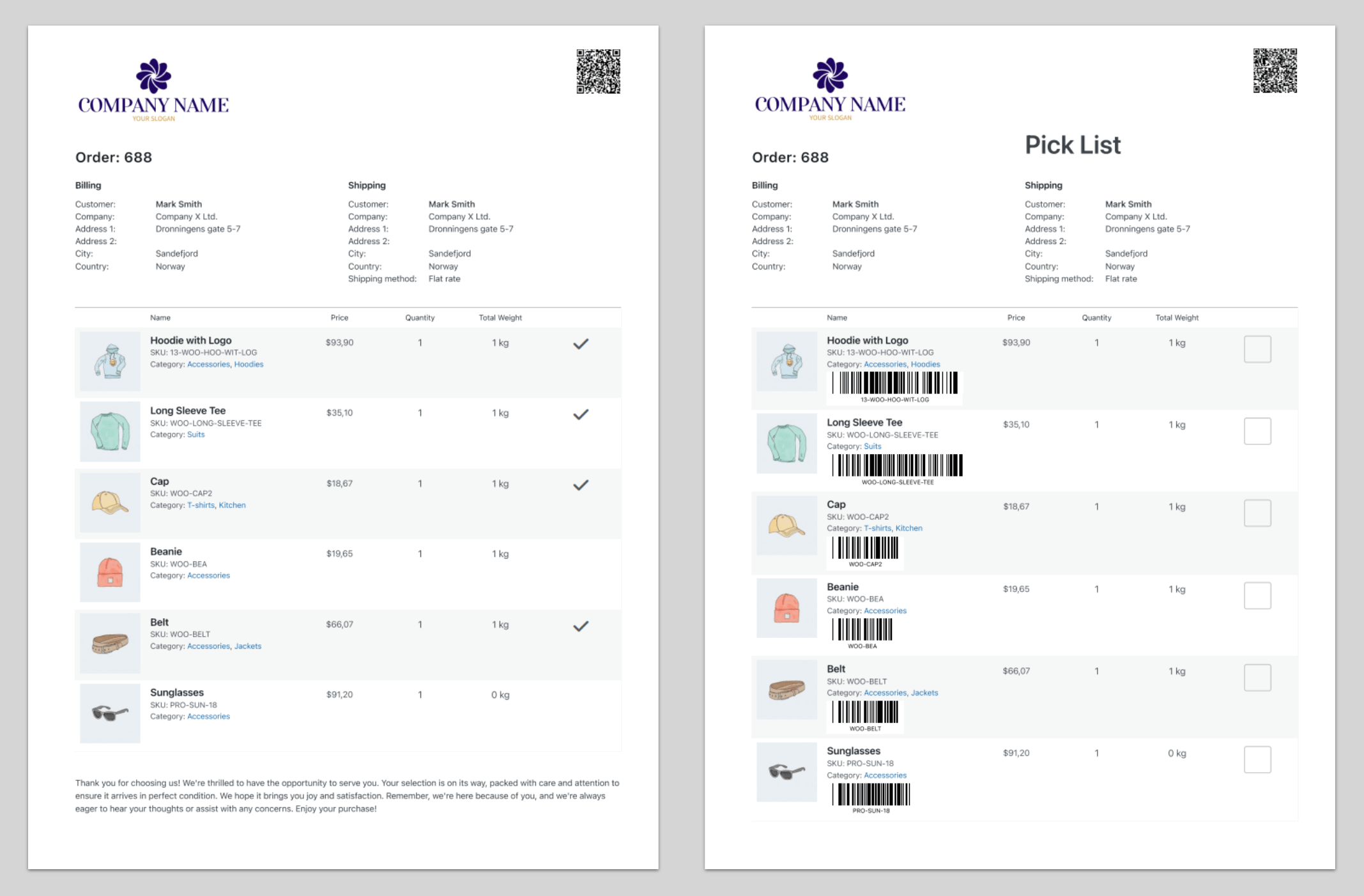
Generate clean, customizable pick lists and packing slips in seconds. Use them digitally or export printable PDFs — whichever fits your workflow.
Includes QR codes, barcodes, product details, and sorting options to speed up picking.
Pick List works smoothly on desktops, tablets, and mobile devices.
Warehouse staff can manage picking directly from the shop floor without losing functionality.
Why Pick List vs Print-Only Plugins
Print-only plugins stop at document generation.
Pick List is built for active fulfillment workflows.
See how Pick List works in real fulfillment workflows.
Works with StockTrack for WooCommerce
When StockTrack is installed, Pick List becomes location-aware. Pickers see whether an order has a fulfillment location, view local stock quantities per item and variation, and open the Warehouse Map directly from the Pick Order view to visually locate products. Read more about StockTrack…
Who It’s Probably Not For
No. Any USB, Bluetooth or built-in scanner that types numbers into a field will work. You can also pick orders without scanning using on-screen pick buttons.
No. It works just as well for small teams and growing stores.
Yes. Prices can be hidden using role-based access.
Yes. Pick List integrates directly with WooCommerce and works with most themes and extensions.
Yes. You can use digital picking, printed PDFs, or both.
Kategorien
Extension information
Quality Checks
Works with
Kompatibilität
Länder
Sprachen









