

Das Abonnement beinhaltet
Support
Turn shipping confirmation into customer confidence.
Add clear, clickable shipment tracking links to WooCommerce orders, emails, and customer accounts without bloated logistics systems or third-party subscriptions.
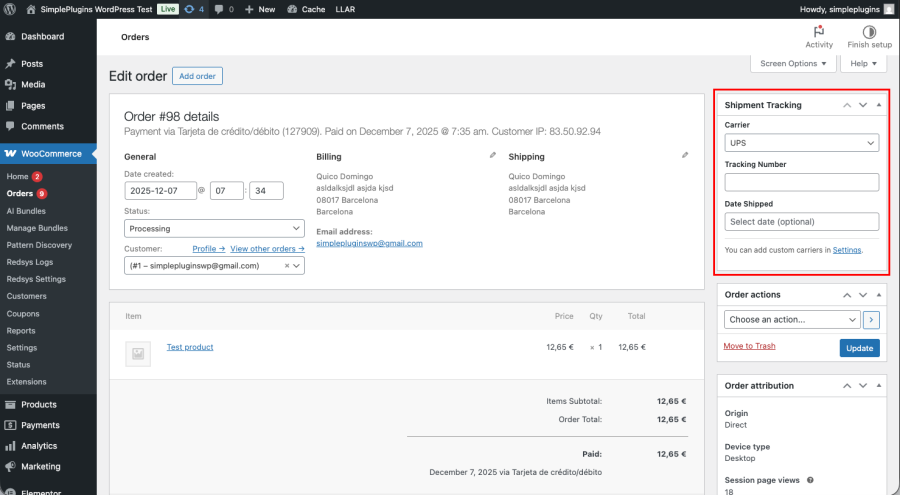
Easily add tracking numbers to any order directly from the WooCommerce admin. Choose from popular carriers or define your own with custom tracking URLs, set a ship date, and control exactly how tracking is displayed. Customers receive tracking details automatically in their order emails and can access them anytime from their customer account: no extra steps, no confusion.
Built for modern WooCommerce stores, the plugin is fast, lightweight, and fully compatible with HPOS. It includes one-click tracking email resends, searchable tracking numbers in the admin, and flexible link placement options, giving store owners and fulfillment teams everything they need to keep customers informed and reduce support requests.
Tracking links appear in the order completion email and in the customer’s My Account → Order details page.
Absolutely. You can add custom carriers with your own tracking URL format using a simple placeholder.
No. The plugin works with simple tracking links: no APIs, no accounts, no external services.
Yes. You can resend the tracking email anytime with a single click from the order actions menu.
Yes. From the plugin settings you can add and manage your own custom carriers and custom tracking links.
Yes. The plugin is fully compatible with High-Performance Order Storage (HPOS).
The Simple Shipment Tracking Link plugin is currently translated into English, German, Spanish, French, Italian, Dutch, Portuguese, Russian and Catalan.
Quality Checks
Länder






