

La suscripción incluye
Ayuda y soporte
The Country Restriction Rules for WooCommerce extension allows customization of the online store’s product visibility, payment methods, and shipping options based on customers’ locations. By enabling this feature, users can see the best shopping experience for each country, ensuring that your customers only see what’s relevant to them.
This extension helps you to control the visibility of products, payment methods and shipping methods, hide prices, or even disable the add-to-cart button for specific countries. It can also restrict payment methods, making your store more user-friendly and reducing the chances of confusion or checkout issues. With geo-location detection, the extension automatically applies the rules, so you don’t need to worry about manually managing country-based restrictions.
Whether you want to hide certain products, offer only specific shipping options, or display custom messages, this extension offers a range of options to restrict by country. By managing these restrictions, you can improve the customer experience and streamline your buying process, ultimately boosting your sales.
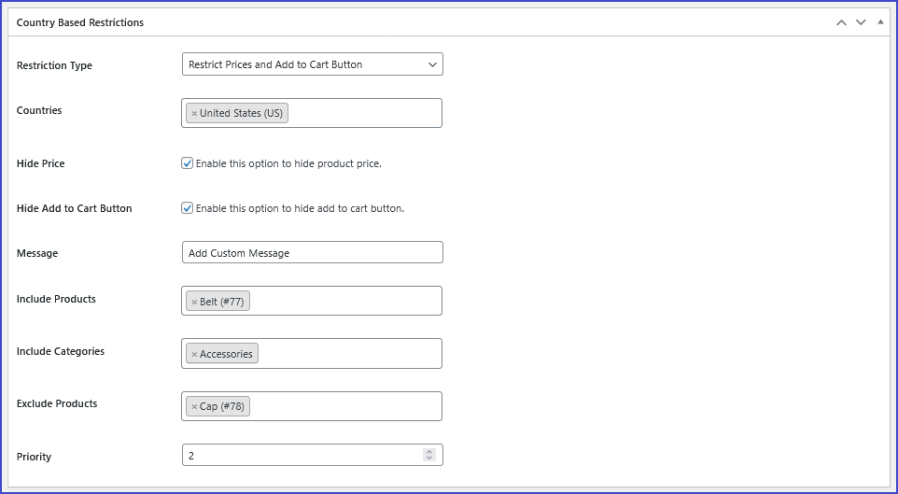
The WooCommerce Country Restrictions extension defines the specific action you want to apply to your products, payment methods, or shipping methods based on the customer’s country. This setting determines how the product catalog, checkout process, or shipping options are tailored for different geographic locations.

The Country field in the WooCommerce Country Restrictions extension allows you to specify which countries the restriction applies to. It’s a crucial part of setting up the restriction rules because it defines the geographical areas where the rules will be enforced.
In the Country field, you can select one or multiple countries where the restrictions will apply. This means that you can define specific countries where your customers will experience limitations based on the rule you’ve set (e.g., hiding products, limiting payment methods, etc.).
You can select countries individually, so if your store operates in multiple regions, you can customize rules per country.

This option allows you to restrict visibility of product prices and/or the «Add to Cart» button for customers from certain countries.
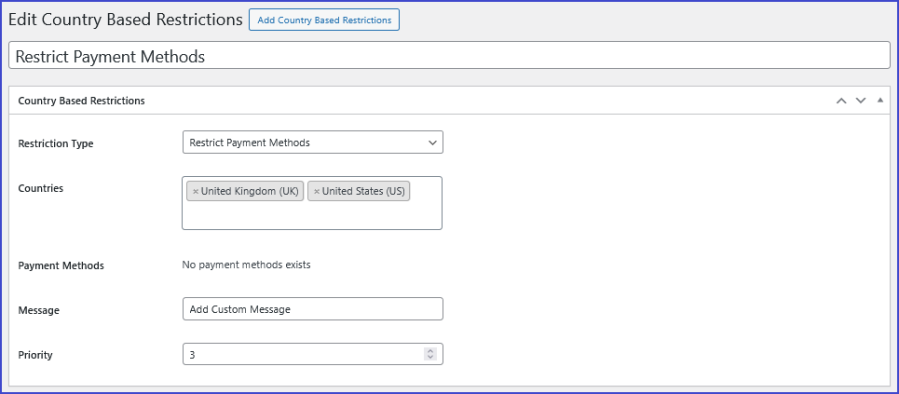
The Payment Method field controls which payment options are displayed to customers during checkout, based on their geographical location. By restricting payment methods, you can ensure that customers in specific countries can only use payment methods that are available or applicable to them. This can help avoid issues where customers from restricted regions try to pay with an unsupported payment method.
Restrict products for specific countries by displaying a custom text instead of the «Add to Cart» button.
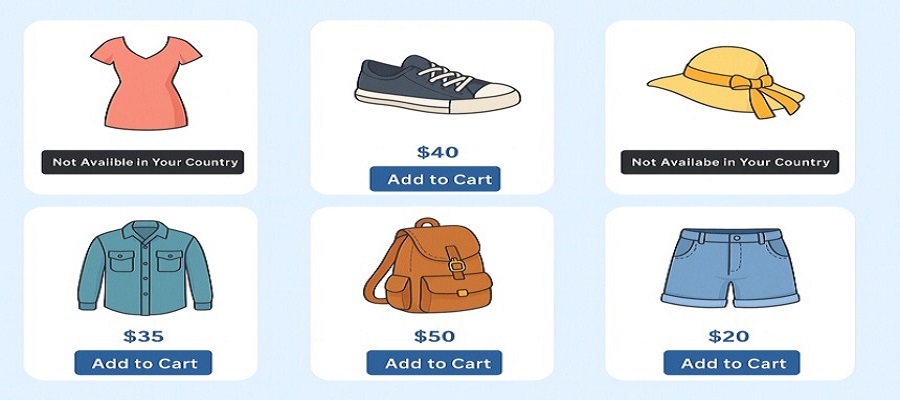
Yes, you can control product visibility so that customers only see items available in their country.
Yes, payment gateways like Stripe, PayPal, and others can be enabled or disabled depending on the customer's country.
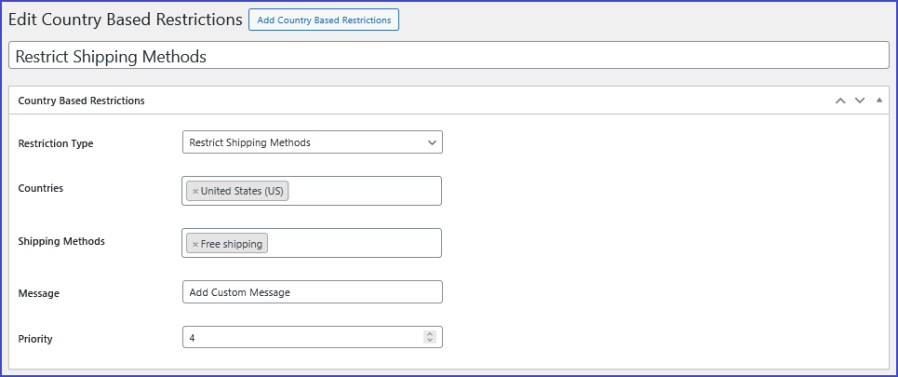
Yes. You can control which shipping methods (like flat rate, free shipping, or local pickup) are available for specific locations.
The system automatically detects the customer’s location using their IP address to apply the appropriate rules.
Información de la extensión
Comprobaciones de calidad
Países







