WooCommerce Hide Price & Show Custom Button extension gives store owners full control over product visibility. Easily hide price in WooCommerce and remove Add to Cart button for guests, specific user roles, by country, or for individual products. Replace hidden prices with a custom link or popup form, such as Contact Form 7, to capture leads, route enquiries, or protect B2B pricing. Quick to set up, flexible, and designed to convert product views into actionable opportunities.
Use Case Examples
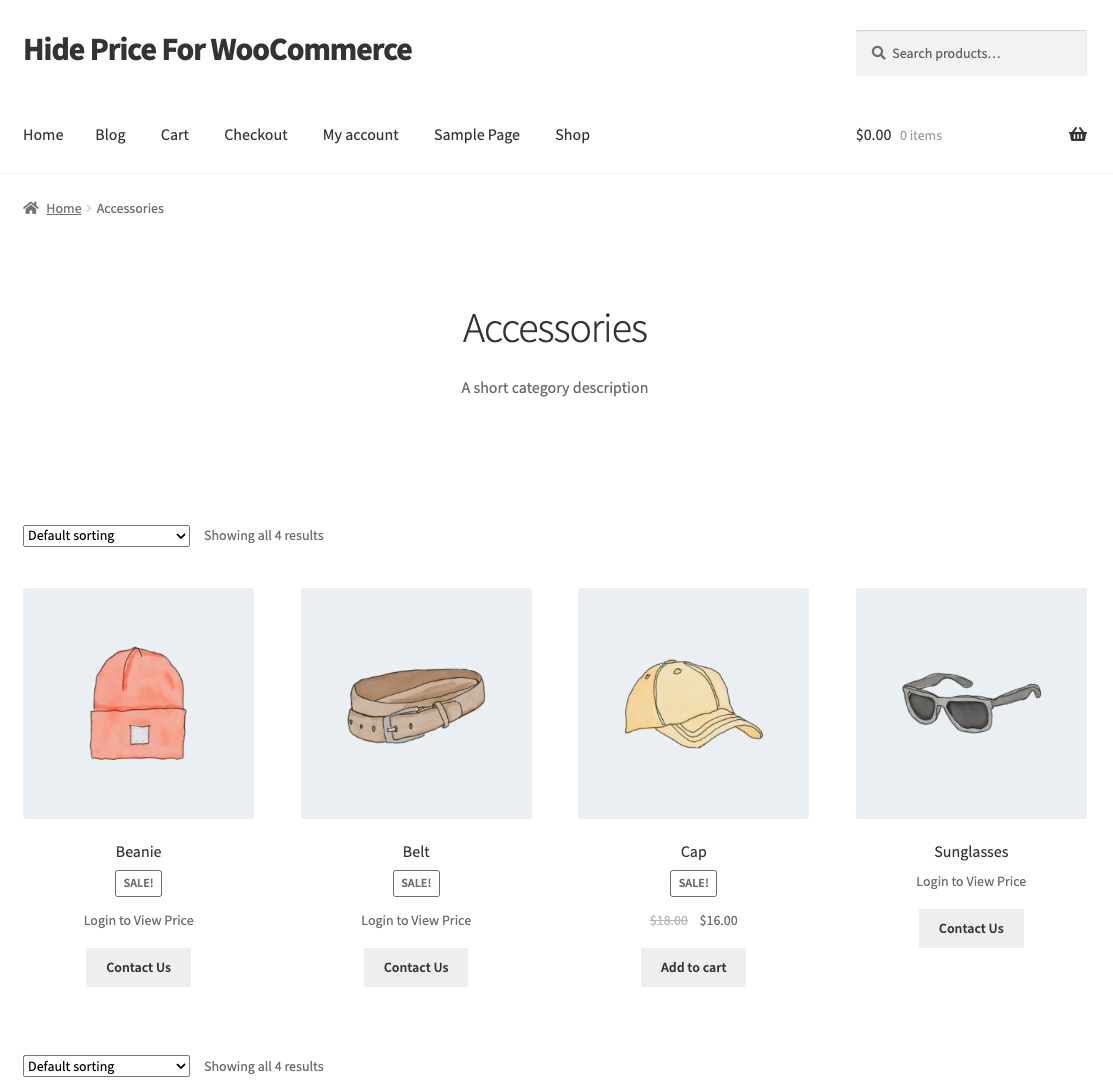
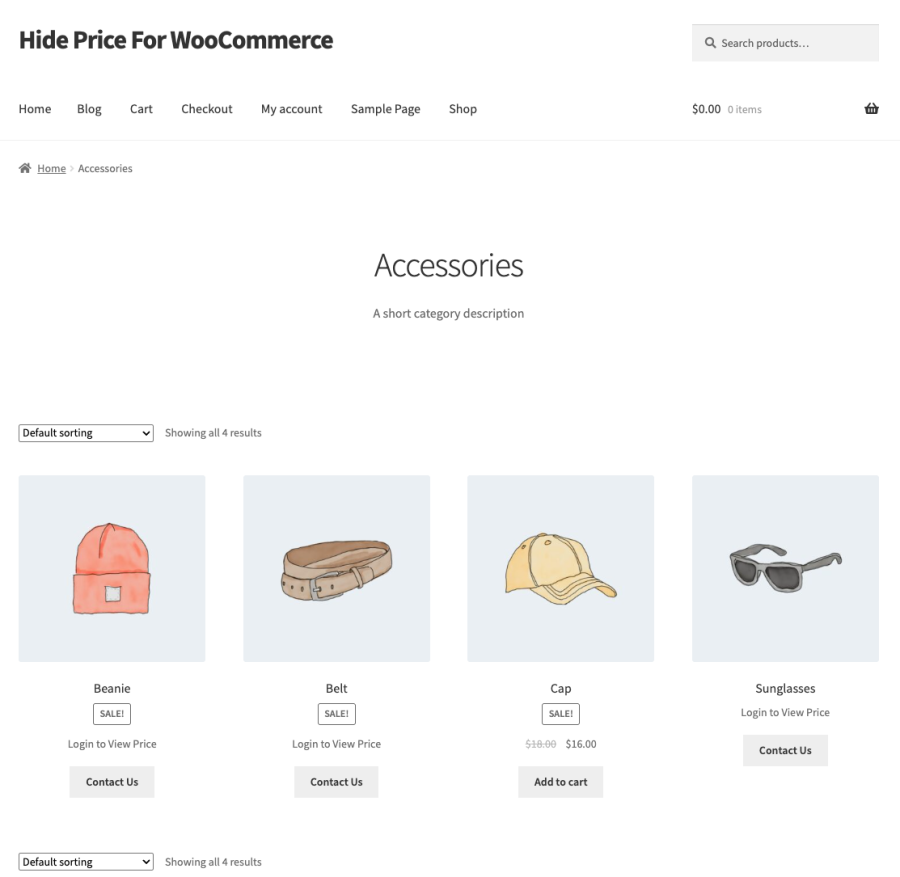
- Show prices to logged-in users only: Use the WooCommerce Hide Price extension to hide product prices for guest users and display them only to logged-in customers. This ensures that different user roles or countries see the correct pricing once logged in.
- Turn your shop into an online catalog: Hide prices and remove the Add to Cart button using the WooCommerce Hide Price extension, allowing visitors to browse your products without making purchases. Perfect for merchants who want a catalog-style store.
- Customized or personalized products: With the WooCommerce Hide Price extension, you can hide prices for custom products and replace the Add to Cart button with a Contact Form 7 or WPForms popup. This allows customers to submit requirements directly.
- Wholesale or B2B pricing control: Use the WooCommerce Hide Price extension to hide prices and remove Add to Cart for guest users or specific roles, ensuring that only authorized customers can see prices and make purchases.
- Geo-specific or IP-based restrictions: Control product visibility with the WooCommerce Hide Price extension by hiding prices and Add to Cart buttons for users from selected countries or IP addresses, useful for regional pricing or delivery restrictions.
Features of Hide Price & Show Custom Button
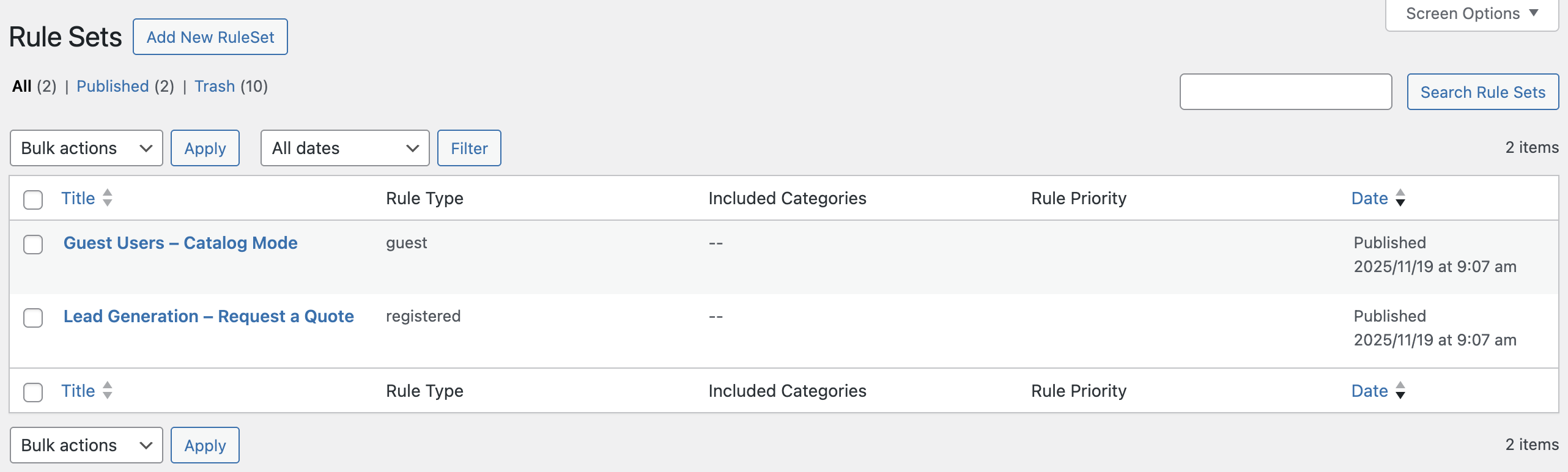
- Unlimited Rule Sets: Create as many rules as you need, each with its own unique settings and name, such as “Wholesale EU” or “VIP Customers.” This provides full flexibility in controlling who can see product prices and who can purchase.
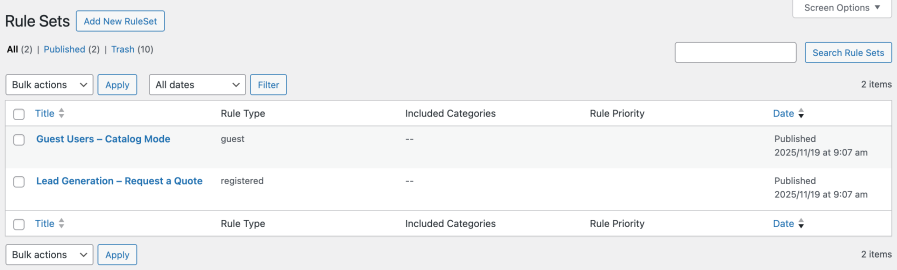
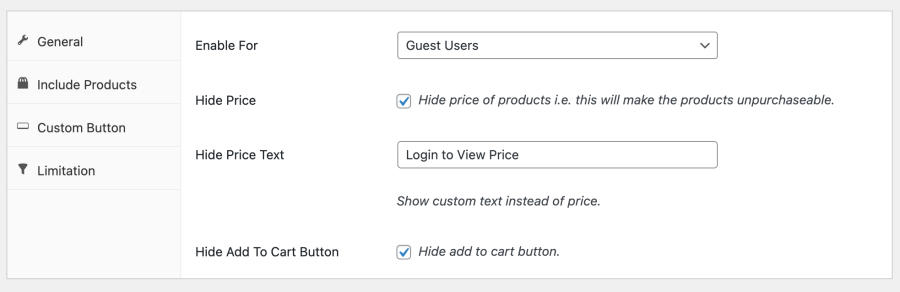
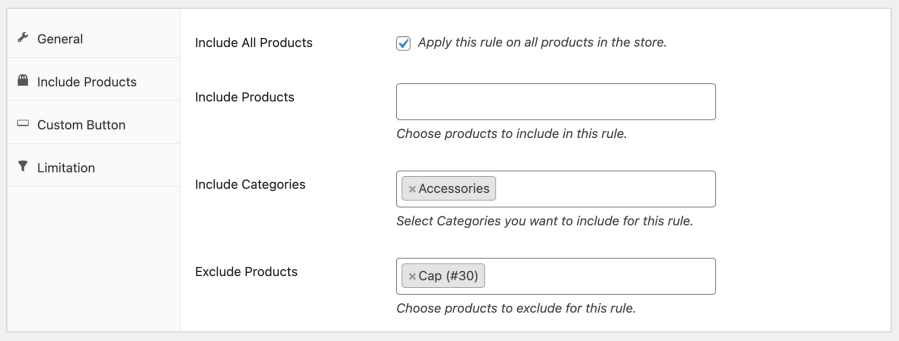
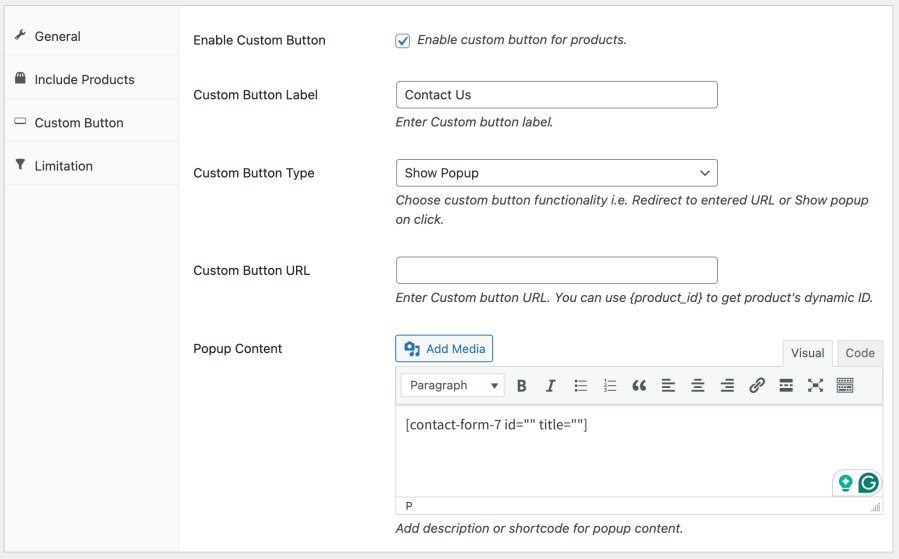
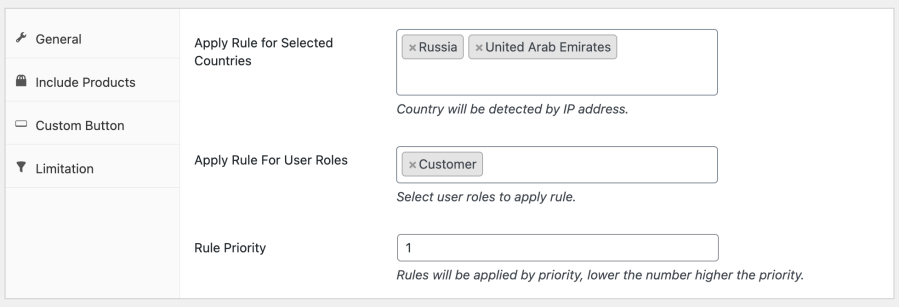
- 4‑Tab Rule Builder: Each rule set is organized into four intuitive tabs for precise configuration:
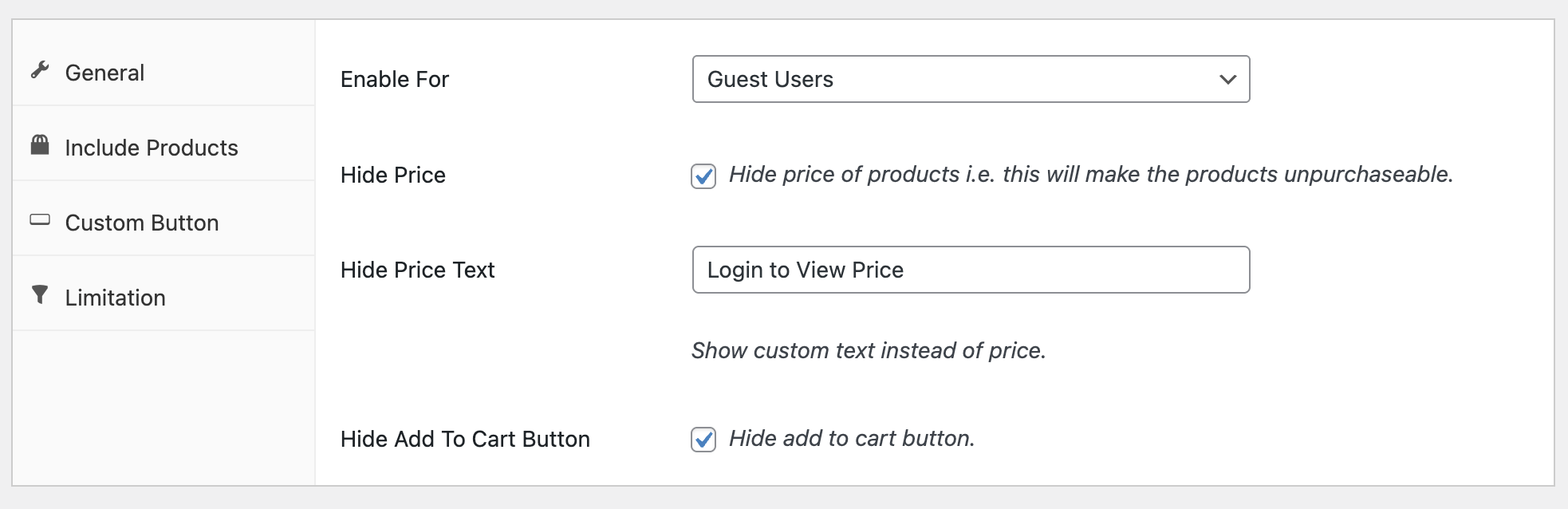
- General: Hide price, replace it with custom text, or remove the Add to Cart button for guest users or specific logged-in roles.
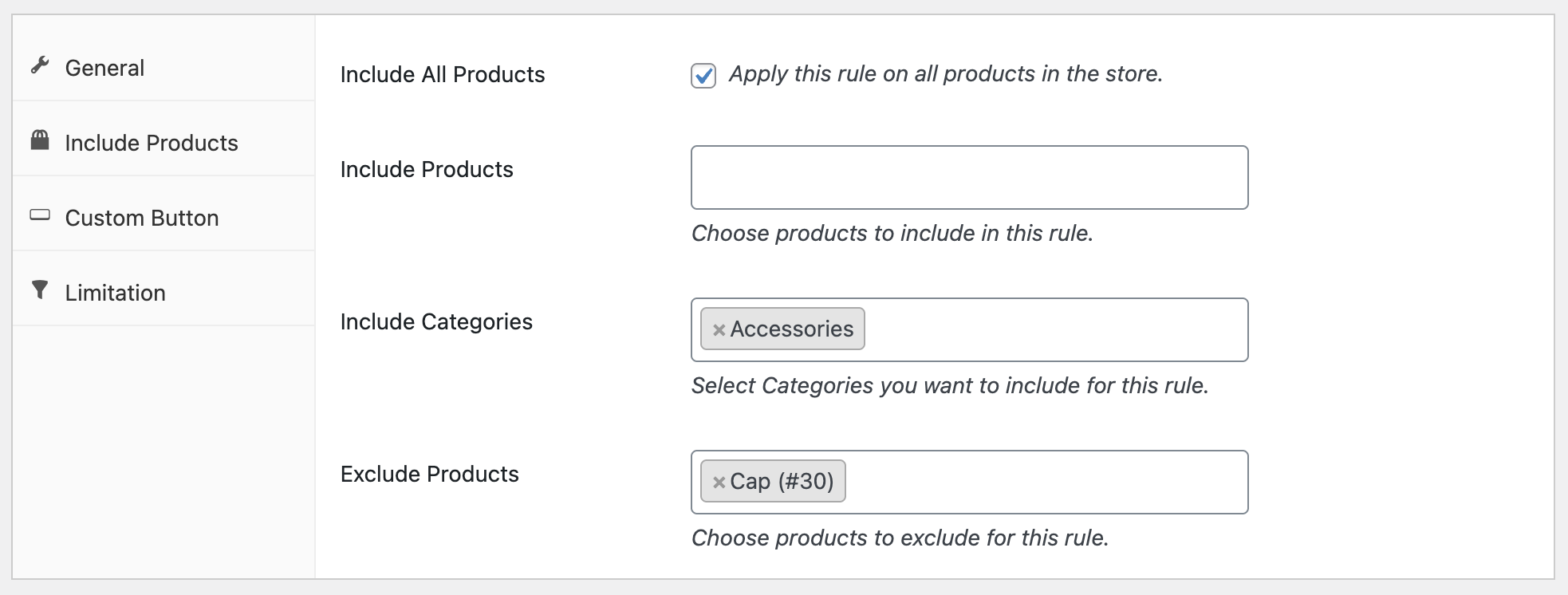
- Include/Exclude: Apply rules globally to all products or selectively to categories, tags, or individual products for fine-grained control.
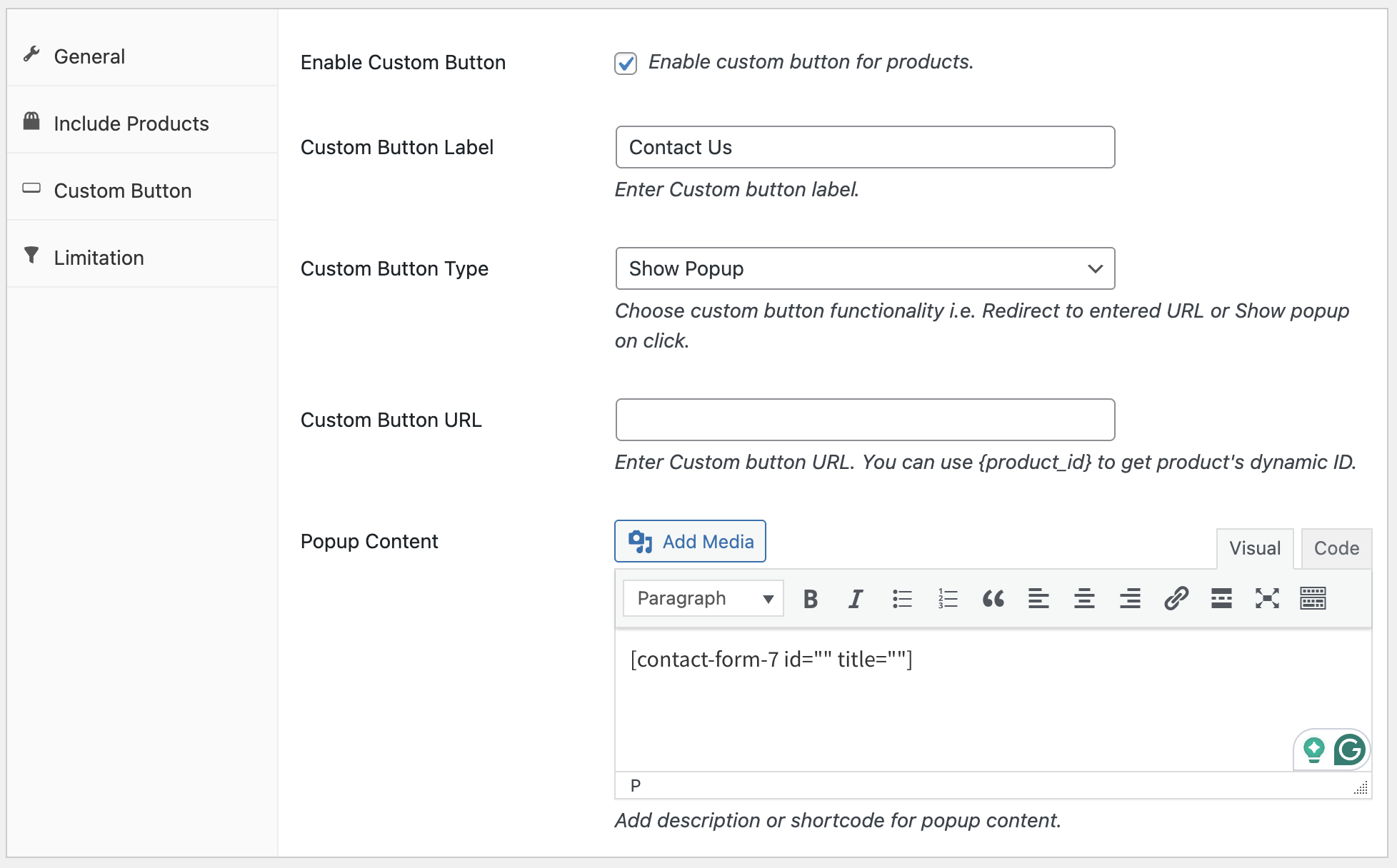
- Custom Button: Replace the standard Add to Cart button with a custom label. Choose whether it redirects to a URL or opens a popup, offering a smooth user experience for enquiries or lead capture.
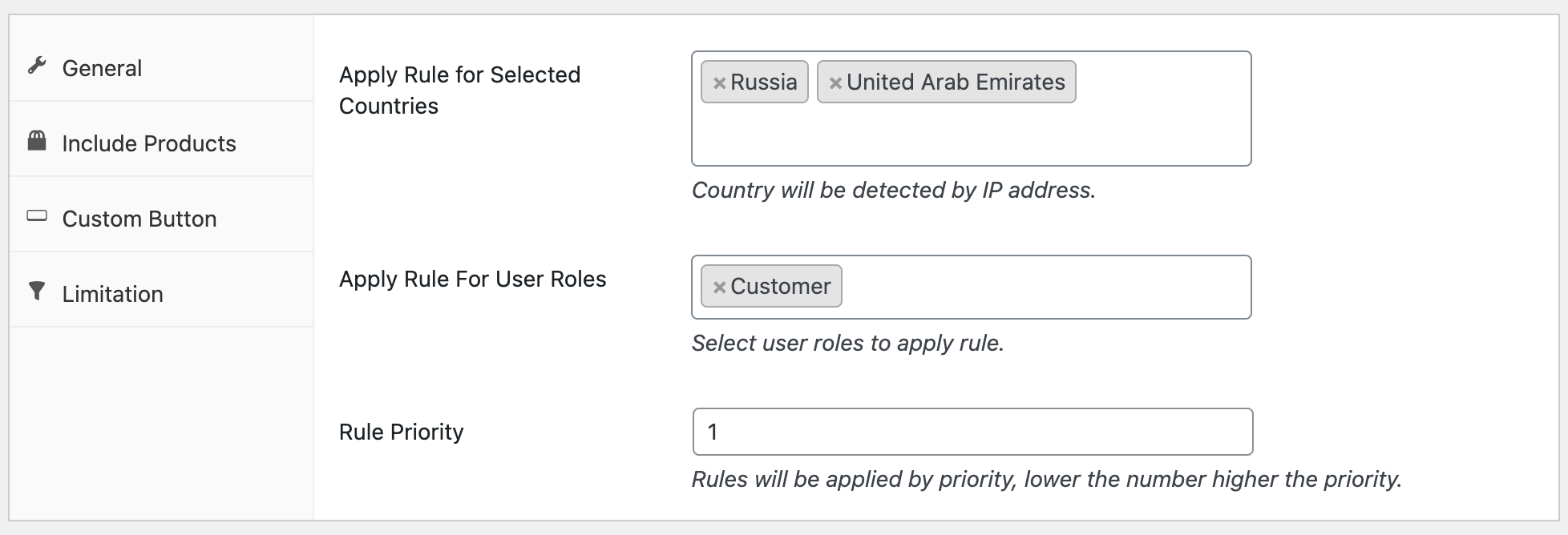
- Limitations: Restrict rules by country, user role, or IP address, and set rule priority to ensure correct behavior when multiple rules overlap.
- Popup & Shortcode Support: Embed popular form plugins like Contact Form 7, Gravity Forms, or WPForms inside popups. Any shortcode can be added to enable lead capture, quotes, or custom messages when prices are hidden.
- Priority Handling: Deterministic rule precedence ensures that rules with lower priority numbers take effect first, so you can control exactly which rules override others when multiple rules apply to a product or user.
- Instant Activation & Lightweight: All changes are applied immediately on the front end without delays, and the plugin is optimized for performance, ensuring no impact on page load speed or WooCommerce performance.
- Flexible Use Cases: From hiding prices for non-logged-in users to running wholesale or B2B workflows, geo-specific restrictions, or temporary promotions, the plugin adapts to virtually any store scenario.
- Smart Control of WooCommerce Visibility: With WooCommerce Hide Price functionality, you can manage both product visibility and purchasing options while maintaining a professional storefront and user-friendly shopping experience.
Quick Setup for WooCommerce Hide Price Plugin
- Install and activate the extension.
- Go to WooCommerce → Hide Price Rules → Add New Rule from your WP Admin dashboard.
- Configure the “General”, “Include/Exclude”, “Custom Button”, and “Limitations” tabs to define your rule.
- Save the rule and test it on the frontend.
- For more help, refer to our detailed documentation.
Frequently Asked Questions
Q: How can I hide prices for non-logged-in users and show a contact form for wholesale customers?
A: The WooCommerce Hide Price plugin offers rule-based management. You can create one rule to hide prices for non-logged-in users and another rule to hide prices and replace the Add to Cart button with a contact form for wholesale customers only.
Q: Can I hide Add to Cart for users from certain countries?
A: Yes. The WooCommerce Hide Price plugin lets you hide prices and remove the Add to Cart button for users in specific countries, helping you control product visibility and access based on location.
Q: How can I show prices only to approved customers or roles?
A: With the WooCommerce Hide Price plugin, you can hide prices by default and then create rules to show prices and Add to Cart buttons only for approved users or specific roles. This ensures controlled access to product pricing.
Explore Other WooCommerce Extensions
Extend your store’s capabilities with our powerful suite of plugins: