

L’abonnement comprend
Assistance
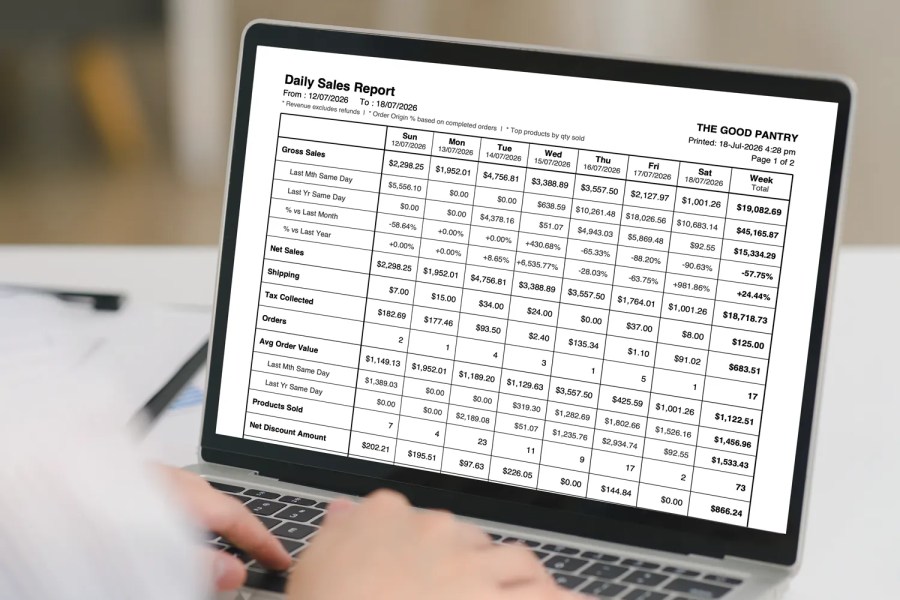
Get a daily WooCommerce sales report delivered to your inbox as a clean, ready-to-read PDF. Daily PDF Sales Report Email for WooCommerce builds the report automatically from your store’s orders and emails it every morning, with an optional monthly sales report on the 1st of each month. No more logging in to check your numbers: open your inbox at breakfast, and your store’s performance is already there.
Upload, activate, and your first report arrives the next morning. No technical setup required.
The daily report shows the current week day by day, up to and including yesterday, with a running week total on the right. Key figures compare to the same day last month and the same day last year, so you always have context without digging through old reports or opening a spreadsheet. Because it arrives as a PDF attachment, you can easily forward, print, or file it.
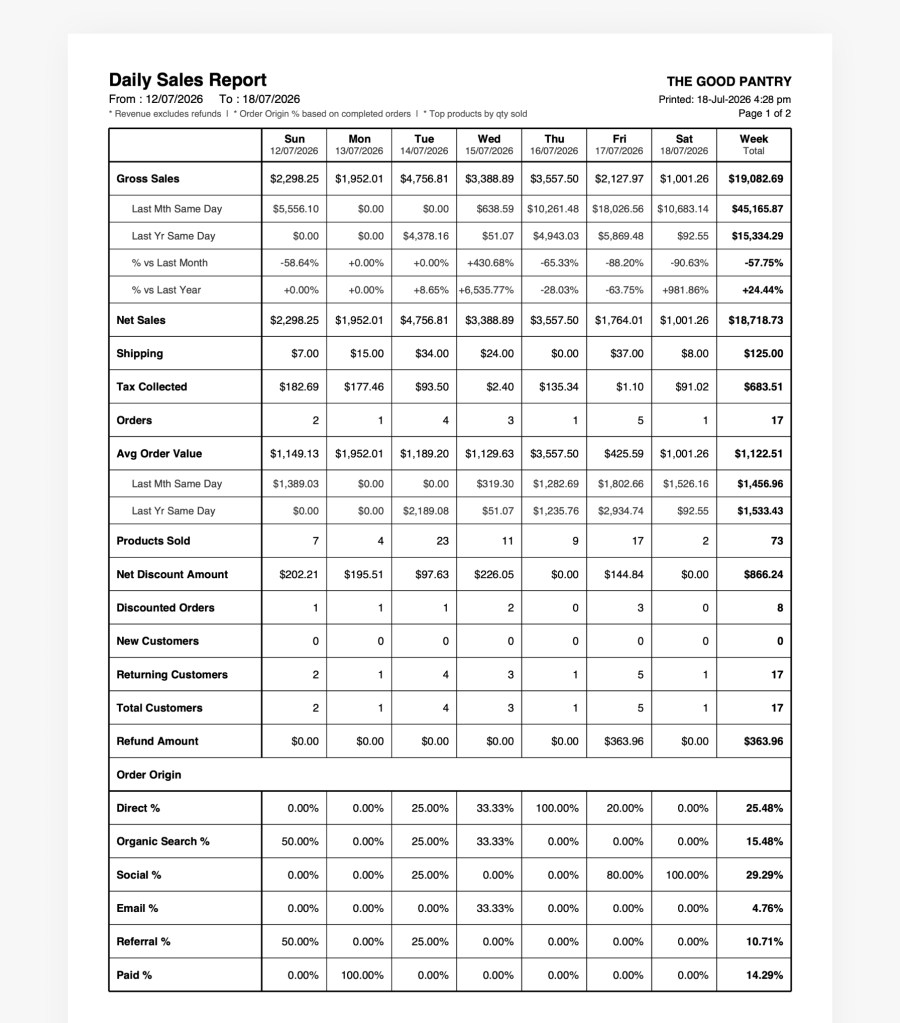
Every daily report includes:
Report plugins are only useful if you can trust the numbers. This extension follows the WooCommerce Analytics revenue definitions, so the figures in your inbox line up with what you see in your dashboard.
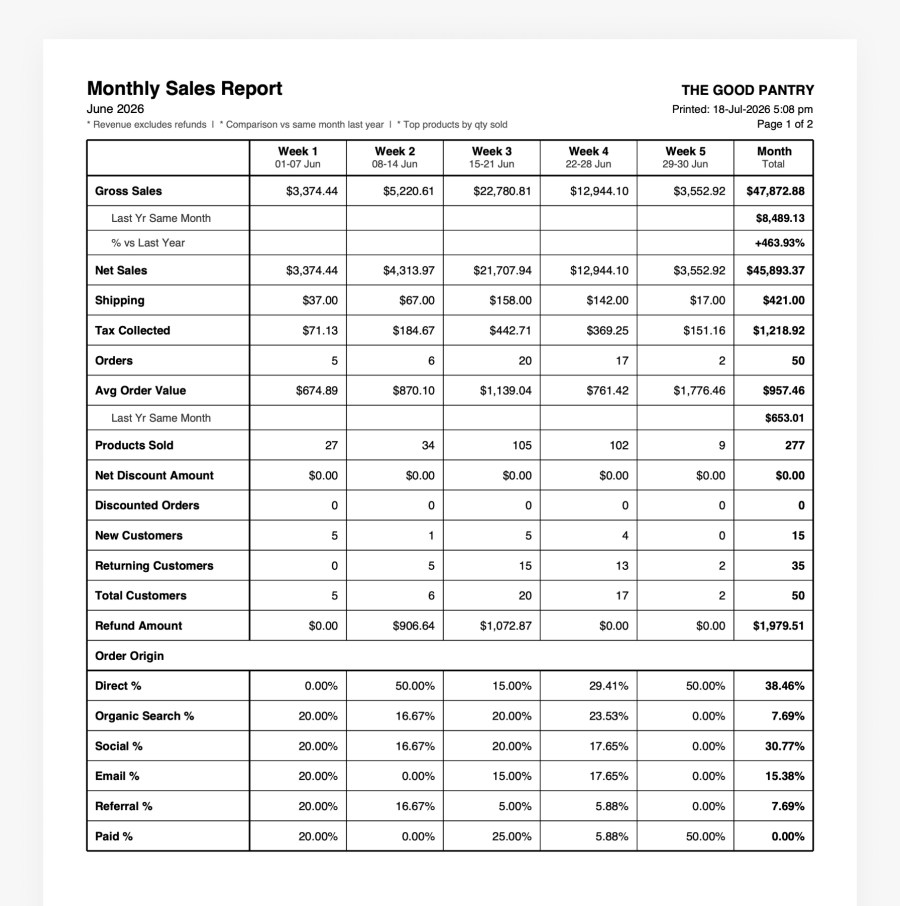
The monthly report covers the full previous month, split into week columns, so you can see which week performed best and which was slowest. The Month Total compares gross sales and average order value against the same month last year. It is sent automatically on the 1st of each month, ready for your monthly review.
Need a report outside the scheduled email? Pick any date in the Download PDF tab and download that week’s full report instantly. No email is sent and nothing is stored.
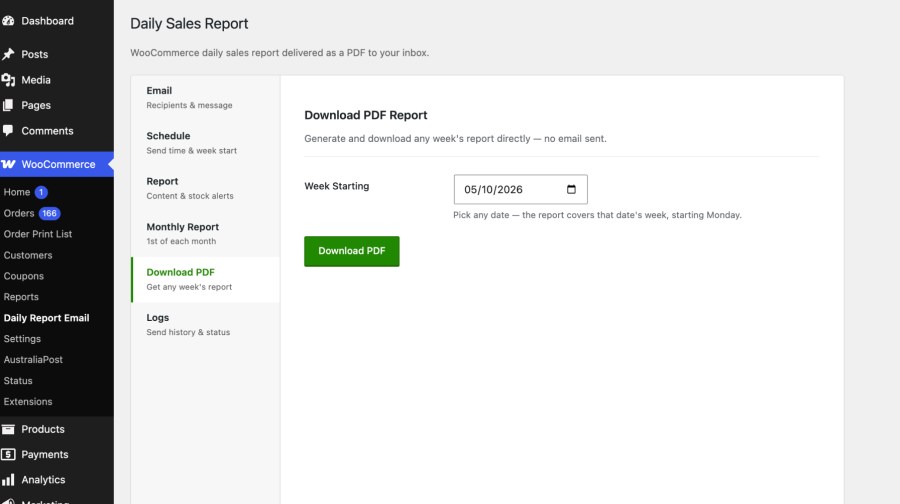
The settings page sits under WooCommerce in your admin menu, with six tabs that each do one job. Most store owners are set up in under two minutes.
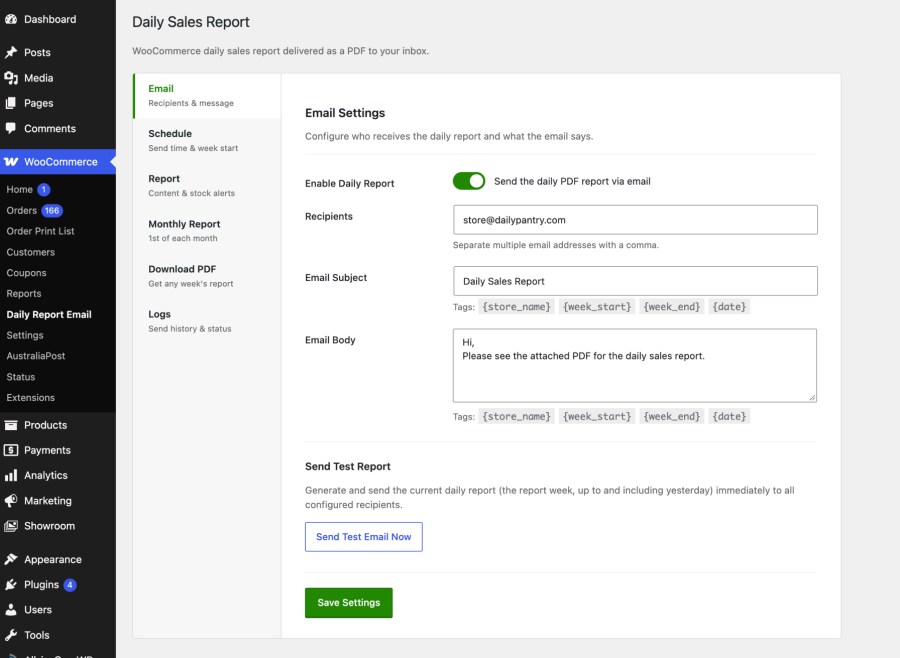
Reports are built on your own server from your own WooCommerce order data. There are no external services, APIs, or accounts to connect, and reports are sent only to the email addresses you choose.
Install and activate the extension. A daily PDF sales report is scheduled straight away and sent to your store's admin email at 4:00am. You can change the recipients and send time under WooCommerce > Daily Report Email.
Yes. The daily report is sent every day at the time you choose, and the monthly report is sent on the 1st of each month. Both run automatically in the background.
Yes. Sales figures follow the WooCommerce Analytics revenue definitions, refunds are counted on the refund date, and orders are placed on days using your Analytics date type. If a figure looks different, check that the order statuses match on both.
Yes. The monthly report has its own recipient list. Leave it blank to use the same recipients as the daily report.
Yes. Use the Download PDF tab to pick any date and download that week's report, as far back as your order history goes.
The report is attached to the email as a PDF, so it is easy to forward, print, or file. The email itself contains a short message you can customize.
No. Reports are generated in the background at your chosen send time and do not affect your storefront.
Each report is a two-page A4 portrait PDF. Page 1 shows the sales metrics table, and page 2 shows top products and stock alerts. It prints cleanly on A4, or on US Letter using fit to page.
Yes. Pick any send time in the Schedule tab, based on your WordPress timezone. Reports are sent by WP-Cron, so on low-traffic sites they may arrive a few minutes late. A server cron job gives exact timing.
Yes. Add as many email addresses as you need, separated by commas. The monthly report has its own recipient list, so you can send it to different people.
Yes. Edit the subject and body for both the daily and monthly reports, and use tags like {store_name}, {week_start}, {week_end}, and {month} to fill in details automatically.
Orders with the statuses you choose in the Report tab (Completed and Processing by default, with On-Hold as an option). Refunded orders are always included, so refunds are fully reflected.
Reports are sent when an external cron job triggers wp-cron.php. The Logs tab shows a notice if WP-Cron is disabled, along with the next scheduled send and the history of recent sends.
Refunds are counted on the day they are issued, as in WooCommerce Analytics. They reduce net sales, tax, shipping, and products sold, and appear in the Refund Amount row.
Catégories
Vérifications qualité
Pays







