

L’abonnement comprend
Assistance
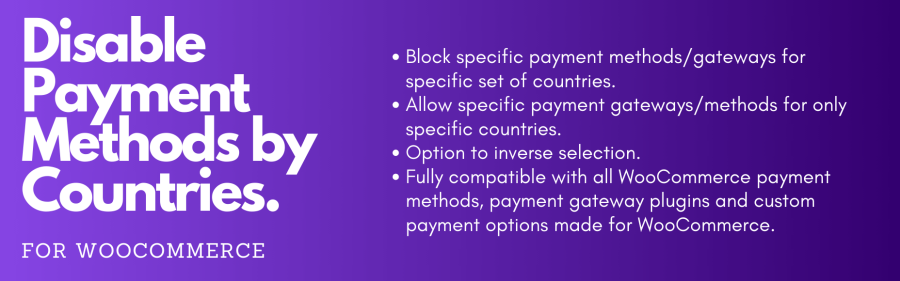
With the Disable Payment Methods by Countries for WooCommerce extension, you can customize payment options. Enhance your checkout process by enabling or disabling payment methods for specific countries—ensuring a seamless and localized shopping experience. The extension allows you to meet the needs of international shoppers and comply with regional regulations.
| Use Case | The Challenge | The Solution |
|---|---|---|
| Regulatory Compliance | A store operates in a region with strict regulations on certain payment methods. | Use the extension to disable those methods only for customers in that specific region, ensuring compliance. |
| Local Preferences | Different countries have preferred payment methods. | Enable specific payment gateways for each country, catering to local preferences and increasing conversion rates. |
| Fraud Prevention | You are aware of high rates of fraud from specific countries. | Disable payment methods for those countries to eliminate the risk of fraudulent transactions in those areas. |
| Market Expansion | You want to expand into new markets with unique payment preferences. | Customize available payment options based on the target market, optimizing the shopping experience for local customers. |
| Regional Partnerships | You want to create an exclusive partnership with a regional payment provider. | Allow only the partnered payment gateway for transactions within the partner’s country, fostering collaboration and potentially reducing fees. |
| Checkout Optimization | You want to streamline the checkout process for a smoother user experience. | Disable less-used payment methods in specific countries, simplifying the checkout flow and reducing customer confusion. |
| Seasonal Campaigns | You want to run promotions with exclusive payment benefits for specific countries. | Temporarily enable specific payment gateways for promotional periods, offering special incentives to targeted regions. |
| Currency Restrictions | Complying with various currency limitations for certain payment methods is difficult. | Disable incompatible payment methods for countries with specific currency constraints, ensuring seamless transactions. |
| Legal Restrictions | It is complicated to adhere to legal restrictions on certain payment methods in specific jurisdictions. | Use the extension to disable prohibited payment methods for customers located in those areas to avoid legal trouble. |
| Experience Localization | It is difficult to create payment methods that enhance the overall shopping experience based on regional expectations. | Configure payment options to align with the preferences of customers in different countries, demonstrating a commitment to the local user experience. |
The "Disable Payment Methods By Countries" plugin allows WooCommerce store owners to enable or disable specific payment methods for different countries.
This plugin helps you provide a better, more localized shopping experience. You can comply with regional laws, reduce fraud, or simply simplify the checkout process for your customers.
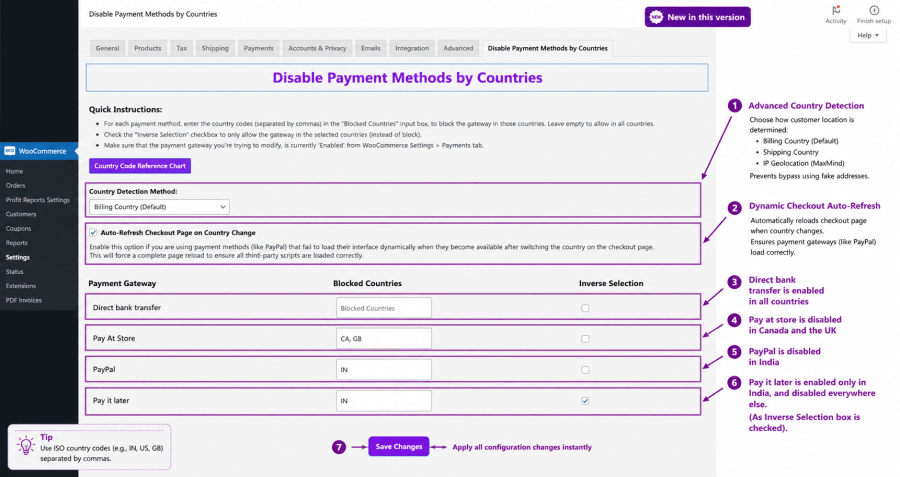
Yes! After installation, a new settings tab is added to your WooCommerce payments page, where you can manage everything. The user interface is straightforward, and we even provide a quick guide and a country code reference chart right on the settings page.
By default, it uses the Billing Country. However, you can easily configure the plugin to use the Shipping Country, or strictly use the customer's physical IP Address by utilizing WooCommerce's native geolocation.
Enforce IP Geolocation to ensure payment gateways are restricted based on the customer's actual physical location rather than their inputted address.
Catégories
Informations sur l'extension
Vérifications qualité
Pays






