

L’abonnement comprend
Assistance
Example: A high-end photography service provides a 3-month payment plan where clients pay 40% upfront, 30% after 30 days, and the rest later.
Ensure timely payments for booking-based businesses with structured deposit and final payment deadlines. Flexi Deposits seamlessly integrates with Woo Bookings plugins and Booking & Appointment plugin for WooCommerce (Tyche Product)
Example: A catering service requires a 30% deposit at booking and full payment 7 days before the event through WooCommerce Bookings.
Additional Features for Maximum Payment Control
Allow deposits or partial payments at the checkout for entire orders, not just specific products.
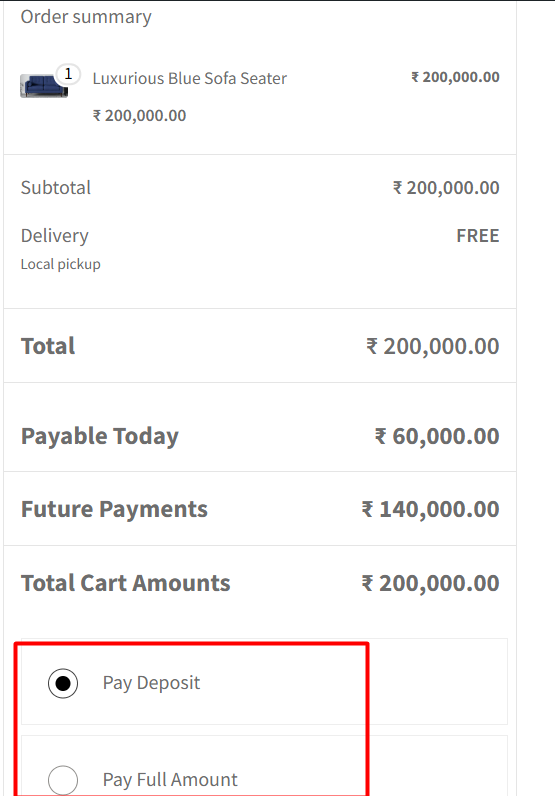
Choose to make deposits optional or mandatory on the checkout page based on your sales strategy.

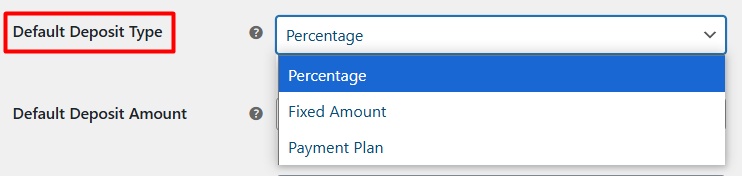
Let customers pay a fixed deposit amount or a percentage of the total order
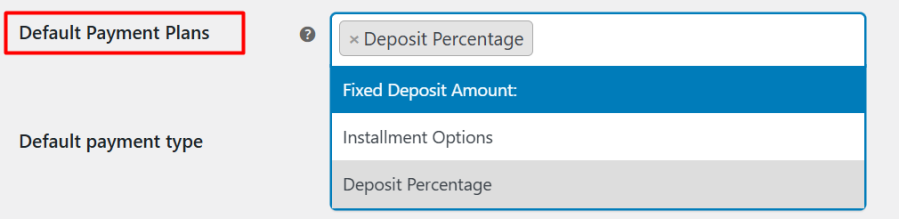
Create structured payment plans to encourage higher spending.
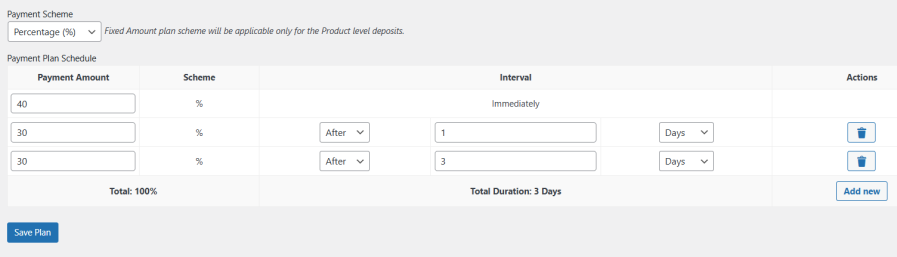
Modify payment plans anytime to adjust for changing business needs.
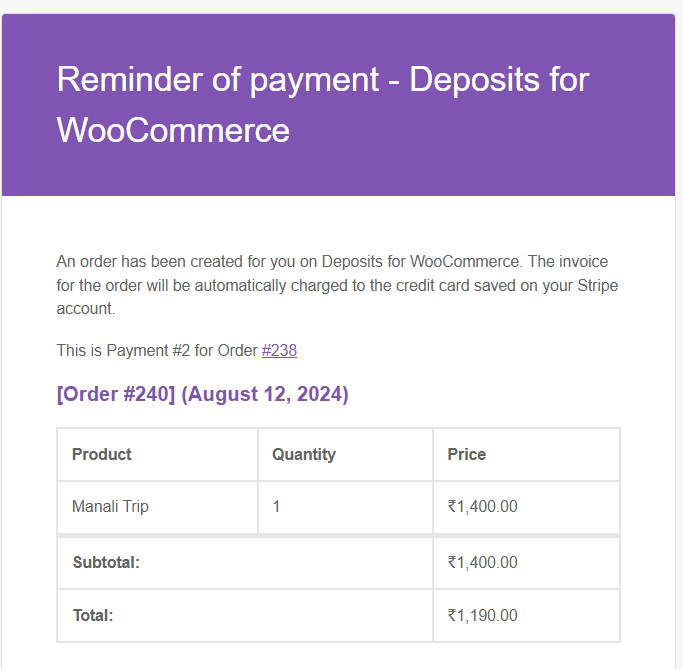
Send automatic reminders for pending payments to reduce missed transactions
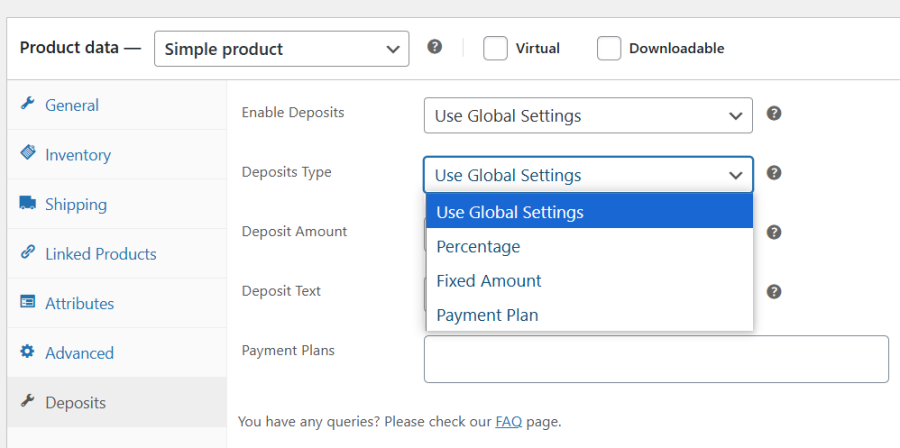
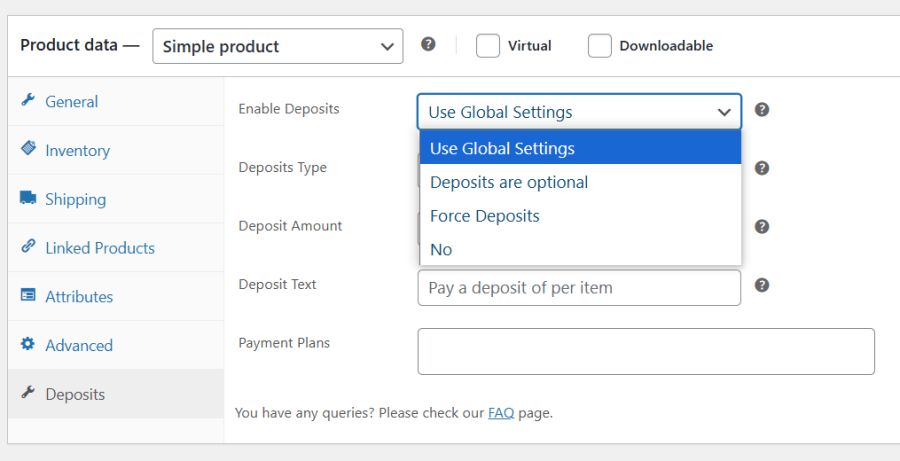
Micromanage deposits with product-level control. Override global deposit settings for specific products to customize payment flexibility.
Choose deposit types per product for better control.
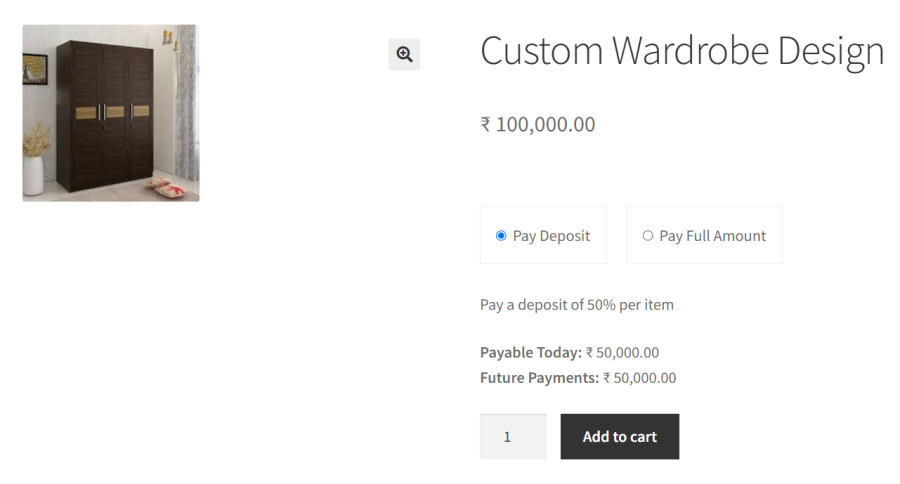
Enable or disable deposits on specific products as needed.
Ensure timely payments for booking-based businesses with structured deposit and final payment deadlines. Deposits plugin seamlessly integrates with Woo Bookings plugins and Booking & Appointment plugin for WooCommerce (Tyche Product)
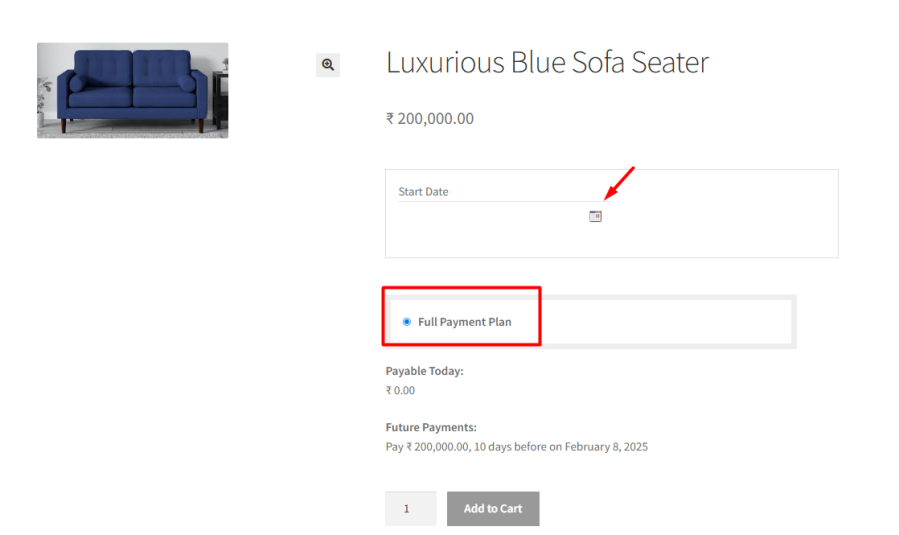
Your online store gives your customer the power of WHAT they BUY but is it offering HOW they PAY? Flexi Deposits for WooCommerce plugin adds an extra deposit option on your checkout page along with your existing payment options and lets you receive payments upfront in percentage or flat amount set by you.
The Flexi Deposits for WooCommerce extension is the best companion for your Buy now and Pay later strategy. It is loaded with features to make your payment system flexible.
Yes. You can configure the product so that only the “Pay Deposit” option is displayed on the product and checkout pages. Customers will not see the option to pay the full amount upfront.
The plugin allows you to set deposits as a fixed amount, a percentage of the product price, or the order total, or create different payment plans with predefined installment schedules.
Yes. Deposits for WooCommerce is fully compatible with both the WooCommerce Bookings plugin and Tyche’s Booking & Appointment plugin. This allows you to collect deposits and configure payment plans for bookable products.
Yes, our Deposits for WooCommerce works with all payment gateway plugins to collect the deposit amount. However, if you want the remaining payments to be charged automatically, this feature is officially supported only with the WooCommerce Stripe Payment Gateway plugin.
Yes. If customers choose a payment plan and pay using Stripe, the remaining installments are charged automatically on the scheduled dates.
Yes. The plugin automatically sends an email with the invoice for the next installment on the scheduled payment date. This ensures your customers are reminded and can complete the payment on time without any manual follow-up.
Yes. You can enable deposits globally while disabling them for specific products. This allows you to offer deposits on selected items while requiring full payment for others.
Yes. The plugin supports mixed carts. Customers can pay a deposit for eligible products while paying the full amount for products where deposits are disabled — all within the same order.
Yes. You can collect a deposit at checkout and allow customers to pay the remaining balance later. The plugin can automatically send reminder emails with a “Pay Now” link, allowing customers to complete the remaining payment at their convenience. You can also manually collect the remaining amount by sharing the payment link with the customer.
Yes. You can configure deposits globally so that they apply to all products on your store. You can also choose to override these settings at the product level if needed.
We have made every effort to make our plugin compliant to the GDPR guidelines. As a part of compliance we do not capture any data of end users and customers without consent.
Please fill out this pre-sales form.
Extension information
Quality Checks
Pays







