

Installations actives
100+
L’abonnement comprend
Assistance
Quick Checkout for WooCommerce allows users to complete purchases quickly with the following tools:
1. Buy Now Button
Customers can skip the cart page and quickly complete a purchase by using the Buy Now button.
2. Multiple Addresses
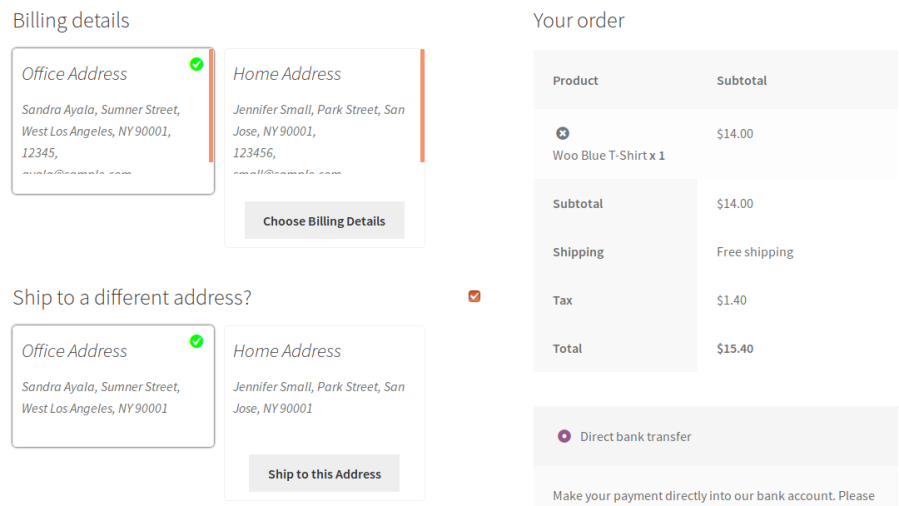
Customers can save multiple addresses in their account, saving time at checkout by choosing from their saved addresses instead of inputting a new one.
1. Reduces Cart Abandonment
Offering ways to quickly complete a purchase can help reduce cart abandonment.
2. Offers Convenience to the Users
Customers who are in a hurry can quickly complete their purchase by using the Buy Now buttons and pre-saved addresses.
The Buy Now button will be visible on the following pages:
– Shop page, category page, and tag pages
– Single product Pages

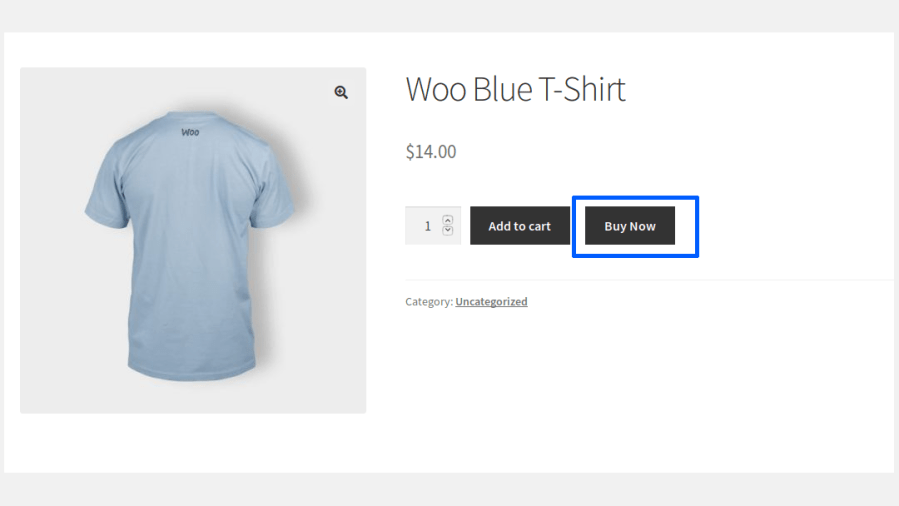
Users can also update the quantity from the checkout page.
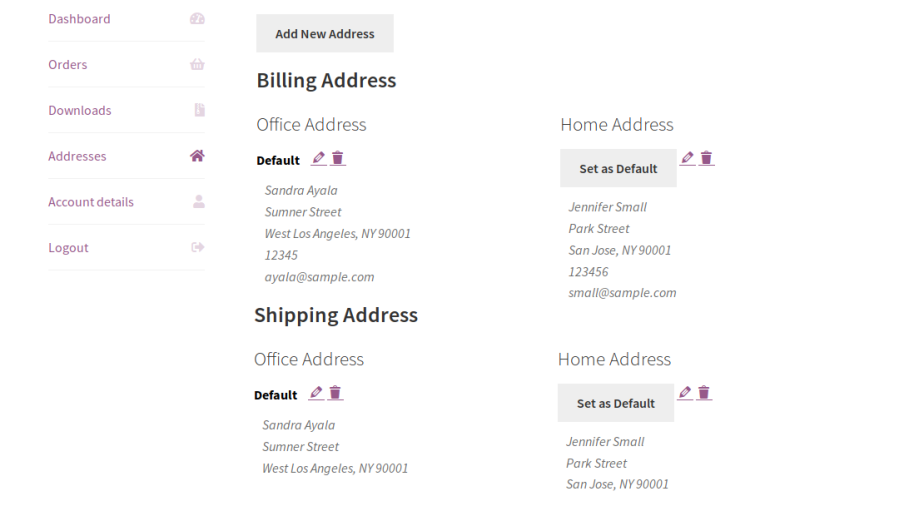
Registered users can add multiple addresses to their address book from their My Account > Addresses section by clicking Add New Address.

Users can add multiple billing & shipping addresses based on their needs.
During checkout, users can choose their preferred address from the list of addresses displayed for both billing and shipping.
The site admin can view the addresses saved by their customers from the Quick Checkout > Multiple Address > Saved Address.
– Simple Product
– Simple Subscription
– Variable Product
– Variable Subscription
The Buy Now button can be displayed in 3 different positions on the site.
You can restrict the Buy Now button for specific products & categories and specific users and user roles.
You can display the Buy Now button for specific products using a shortcode.
Button design, color & text color can be customized.
Option for the site admin to retain the user’s current cart contents when they purchase a product using the Buy Now button.
Multiple billing & shipping addresses can be saved from the user account.
– List
– Grid
Option for the site admin to allow the users to create and update their address on the checkout page.
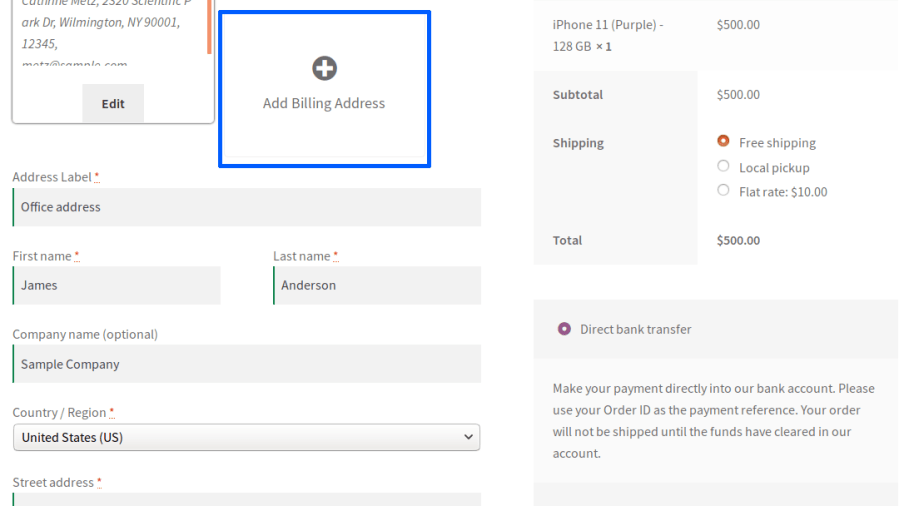
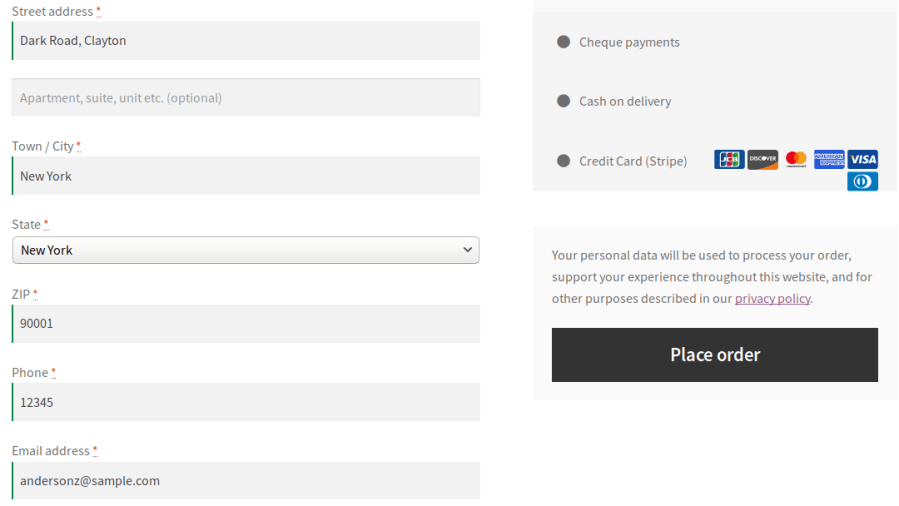


You can restrict the number of addresses that can be saved.
Reduce the number of steps required to complete a purchase by allowing customers to skip the Cart page and proceed directly to Checkout with a single click. Deliver a faster shopping experience and help improve conversion rates.
Control how the Buy Now button behaves across your WooCommerce store. Display it for selected products, categories, and product types while customizing its appearance to match your storefront.
Allow customers to save multiple billing and shipping addresses within their account, making repeat purchases faster and more convenient.
Provide customers with a dedicated address book to organize their billing and shipping addresses. They can easily add, edit, delete, and manage saved addresses directly from the My Account page.
Choose how saved addresses are displayed during checkout with multiple built-in layouts. Present addresses in a clear and user-friendly format to simplify address selection.
Display the Buy Now button anywhere on your WooCommerce store using the built-in shortcode generator. Easily integrate quick checkout into landing pages, product promotions, and custom store layouts.
Minimum PHP version: 5.6
Catégories
Informations sur l'extension
Vérifications qualité
Compatibilité
Pays
Langues







