

L’abonnement comprend
Assistance
WooCommerce lets you set a sale price on each product individually. That works fine for a handful of items — but when your store carries hundreds or thousands of products, running a holiday promotion or a flash sale becomes a tedious, error-prone chore.
Sales Assistant for WooCommerce replaces that per-product workflow with a centralized, rules-based approach.
Create a single sale rule, choose which products it targets (by category, tag, or customer country), set the discount, and publish.
Every matching product updates instantly — no bulk-editing spreadsheets, no forgotten items, no conflicting prices.
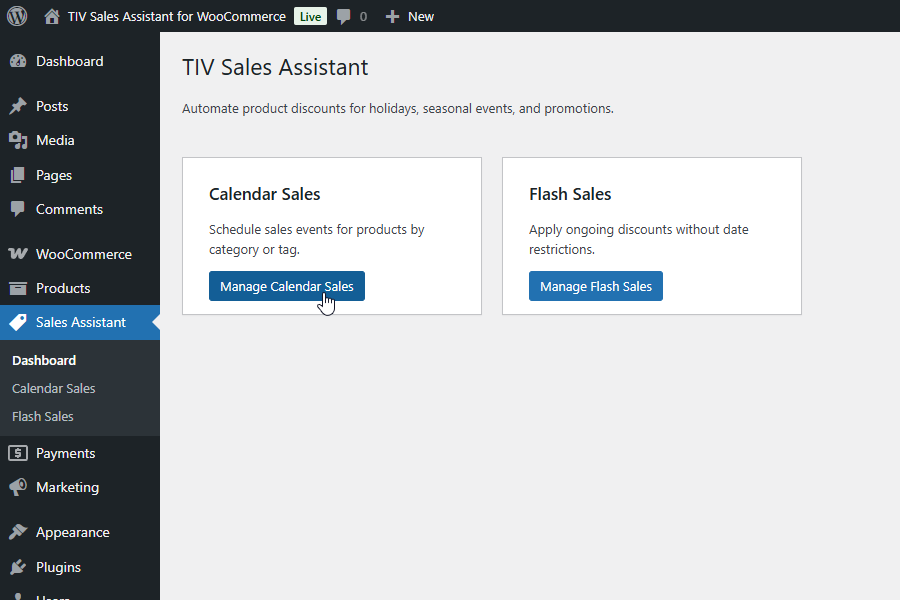
Plan your promotions ahead of time and let the plugin handle the rest.
Create Calendar Sales with start and end dates — they activate and deactivate on schedule, with no manual intervention required.
Prepare your entire year of promotions in one sitting: Black Friday, Boxing Day, Valentine’s Day, Summer Clearance — each one fires on the right date and turns itself off when the window closes.
No alarms to set, no last-minute edits, no forgotten sales running past their deadline.
Set a start date, an end date, or both — the discount activates and deactivates automatically. Perfect for Black Friday, seasonal clearances, holiday weekends, or any event with a fixed window. Queue up months of promotions in advance and move on to other work.
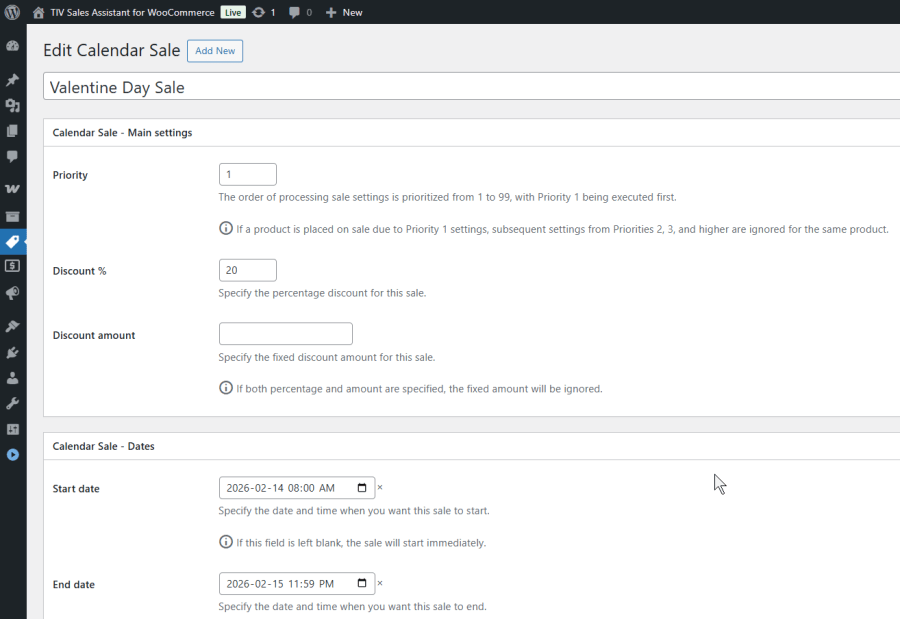
No dates, no expiration. Publish a Flash Sale and it takes effect immediately. Ideal for ongoing promotions like a permanent % off clearance category or a loyalty discount for specific product lines.
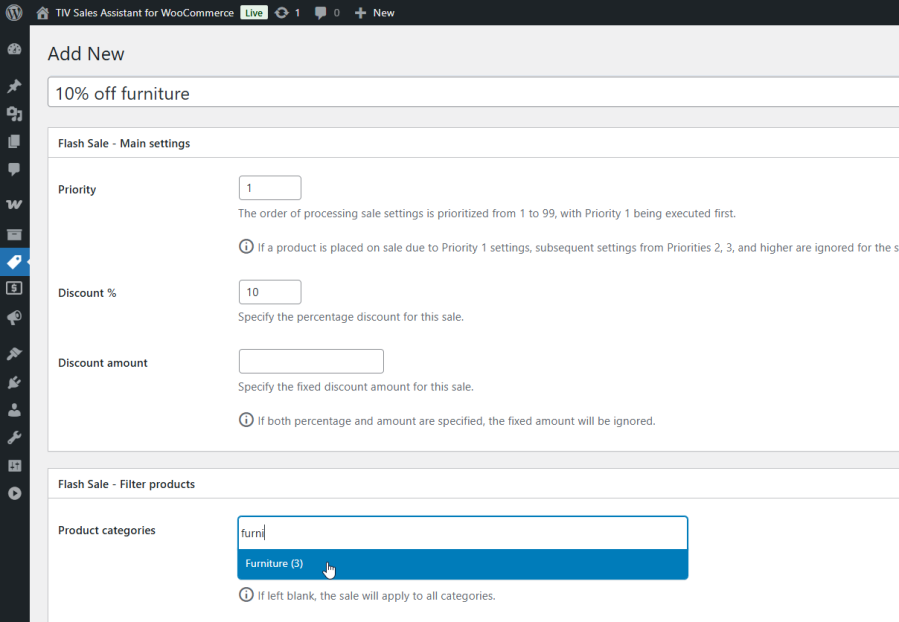
Every sale rule includes filters that control exactly which products are discounted and who sees the discount:
Filters combine with AND logic: a product must match all active filters to receive the discount. This lets you create highly targeted rules like “10% off wooden furniture for customers in the USA and Canada.”
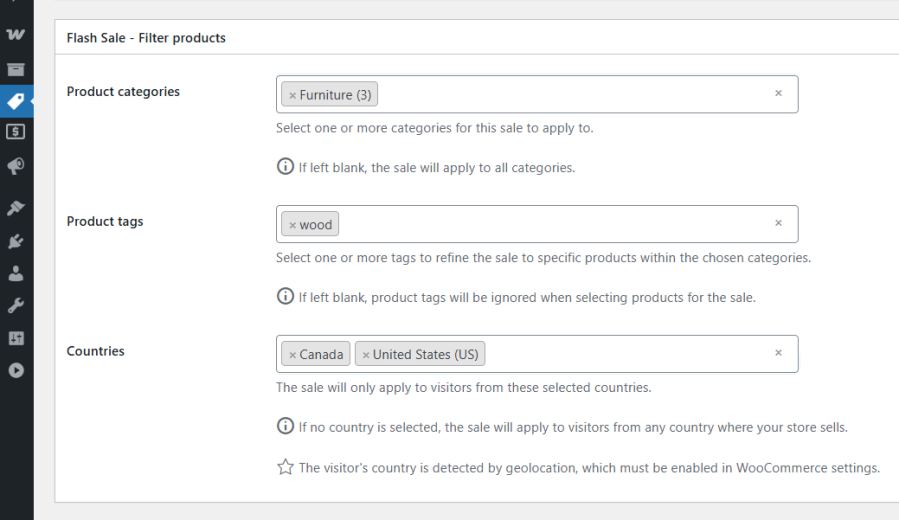
When a product matches multiple sale rules, the rule with the lowest priority number wins (1 = highest priority, 99 = lowest). This transparent, predictable system ensures your most important promotions always take precedence — no surprises, no stacking, no guesswork.
If both are set on the same rule, the percentage discount takes priority. Discounts apply automatically to simple products and every matching variation of variable products.
Customers don’t need to do anything — no coupon codes, no manual steps. Discounted prices appear automatically:
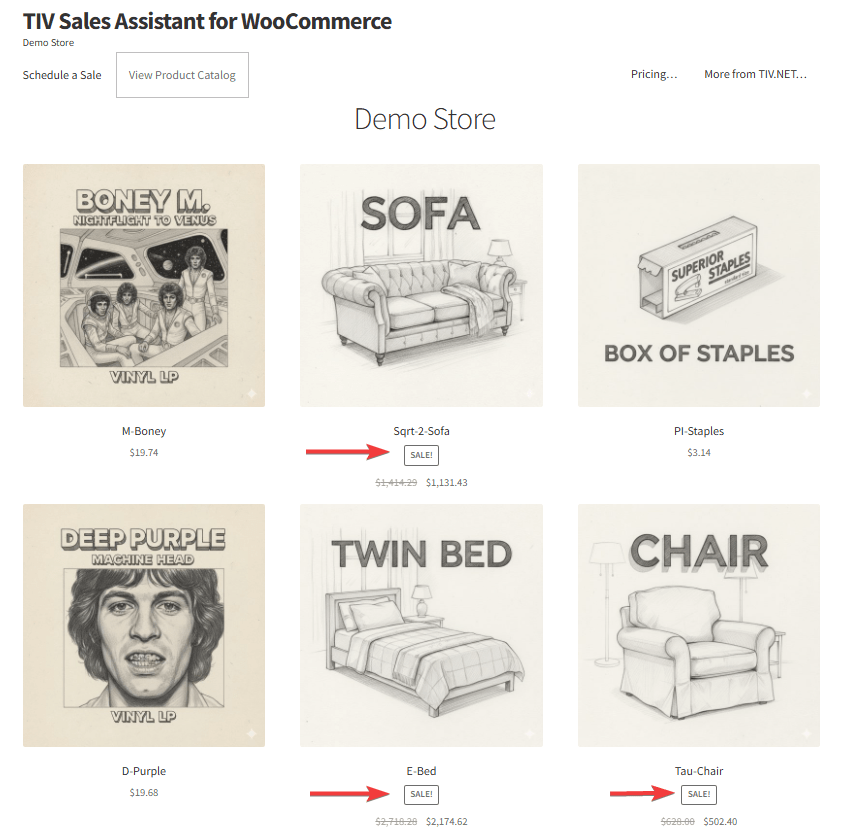
WooCommerce lets you set a sale price and schedule dates on each product individually. Sales Assistant builds on top of that with capabilities that WooCommerce does not offer out of the box:
| Admin Tools | A set of utilities for WooCommerce shop owners, administrators, and developers to secure, tune, and debug their store. |
| Multi-currency | Lets customers pay in the currency of their choice. |
| Paywall | Enables the monetization of various types of content, including videos, documents, etc., by allowing the sale of access to it. |
| Sales Assistant | Manage store-wide sales from one place — schedule discounts by category, tag, and country instead of editing products one by one. |
Coupons require customers to enter a code at checkout. Sales Assistant applies discounts automatically — customers see the reduced price the moment they browse your store. There is nothing for them to remember or type.
The rule with the lowest priority number (highest priority) wins. For example, if a product matches a Priority 1 rule (20% off) and a Priority 5 rule (10% off), the 20% discount applies. There is no stacking.
Sales Assistant hooks into WooCommerce's native price filters. If a product already has a manually set sale price in WooCommerce, both systems coexist. The final displayed price depends on which discount is active at the time.
Sales Assistant uses WooCommerce's built-in geolocation to detect the visitor's country. You select allowed countries when creating a sale rule, and only visitors from those countries see the discounted price.
Yes. A live demo is available where you can create your own sales rules and see them in action on the storefront: https://demo-sales-assistant.tiv.net/
Extension information
Quality Checks
Pays








