
Installations actives
1K+
Comparaison de produits
L’abonnement comprend
Assistance
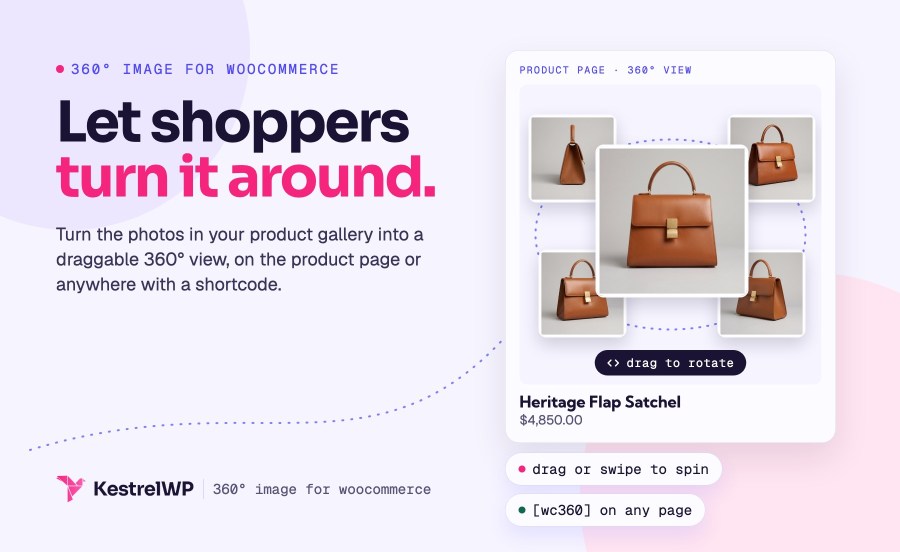
WooCommerce 360 Image vous fournit un moyen simple d’ajouter une rotation de l’image dynamique et contrôlable à 360° sur votre site WooCommerce. En ajoutant simplement un groupe d’images à une galerie de produits, vous obtenez une magnifique rotation d’image qui remplace l’image mise en avant du produit.
Cette fonctionnalité est dynamique, à activation tactile et extrêmement simple à utiliser. Il suffit simplement d’ajouter quelques images à la galerie d’un produit.

Une simple image ne suffit plus dans l’univers du e-commerce, notamment lorsque vous essayez de vendre un article en mettant en avant ses détails, sa particularité et sa valeur. Grâce à la rotation à 360º, vous présentez le produit à vos clients de manière plus réelle tout en leur permettant de l’étudier en détail sur leur téléphone portable.
Pour en savoir plus sur WooCommerce 360° Image, consultez la documentation disponible ou contactez notre assistance en charge des questions avant-vente.
Développée par 
Take 12 to 36 photos at evenly spaced angles all the way around the product. You can use fewer, but more frames make a smoother turn and add page weight, so export them at the size you'll show them.
Yes, but every variation shows the same spin. The viewer uses the product's shared gallery, and separate photo sets per variation aren't supported. If each color or size needs its own spin, it needs its own product.
Yes, with the shortcode. Leave the checkbox off, keep the normal gallery and add [wc360] to the description. With the checkbox on, the spin replaces the gallery on the product page.
No. It plays back photos you've already taken, turning a gallery of evenly spaced photos into a spin. It doesn't build 3D models, and it doesn't capture or generate the photos, so you shoot the product on a turntable first.
It can add weight, depending on how many frames you use. Frames load at WordPress's large size and are lazy-loaded (stores that installed before 2.0 keep their previous frame size), so keep to 12 to 36 photos, export them at the size you'll show them, and add an image optimization plugin or a CDN if pages still feel slow.
Yes, with the classic product template and WooCommerce's Product Image Gallery block. If your theme builds its own gallery and the spin doesn't appear, add the [wc360] shortcode to the product description instead.
Catégories
Informations sur l'extension
Vérifications qualité
Pays