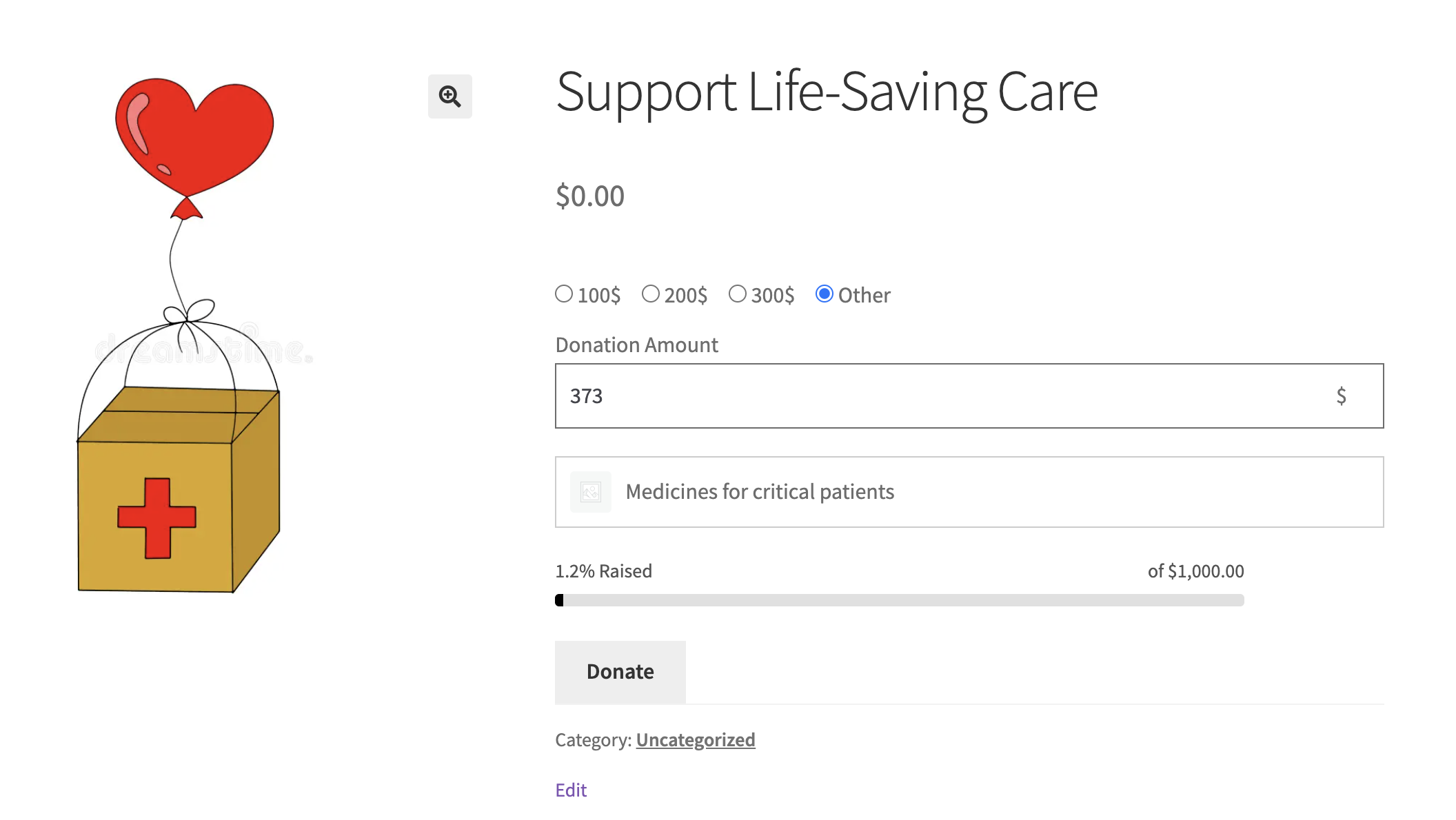
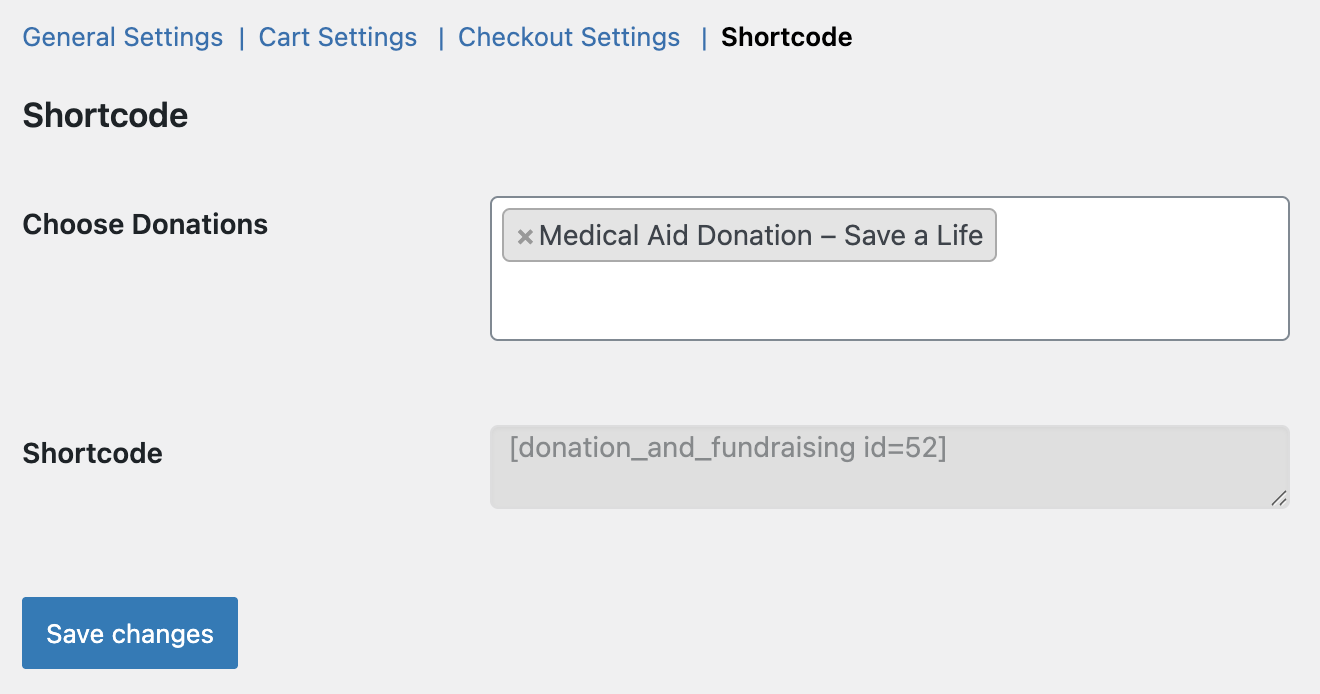
WooCommerce Donation Plugin gives store owners a simple, flexible way to accept donations directly through their WooCommerce store. Add donation options to products, the cart, and checkout, allowing customers to donate without leaving the shopping experience. It supports fixed and custom amounts, fundraising goals, progress tracking, and cause-based displays, making it ideal for donation and crowdfunding campaigns and for nonprofit stores.
Use Case Examples for WooCommerce Donation Plugin
-
- Seamless checkout donations: Allow customers to contribute a donation directly during checkout. Optional contributions at checkout make supporting your cause effortless, enhancing the shopping experience and encouraging generosity.
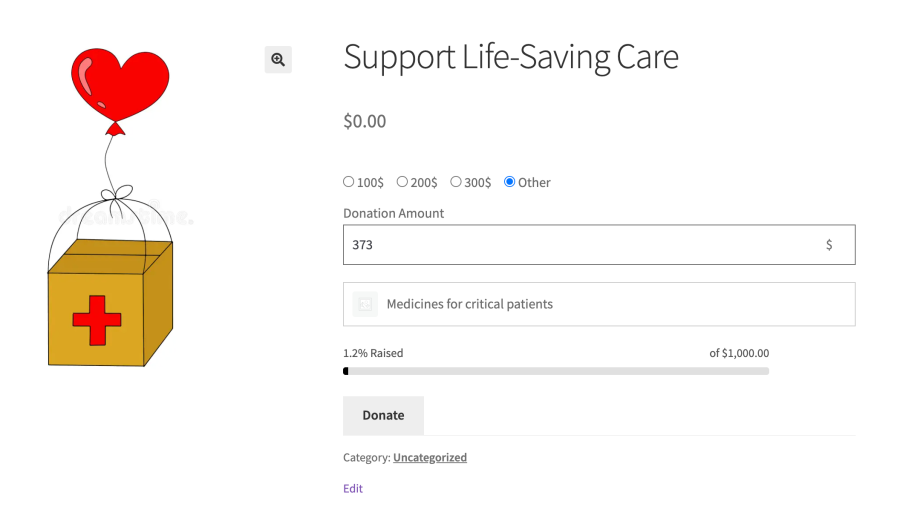
- Goal-driven crowdfunding campaigns: Set up campaigns with clear fundraising targets and progress indicators. Supporters can see how close the project is to its goal, creating urgency and engagement for community initiatives, creative projects, or charity drives.
- Product-linked cause donations: Connect donations to specific products, such as “Buy this item and support education.” Customers can choose the donation amount, making the process interactive and personalized while seamlessly integrating fundraising into regular purchases.
- Dedicated fundraising pages: Create compelling cause pages with custom forms, images, and descriptions. Perfect for nonprofits, schools, or community programs, these pages clearly communicate impact and simplify the donation process for supporters.
Key Features of Donation & Fundraising Extension
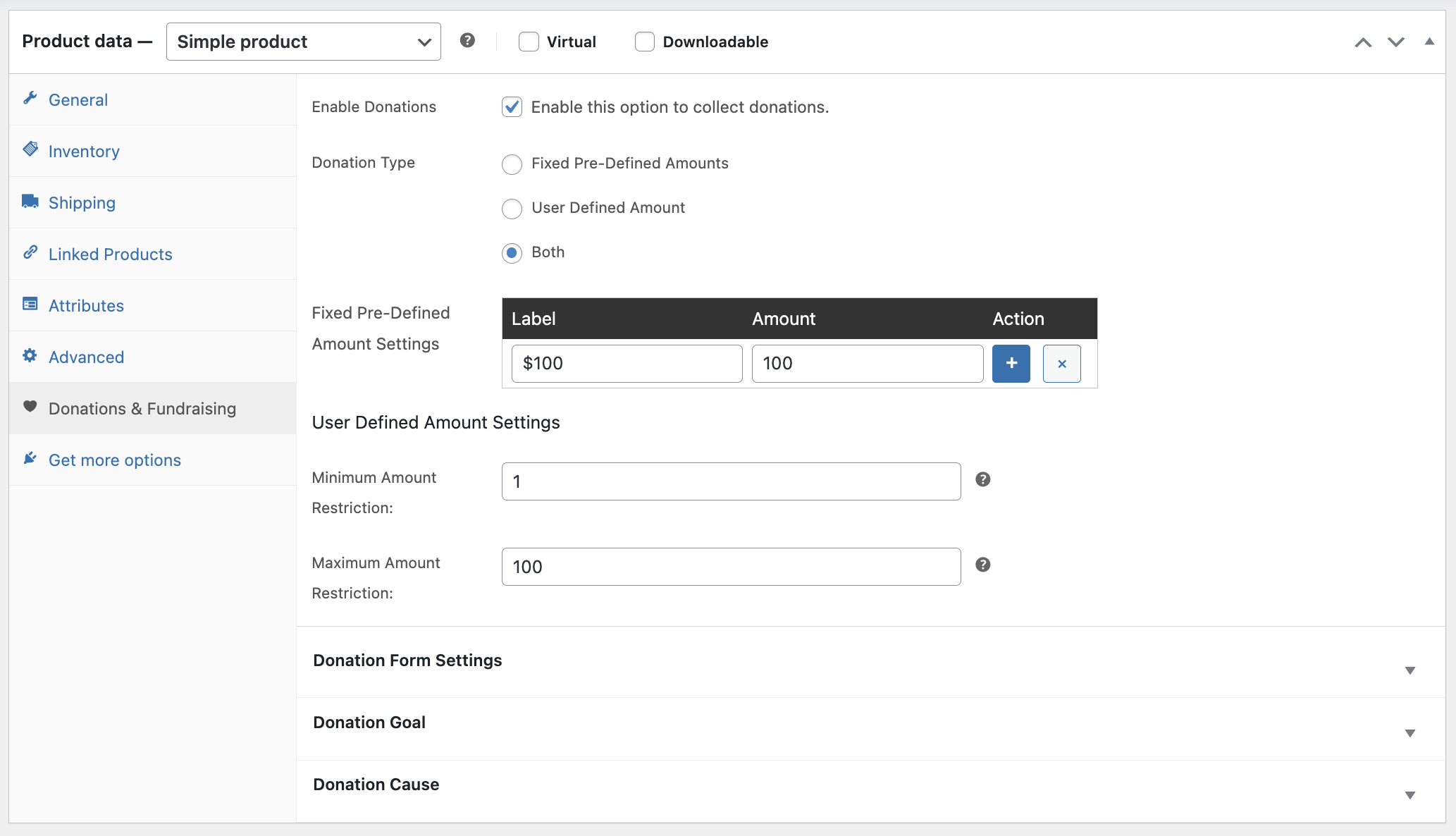
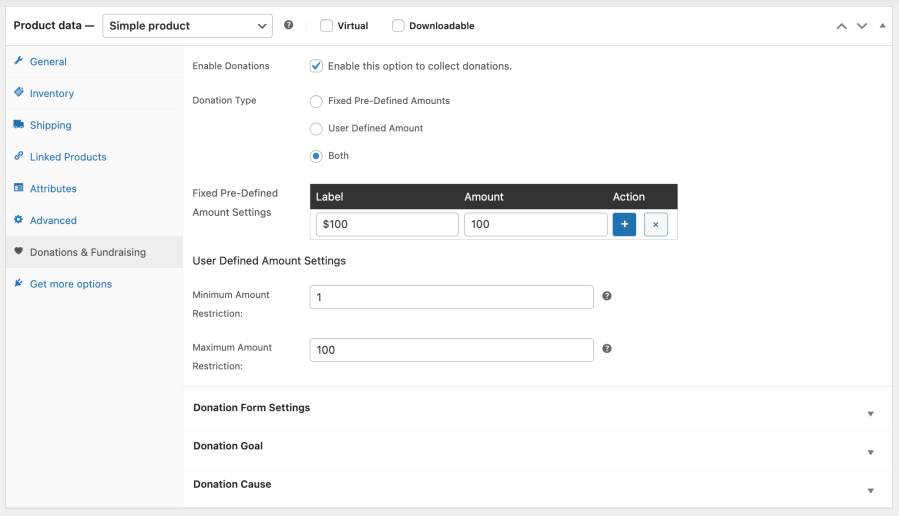
- Flexible Donation Options: Accept fixed amounts, user-defined contributions, or a combination of both to suit different fundraising strategies and supporter preferences.
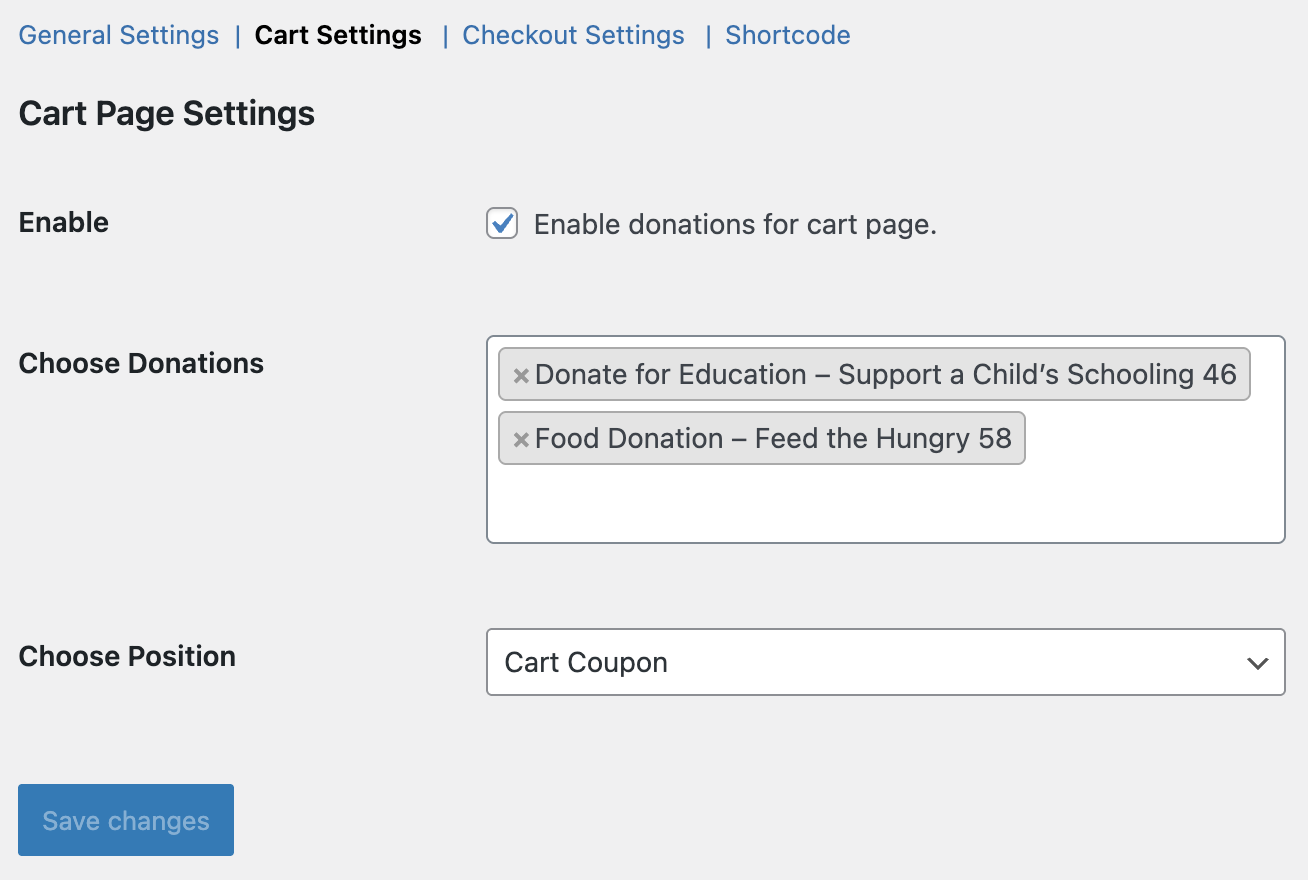
- Cart & Checkout Integration: Capture donations seamlessly, providing a smooth giving experience without interrupting the regular shopping flow.
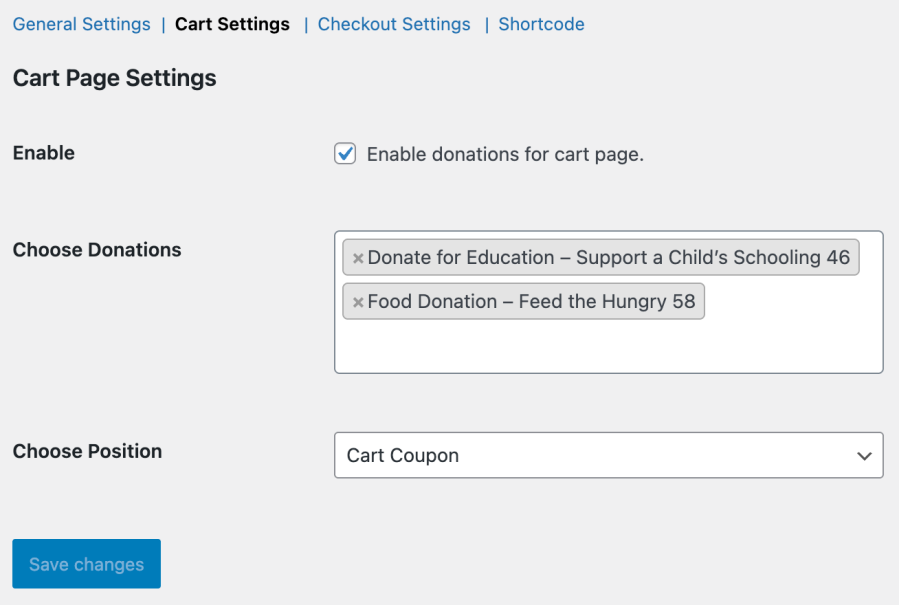
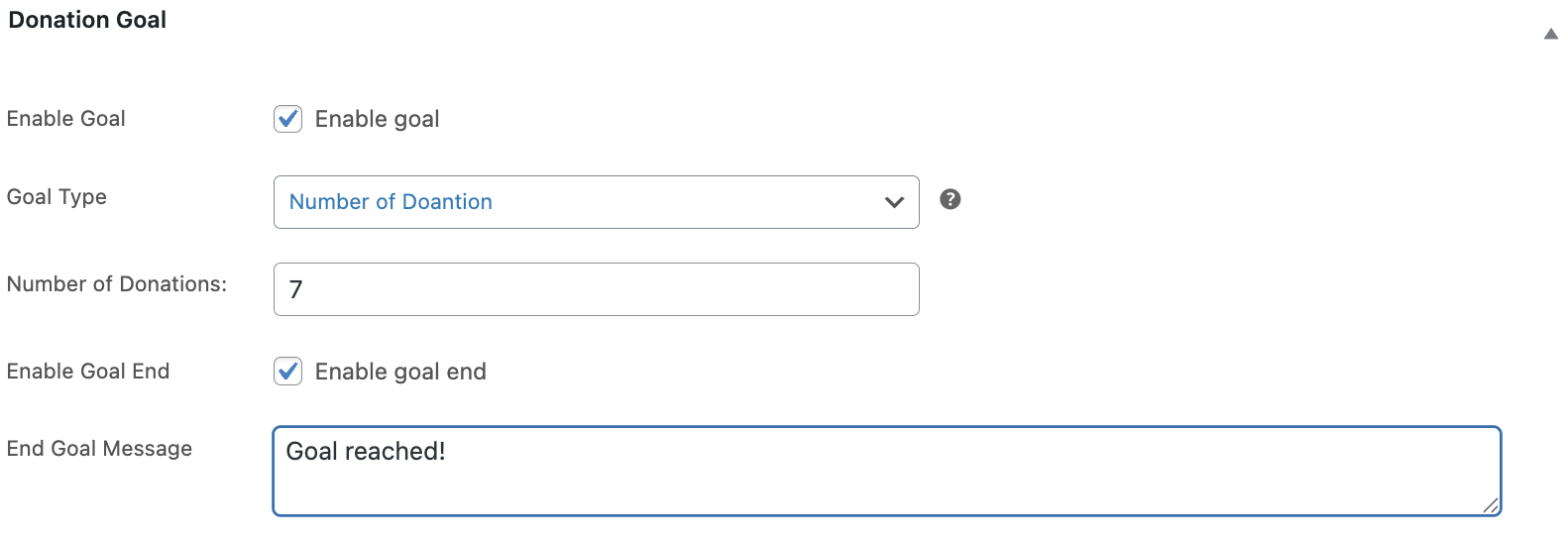
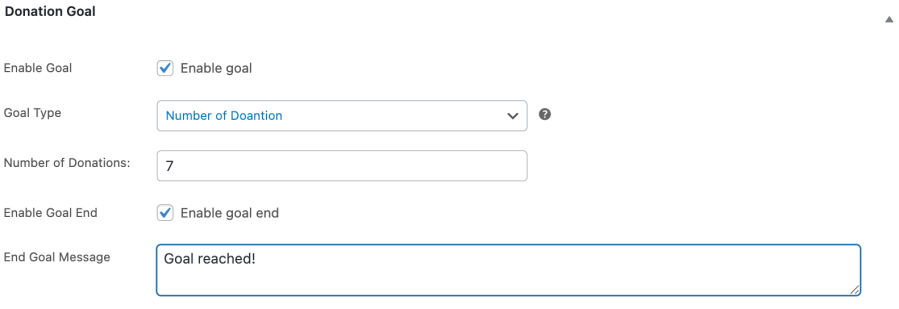
- Fundraising Goals & Progress Indicators: Set targets for campaigns and display progress bars that update in real time, helping motivate donors and track success efficiently.
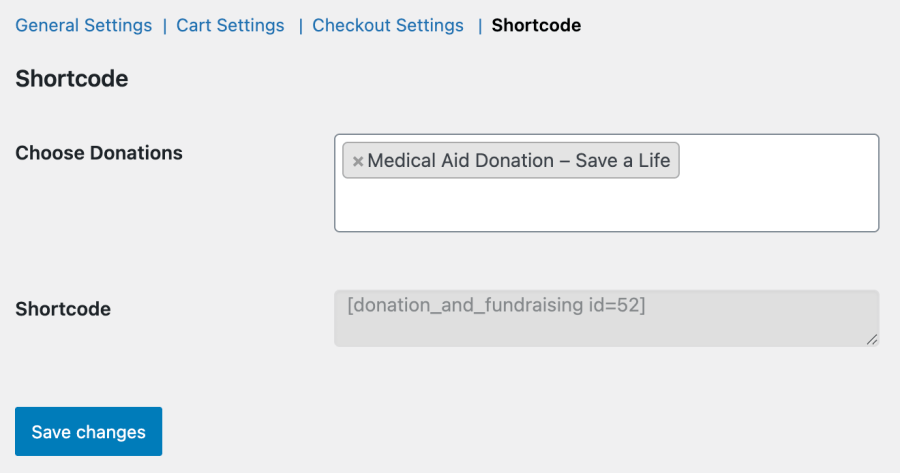
- Multiple Donation Forms: Place donation forms anywhere on your site, including product pages, sidebars, or landing pages, for maximum reach and visibility.
- Seamless WooCommerce Integration: Fully compatible with your existing WooCommerce store, themes, and extensions, ensuring smooth operation without affecting site performance.
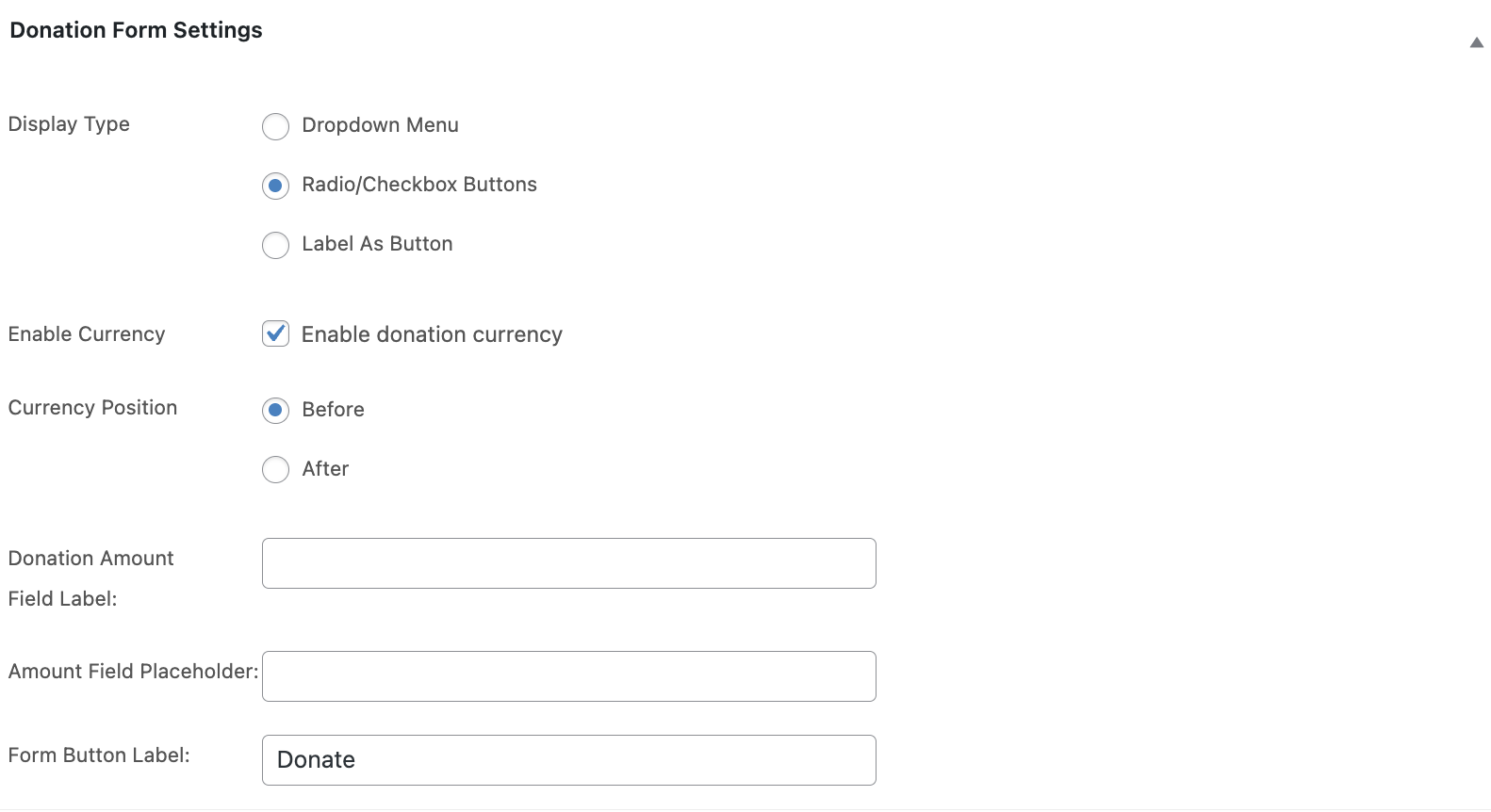
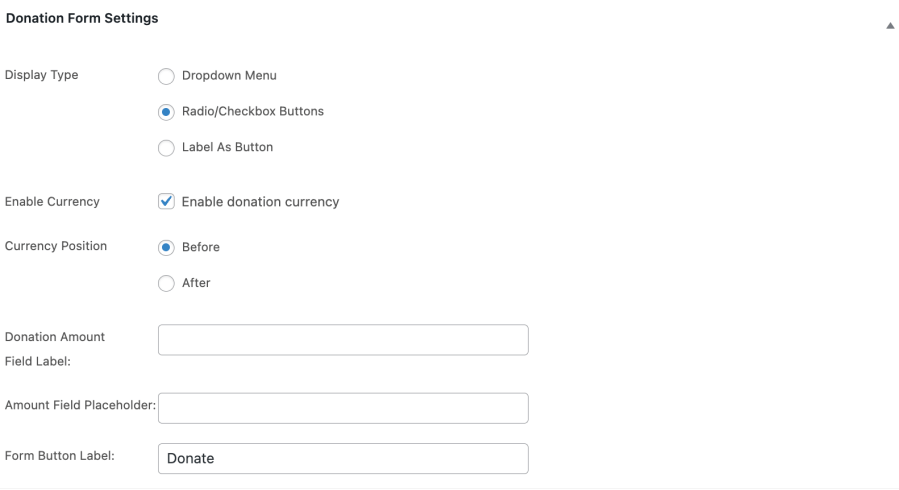
- Customizable Form Layouts: Adjust labels, amounts, field layouts, and styling to match your store’s branding and optimize the donor experience.
Quick Setup for WooCommerce Donation Plugin
- Install and activate the plugin.
- Go to Products → Add New Product (or edit an existing product) in your WP Admin dashboard.
- Scroll to the Donations & Fundraising tab in Product Data and check Enable Donations.
- Configure donation options: choose Fixed, User-Defined, or Both, and set amounts, labels, and form layout.
- Optionally, enable fundraising goals and add causes with images, titles, and descriptions.
- For global donations on cart or checkout pages, go to WooCommerce → Settings → Donations & Fundraising, select donation options, and choose their placement.
- Save your settings and test the donation flow on the frontend.
- For full guidance, refer to the detailed documentation.
Frequently Asked Questions
Q: Is this plugin compatible with all WooCommerce themes?
A: Yes, WooCommerce Donations & Fundraising integrates smoothly with any standard WooCommerce theme. Donation forms, progress bars, and checkout prompts display correctly across themes, ensuring a consistent and professional experience for supporters without requiring custom coding.
Q: Can I run multiple fundraising campaigns at the same time?
A: Yes, you can create and manage multiple campaigns simultaneously. Each campaign can have its own goals, donation options, and forms. This makes it easy to run seasonal drives, product-linked campaigns, or multiple nonprofit initiatives concurrently, maximizing donor engagement and contributions.
Explore Other WooCommerce Extensions
Extend your store’s capabilities with our powerful suite of plugins: