Product Icon

Flexi Custom Order Numbers for WooCommerce

Generate sequential & random order numbers with unique prefixes/suffixes and reset the order numbers at defined intervals. Make WooCommerce orders easy to track with custom order numbers.
Scegli un'opzione di fatturazione
$49
Risparmia 20%
$98 $78.40

Subscription includes

  • Product updates and improvements
  • Servizio clienti
  • 30-day money-back guarantee

Key Features

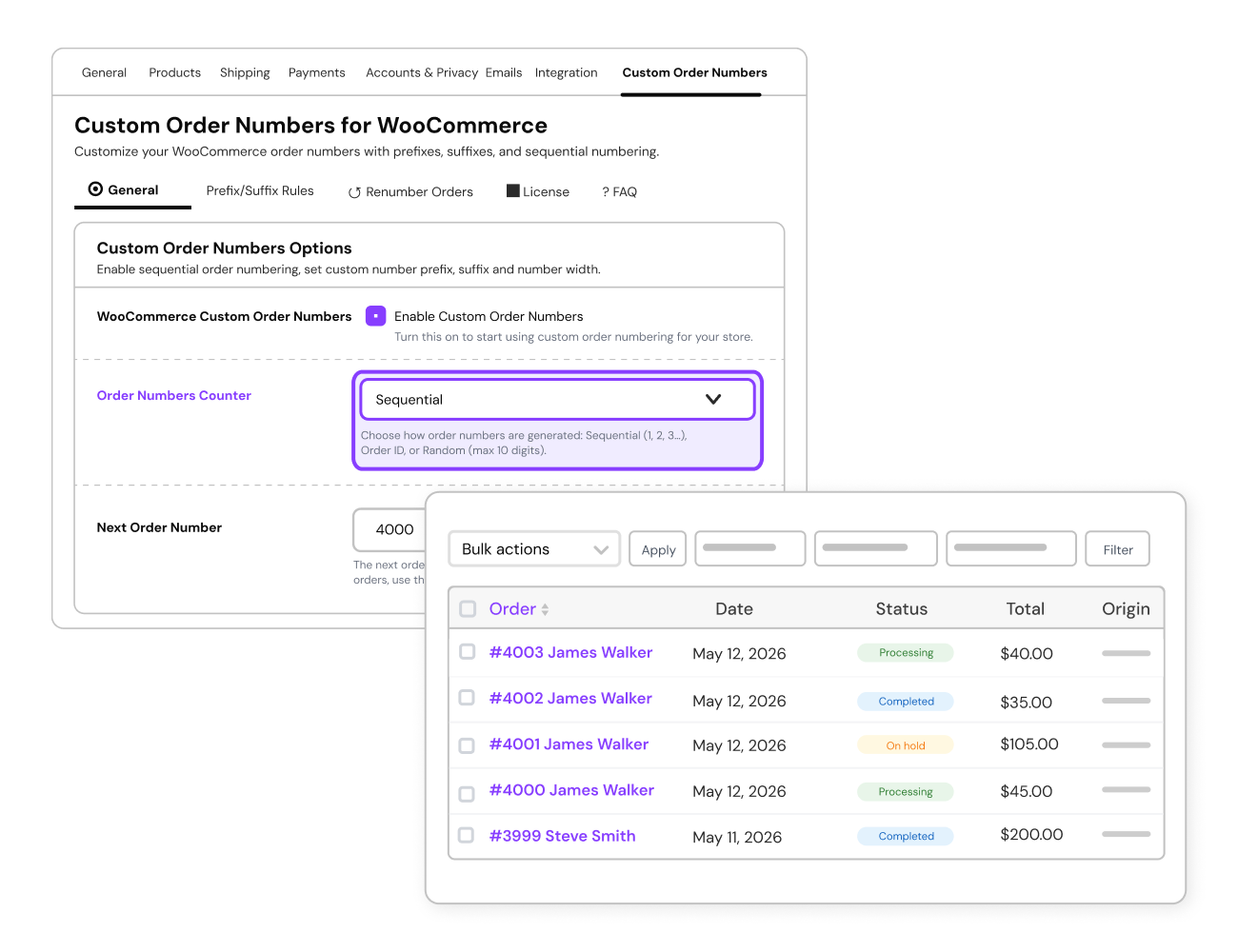
  1. Organize your orders with neat, sequential numbering, making them easy to track and manage. Example: Replace irregular IDs like #5123 or #981 with sequential numbers like #001, #002, and #003 for clear record-keeping. Reset Order Numbers Daily: Start fresh every day by resetting order numbers, ideal for businesses like bakeries or restaurants. Example: Orders placed on Monday are labeled 001, 002, and 003, and the count restarts at 001 on Tuesday. Weekly Order Number Reset: Review weekly performance with order numbers resetting every Monday. Example: Orders placed this week are #WEEK-001, #WEEK-002, making weekly summaries easier. Monthly Order Number Reset: Perfect for subscription services to reset order numbers monthly. Example: For January, orders are numbered JAN-001, JAN-002, and reset to FEB-001 in February. Yearly Reset Order Numbers: Create a new sequence every year for clean annual reports. Example: Orders in 2023 are labeled 2023-001, while 2024 starts fresh with 2024-001.
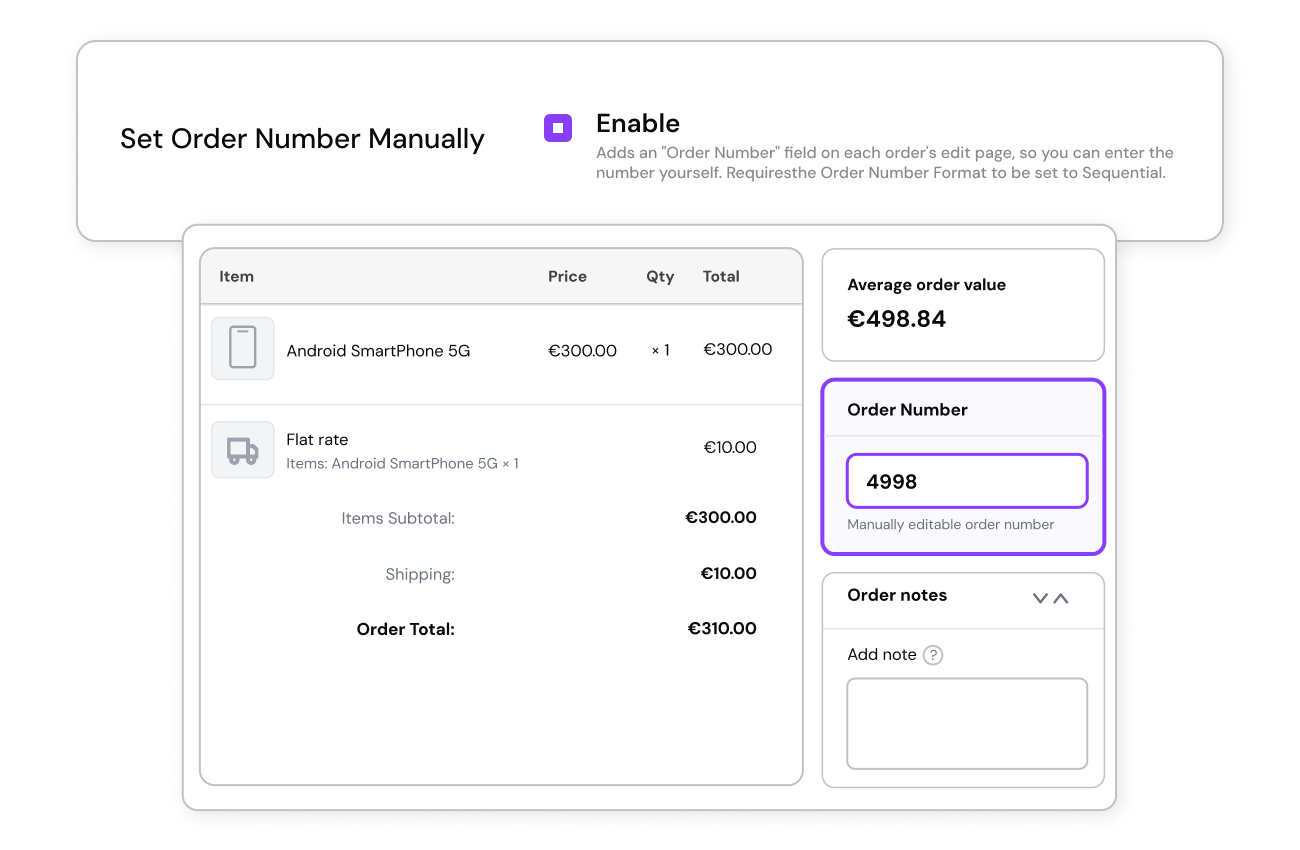
  2. Manually assign order numbers from the Edit Order page when using sequential numbering to maintain continuity.Example: If your store had 50 orders before installing the plugin, you can manually set the next order to #51 instead of starting again from #1.
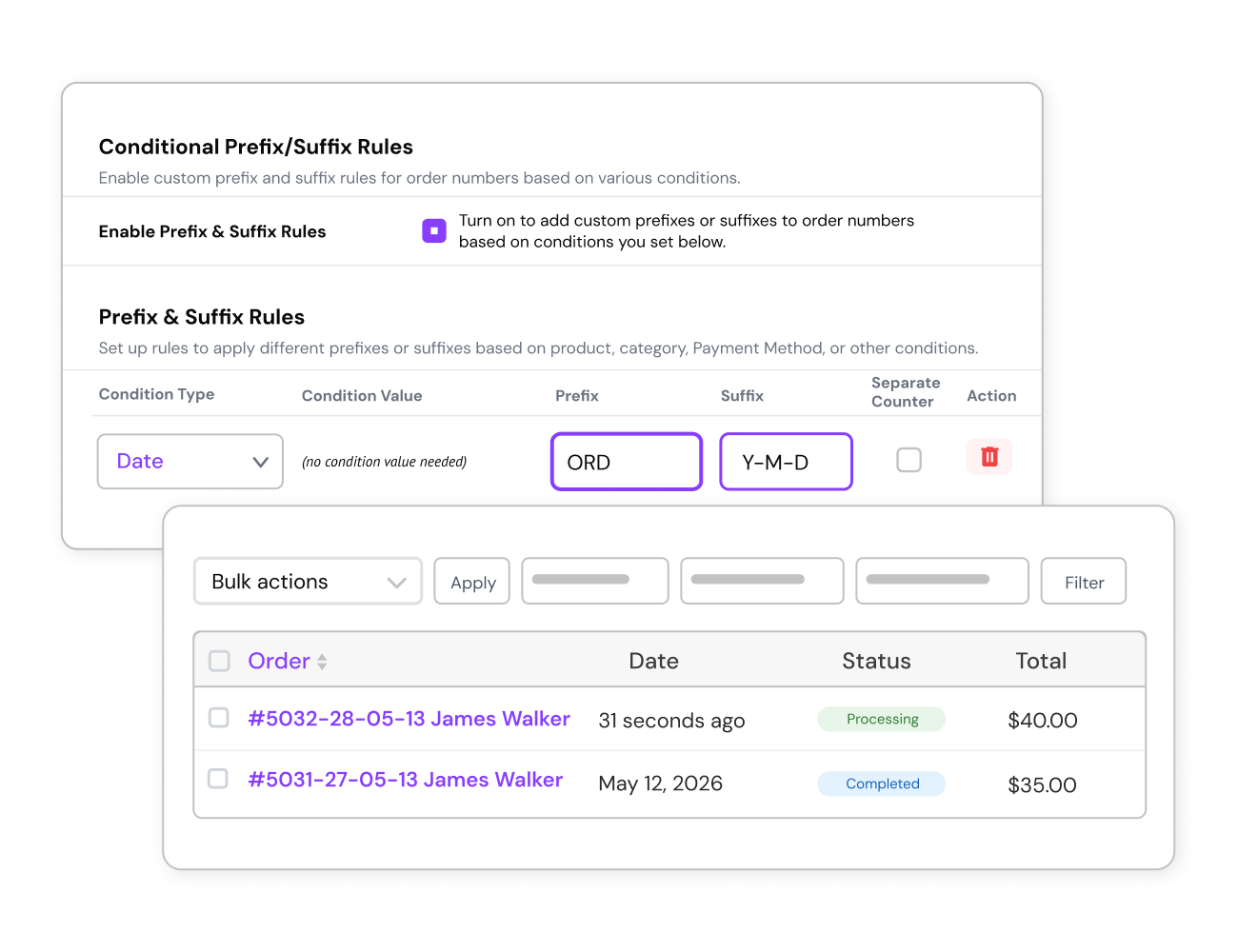
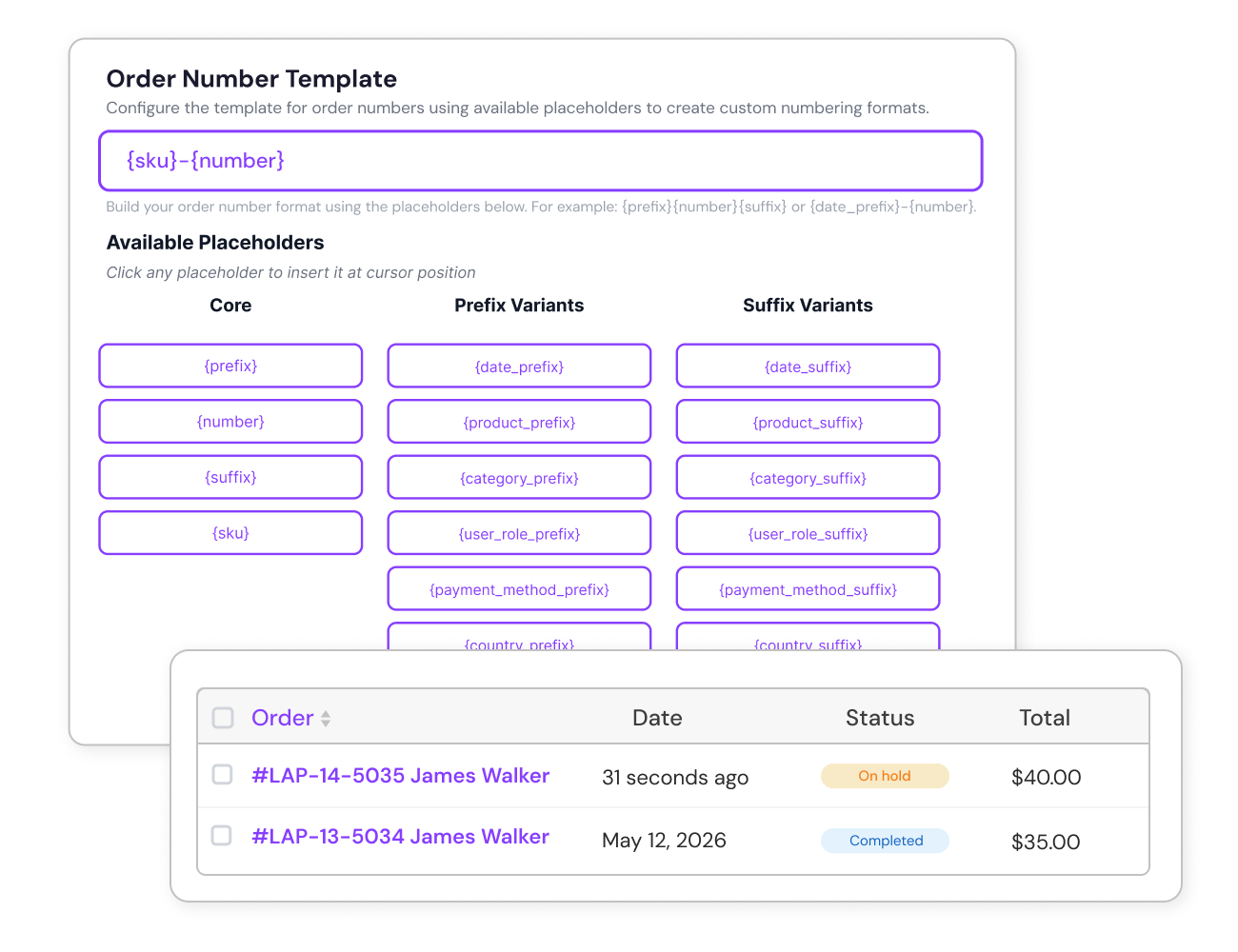
  3. Highlight the order’s date or year for quick identification. Example: Orders placed in 2024 appear as ORD-2024-001.
  4. Use SKUs: Make tracking easier by adding product-specific SKUs to order numbers. Example: An order for a laptop could be numbered SKU-LAP123-045.
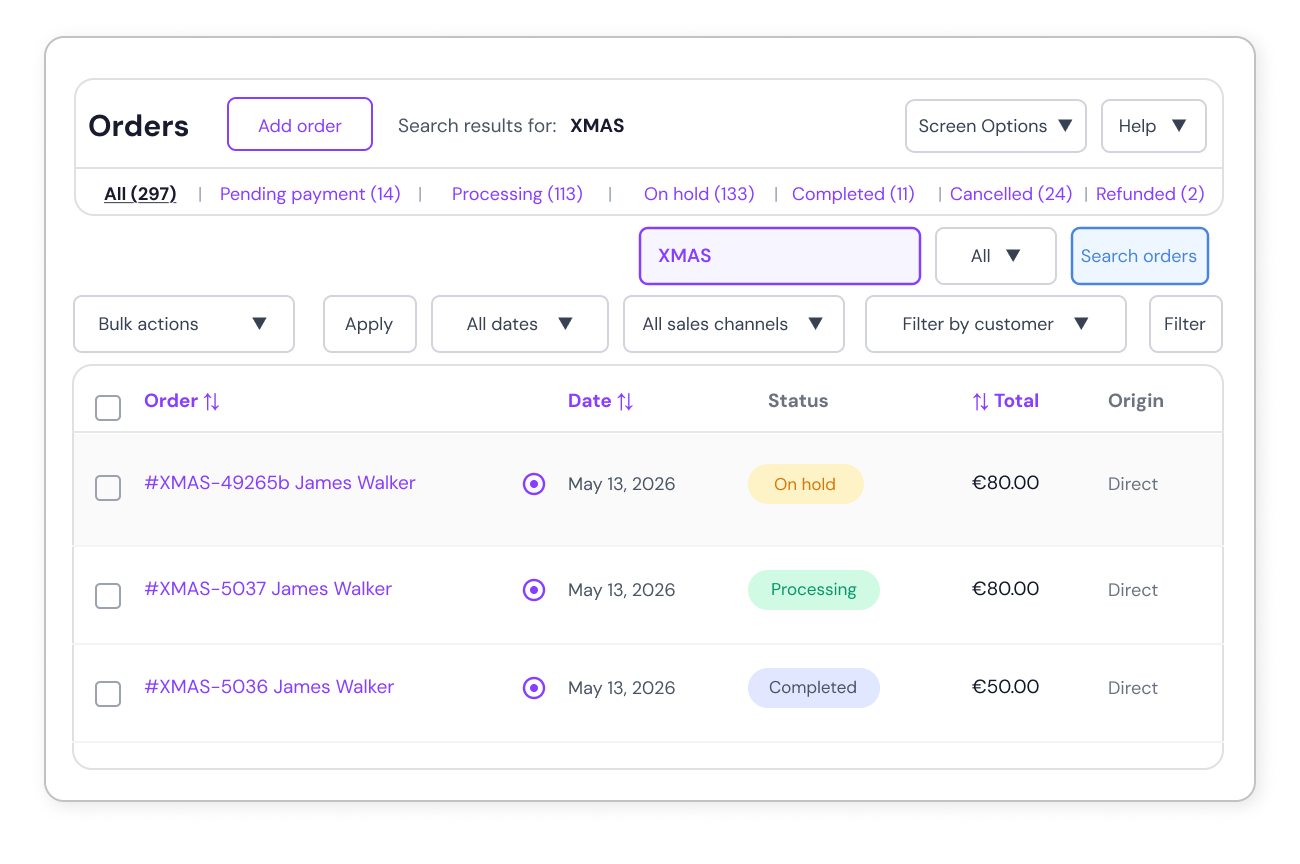
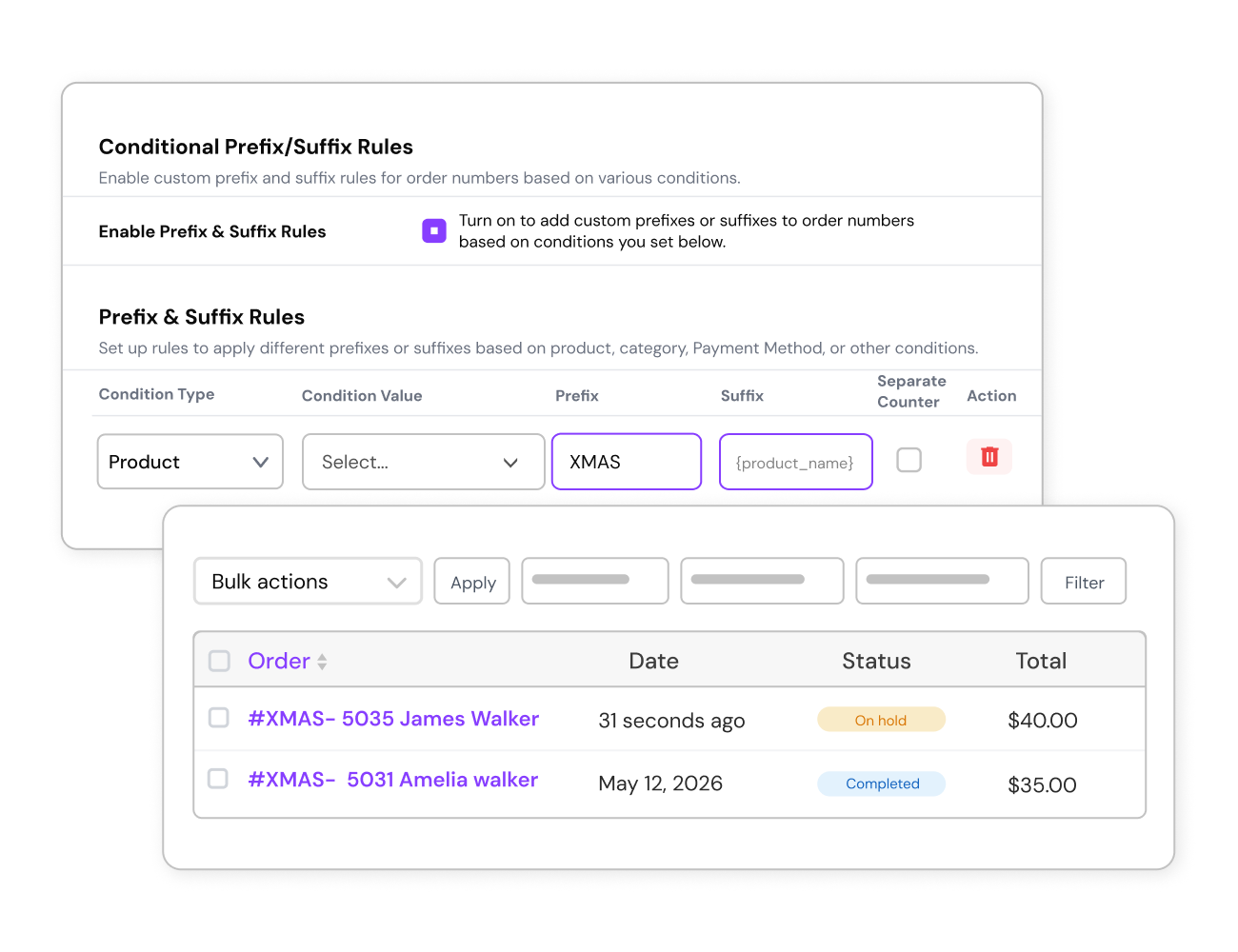
  5. Add Campaign Tags: Include campaign-specific tags for seasonal promotions. Example: Orders from a Christmas sale can be labeled XMAS-001.
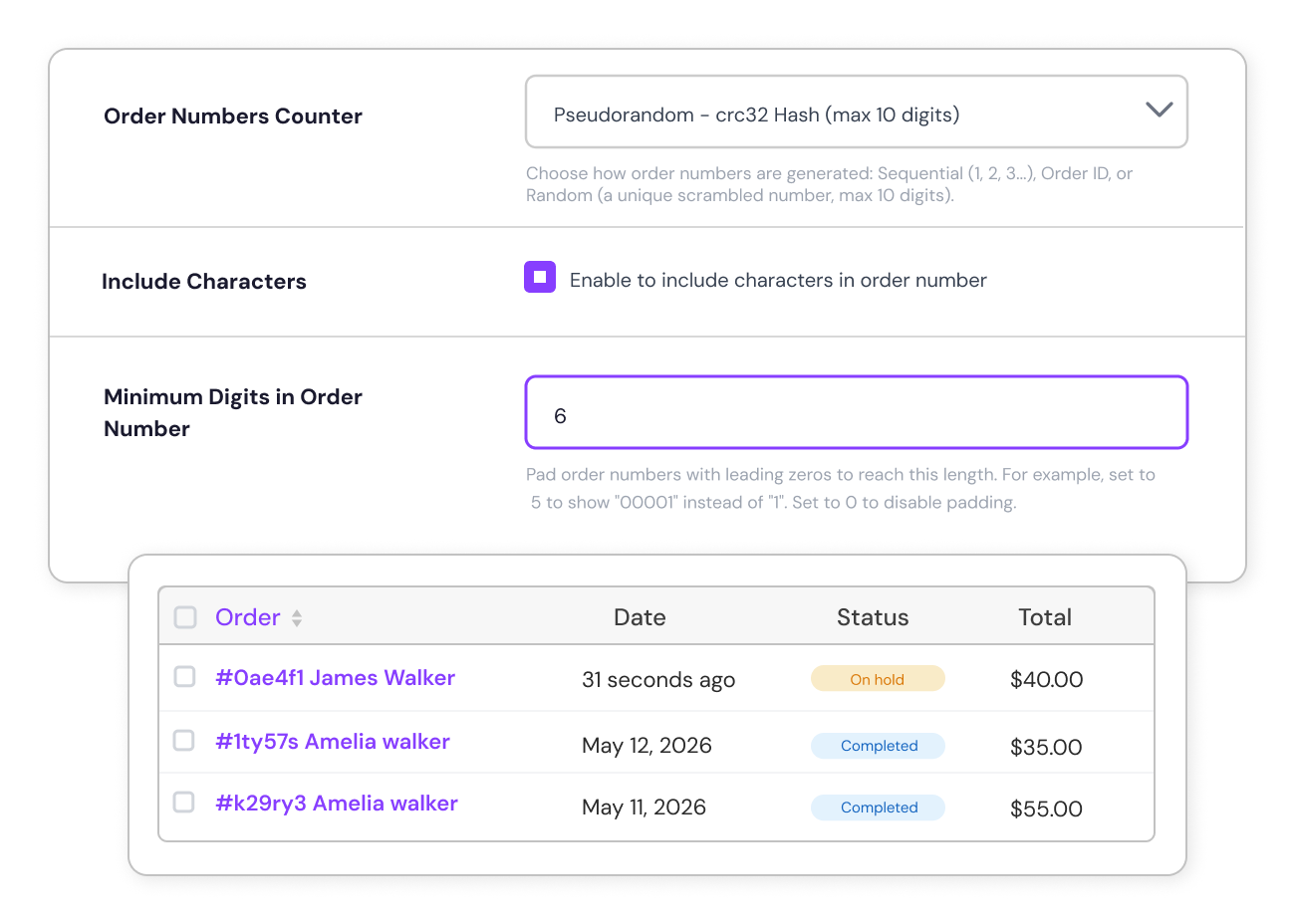
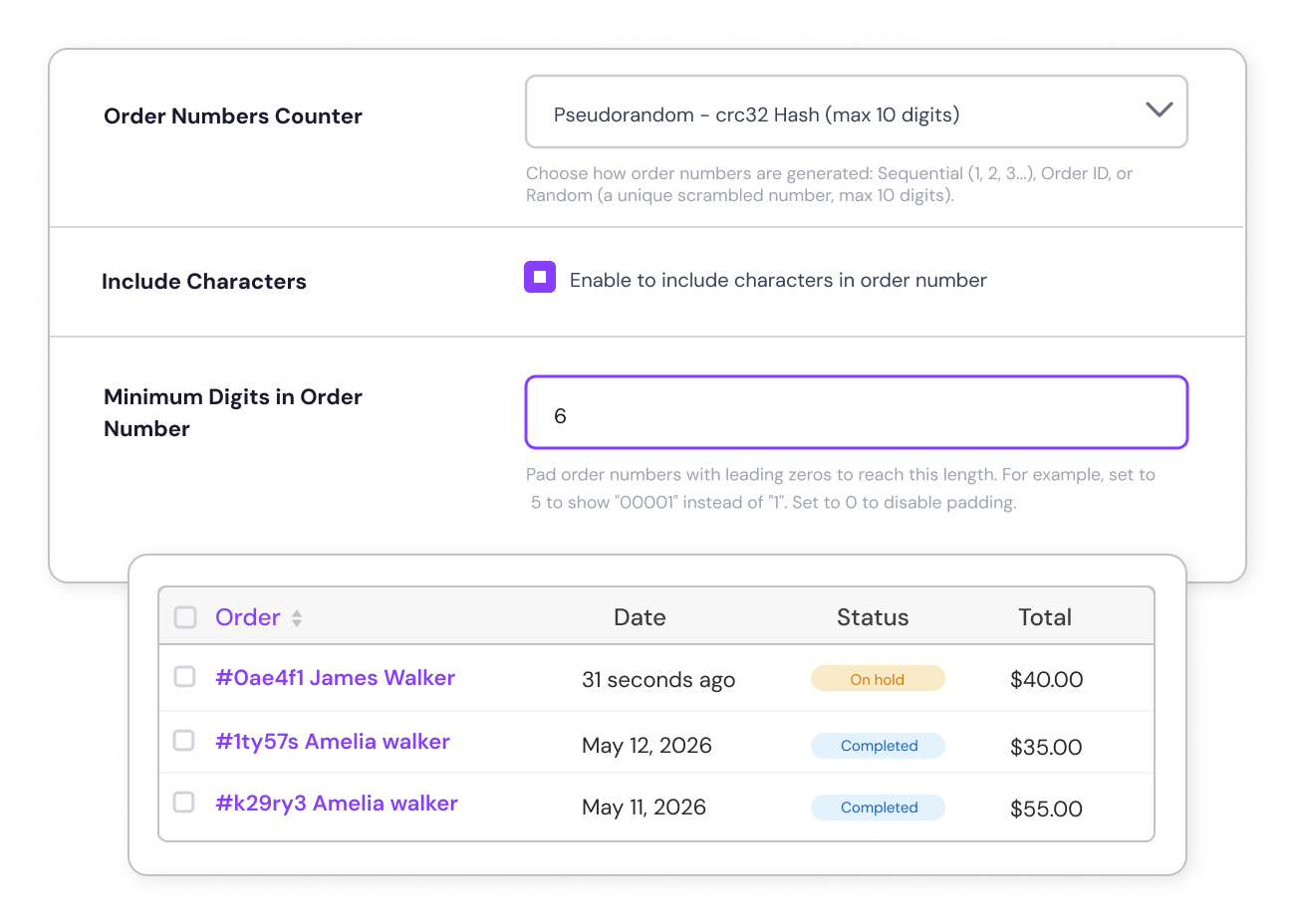
  6. Keep your order numbers consistent by setting a minimum length of the order numbers. Example: For a width of 5, order numbers will appear as 00001, 00002, 00003, maintaining a professional look.
  7. Protect your sales data by using random order numbers, making it impossible for competitors to gauge sales volume. Example: Orders are numbered as 9XK78, 4LM21, and 7JH45 instead of sequential numbers.
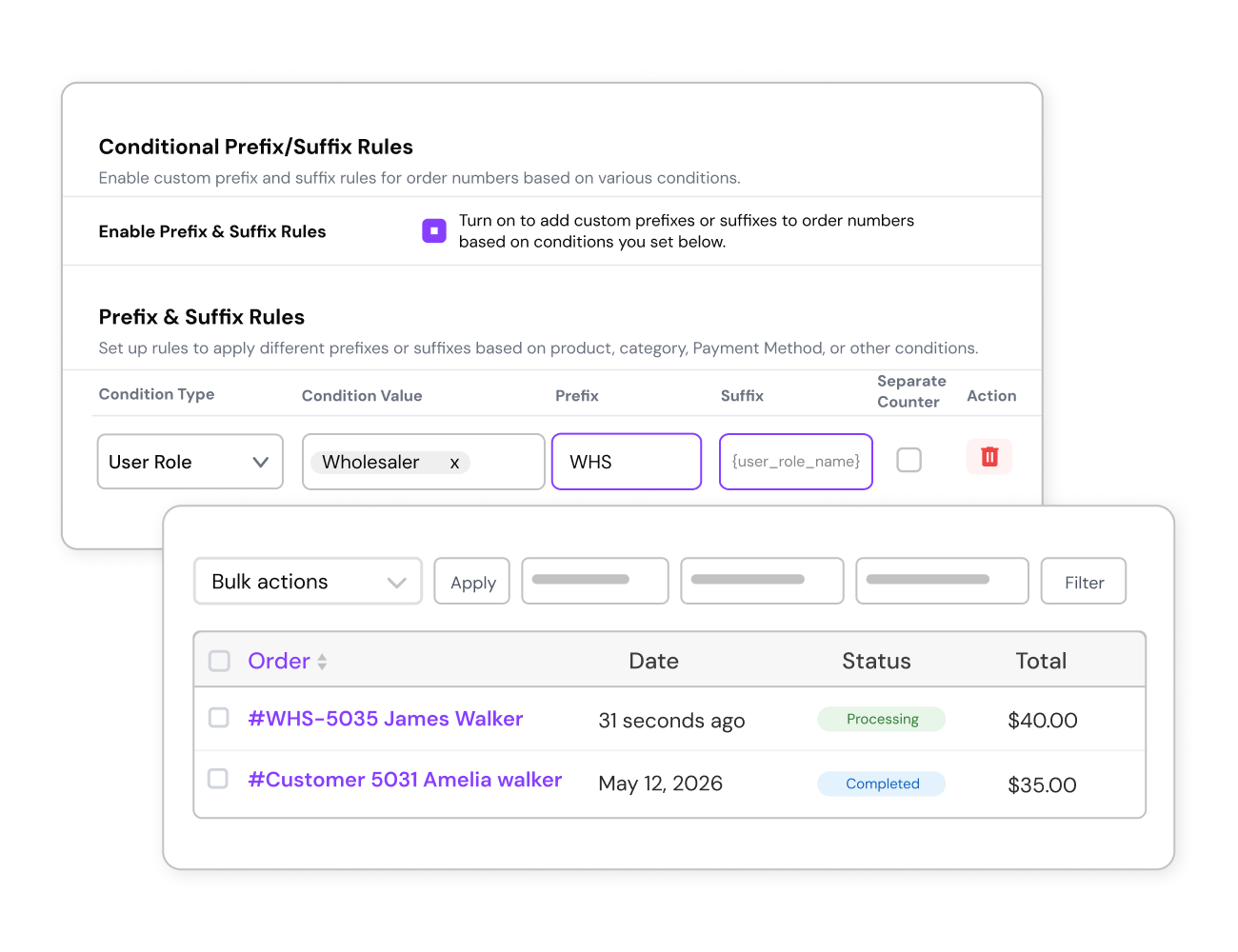
  8. Tailor order numbers for specific user roles for better internal tracking by adding prefixes & suffixes based on user roles. Example: Orders from VIP customers are tagged VIP-001. Orders from wholesalers use B2B-345.
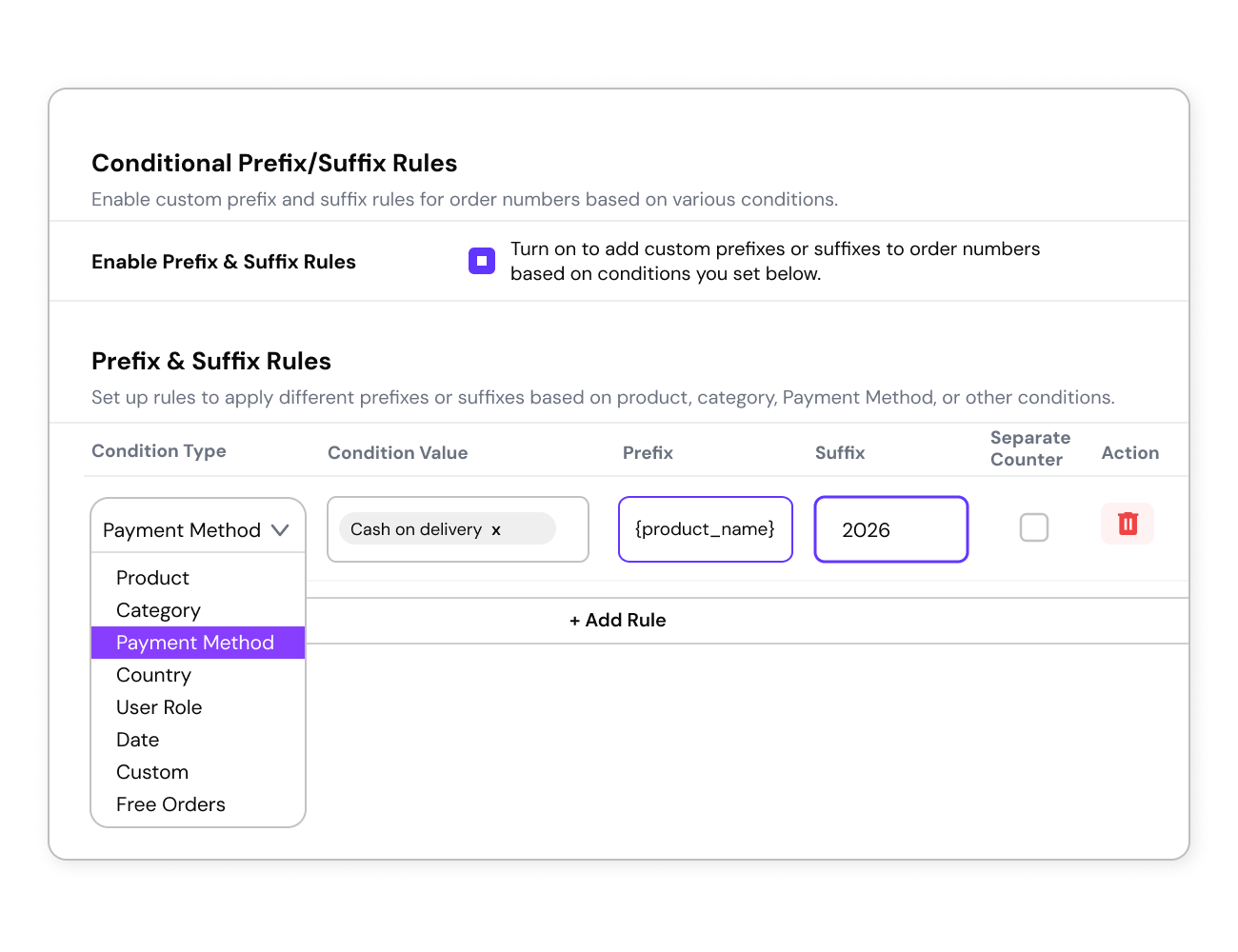
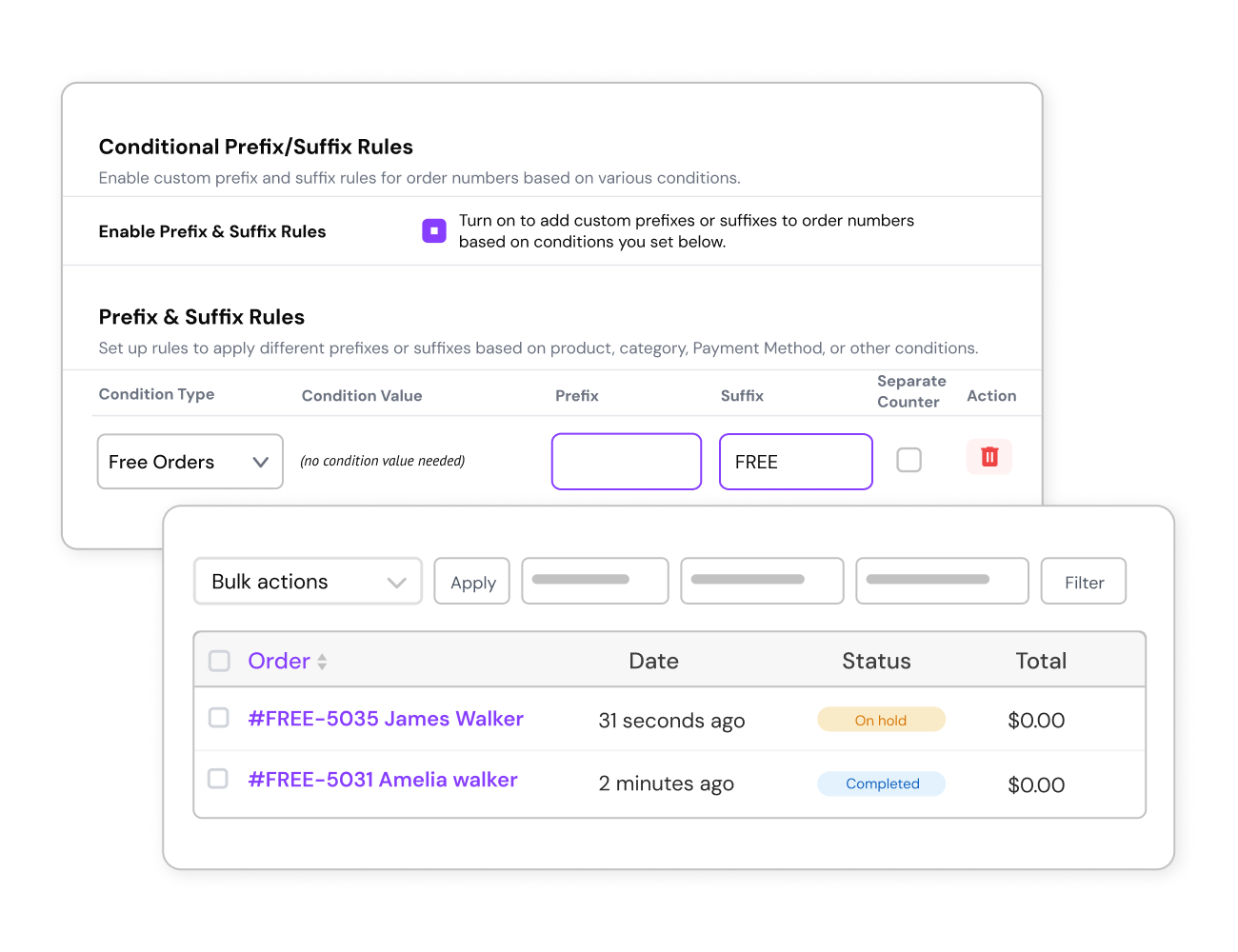
  9. Apply conditional prefixes or suffixes to order numbers based on product, category, customer role, payment method, or country. Example: An order for a Berry Cheesecake shows as #Berry Cheesecake942, making it easy to identify the product type at a glance.
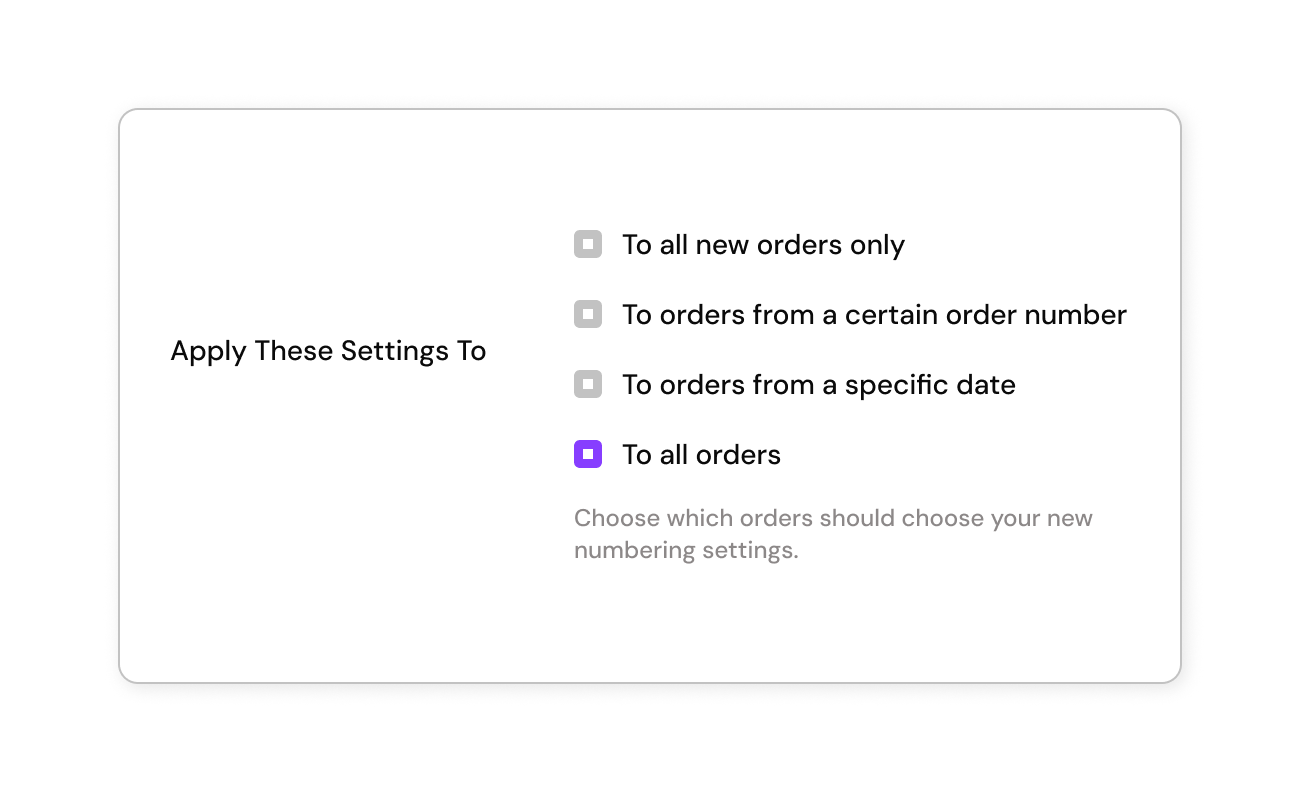
  10. Update numbering for all past and future orders. Example: Historical orders from last year are updated with new prefixes like 2023-ORD-001.
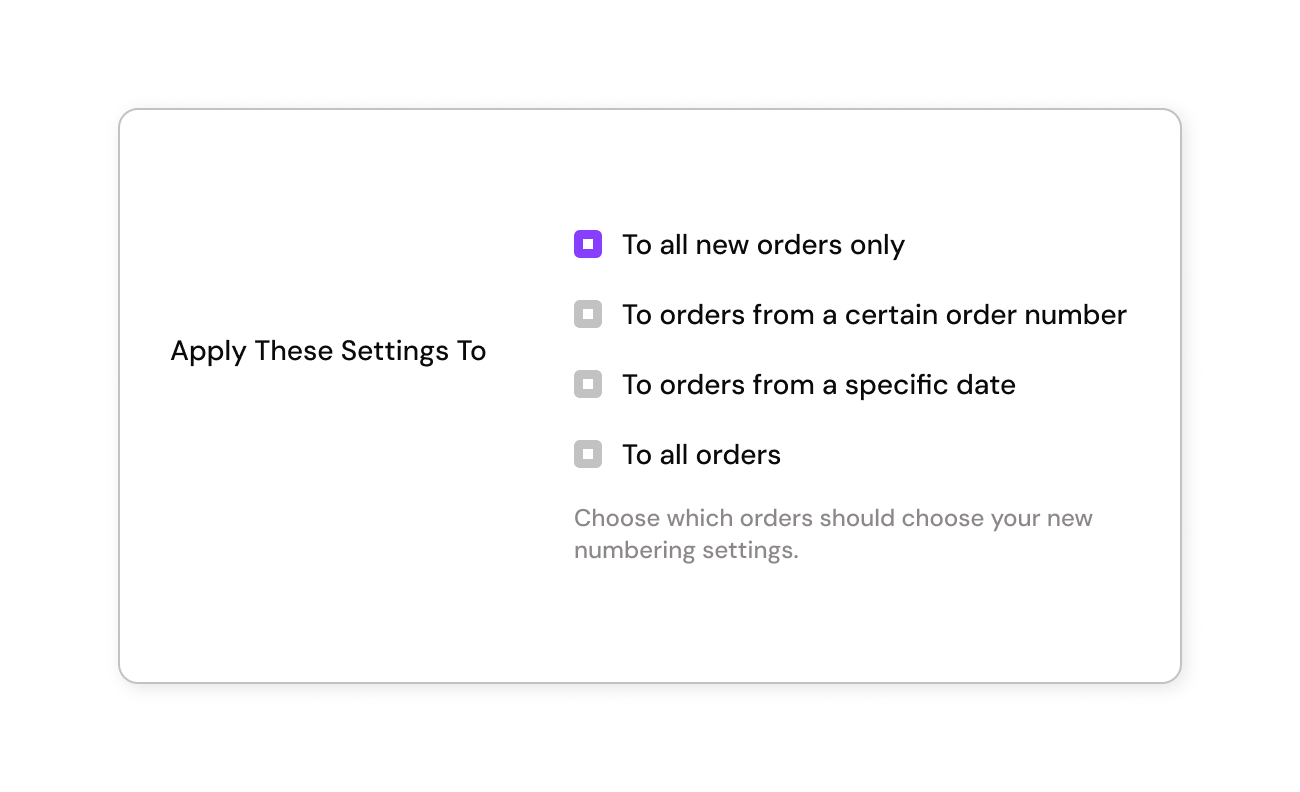
  11. Keep old orders intact while applying changes to future ones. Example: Orders placed after Jan 1, 2024, start with 2024-ORD-001.
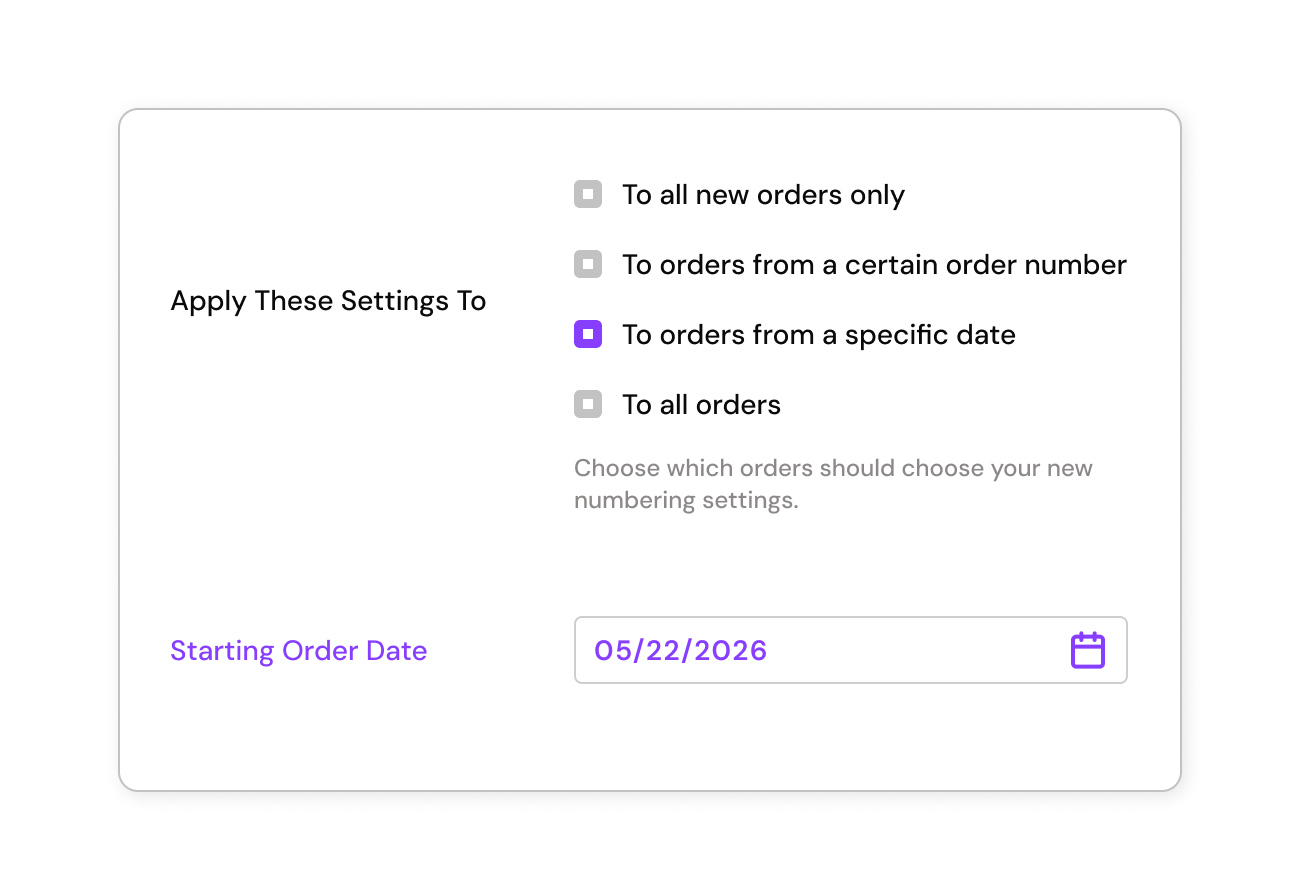
  12. Set a starting point for changes to maintain continuity. Example: Only orders from July 1, 2024, are updated with the new format.
  13. Identify and track free orders separately by assigning specific prefixes. Example: Free orders from a giveaway campaign are labeled FREE-001, FREE-002.
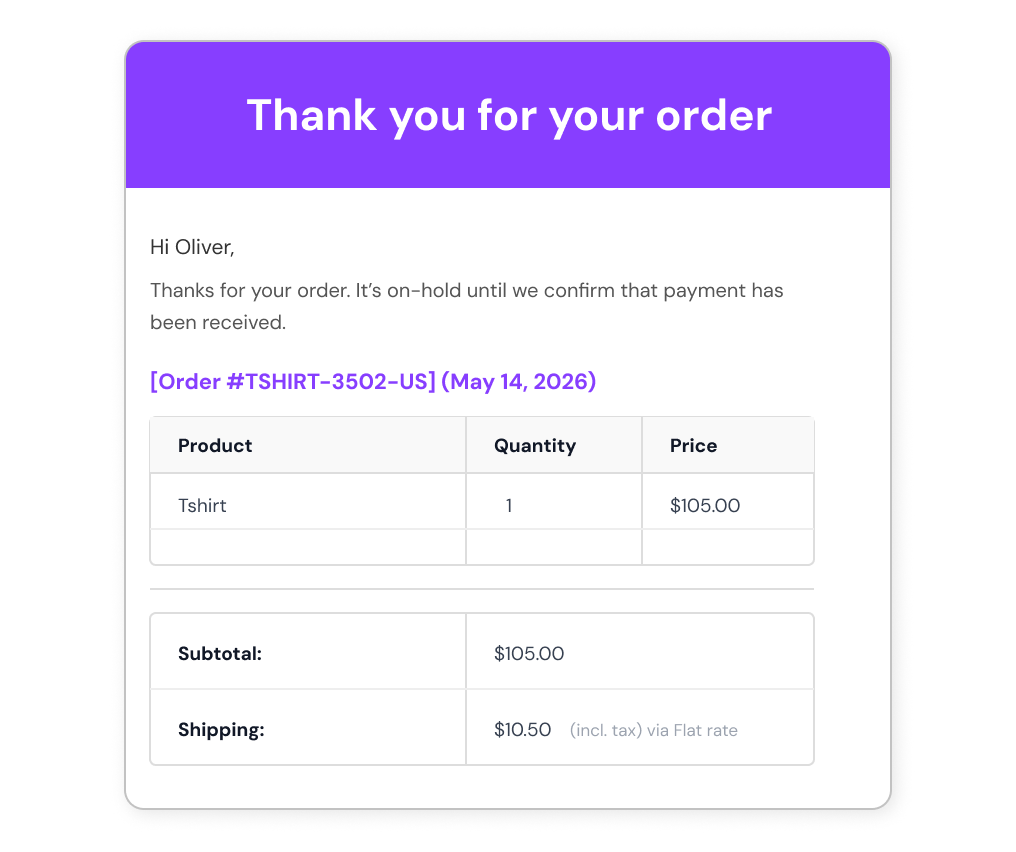
  14. Make order numbers clear for customers by showing custom numbers in all email communications. Example: Order confirmation emails now display WINTER-2024-015 instead of random post IDs.
  15. Quickly search and locate specific orders using custom numbers on the WooCommerce Orders page. Example: Search “VIP-120” to instantly retrieve details for the 120th order from VIP customers.
Retain the default WooCommerce order number for internal reference while showing custom numbers externally. Example: Internal ID: WooCommerce Order #67890. Customer-facing: 2024-ORD-001.  

Take complete control over your order numbers.

Flexi Custom Order Numbers for WooCommerce plugin is packed with various customization features like Renumbering, putting order numbers in a sequential or random manner, and changing the width of the order number to as short or long as required. Make managing large order numbers/IDs a hassle-free affair. Customization features that help you control the order numbers in a way that are convenient for you. Sequential Ordering of Custom Order Numbers Date-Based Order Number Prefix Product-specific SKUs to Order Numbers Conditional Prefixes & Suffixes for Smarter Order Numbers conditional prefix and suffix custom order number Seasonal or Campaign Tags in Order Numbers Set a Consistent width for Order Number Randomized Order Numbers Role-Based Custom Order Numbering Apply Order Number Changes to All Orders Apply Order Number Changes to New Orders Only Apply Order Number Changes from a Specific Date Track Free Orders with Specific Prefixes Custom Order Numbers in Order Confirmation Emails Quick Search by Custom Order Numbers Manual Order Number Counter
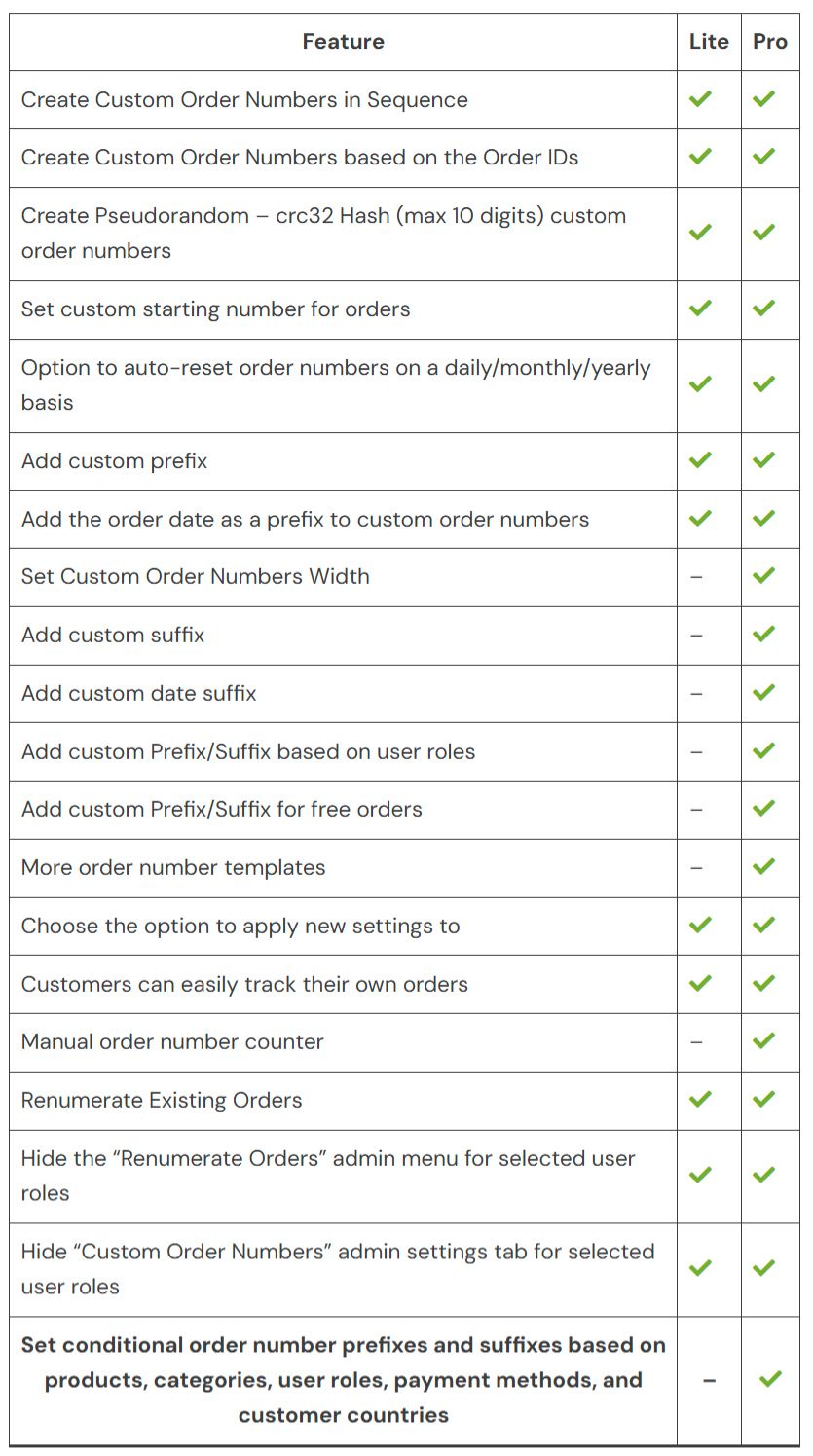
Flexi Custom Order Numbers Free Vs Premium – Full Feature Comparison


Domande più comuni

Can I replace WooCommerce order IDs with sequential custom order numbers?

Yes. The plugin lets you replace default WooCommerce order IDs with fully controlled sequential order numbers. You can start from any number, maintain a continuous sequence, and customize formatting using prefixes, suffixes, or conditional rules

Can I add a prefix or suffix to WooCommerce order numbers?

Yes. You can add custom prefixes and suffixes to order numbers using fixed text, date/year patterns, product SKU, or a combination of characters. This makes order numbers easily identifiable and unique.

Can I set the width or minimum length of WooCommerce order numbers?

Yes. You can set a minimum length so all order numbers appear in a consistent format.

Can I assign a separate order number sequence for specific WooCommerce products or categories?

Yes. You can create separate order number sequences for specific products or categories, so orders are grouped and tracked independently—for example, using different numbering for wholesale orders, subscriptions, or high-value products.

Can I apply different prefixes or suffixes based on conditions like product or user role in WooCommerce?

Yes. You can set conditional prefixes and suffixes based on products, categories, user roles, payment methods, country, and more.

Can I automatically reset the WooCommerce order number counter?

Yes. You can set it to reset daily, weekly, monthly, or yearly, keeping your order numbers organized automatically.

Can I reset or fix the order number sequence if needed?

Yes. You can reset the order number counter or update it from the settings to continue the sequence correctly.

Can I apply the new order number format to existing WooCommerce orders?

Yes. You have the flexibility to apply the custom order number format to all orders (past and future), from a specific order ID or date, or to new orders only — depending on your preference and business needs.

Can customers track orders using custom order numbers in WooCommerce?

Yes. Customers can track their orders using the custom order number just like the default WooCommerce order number.

Do custom order numbers appear in WooCommerce email notifications?

Yes. The custom order number automatically replaces the default WooCommerce order number in all email notifications sent to customers and admins.

Can I use this plugin on a WordPress Multisite setup?

Yes. The plugin works on WordPress Multisite. You can configure different order number prefixes for each subsite by setting them individually.

Is it possible to set random order numbers in WooCommerce instead of sequential ones?

Yes — you can generate WooCommerce order numbers in three formats: sequential, random, or based on the default Order ID, depending on your business needs.

I have another question.

Please fill out this pre-sales form.

Recensioni dei clienti

We are accepting reviews for this product, and will display them when we get a few more.

Extension information

  • PHP version required: 7.4
  • Tested with WordPress: 6.8.2
  • Tested with WooCommerce: 10.2.2
  • Requires at least WordPress: 4.4
  • Requires at least WooCommerce: 5.0

Countries

  • Worldwide

Related Products

Price $79 Annualmente
Rated 3.4 out of 5 stars
Price $279 Annualmente
Rated 3.2 out of 5 stars
Price $59 Annualmente
Rated 3.1 out of 5 stars
Price $109 Annualmente
Rated 2.8 out of 5 stars
Price $109 Annualmente
Rated 2 out of 5 stars
Price $49 Annualmente
Rated 4.1 out of 5 stars
Price $109 Annualmente
Rated 2.3 out of 5 stars
Price $109 Annualmente
Rated 2.6 out of 5 stars
Price $109 Annualmente
Rated 2 out of 5 stars
Use of your personal data
We and our partners process your personal data (such as browsing data, IP Addresses, cookie information, and other unique identifiers) based on your consent and/or our legitimate interest to optimize our website, marketing activities, and your user experience.