L'abbonamento include
Supporto
Rebuilding a store by hand means re-entering every product, re-creating customer accounts, and losing years of order history. Wix to WooCommerce Migration moves all of it for you. Connect your Wix store through its API, choose what to bring over, and import your products, orders, and customers into WooCommerce in a few clicks.
You stay in control of every import. Filter products by title, category, ID, or publish date, choose which customers come over by name, email, group, or sign-up date, and map each Wix payment status to the WooCommerce order status you want. Track every import as it runs and get an email when it finishes.
The migration doesn’t have to be a one-time switch. Live Sync keeps your WooCommerce store updated as products, stock, orders, and customers change on Wix, so you can run both stores side by side while you move over.
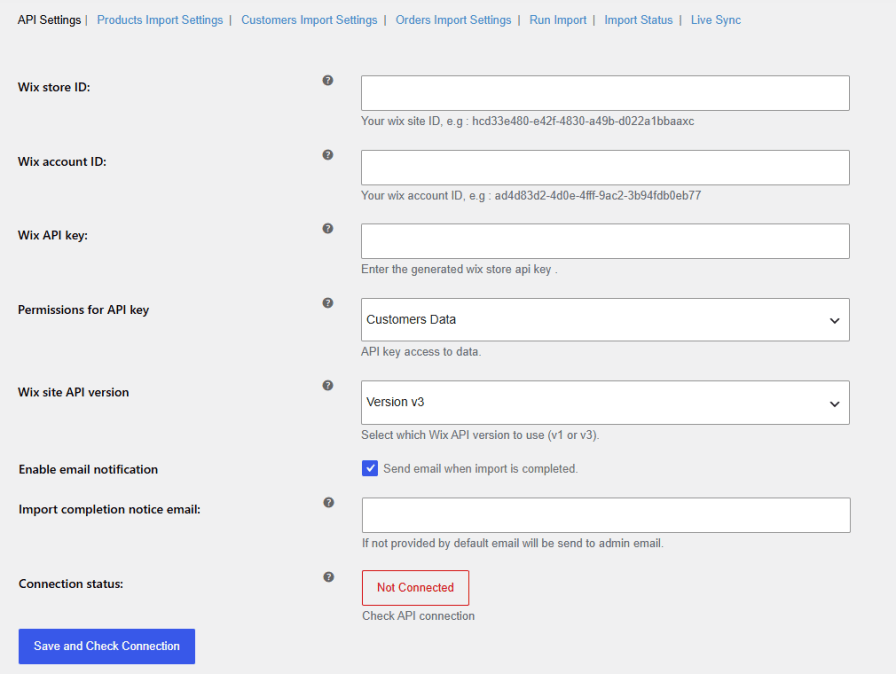
Link your Wix and WooCommerce stores with your Wix Store ID, Account ID, and API Key. Choose whether the key can reach all your data or only products, orders, or customers, and select the Wix catalog API version your site uses (v1 or v3). Check the connection status before you start, so you know the link works before any data moves.
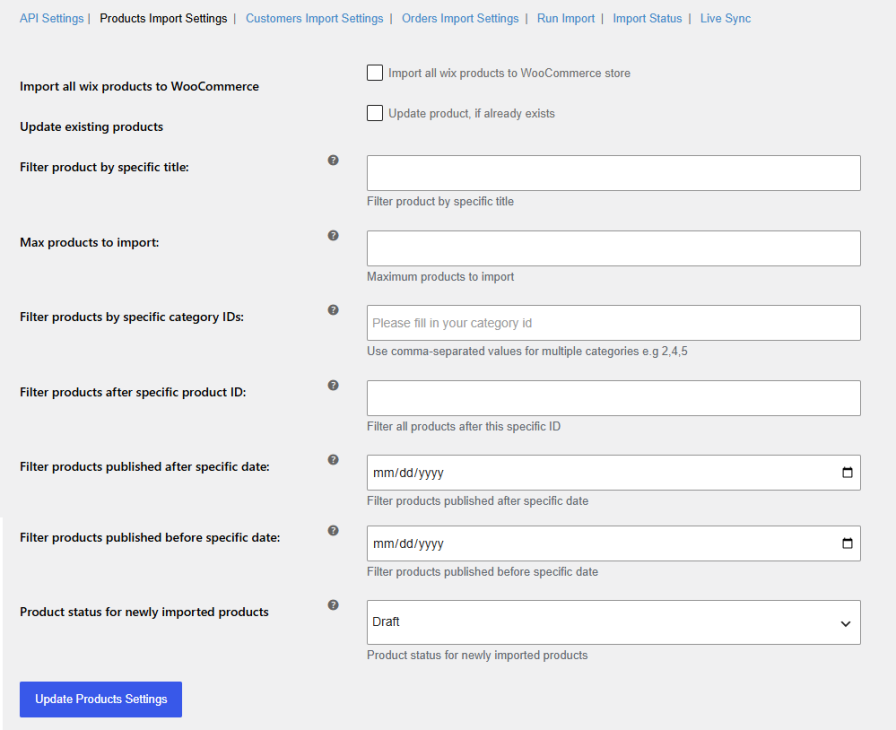
Bring over your full catalog or only the products you need. Filter products by title, category IDs, publish date range, or everything after a specific product ID, and set a limit on how many products to import. Choose whether imported products go live right away, stay as drafts for review, or keep the same status they had on Wix.
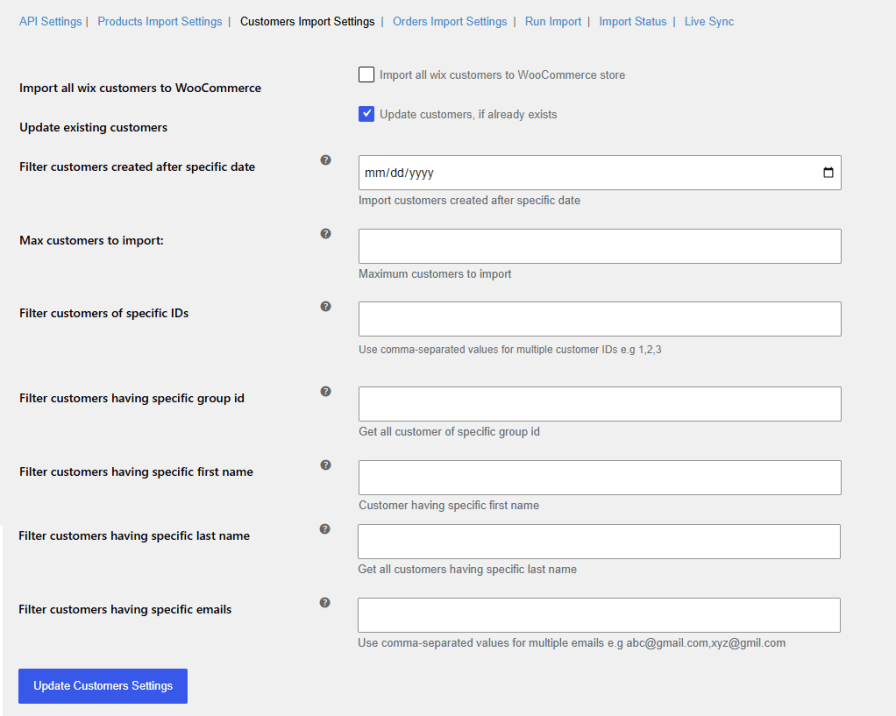
Move your customer accounts to WooCommerce so shoppers can keep buying from you without starting over. Import all customers, or narrow the list by customer ID, group ID, first name, last name, email address, or creation date. Update customers who already exist in WooCommerce, so their details stay current.
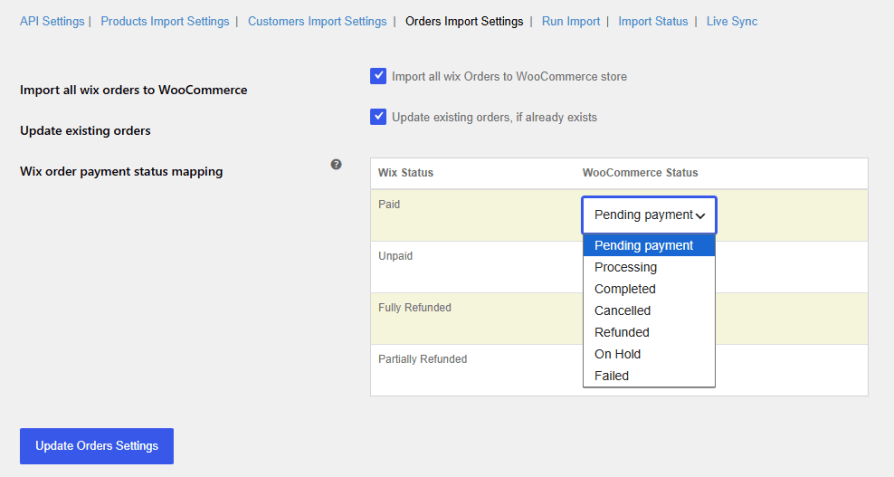
Import your Wix orders so your sales records, reports, and customer purchase history carry over. Map each Wix payment status (Paid, Unpaid, Fully Refunded, Partially Refunded) to a WooCommerce order status such as Processing, Completed, Refunded, or On Hold, so every imported order shows the right status from the start.
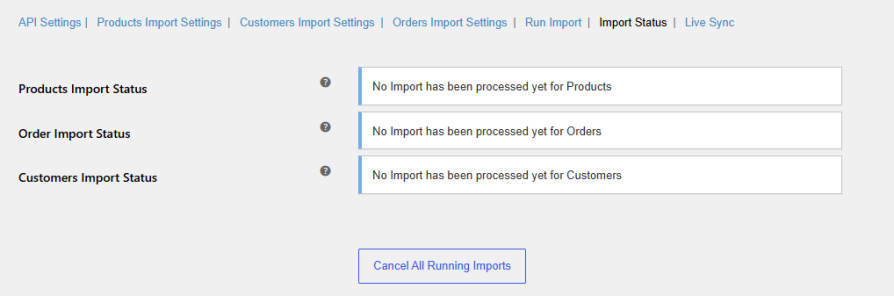
Import all your data in one go, or run products, orders, and customers separately to move at your own pace. The Import Status tab shows the progress of each import, and you can cancel all running imports with one click if you need to change something. Turn on email notifications to hear as soon as an import is completed.
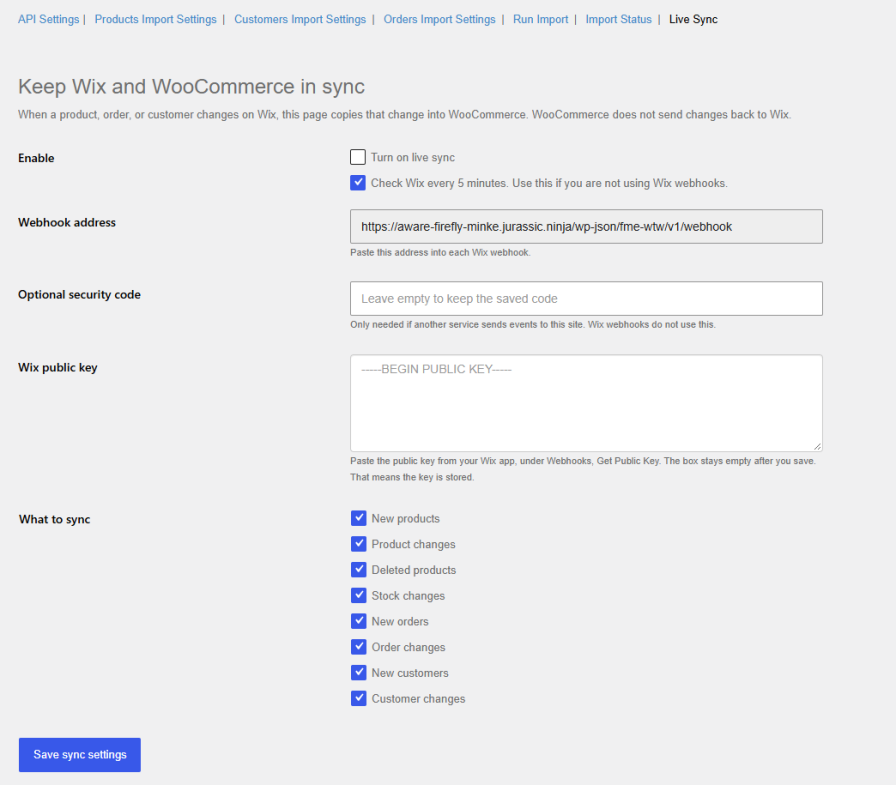
Run both stores together while you finish the move. Live Sync copies new products, product changes, deleted products, stock changes, new orders, order changes, new customers, and customer changes from Wix to WooCommerce. Use Wix webhooks to sync changes as they happen, or let the plugin check Wix every 5 minutes. Pick which changes to sync, and keep the rest of your WooCommerce store exactly as it is.
You can migrate products, orders, and customers. Import everything at once, or one data type at a time.
Yes. Filter products by title, category, ID, or publish date, and customers by ID, group, name, email, or creation date. You can also cap the number of items imported.
Yes. Map each Wix payment status to the WooCommerce order status you want, and imported orders will use it.
No. Live Sync works one way, from Wix to WooCommerce.
No. Webhooks sync changes as they happen. Without them, the plugin checks Wix for changes every 5 minutes.
Informazioni sull'estensione
Controlli di qualità
Paesi