
Installazioni attive
4K+
L'abbonamento include
Supporto
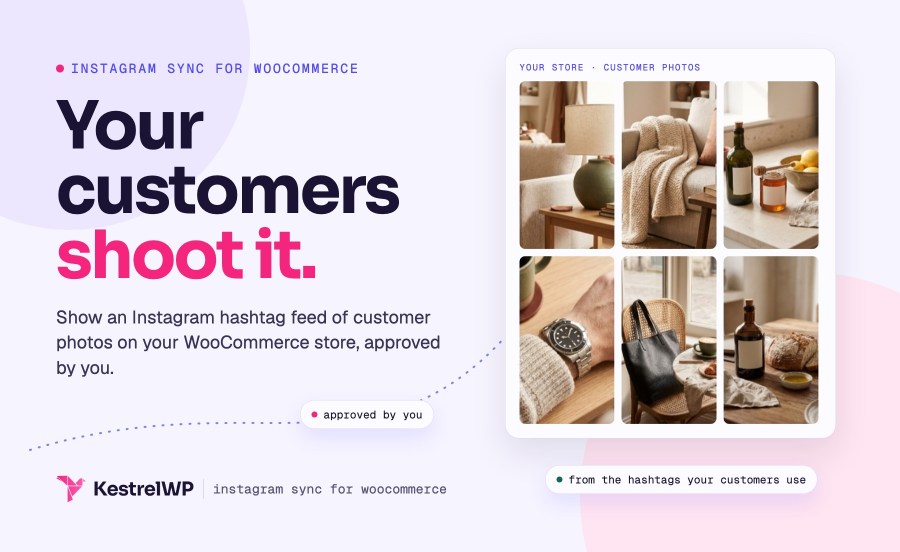
Instagram Sync for WooCommerce shows your customers’ Instagram photos on your store as user-generated content, because they already post the best photos of your products. Connect your Instagram account, pull public image posts from your hashtags, approve the ones worth showing, and place the gallery on any page, post or product with a shortcode. It also gives you a bio link, a URL on your store for your Instagram profile that you can point at a new sale, page or product whenever you like. It does not sync your catalog to Instagram Shopping.
Instagram Sync is for customer photos, not product catalogs. It doesn’t push your products to Instagram Shopping or turn Instagram orders into WooCommerce orders, and it doesn’t post to Instagram for you. For catalog sync, use Meta’s Facebook for WooCommerce, and use Instagram Sync alongside it for galleries and your bio link.
You’ll need an Instagram Business or Creator account linked to a Facebook Page, plus a Meta Business Suite account. Personal accounts can’t use Meta’s hashtag search.
Create a feed, add one or more hashtags in the Sources box and click Refresh media. Instagram Sync searches each hashtag, downloads the matching public image posts to your store and holds them as pending, so nothing goes live yet. Choose Most recent or Most popular posts depending on how often people use the tag. New posts arrive when you click Refresh media, not on a schedule, so you decide when to fetch. Meta allows 30 unique hashtag searches a week, and the feed screen shows how many you’ve used.
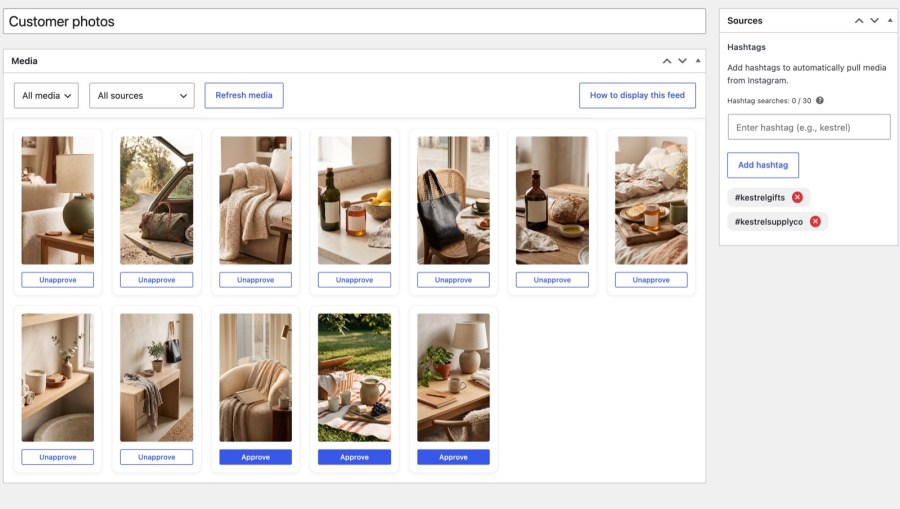
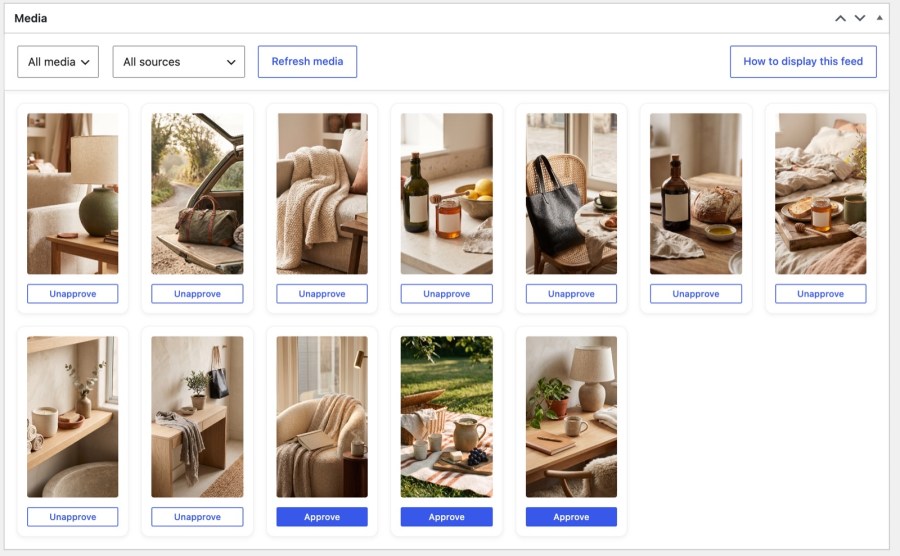
Nothing shows on your storefront until you approve it. Review the pending posts in the Media box, click Approve on the ones that suit your brand and Unapprove to take one back. Filter by status or hashtag when the list grows. Posts you don’t approve are cleared after seven days, and approved posts that are deleted or made private on Instagram are removed from your store within about two weeks, so a gallery doesn’t keep showing photos that have disappeared. Approving takes one click, and you stay in control of exactly which customer photos represent your brand.
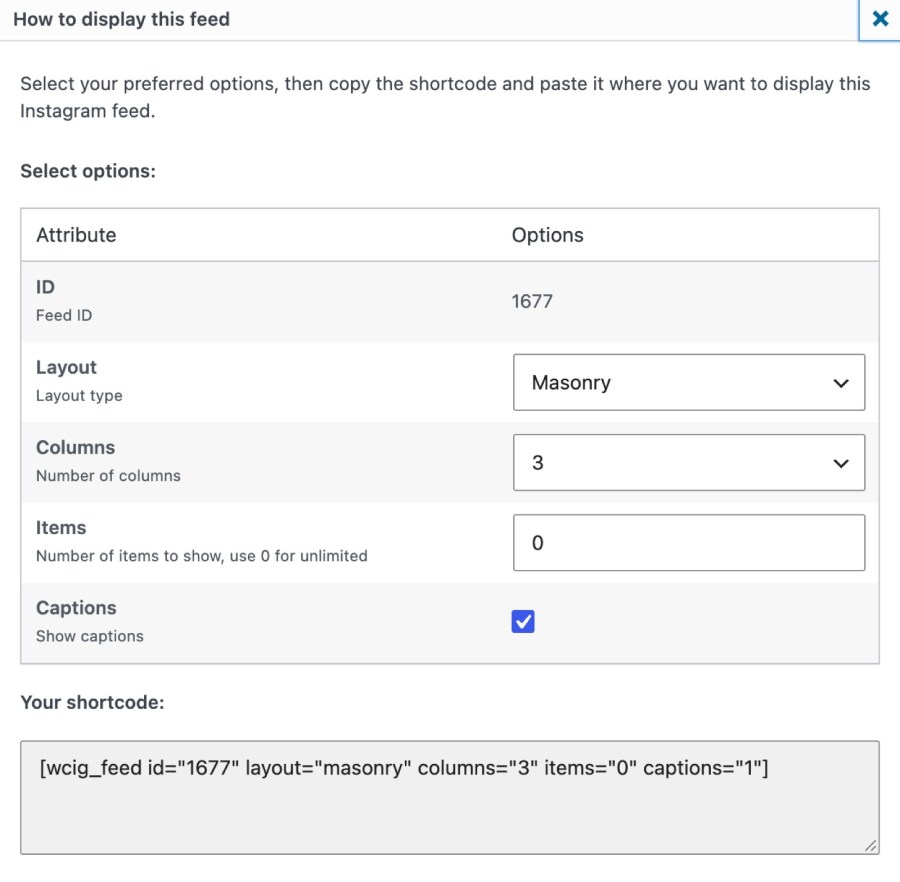
Publish your feed, click How to display this feed, then choose the layout, columns, number of posts and whether captions show. Copy the shortcode it builds and paste it into the content of any page, post or product. Visitors see your approved posts as a masonry, grid or carousel gallery, and a click opens the full Instagram post in a popup on your store, with the author, caption, likes and comments. The shortcode works in main content, so not in widgets, block theme templates, a product’s short description or page builder areas stored outside the content.

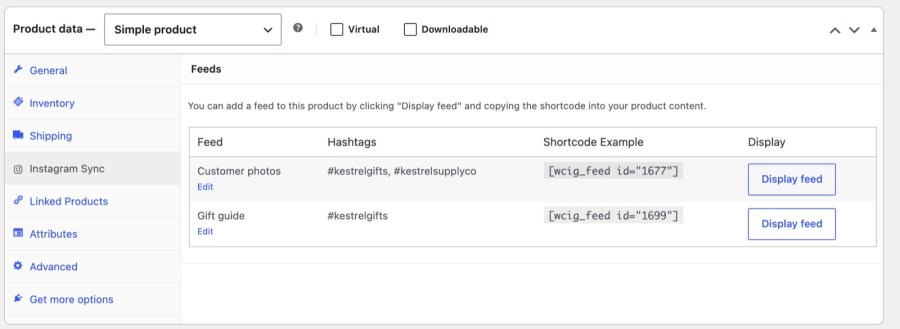
Every product has an Instagram Sync tab in its Product data box that lists your published feeds. Click Display feed to build a shortcode, then paste it into that product’s description. The tab doesn’t attach individual posts to a product, so curation stays at feed level: create a feed for each product line or hashtag when different products need different galleries. A product page with a gallery of real customers using it puts social proof next to the add to cart button, at the moment shoppers decide, and one feed can serve every product in a line.
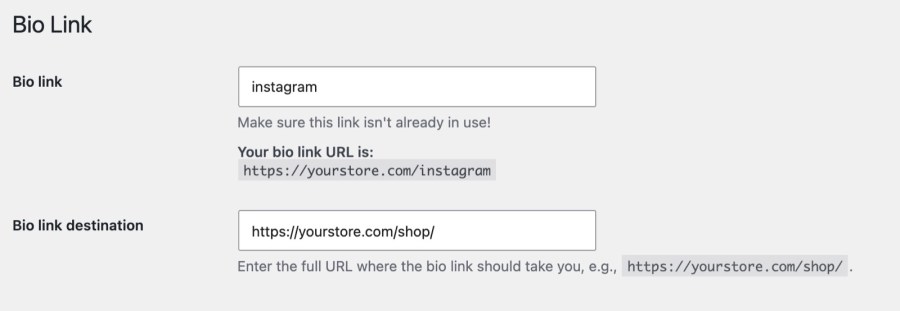
Your profile link shouldn’t need editing every time a campaign changes. Bio Link gives you a URL on your store, such as yourstore.com/instagram, that you add to your Instagram profile once. In Instagram Sync » Bio Link you choose where it sends visitors: your shop page, a sale category, a campaign page or a product. Tick Set as Instagram bio link on a product to send the link straight to it, and untick it and the link falls back to your home page, so a finished campaign never leaves visitors on a dead end.
Instagram Sync works alongside Meta’s Facebook for WooCommerce: that plugin syncs your product catalog to Instagram Shopping, and Instagram Sync handles customer photos and your bio link. Read the Instagram Sync documentation for every setting.
Built and supported by Kestrel, a long-time WooCommerce extension developer.

No. Instagram Sync shows approved hashtag galleries on your store and gives you a changeable bio link. It doesn't sync your product catalog, post or schedule content to Instagram, or capture orders placed through Instagram Shopping. For catalog sync, use Meta's Facebook for WooCommerce.
No. Feeds import standard image posts only. Videos, carousels, Stories and Reels aren't pulled in, so a hashtag feed shows photos your customers shared as single images, which keeps every gallery consistent and quick to review.
No. New posts are pulled in when an admin clicks Refresh media, and they wait in a pending queue until you approve them. Nothing is fetched on a schedule, so nothing reaches your storefront without your say.
An Instagram Business or Creator account linked to a Facebook Page, and a Meta Business Suite account. Meta allows 30 unique hashtag searches per rolling seven days, and Instagram Sync shows how many you've used.
No. Curation happens at feed level. You can show a feed on a product page by pasting its shortcode into the product description, and create one feed per product line when you want different galleries.
Yes. Instagram Sync declares compatibility with High-Performance Order Storage and the Cart and Checkout blocks.
Categorie
Informazioni sull'estensione
Controlli di qualità
Paesi
Requisiti