Ícone do produto

Advanced Product Quantity para WooCommerce

Add minimum, maximum, interval, or comma separate quantities for specific products, categories and user roles. Supports decimal quantities and cart level quantity restrictions.
Escolha uma opção de cobrança
$59
Economize 20%
$118 $94.40

Comparação de produtos

A assinatura inclui

  • Melhorias e atualizações de produtos
  • Suporte ao cliente
  • Garantia de 30 dias para reembolso

WooCommerce Advanced Product Quantity extension makes it easy to set minimum and maximum product and cart quantities. Set fixed quantities for individual products, or display interval-based quantities in a dropdown. Configure quantity limitations by user role, and customize the error messages that display if a customer tries to purchase too much.

Enable decimal quantities for specific products to allow customers to purchase in fractions. You can add a minimum, maximum and steps for fractional quantities.

Features

  • Supports multiple product quantity restrictions
    • Minimum and maximum quantity restriction
    • Interval-based quantity (e.g., 2, 4, 6)
    • Comma separated custom quantities (e.g., 1,2,5,6)
    • Fixed quantity for any product
  • Choose to display the quantity field as a dropdown.
  • Enable decimal quantities for specific products
  • Apply quantity limitations based on user roles
  • Configure different quantity restrictions for different products, categories, and user roles
  • Add cart based quantity restrictions
  • Customize error messages
  • Show quantity field on listing pages

Possibilites:

The extension offers endless possibilities and here are some of the major ones,

  • Buy in multiple of 6 from store except packs category (using cart restrictions)
  • Buy cup cakes in multiple of 3 only
  • Buy a fixed quantity “5” in each order
  • B2B user roles must buy a minimum of 10 quantities
  • Maximum order quantity for hoodies is 20
  • Buy rice in decimal/fractions like 1.5 kgs
  • Wholesale minimum order quantity is 50
  • and more

Supports multiple restrictions types:

With WooCommerce Product Quantity extension, you can add multiple types of quantity restrictions like min/max, custom quantities, steps and more

1) Add minimum or maximum quantity restriction

With Advanced Product Quantity for WooCommerce, you can set minimum and maximum order quantities for specific products or categories, or set minimum and maximum quantities by user role.
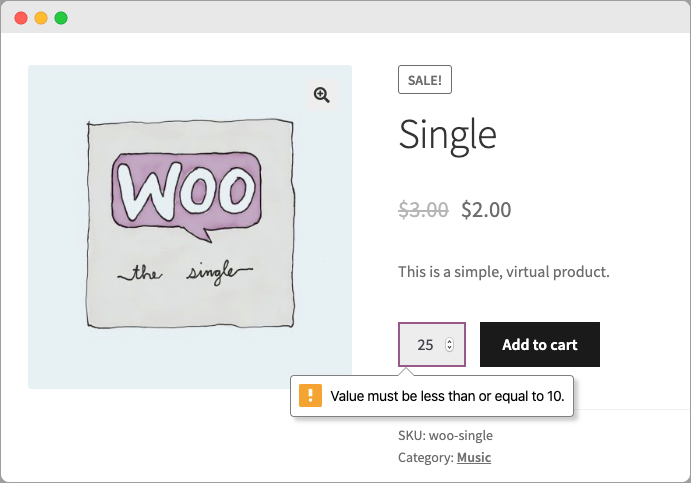
WooCommerce Min/Max Quantity

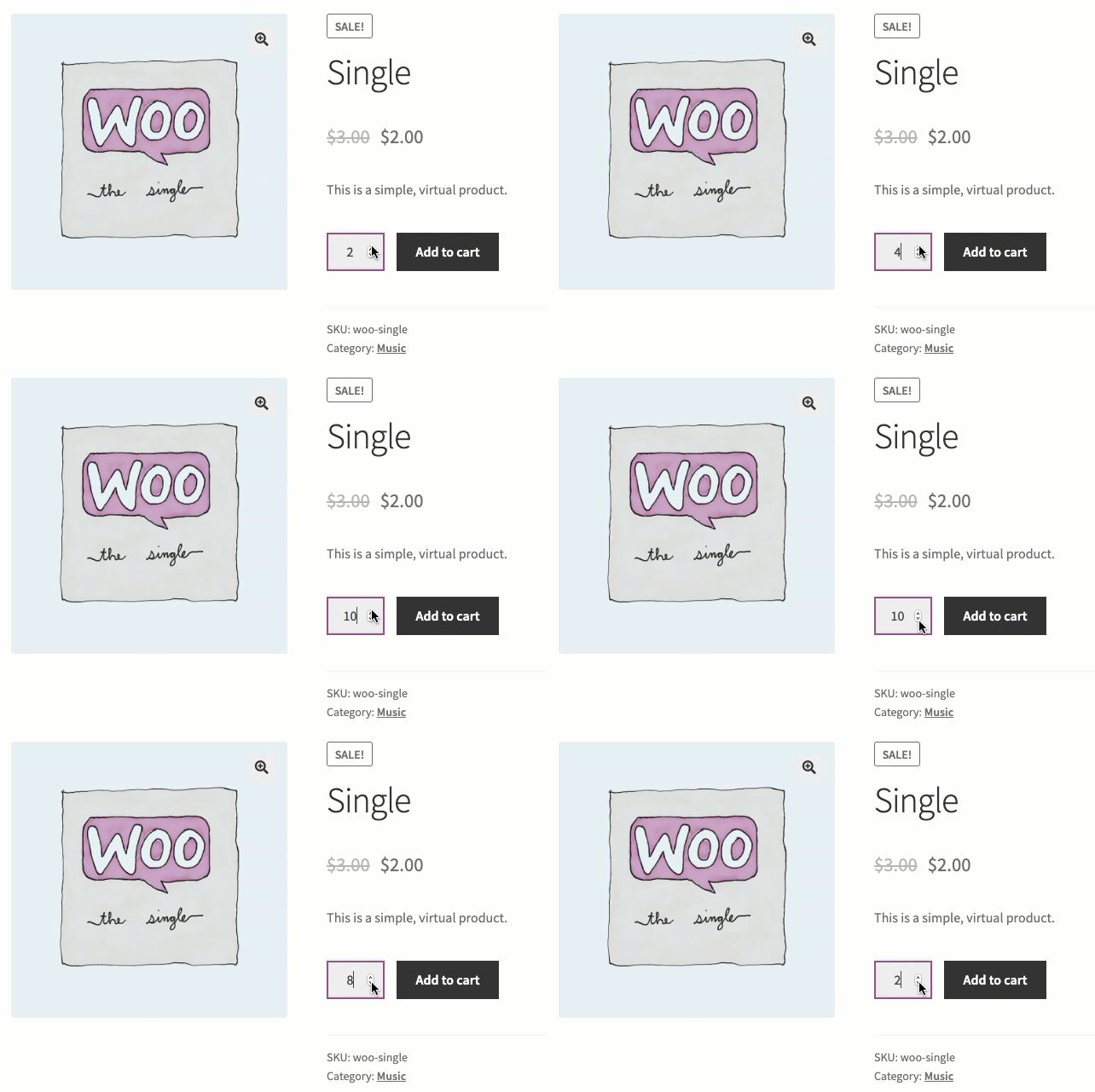
2) Offer interval-based incremental quantities

Configure interval-based incremental quantities for specific products and categories to generate a series of quantities that a customer can order. For example, if you configure the interval step as 2 and initial quantity as 3, customers will be able to order in quantities of 3, 5, 7, or 9. You can also cap the maximum quantity.
3) Set a fixed quantity

For in-demand products, set a fixed quantity that every customer can order so you can serve more customers with less stock.
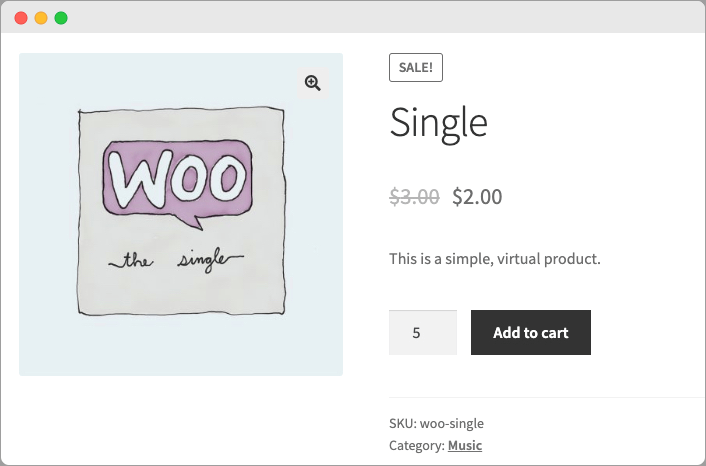
WooCommerce Fixed Quantity

4) Custom quantities:

Add comma separated custom quantity to force customers to select the pre-defined quantities.

Decimal quantities:

You can now enable decimal quantities to let customers purchase in decimal units. You can choose to set the decimal step to any fraction like 1/2, 1/4 or any other unit.
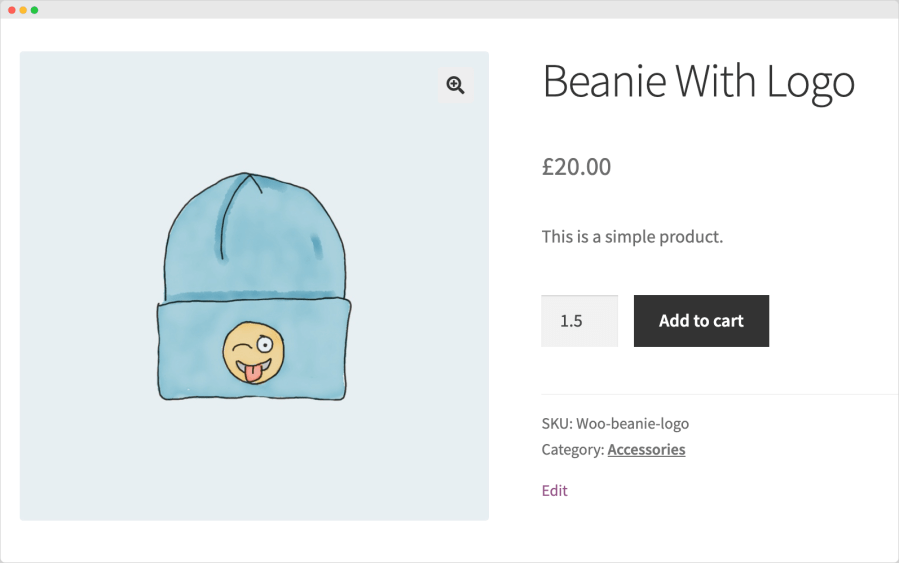
Display quantities in a dropdown

Replace the default quantity field with a dropdown menu — handy when you want to provide specific quantity options for customers. 
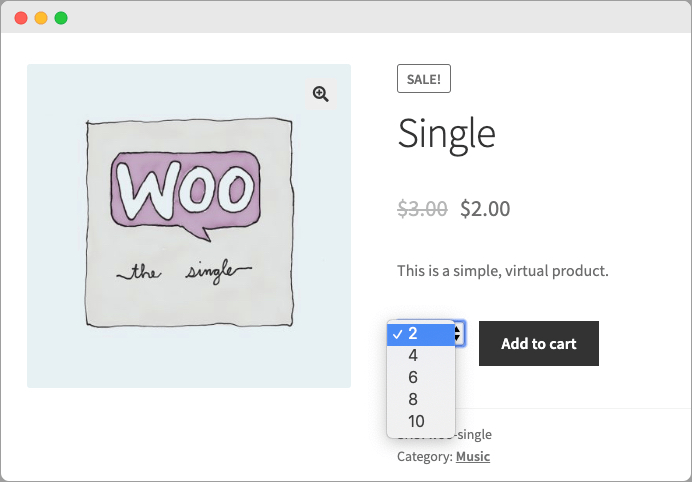
WooCommerce Quantity Dropdown

Global quantity restriction rules

The rule-based management allows you to create multiple rules to set different quantity limitations for different products, categories, and user roles.
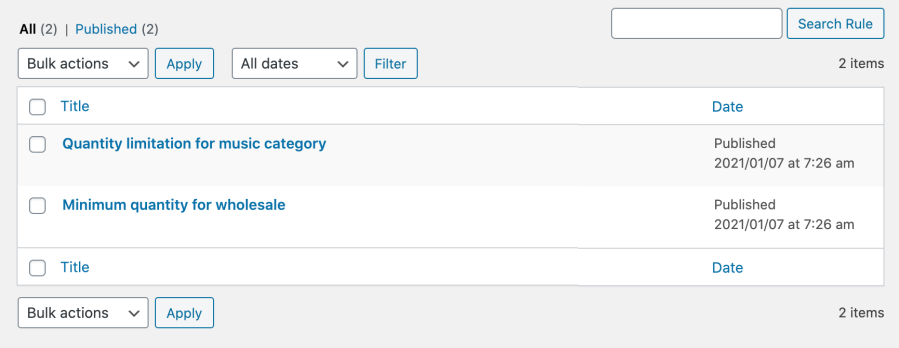
While creating new rule you can customize
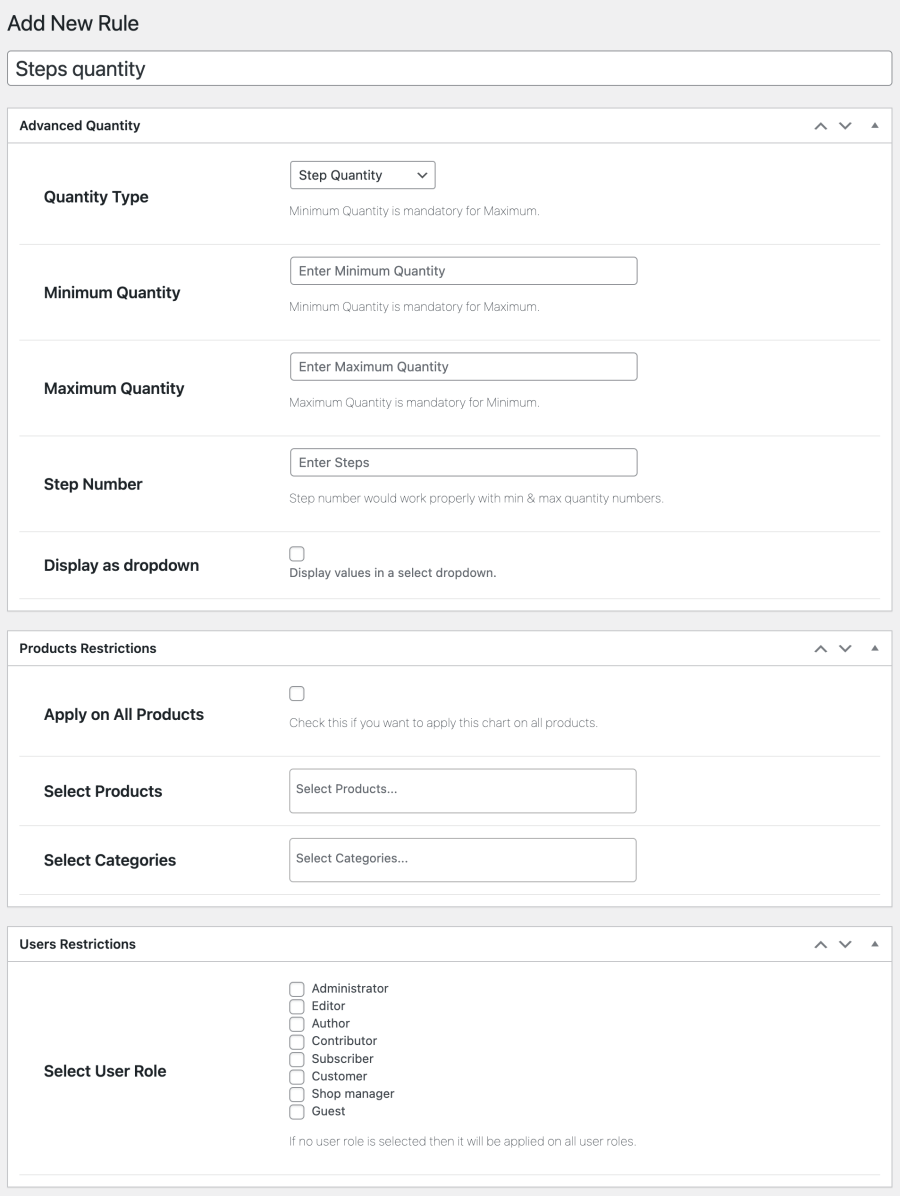
  • Provide rule title
  • Rule priority
  • Select quantity restriction type
    • Default
    • Step quantity
    • Custom quantities
    • Fixed quantity
  • Choose to display as dropdown
  • Apply restrictions to all or selected products and categories
  • Apply on all or specific products and categories
  • Select user roles if you want to apply restrictions for specific roles

Product level quantity restrictions:

Apply WooCommerce product quantity settings to all customers, or to specific user roles from the product level as well. The extension supports variable products to set different quantity restrictions for different variations.
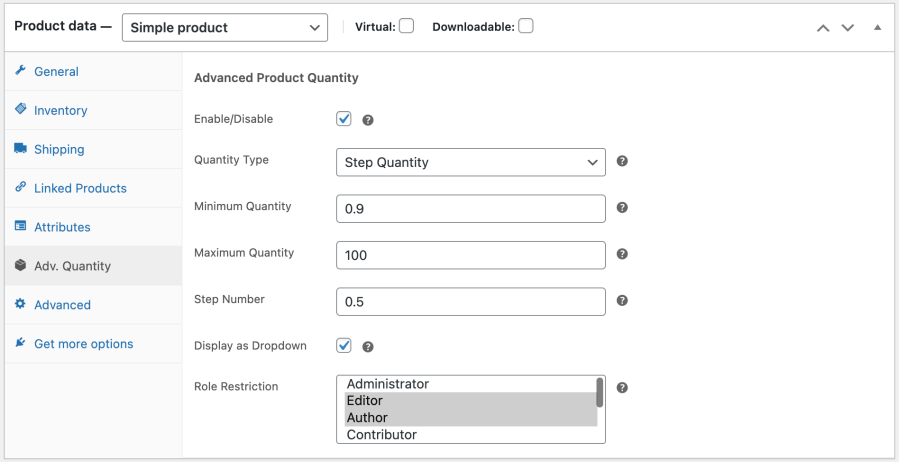
Add cart based quantity restrictions

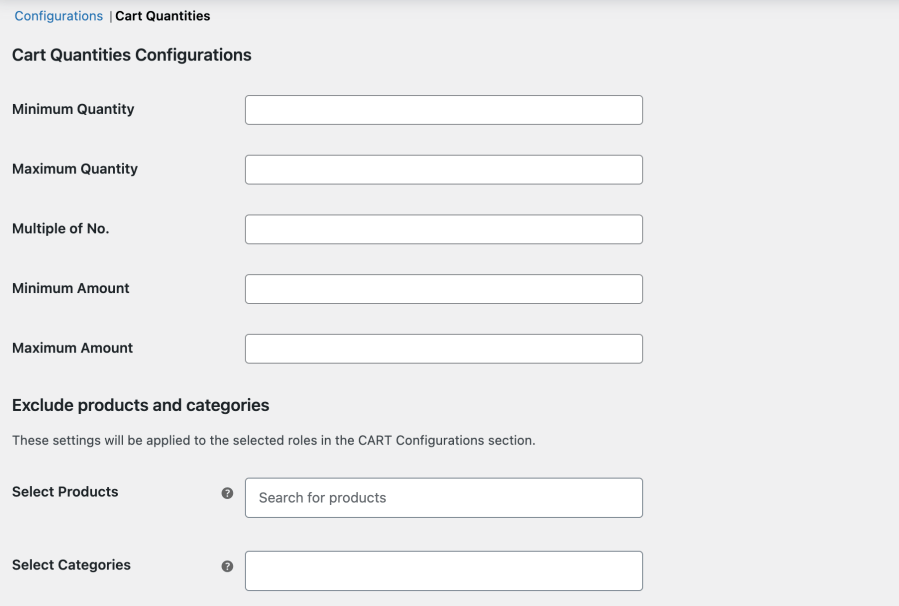
Along with the product order quantity, you can also configure a minimum or maximum cart quantity and amount. You can also choose to apply this cart restriction to specific user role, products and categories. For example, purchase in multiple of six from store except the packs category.

Avaliações de clientes

Classificação média 4.7
28 avaliações
5 estrelas, 86% de avaliações
4 estrelas, 4% de avaliações
3 estrelas, 7% de avaliações
2 estrelas, 0% de avaliações
1 estrela, 4% de avaliações
28 avaliações
  • kirstykf
    Classificado com 5 de 5
    Suporte
    Maio 22, 2026
    Suporte
    Very handy plugin with a great support team. We had an issue today which the support team fixed in record time. Such a pleasure to get such friendly, speedy resolution of the issue. Thank you Fakhar!
  • umi7han
    Classificado com 5 de 5
    Suporte
    Maio 15, 2026
    Suporte
    I was experiencing a problem with WooCommerce's default backend validation, preventing me from updating or completing customer orders created with decimal quantities. The Addify team quickly resolved the issue, and I can now complete orders with decimal quantities just like any other order. Furthermore, the plugin's code is clean and doesn't consume server resources. I might have a future request. Perhaps adding a feature to specify quantity prefixes and suffixes would make the plugin even better. On my fabric sales website, some products are sold by the unit and others by the meter. Therefore, if it could display prices in price/unit format for some products and price/meter for others, the...
  • leosantis
    Classificado com 5 de 5
    Suporte
    jan 7, 2026
    Suporte
    Plug in is great and does what’s promised. But when you need support, their team proves they are fantastic.
  • buehrermacwebch
    Classificado com 5 de 5
    Facilidade de uso
    jan 6, 2026
    Facilidade de uso
    Thank you for this helpful plugin. Exactly what we needed.
  • Jan Rust
    Classificado com 3 de 5
    Suporte
    jul 7, 2025
    Suporte
    Have amended my review as they have sorted the issue with Stripe/Apple Pay, it still doesn't work with Woocommerce Blocks, which seems to be a general issue with many Woocommerce plugins in the marketplace, and is very frustrating. I know they are working on it, so will keep an eye out.

Informações da extensão

  • Versão do WordPress obrigatória: 4.6
  • Versão do WooCommerce obrigatória: 3.1.0
  • Versão PHP necessária: 7.4
  • Testado com WordPress: 6.9.4
  • Testado com WooCommerce: 10.7.0
  • Requer pelo menos o WordPress: 6.5
  • Requer pelo menos o WooCommerce: 5.0

Países

  • Em todo o mundo

Related Products

Preço: $279 Anualmente
Classificado com 3.2 de 5 estrelas
Preço: $119 Anualmente
Classificado com 3.5 de 5 estrelas
Preço: $29 Anualmente
Classificado com 3.6 de 5 estrelas
Preço: $199 Anualmente
Classificado com 4 de 5 estrelas
Preço: $49 Anualmente
Classificado com 2.7 de 5 estrelas
Preço: $109 Anualmente
Classificado com 4.6 de 5 estrelas
Preço: $79 Anualmente
Classificado com 4 de 5 estrelas
Preço: $69 Anualmente
Classificado com 4.7 de 5 estrelas
Preço: $179 Anualmente
Classificado com 4.7 de 5 estrelas
Uso dos seus dados pessoais
Nós e nossos parceiros processamos seus dados pessoais (como dados de navegação, endereços IP, informações de cookies e outros identificadores únicos) com base em seu consentimento e/ou nosso interesse legítimo para otimizar nosso site, atividades de marketing e sua experiência de usuário.

