Highlights
- Create custom text or icon-based order statuses.
- Automatically assign statuses based on order conditions.
- Manually update statuses from the order list or detail page.
- Send automatic email notifications to customers and admins.
- Bulk import and export custom statuses using CSV files.
- See complete features list of Custom Order Status for WooCommerce
Efficiently manage your orders
The Custom Order Status extension enables you to create additional order statuses to better manage your order processing. Manually assign new order statuses or create automation rules to automatically change order statuses based on various conditions like order amount, quantity, user role, product, date, and more.
WooCommerce comes with eight standard order statuses (on-hold, pending, etc.). They do not cover all the situations businesses encounter. With Custom Order Status, you can create additional order statuses that better represent your business. You can add items like manufacturing, packaging, printing, shipping, etc.
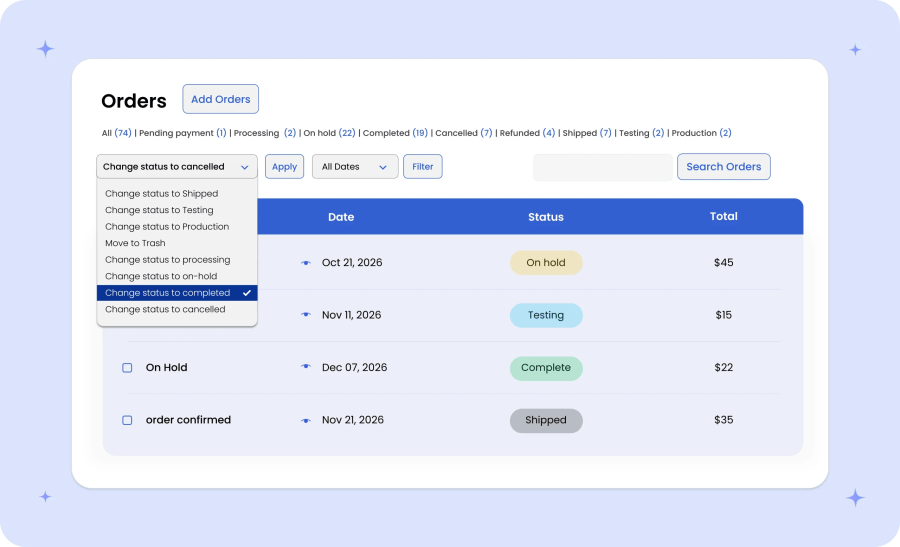
Instead of manually adding new statuses, you can bulk import and export statuses using a CSV file. Automatically assign new statuses or manually assign them from the Order-Detail page or by using bulk actions from the Orders-Listing page.
Custom Order Status allows you to keep your customers and store admin informed about status changes using Advanced Email Notification rules.
Why use Custom Order Status in your store?

Create custom statuses like packaging, printing, and shipping

Auto-change order statuses conditionally using smart rules

Keep customers and store administration informed with custom email notifications

Manually assign custom order statuses to orders from the default order log

Highly customizable: customize labels, icons, colors, and more

Manage control over status visibility to customers, in insight reports, and in the orders log
Create multiple custom order statuses
With this WooCommerce Order Status Manager extension, you can create multiple text- and icon-based order statuses to improve your order management process.
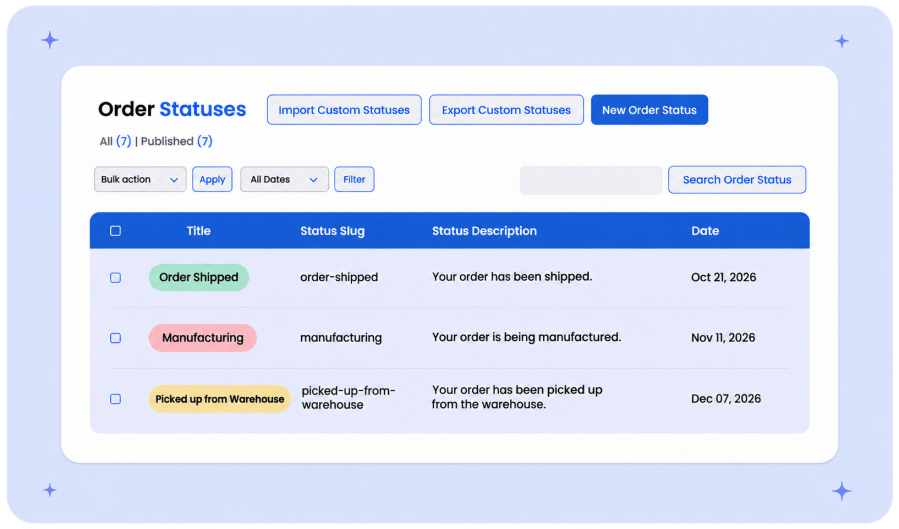
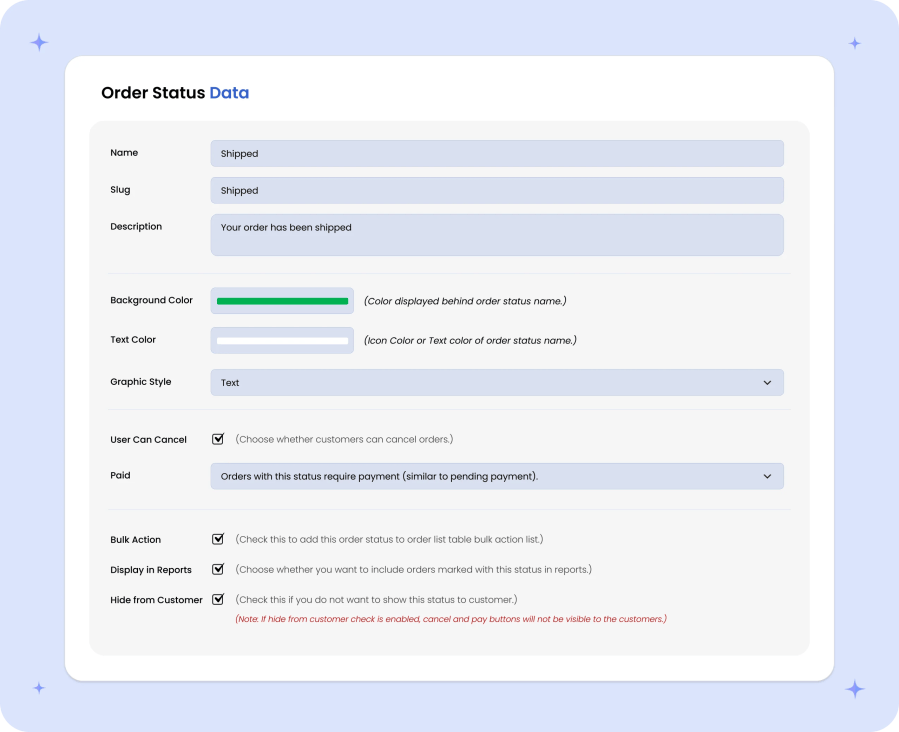
When you create new order statuses, you can customize the following options:
- Add a status title, slug, and description for internal use
- Add a text or icon-based order status
- Customize icons, texts, and background colors
- Allow users to cancel orders with a designated status
- Show a payment status (paid, requires payment, or not)
- Include in bulk actions and hide from customers (My Account)
- Ability to exclude orders with a designated status from reports
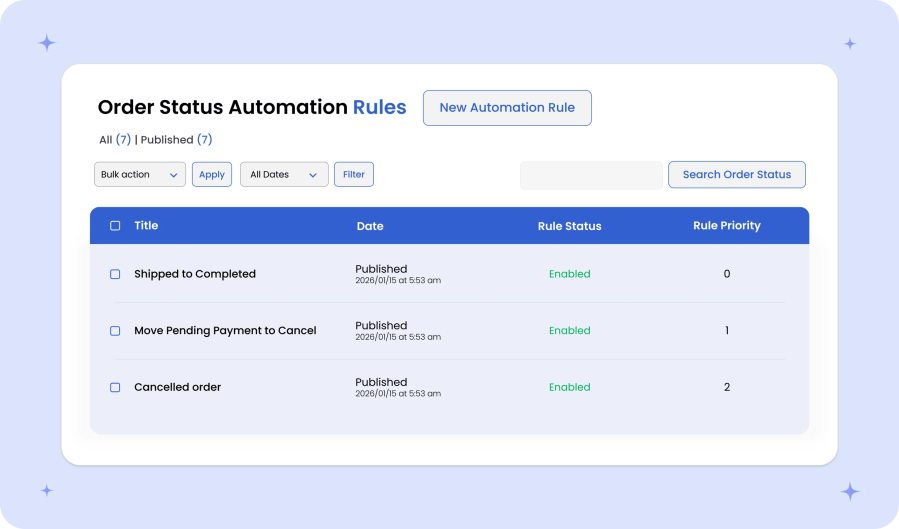
Automatically assign custom statuses
Order Statuses Manager enables you to automatically assign custom statuses to orders based on various conditions. You can create multiple automation rules to assign different statuses to different orders based on various conditions like user roles, order amounts, quantities, and more.
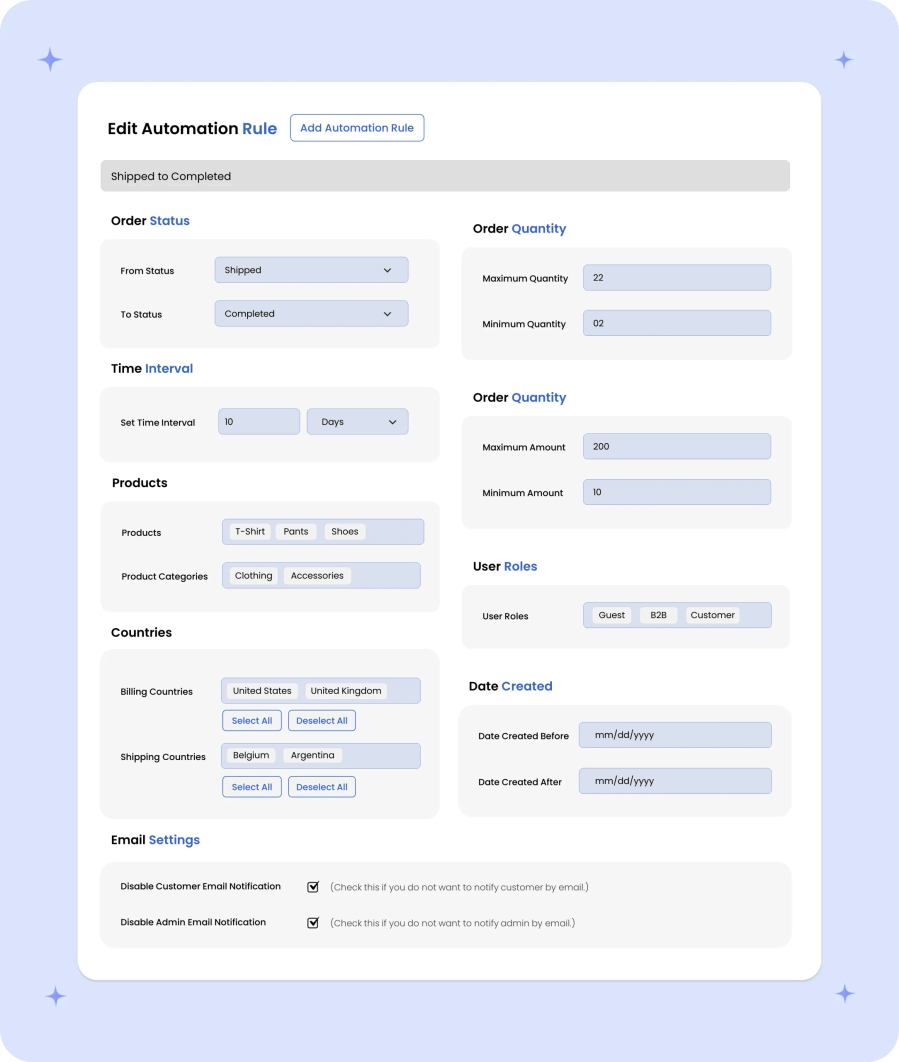
When you create new automation rules, customize the following options:
- Order Status—Select the current order status and new statuses to assign
- Condition—Only the orders matching current statuses will change to new statuses based on the following conditions:
- Time Interval—Time passed since placing the order; define the amount of time in minutes, hours, and days before new statuses will be assigned
- Order Quantity—Minimum and maximum order quantity ranges to change statuses
- Order Amount—Minimum and maximum order amount ranges to change statuses
- Products/Categories—The order includes specific products or categories
- Countries—The order belongs to a specific billing or shipping country
- User Roles—The customers linked to the order have a specific user role
- Order Date—The order creation date falls within a defined range
- Email Notifications—You can disable email notifications for customers and admins
Manually assign custom statuses
Depending on your business requirements, manually assign custom order statuses just like the standard order statuses. That is, from the admin Order-Detail page or using bulk actions from the standard WooCommerce order list.
Set up email notifications
Custom Order Statuses comes with an advanced email notification system that allows you to create multiple notification rules for different order status changes. Instead of notifying admin and customers for each change, you can notify when there is an important change that customer must be aware of.
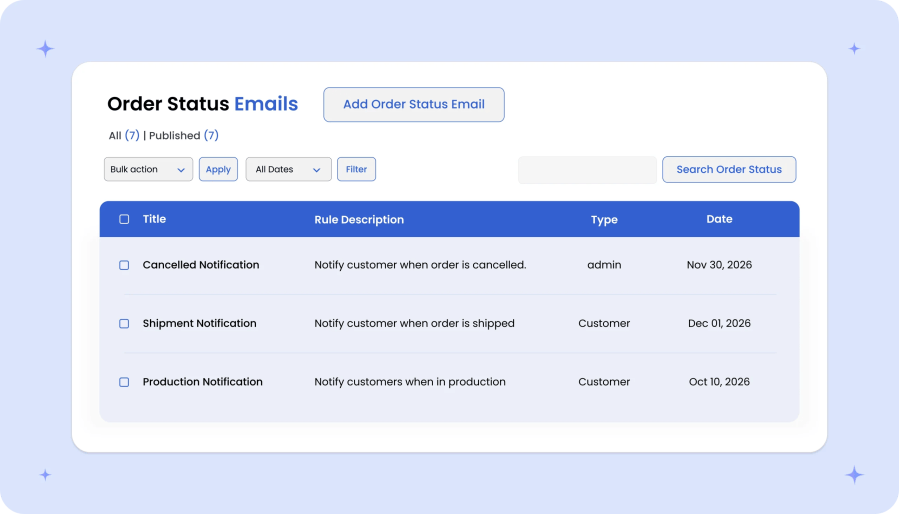
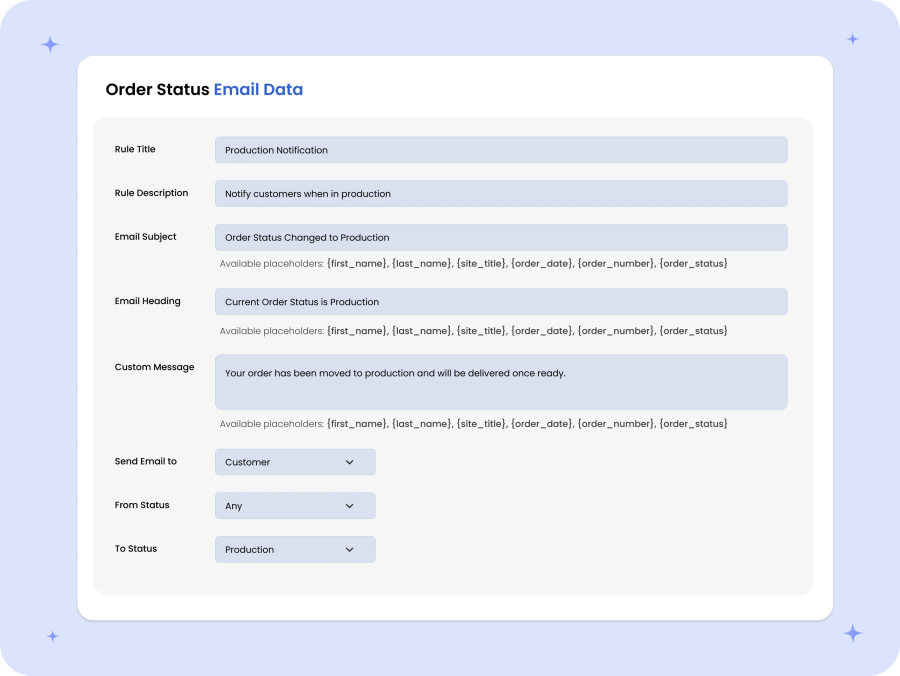
When you create new email notification rules, you can customize:
- Rule titles and descriptions for internal use
- Email subjects, headings, and descriptions
- Send emails to admins or customers
- Select current and new statuses to trigger emails
Note: You can customize status email templates like any other standard WooCommerce email via WooCommerce > Settings > Emails.
Import or export custom statuses
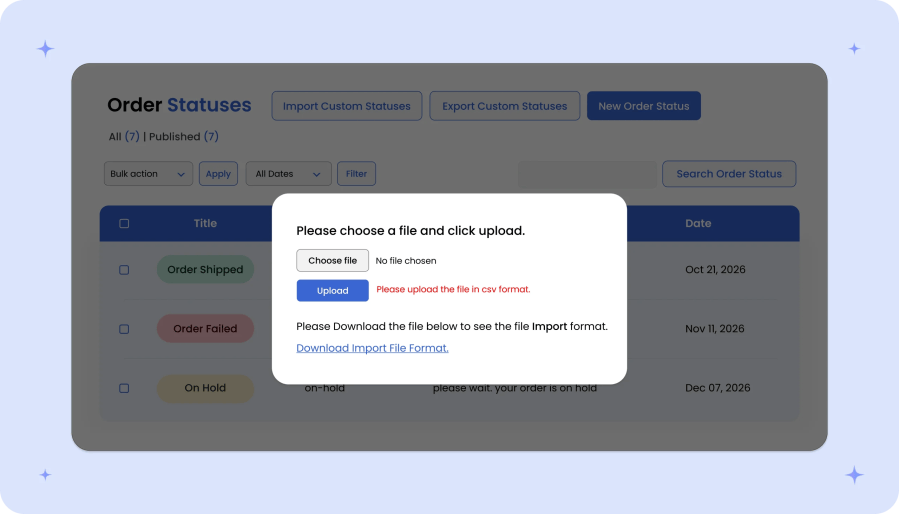
Instead of adding new statuses individually, you can bulk import and export them using a CSV file. Once the import is complete you can assign custom statuses to orders manually or using automation rules.
More Features
- Create multiple custom order statuses
- Add text or icon-based custom order statuses
- Manually or automatically assign order statuses
- Manually change order statuses from
- Default Order List
- Order Detail page
- Automatically change order statuses based on
- Current order status
- Time intervals
- Order quantity ranges
- Order amount ranges
- Products and/or categories in order
- Order billing and shipping country locations
- User roles
- Order creation date ranges
- Import or export to custom order statuses
- Notify customers and admins about status changes
- Show or hide custom order statuses from customers
- Customize cron job to include seamless executive automation rules






