

Comparação de produtos
A assinatura inclui
Suporte
Your customers expect professional documentation. Every completed order should come with a properly formatted PDF invoice, automatically — not as an afterthought you handle manually.
QuarkCode PDF Invoices Pro handles the full document lifecycle of your WooCommerce store: from automatic invoice generation and email delivery, to shipping labels with barcodes, monthly consolidated statements, and refund credit notes. Everything stays on your server. Nothing leaves your WordPress installation.
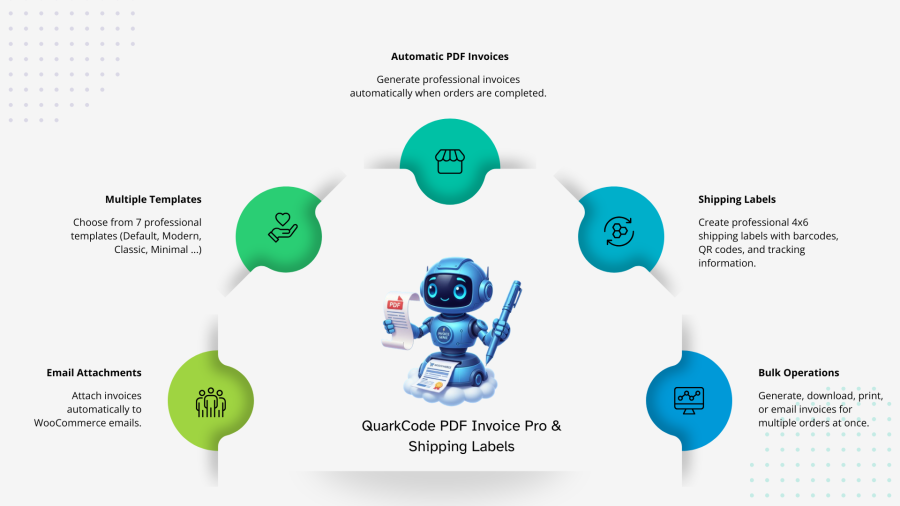
The moment an order reaches “processing” or “completed” status, a PDF invoice is generated and attached to the customer’s email — no button to press, no manual exports. You configure once, and the plugin works in the background on every order from that point forward.
Customers can also view or download their invoices directly from the My Account page, reducing your support inbox load significantly.
Choose from 8 carefully designed invoice templates built for different brand aesthetics:
Every template supports your company logo, custom header and footer text, payment terms, and multiple paper sizes including A4, A5, A3, Letter, and Legal.
Generate print-ready shipping labels directly from the order page, individually or in bulk. Choose from 6 shipping label templates — Default, Classic, Minimalist, Premium, Professional, and a legacy original — and configure your return address, paper size, and orientation.
Labels support barcode and QR code generation, making them ready for carrier scan systems out of the box. Set a custom label numbering format with your own prefix, suffix, and sequential counter, separate from your invoice numbering.
B2B customers often need a single monthly statement covering all their orders, rather than individual per-order invoices. The consolidated invoice engine generates these automatically via WP-Cron on a schedule you control, or you can trigger them manually with customer and date filters.
Customers access their monthly invoices from a dedicated “Monthly Invoices” section in My Account. You can bulk email statements directly to customers, bulk download them as a ZIP archive, or delete batches from the admin panel.
When an order is refunded in WooCommerce, the plugin automatically generates a credit note and can attach it to the refund email. Credit notes use their own numbering sequence and template (including a red theme variant for visual distinction), and customers can view or download them from their account.
Enable delivery notes to accompany shipments. Configure whether prices are shown, whether product images are included, and which order statuses trigger automatic generation. A dedicated email can be sent to the customer with the delivery note attached, keeping your warehouse and customer communication aligned.
From the WooCommerce Orders list, select multiple orders and run bulk actions:
Decouple your invoice numbers from WooCommerce order IDs. Set a custom format, prefix (e.g., INV-), suffix, and starting counter. The system maintains its own sequential count independently, with duplicate prevention built in so a number is never assigned twice.
Fully compatible with WooCommerce High-Performance Order Storage (HPOS / Custom Order Tables), ensuring stable performance as WooCommerce continues evolving its data architecture.
Ships with a complete French translation (700+ strings) and a full POT file for any additional language. All text in the plugin passes through WordPress’s standard translation system, making it compatible with WPML, Polylang, and any other multilingual setup.
No external API calls for PDF generation. All documents are created and stored locally using the bundled DomPDF library. Customer data never leaves your WordPress installation.
Yes. You can configure which WooCommerce emails carry the PDF attachment — for example, the "Order Complete" email, the "Processing Order" email, or both. Once set, invoices attach automatically without any manual steps.
You can select one or multiple order statuses to trigger automatic generation. The most common choices are "Processing" and "Completed," but you can configure any status that suits your fulfillment workflow.
Yes. Customers can view and download invoices, credit notes, and monthly consolidated statements directly from the My Account page. This self-service access significantly reduces invoice-related support requests.
Yes, the plugin is fully compatible with WooCommerce's Custom Order Tables (HPOS). HPOS compatibility is explicitly declared in the plugin header, and all order data operations use WooCommerce CRUD methods.
There are 8 invoice templates: Default, Bold Modern, Classic Elegant, Corporate Professional, Creative Contemporary, Modern Minimalist, Refund Theme, and Consolidated Monthly. All templates support your logo, company details, header/footer text, and payment terms.
Yes. The consolidated invoice feature generates a single monthly statement covering all of a customer's orders within a date range. These can be scheduled automatically via WP-Cron or generated manually from the admin panel. Customers access them from a dedicated section in My Account.
Yes. Shipping labels are generated as PDFs using the same DomPDF engine as invoices. You choose from 6 label templates, configure barcode or QR code inclusion, set your return address, and download or print directly. No third-party shipping service integration is required for label generation.
A credit note is automatically generated when a refund is processed. The credit note follows its own numbering sequence and can be configured to attach to the refund email automatically. Both admin and customers can view or download credit notes.
No coding is required. All settings are managed through WooCommerce > Settings > PDF Invoices. Template customizations like logo, company info, colors, and text are handled through the settings panel. For deeper template changes, the template override system allows placing custom templates in your theme without editing plugin files.
PDF generation is triggered on demand (on order status change or manual action) and happens server-side using the bundled DomPDF library. Generated files are cached as static PDFs and served directly, so repeat downloads do not re-generate the file. The plugin does not make external API calls during PDF generation.
Categorias
Informações da extensão
Verificações de qualidade
Países







