

Comparação de produtos
A assinatura inclui
Suporte
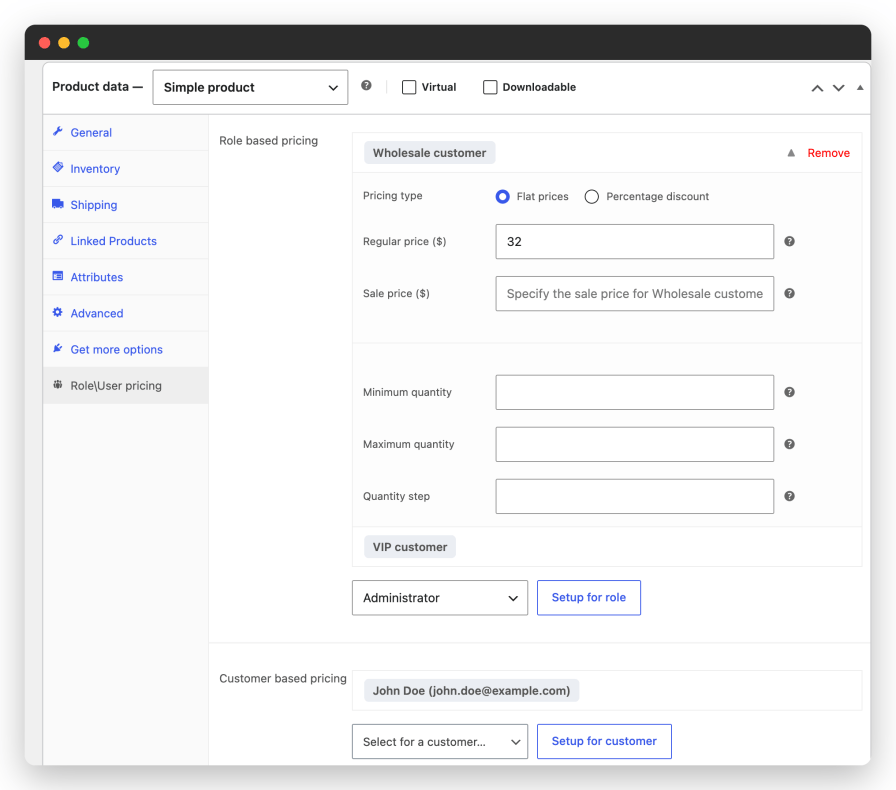
Give every customer group its own price. Open a product, pick a role and set the price; wholesale, VIP, partner or any role you create.
Some accounts deserve their own terms. Search for the customer and set the price for them; it wins over the role price and over global rules.
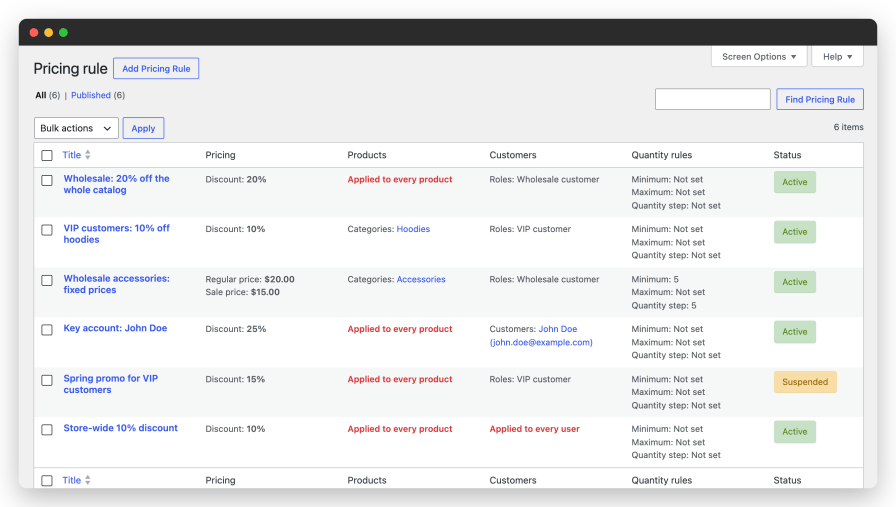
Price many products with one rule instead of editing them one by one. Choose categories, tags, brands, selected products or the entire store, then choose who gets the price: everyone, selected roles or selected customers.
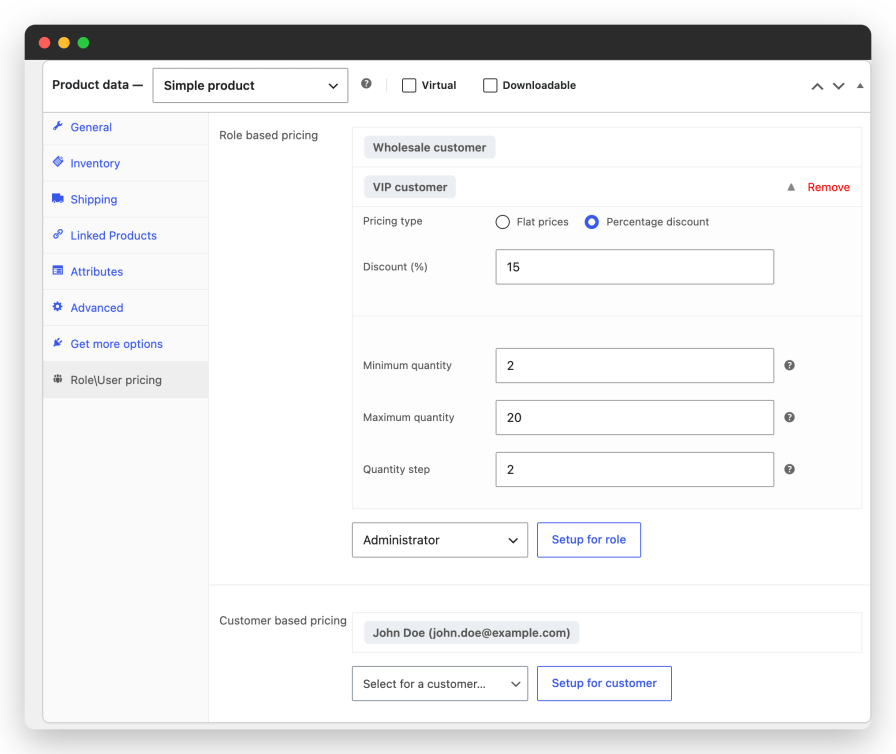
Keep wholesale orders profitable. Set the smallest and the largest quantity a role may order and sell in packs.
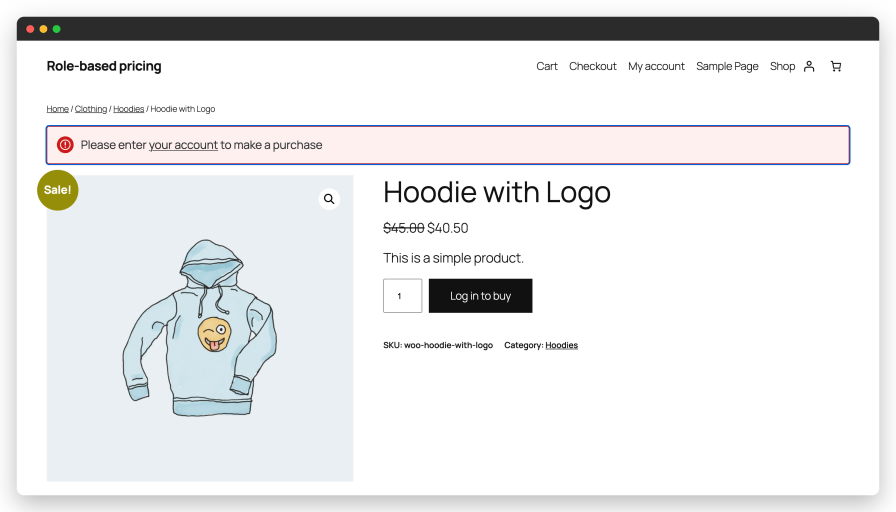
Decide what visitors see before they log in. Every option is off by default; switch on only what your store needs.
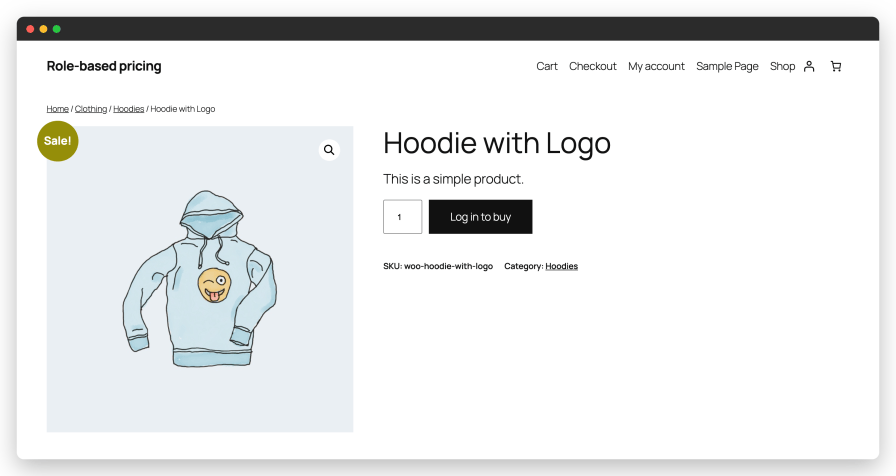
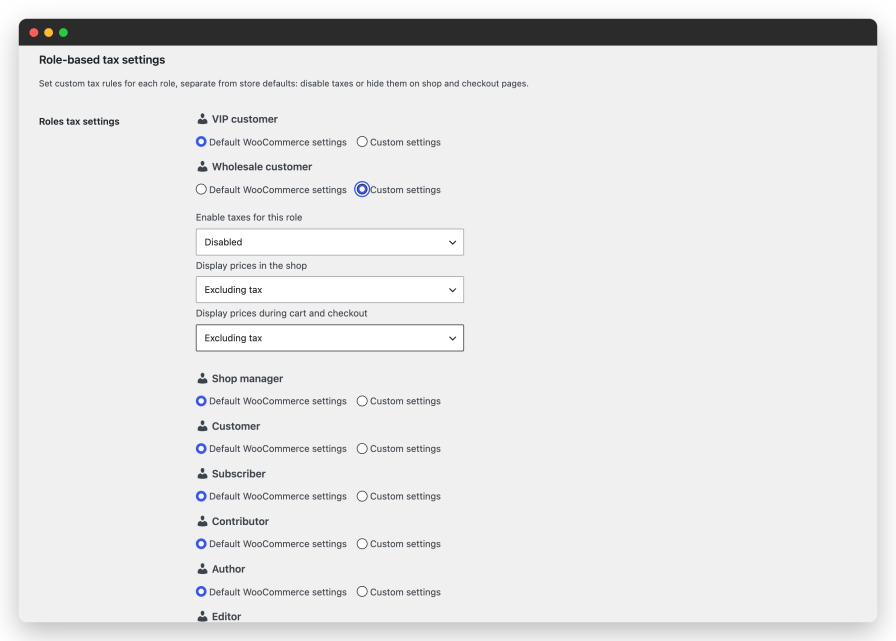
Override the store tax settings for selected roles, which keeps B2B pricing clean.
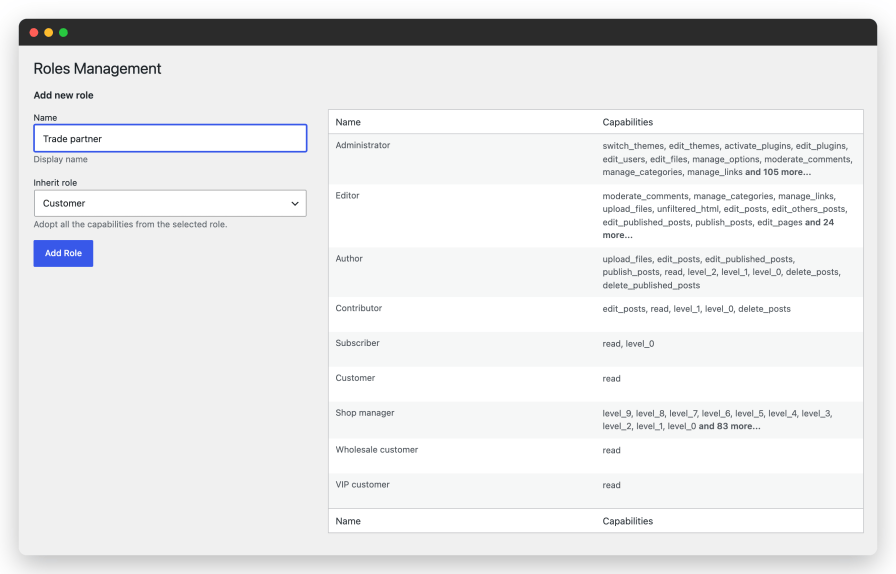
Create the roles your pricing needs without another plugin.
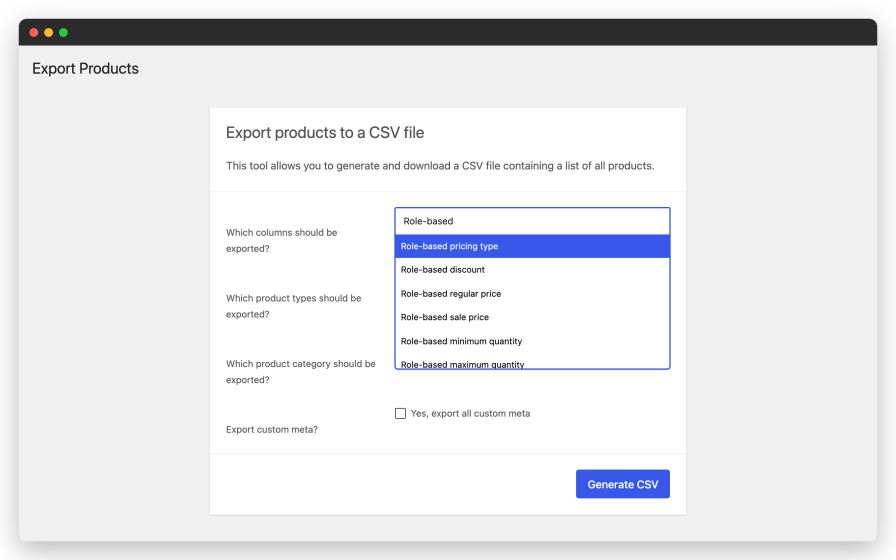
Maintain thousands of role prices in a spreadsheet.
The plugin works with the WooCommerce price filters, so prices are correct wherever WooCommerce shows them: product pages, shop grids, the cart, the checkout, order emails and the Store API.
Perfect for: wholesale and B2B stores, membership and club pricing, distributors with negotiated terms, and any store that sells to more than one kind of customer.
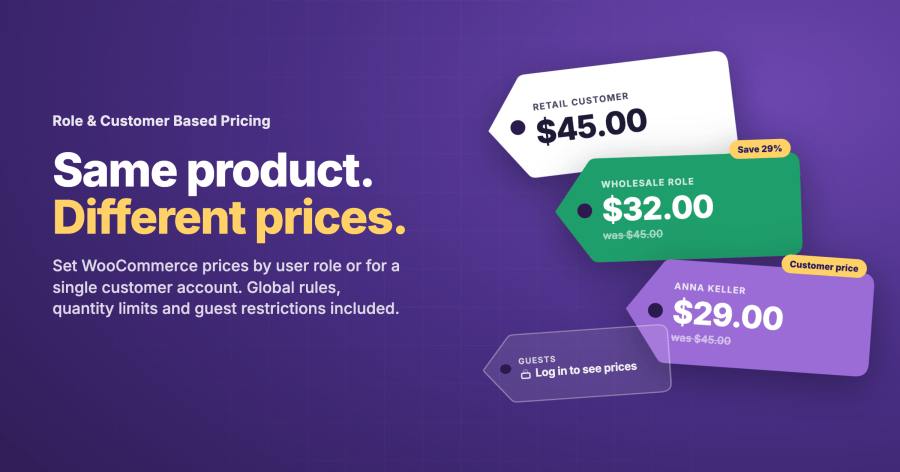
Role-based prices apply to every user with a given role, for example Wholesale or VIP. Customer-based prices apply to one customer account. Both can be set on a single product or through a global rule, and both can be a flat price or a percentage discount.
The order is fixed: a customer-specific price on the product wins over a role price on the product, and both win over global rules. Between global rules, the most recently created matching rule applies. Suspended rules are ignored.
Yes. A global pricing rule targets categories, tags, brands, selected products or the whole catalog, and applies to everyone or only to the roles and customers you select. Rules can be suspended and reactivated at any time.
Yes. Set a rule on the parent product and it applies to every variation, or set different rules per variation. Variable subscriptions are supported as well.
By default the discount is taken from the current price, so from the sale price when the product is on sale. A setting lets you always use the regular price instead. You also choose how the result is shown: as the exact price, or as a sale price with the regular price crossed out.
Yes. Two settings hide prices for visitors and block purchases until they log in. You can change the add-to-cart label for visitors, for example “Log in to buy”, and the message they see when they try to add a product. Both options are off by default.
Yes. Each rule can carry a minimum quantity, a maximum quantity and a quantity step, per product, per role or in a global rule. The quantity field on the product page follows the rule, and the cart and checkout refuse quantities that break it, in the classic templates and in the cart and checkout blocks.
No. The plugin adds a Roles Management screen under Users. Create a role, inherit the capabilities of an existing role such as Customer, and assign it to users in the normal WordPress user screen.
Yes. Role and customer prices and quantity rules appear as columns in the WooCommerce product CSV export and import. A WP All Import add-on covers feeds and large updates.
Yes. For each role you can switch taxes off, and choose whether prices are shown including or excluding tax in the shop and in the cart and checkout. Roles without custom settings keep the store defaults.
Yes. Prices come through the WooCommerce price filters and the Store API, so the cart and checkout blocks, the classic templates, order emails and the mini cart all show the customer’s price. High performance order storage is supported.
WooCommerce Subscriptions, WooCommerce Product Add-ons, Acowebs WCPA, StudioWombat Advanced Product Fields, WooCommerce Smart Coupons, LearnDash course products and WPML. Multi-currency plugins are not supported out of the box; developers can use the plugin’s price filter to convert the adjusted price.
Categorias
Informações da extensão
Verificações de qualidade
Compatibilidade
Países







