
Instalações ativas
1K+
A assinatura inclui
Suporte
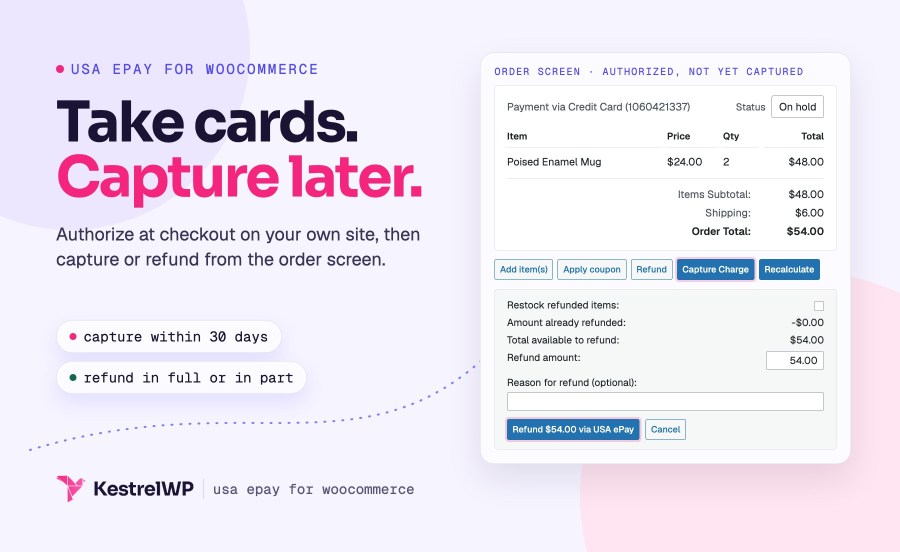
Accept USA ePay credit card payments on your own WooCommerce checkout, without sending customers away from your store. Customers enter their card on your own checkout, you choose whether to charge right away or authorize now and capture later, and you capture or refund from the WooCommerce order screen instead of logging in to the USA ePay console.
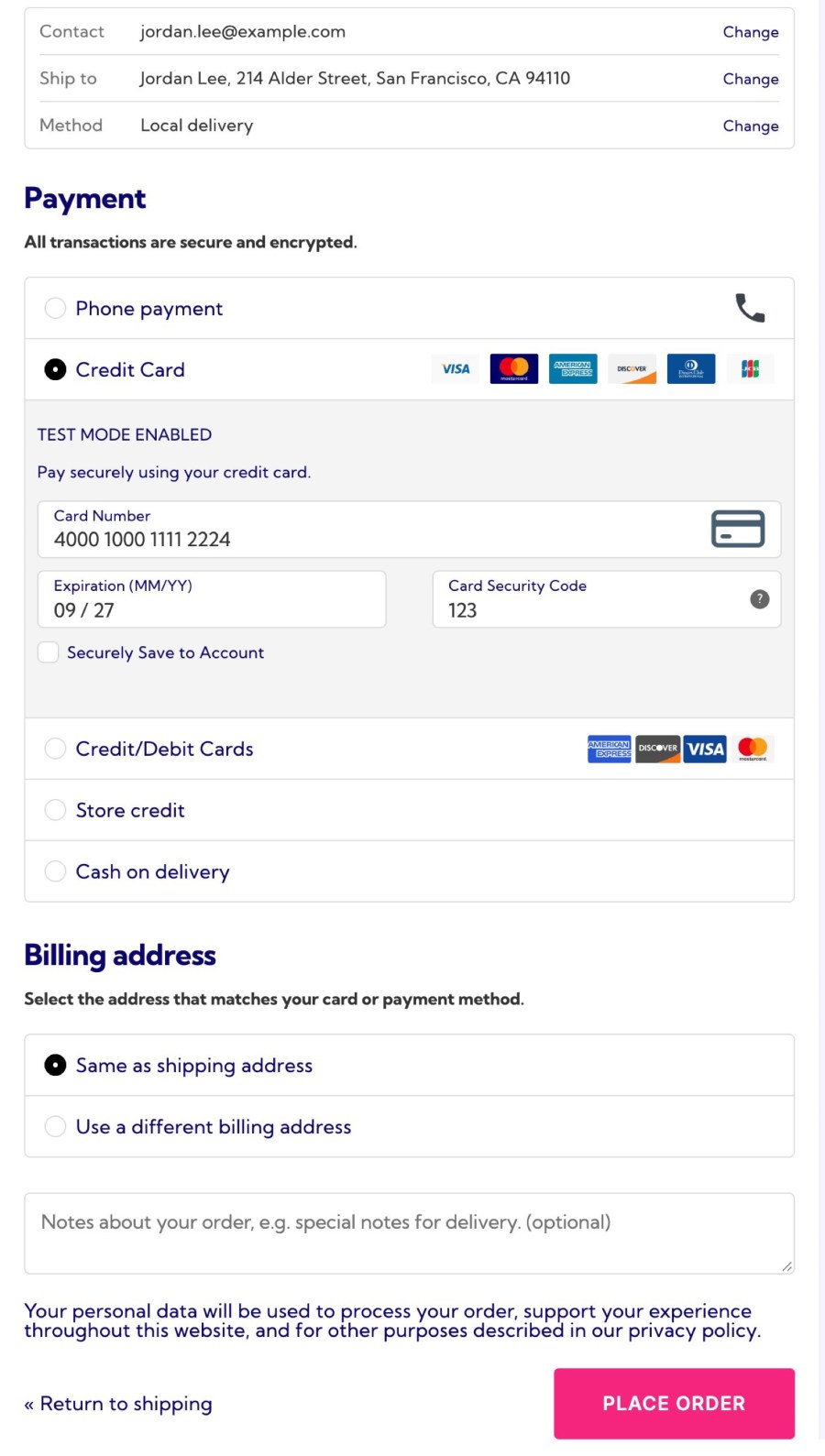
Customers enter their card on your own checkout and never leave your site, so the checkout looks the way you built it. The card form opens the numeric keypad on phones for the card number, expiry and security code. Show the accepted card logos (Visa, MasterCard, American Express, Discover, Diners Club and JCB), and ask for the security code again when a customer pays with a saved card. When USA ePay declines a card, customers see the reason instead of a generic error, so they know what to fix.
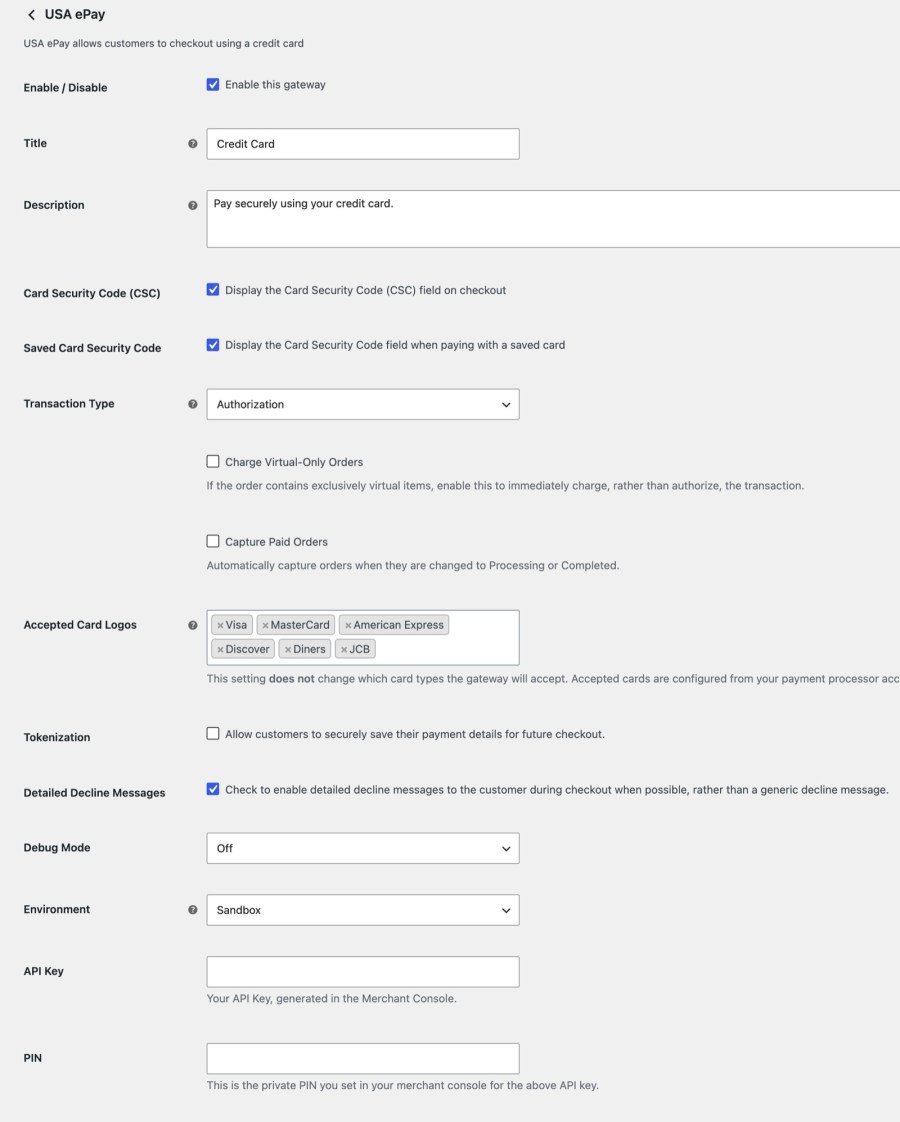
Set Transaction Type to Charge to take the money at checkout, or to Authorization if you capture when the order ships. With Authorization you can still charge virtual-only orders immediately, because there is nothing to wait for. Use Environment to switch between Sandbox, which needs its own USA ePay account and credentials, and Production when you go live. Everything lives in one settings screen under WooCommerce » Settings » Payments » USA ePay, next to your API Key and PIN.
Edit an authorized order and click Capture Charge next to the order items, or select several orders and use the Capture Charge bulk action. The order screen offers capture for 30 days after the authorization, and a capture takes the full order total. If you would rather not capture by hand, enable Capture Paid Orders and the plugin captures when an order reaches a paid status such as Processing or Completed. You can also capture from the USA ePay console when that is where you already work.
Click Refund on an order, then Refund via USA ePay, and the refund goes to USA ePay, for the full amount or part of it. If the payment was authorized but never captured, the refund is sent as a void instead, which cancels the order, and a void is always for the full amount. To refund part of an uncaptured authorization, capture it first and then refund the part. Captured charges are always sent as refunds, whether or not they have settled, so you can stay in WooCommerce for the whole job.
Customers can save a card at checkout, or add one under My Account » Payment Methods, set a default and delete cards they no longer use. USA ePay stores the tokens, not your server, and you see a customer’s saved cards on their user profile under USA ePay for Payment Tokens. USA ePay can’t update a token, so a customer whose card expires deletes it and adds the new one. Saved cards are also what let renewals, pre-orders and memberships charge without the customer coming back.
With Tokenization on, USA ePay handles WooCommerce Subscriptions renewals, date changes and failed-payment retries from the customer’s saved card. It charges the saved card when a WooCommerce Pre-Orders pre-order is released, and it bills Constellation memberships through the same gateway. That gives you one gateway and one set of saved cards for all your recurring revenue, with no second payment plugin to install. Turn on Tokenization first, because every one of these needs it, and that includes renewals, pre-orders and memberships.
When USA ePay’s AVS fraud filter declines a mismatched address, the order is marked Failed. If USA ePay still returned a transaction with the block, the plugin voids it and adds a note to the order that records the outcome, so you can see what happened without logging in to the USA ePay console. Turn on Timeout recovery and the plugin checks with USA ePay before failing an order whose checkout request timed out, which protects a payment that went through but never reported back.
WooCommerce Subscriptions and WooCommerce Pre-Orders use the saved cards for recurring and future-dated charges. Constellation Memberships bills members through the same gateway, so a membership site can take recurring card payments without a second payment plugin.
Your store needs SSL and a server that supports TLS 1.2. Need help getting started? Read the Get started with USA ePay guide or contact Kestrel support. Built by Kestrel, a long-time WooCommerce extension developer.
Built and supported by Kestrel, a long-time WooCommerce extension developer.

Yes. The extension connects your store to USA ePay but isn't a payment processor, so you need a USA ePay merchant account with an API Key and PIN. Create them in the USA ePay Merchant Console before you configure the gateway.
Yes. Customers enter their card on your WooCommerce checkout and never leave your site. There is no hosted payment page or hosted fields, so card details pass through your server on the way to USA ePay. Your PCI scope is likely SAQ-D, so confirm it with your QSA.
Yes. Click Refund on an order, then Refund via USA ePay, to refund the full amount or part of it. An authorization that hasn't been captured is voided instead, and a void must be for the full amount. A captured charge is always refunded, never voided, even before it settles.
Yes. Set Transaction Type to Authorization and capture from the order screen, with a bulk action, automatically when the order reaches a paid status, or from the USA ePay console. Captures are for the full order total, and the order screen stops offering capture 30 days after the authorization.
Yes. Turn on Tokenization, and customers' saved cards are charged for WooCommerce Subscriptions renewals, WooCommerce Pre-Orders releases and Constellation memberships. Customers can save a card at checkout or under My Account » Payment Methods.
No. USA ePay for WooCommerce takes credit and debit cards only. It has no eCheck or ACH, no digital wallets, no 3D Secure and no hosted payment page, so shoppers pay by typing in a card.
Categorias
Informações da extensão
Verificações de qualidade
Países
Idiomas
Requisitos