

Instalações ativas
400+
A assinatura inclui
Suporte
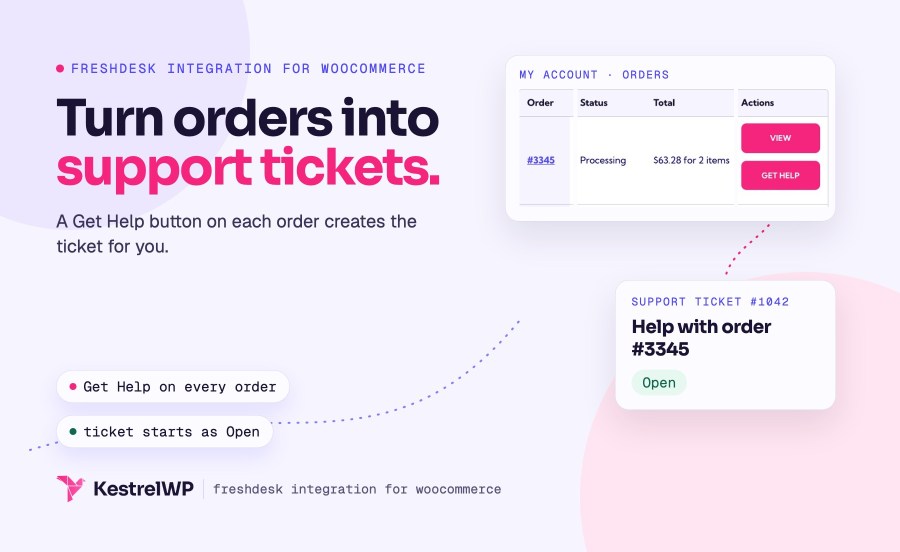
Freshdesk Integration for WooCommerce connects your store to your Freshdesk help desk and puts a Get Help button on every order in My Account, so a customer with a problem doesn’t have to find your contact page and retype an order number. The customer writes what’s wrong, and a ticket lands in your Freshdesk help desk with the order number, date, items and totals already in it. You can create tickets from an order, a blog comment or a product review too, and customers see their tickets in My Account.
It needs a Freshdesk account and its API key. It sends tickets from WooCommerce to Freshdesk; it doesn’t add an order panel inside Freshdesk or sync ticket changes back to WooCommerce.
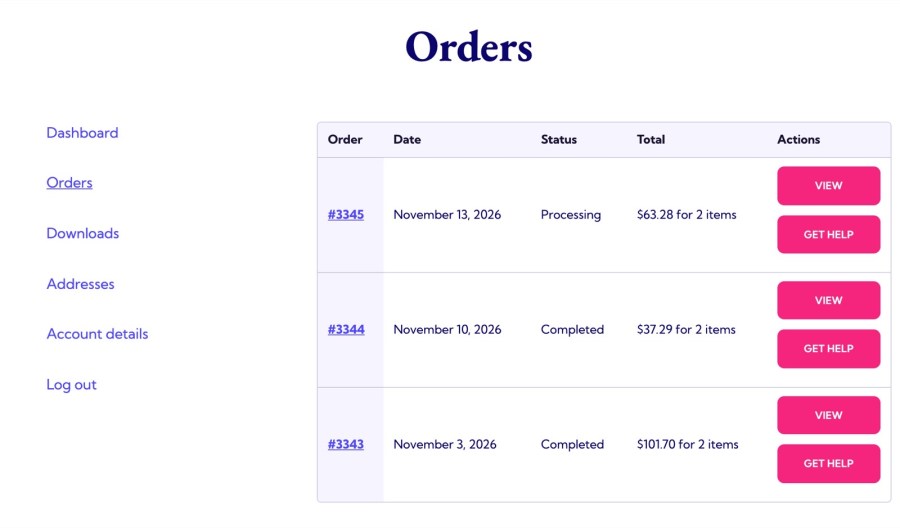
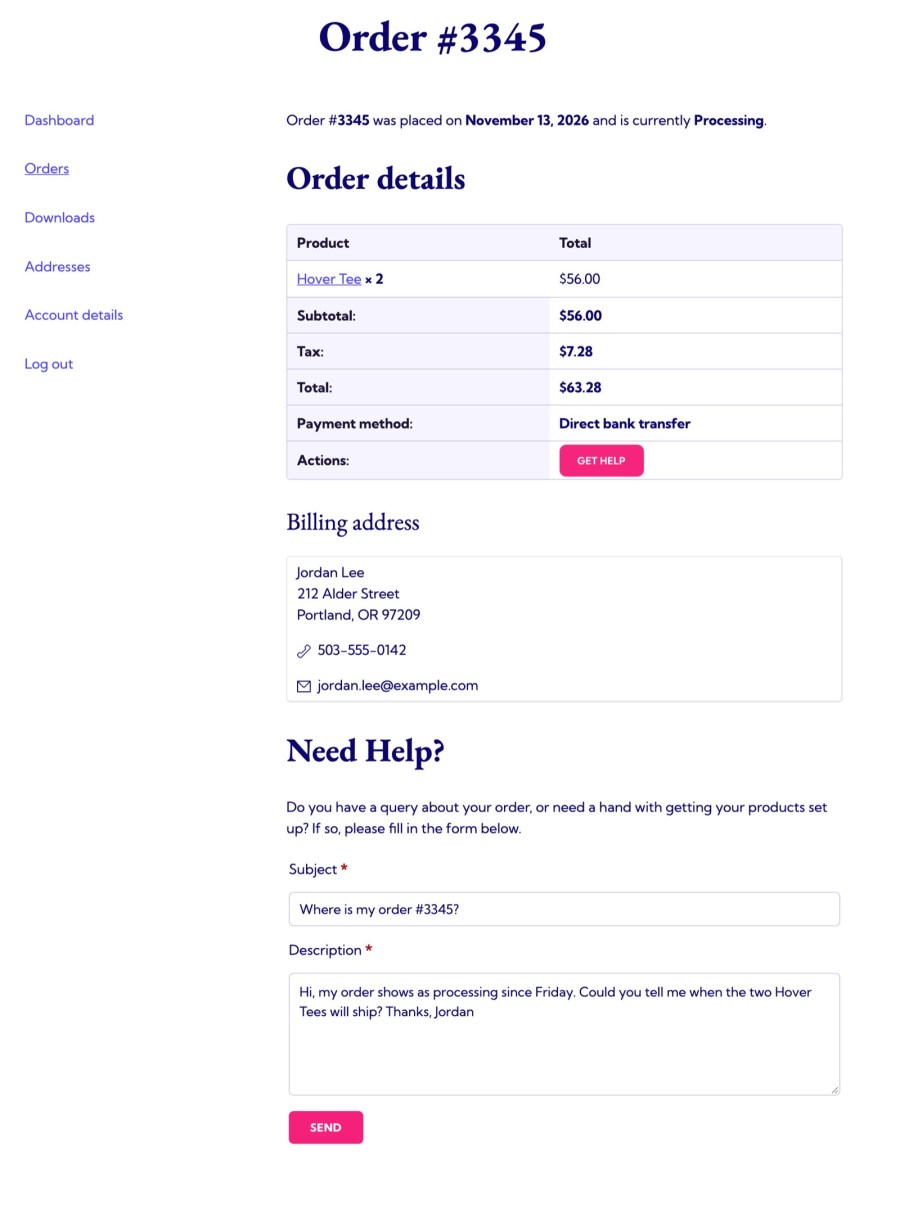
Every order in My Account » Orders gets a Get Help button. It opens the order with a Need Help? form where the customer writes a subject and description. Submitting creates a Freshdesk ticket under the customer’s account email, titled with the subject and the order number, and the description lists the order number, date, items and totals, so your agents start with the context instead of asking for it.
The My Account dashboard shows a My Support Tickets table with the ticket number, subject, date and status. It lists the tickets a customer opened from your store, up to 100, and existing customers keep the tickets for their account email. Reply opens the ticket on your Freshdesk portal, so the conversation continues there. A filter hides the table if you don’t want it.
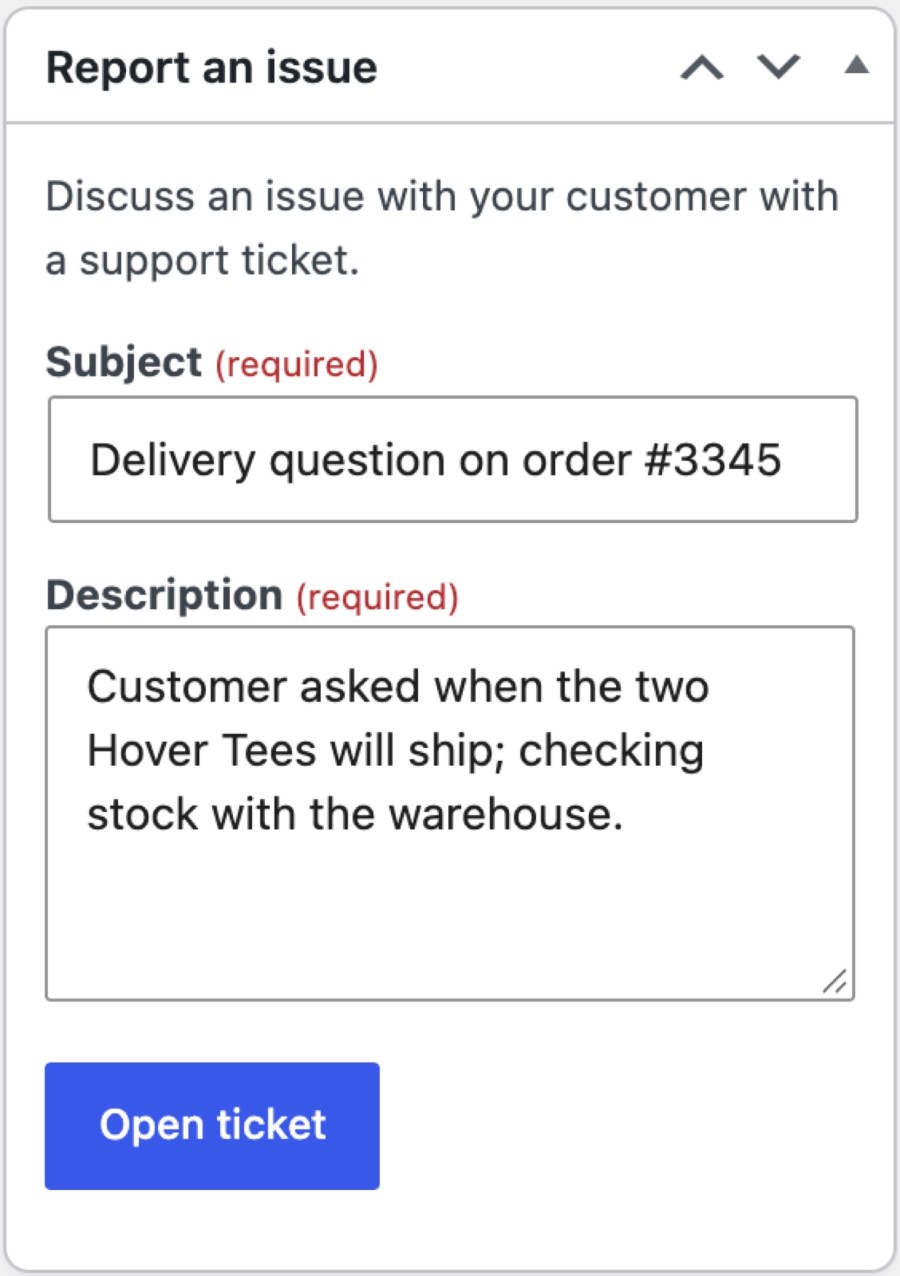
Each order has a Report an issue box with a subject, a description and an Open ticket button, and a link to the created ticket appears afterward. The ticket is created under the logged-in admin’s email, with the order details in its description, which suits following up on an order with your team.
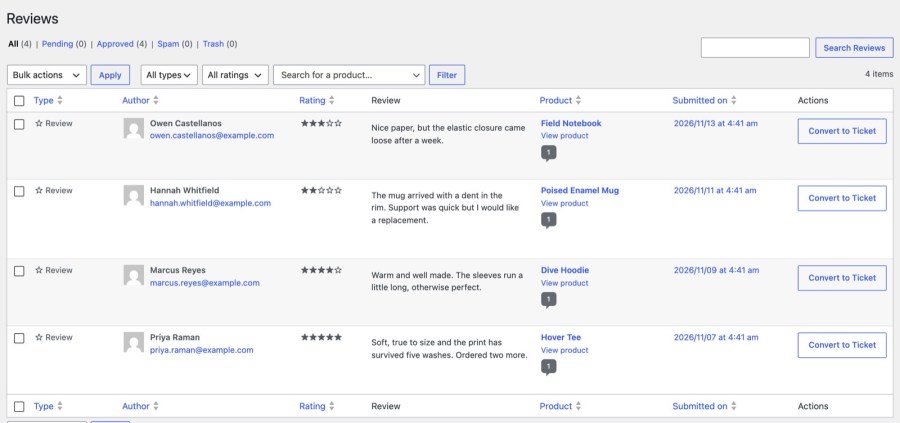
A Convert to Ticket action sits next to blog comments and product reviews. It creates a ticket under the commenter’s email (they need to have given one). For a review, the ticket also gets the reviewer’s most recent order for that product, only if it was their own order. Every ticket is created as Medium priority and Open; change those in Freshdesk, for example with an automation rule.
A Freshdesk tab in Product data lets a product create a new Solutions category, or link to an existing one by ID. On Blossom plans or higher it does the same for Forum categories. After linking, editing the category title or description and updating the product updates the category, and Remove Relationship unlinks it without deleting anything in Freshdesk. Set the Plan field to your real Freshdesk plan, because the Forum section is hidden on Sprout (Free). It links categories, not articles.
The [wc_freshdesk_form] shortcode embeds Freshdesk’s feedback form in an iframe on any page, with a height, title and success message you can set. It needs the Freshdesk URL to be filled in.
Answer the questions that come up before checkout on the product page with an FAQs tab, so fewer of them become tickets. Product FAQs for WooCommerce adds the tab, and Freshdesk Integration handles the ones that still need an answer from your team. The plugin doesn’t include Freshdesk’s floating help widget; add Freshdesk’s embed code alongside it if you want one.
Full steps are in the Get started with Freshdesk guide, and Kestrel support is there if you get stuck. Built and supported by Kestrel, a long-time WooCommerce extension developer.

Yes. Each order in My Account has a Get Help button that opens a form on the View Order page. Submitting it creates a ticket for that order under the customer’s email, in the Freshdesk account you connect with your Freshdesk URL and API key.
Yes. My Account shows a My Support Tickets table with number, subject, date and status. Reply opens the ticket on your Freshdesk portal, where the conversation continues, and a filter hides the table if you prefer.
Yes, from an order with the Report an issue box, and from blog comments and product reviews with Convert to Ticket. Each ticket is created with the order details in its description, and a link to it appears afterward.
Only in the ticket description when the ticket is created: order number, date, items and totals. It doesn’t add an order panel to the Freshdesk agent view or send ticket updates back to WooCommerce.
No. Tickets live in your Freshdesk account, which you need. The plugin sends tickets from WooCommerce to Freshdesk, lets customers open them from an order and shows each customer their tickets in My Account. Every ticket is created as Medium priority and Open; change them in Freshdesk with an automation rule.
Yes. It declares compatibility with High-Performance Order Storage and the Cart and Checkout blocks, and it finds a reviewer’s order on HPOS stores when you convert a review to a ticket.
Informações da extensão
Verificações de qualidade
Países







