
Product Icon

Affiliates Marketing for WooCommerce

Easily run influencer, referral, and affiliate campaigns with custom commission rates, automated payouts, and ready-to-share referral links. Grow your business, increase sales, expand your reach, and monitor performance with real-time analytics.
Choose a billing option
$149
Save 20%
$298 $238.40

Das Abonnement beinhaltet

  • Product updates and improvements
  • Kundensupport
  • 30-tage geld-zurück-garantie

Highlights

  • Launch targeted affiliate campaigns for specific products, categories, and brands.
  • Let your customers promote your brand and earn commissions on every successful referral.
  • Stay flexible with percentage/fixed commission rates applied per product, per affiliate, or store-wide
  • Manually or automatically control affiliate payouts by setting a minimum withdrawal threshold.
  • Manage the entire program from a dedicated dashboard designed for both admins and affiliates.
  • View Detailed Features List Here

Do you know that over 80% of online buyers rely on recommendations? Word of mouth is proven to be more persuasive and trustworthy than any ad. You can turn this trust into revenue by simply offering Affiliate Marketing for WooCommerce. This extension allows you to recruit affiliates to promote your products through various channels ( such as social media or email marketing) via coupon or referral links.

You can set custom commission rates for all/specific affiliates or products, track performance in real time, add manual or automatic payouts, and offer coupons for discounts and affiliate linkage. Easily manage the entire affiliate program, pay only for paying customers, get instant reach, improve conversions, and grow your business with consistent revenue.

Intuitive performance dashboard for admins

Get a centralized dashboard to easily manage total affiliate commissions, total earnings, top products, and top affiliates, all from one place. Simply view an interactive graph of total earnings over time and track the performance of your affiliate program at a glance.
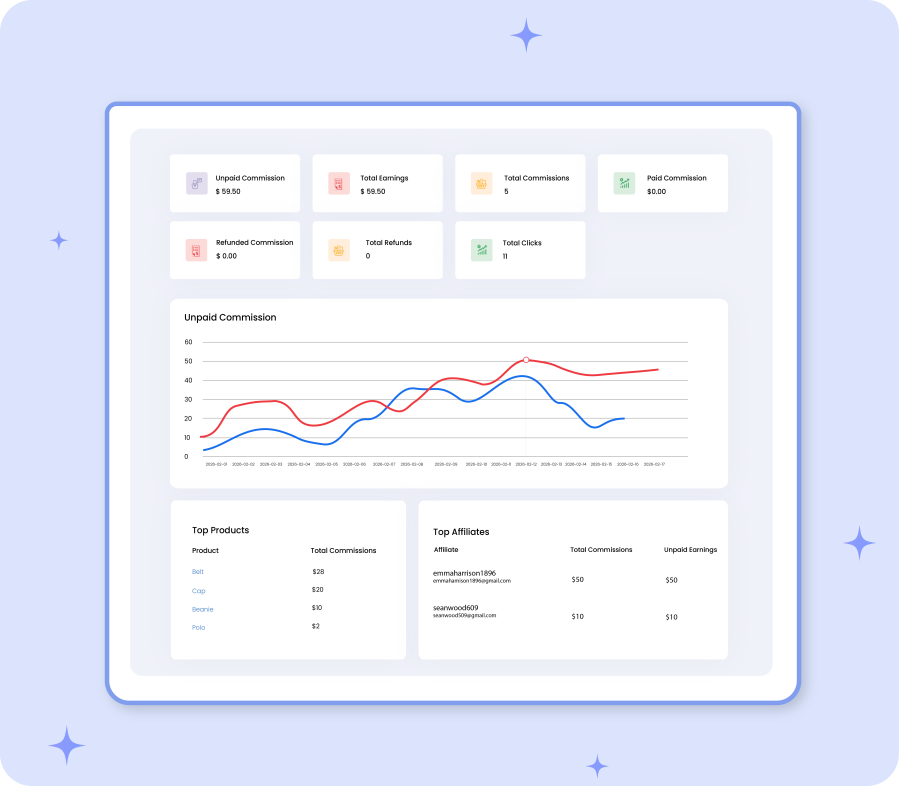
Create and manage multiple affiliate campaigns

Create multiple affiliate campaigns for your customers and manage each campaign with individually defined commission rates. To set up a new affiliate campaign, follow these steps:
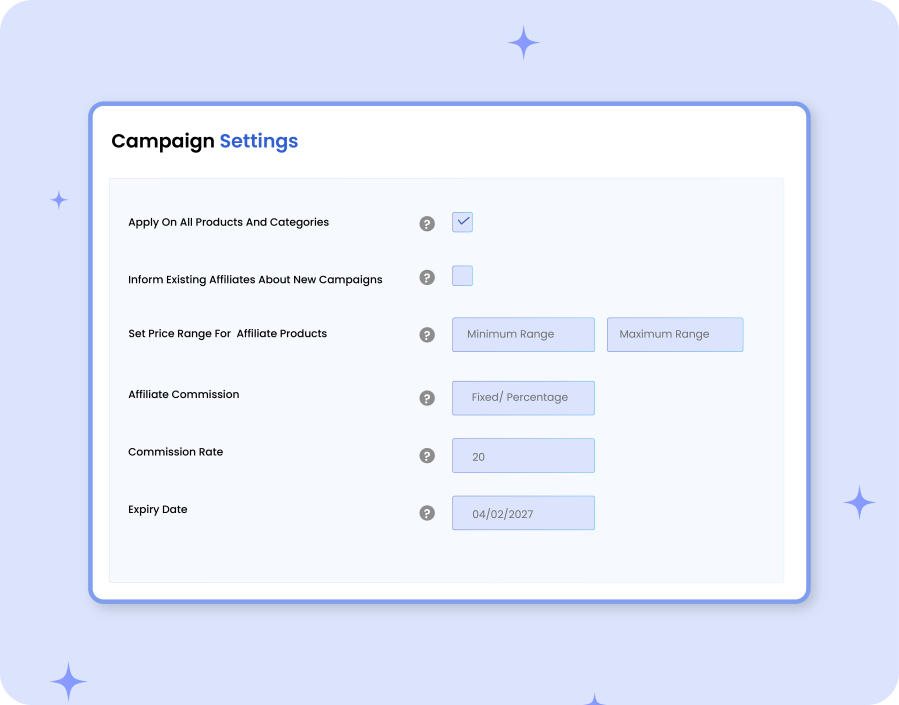
  • Apply campaign to all or specific products, categories, and brands
  • Define price range for eligible affiliate products (min–max)
  • Set commission type (fixed or percentage).
  • Notify existing affiliates about new campaigns
  • Set campaign expiry date

Supports multi-level commission management

Admins can reward affiliates by setting multiple commission rates. You can choose to apply commissions as a fixed amount or a percentage of product value. You can also set commissions at different levels, such as:
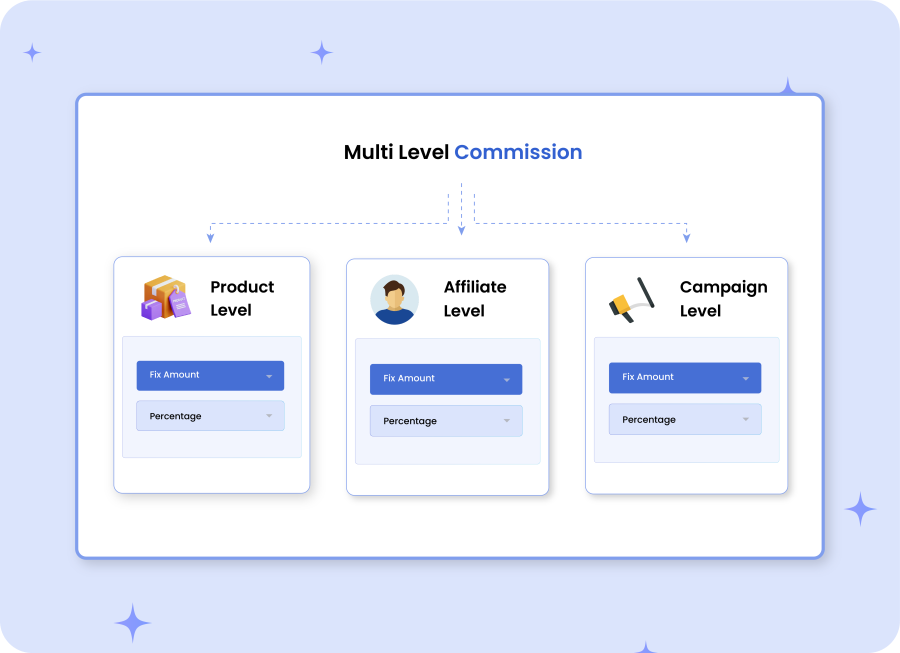
  • Campaigns Level Commission: Set different commission rates for each campaign.
  • Specific User Commission: Increase or decrease the commission based on affiliates’ performance.
  • Specific Product Commission: Promote premium products by assigning special commission rates directly from product level settings.

Tiered commission system

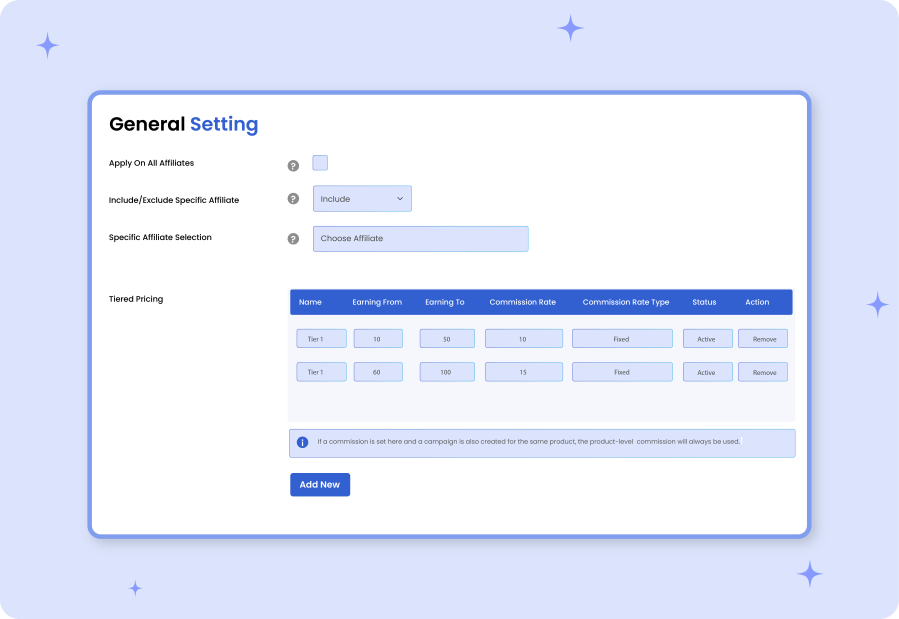
Create a tiered commission strategy and reward affiliates based on their performance levels. You can set multiple tiers to increase commissions as affiliates achieve higher sales within a specific range. The more sales they generate, the higher their commission gets. This process keeps them motivated and drives consistent growth for your business.
Manage all affiliates from a detailed log

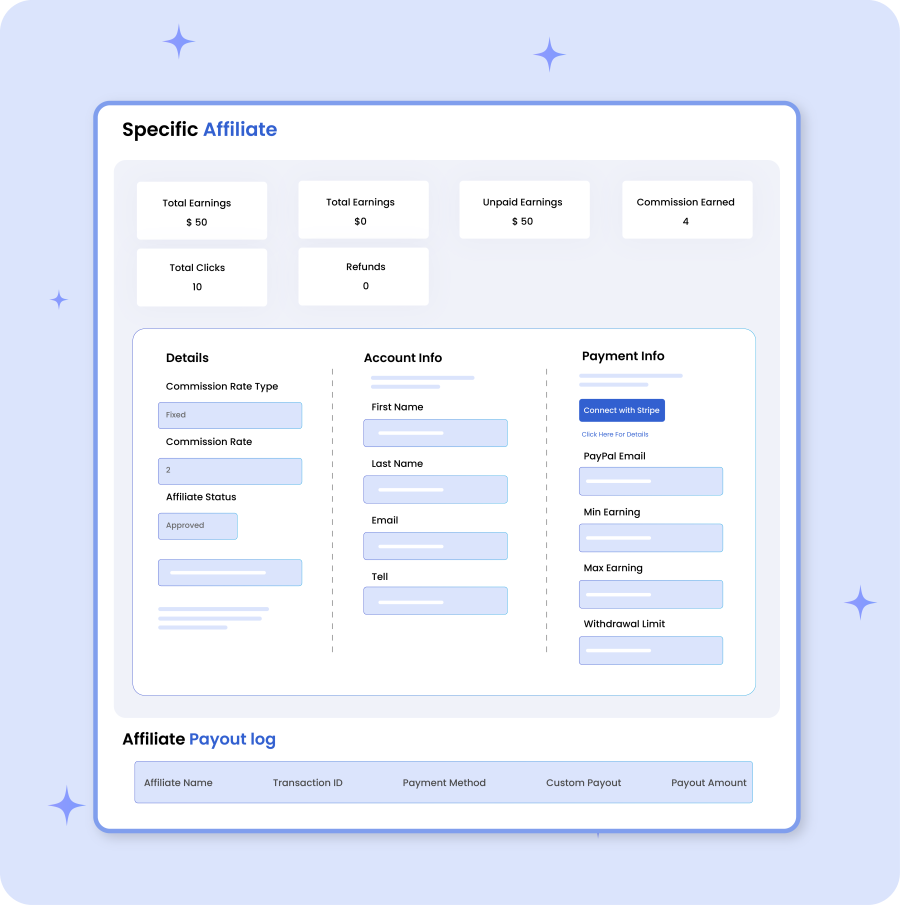
Admins can manage all registered affiliates from a separate dashboard. You can view each user’s earnings, update commissions, set new payment methods, edit account information, and define their affiliate status as approved or suspended. Additionally, you can also add new affiliates manually from this log.
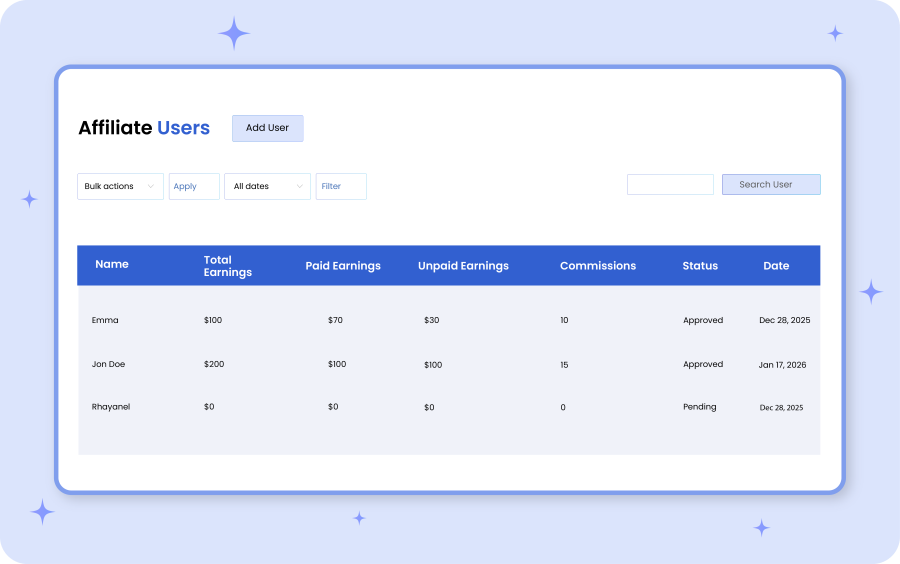
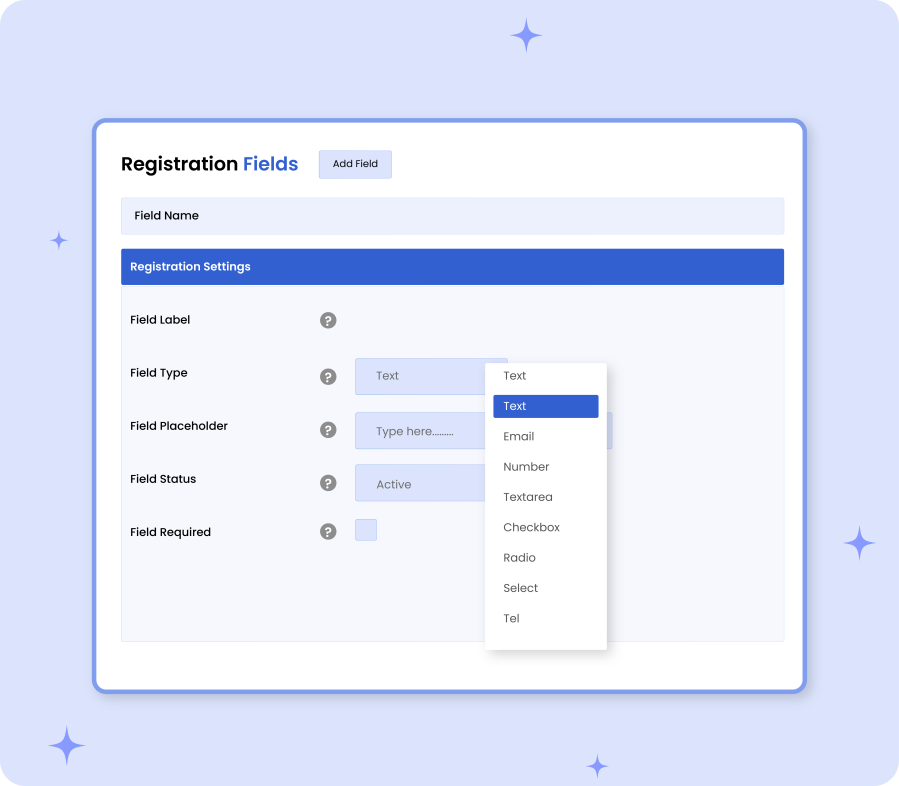
Customize the affiliate registration form

Add unlimited fields for affiliate registration forms and collect important details from applicants, such as social media profiles, marketing experience, monthly traffic, and preferred promotional channels. Choose from multiple field types like email, radio, checkbox, dropdown, and more. You can also add custom labels, placeholders, and statuses, and decide whether each field should be optional or required.
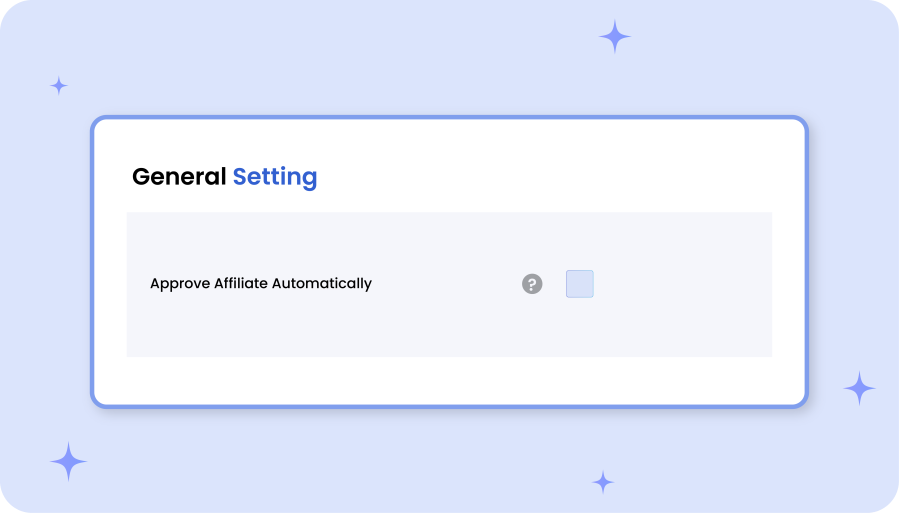
Approve affiliates manually or automatically

With Affiliate Program for woocommerce, you can choose to recruit affiliates either manually or automatically. For manual processing, you can set the default status for every request as pending or rejected, and control the entire program with ease. Alternatively, you can approve affiliates automatically and allow promoters to share your products right away.
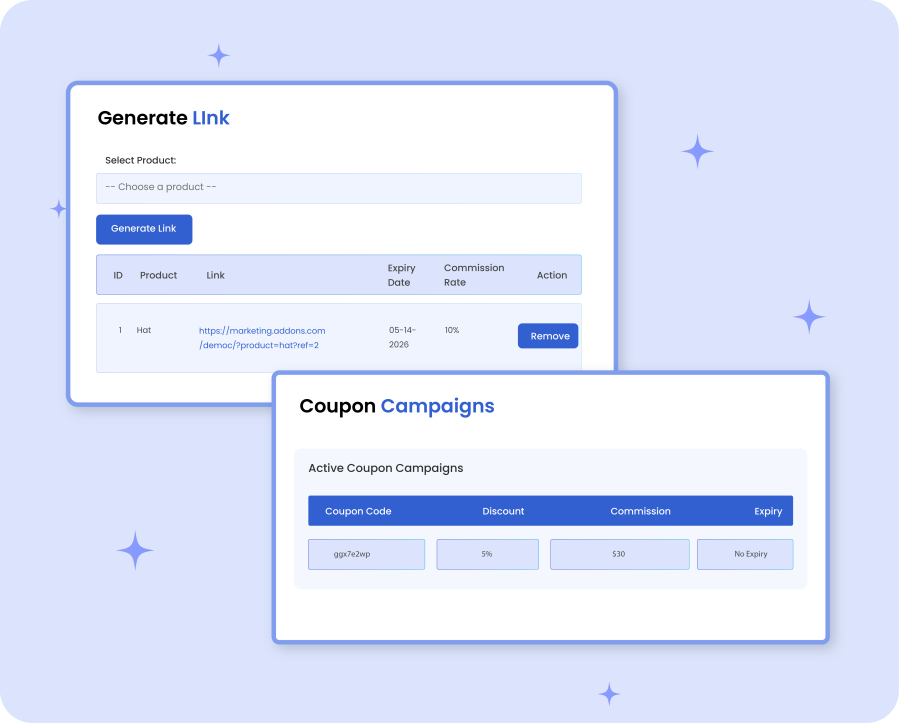
Allow promotion through affiliates links & coupons

Allow affiliates to promote products by generating multiple referral links. Simply encourage regular customers to join your referral program and help your store grow across different channels. You can also create coupons and help affiliates run different campaigns. New visitors can get instant discounts while creating a win-win situation for both affiliates and merchants.
Manual and automatic affiliate payouts

Admins can choose between manual or automatic payout methods based on their business needs. With manual payouts, you can set custom payout amounts for each affiliate and process payouts individually. Alternatively, you can add automatic payout rules by defining a fixed payout amount and applying it on the basis of:
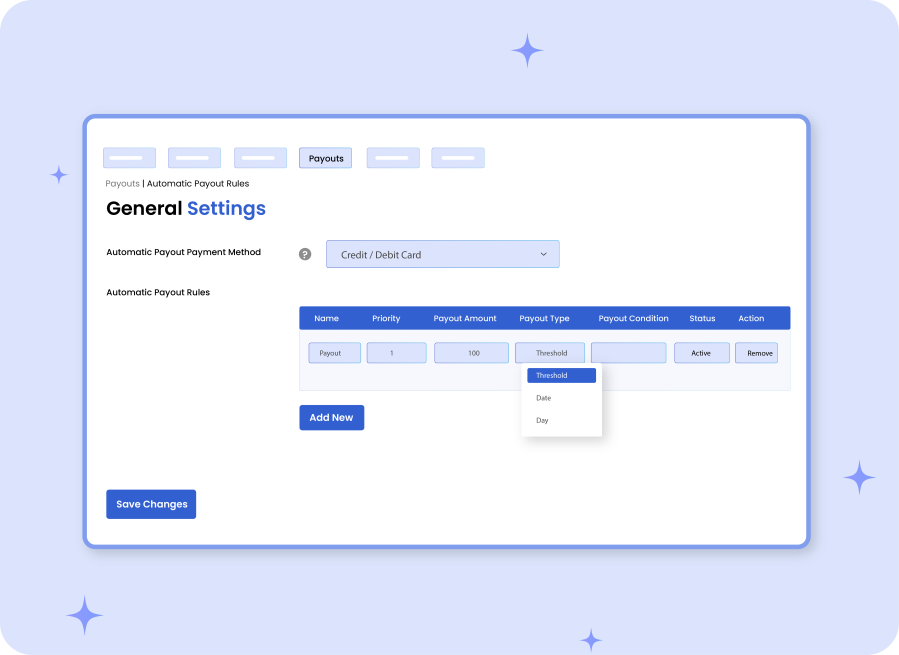
  • Threshold: Set a minimum earning amount ( e.g $100), and release affiliate payouts once the defined threshold is met.
  • Days: Set specific days on which affiliate payouts are automatically released
  • Date: Set specific dates ( such as 1st, 15th, or 30th) of each month to process payments.

Offer payouts by Stripe or PayPal

By using Affiliate Marketing for WooCommerce extension, you can offer payouts through trusted and secure payment gateways like Stripe and PayPal. This flexibility streamlines the entire payment process and builds credibility among your affiliates.
Storefront dashboard for affiliates

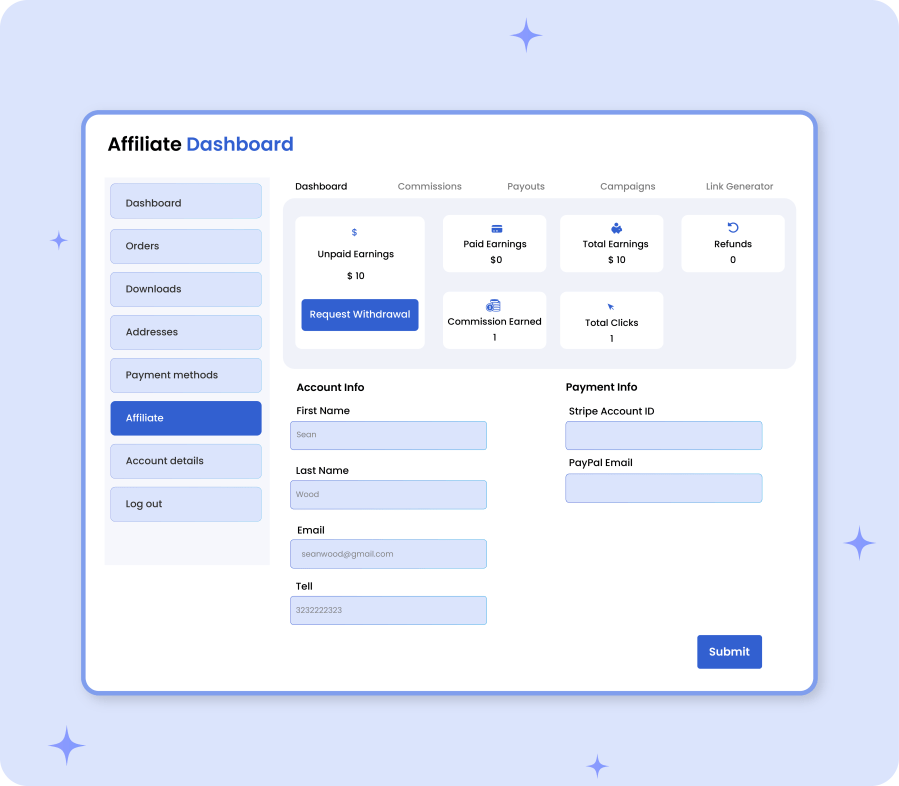
Affiliates can get access to a detailed dashboard and track their total earnings, refunds, paid commissions, total clicks, and more. They can easily add or update payment details and view separate logs for commissions and payouts. From a single page, users can manage the entire affiliate program, monitor coupon campaigns, generate multiple product links, and withdraw payment anytime they like.
Specify user roles that can apply for affiliate

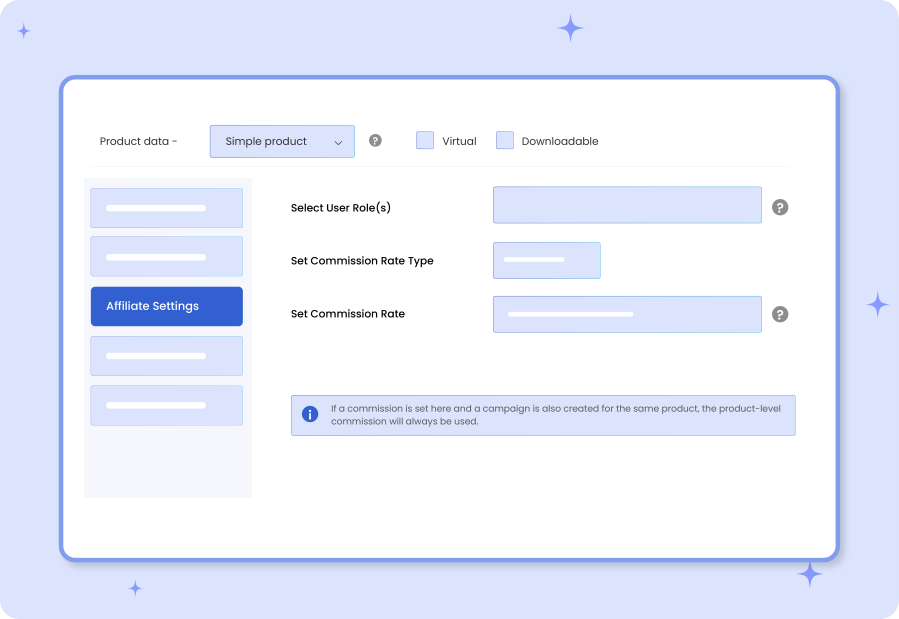
Admins can select specific user roles who are eligible to join the affiliate program. For example, you can allow shop managers, subscribers, or any other role.
Detailed features list

  • Run your own affiliate marketing program from WooCommerce
  • Create multiple affiliate campaigns for specific:
    • Products
    • Categories
    • Brands
  • Set a minimum or maximum price range to include specific products for affiliate
  • Sent an email to inform existing affiliates about new campaigns
  • Choose to make affiliate commissions as percentage based or a fixed amount
  • Set custom commission rates:
    • Per product
    • Per user
    • Globally
  • Add expiry date for each affiliate campaign
  • Get a separate log to manage affiliate details
  • For each affiliate, you can view the following details:
    • Total earnings
    • Paid earnings
    • Unpaid earnings
    • Commission earned
    • Total clicks
    • Refunds
  • Track account and payment information for each affiliate individually
  • Set a withdrawal limit for each user
  • Choose to add manual or automatic payout rules
  • A dedicated log to manage payout details
  • Set the custom payout amount manually for each user
  • Select payment method as:
    • Direct bank transfer
    • Credit/Debit card
    • Stripe
    • PayPal
  • Set a minimum payout threshold before releasing commissions
  • Make payouts dependent upon specific:
    • Dates of the month
    • Specific days of the week
    • Earned Amount
  • Customize affiliate registration form using multiple custom fields
  • Define affiliate requests default status as:
    • Pending
    • Rejected
  • Exclude specific user roles from the affiliate program
  • Block desired affiliates from the campaign
  • Multi-tier pricing to offer higher commissions based on performance levels
  • Restrict or allow self-referrals
  • Allow customers to generate multiple referrals links
  • View commission rates, commissions earned, refund status, products, and order ID
  • Allow users to use coupons for affiliate links and discounts

Requirements:

PHP 8.0 or above


Häufig gestellte Fragen

Can I set different commission rates for different affiliates?

Yes, you can assign commission rates globally, per product, or per affiliate. You can also create multi-tier commissions to add performance-based earnings.

Does the extension support automatic affiliate payouts?

Yes, you can configure automatic payouts based on thresholds, specific dates, or selected days.

Which payment methods are supported for affiliate payouts?

The extension supports secure payout methods, including Stripe, PayPal, direct bank transfer, and credit/debit card options.

Can affiliates track their performance?

Yes. Affiliates get access to a dedicated dashboard where they can monitor earnings, clicks, refunds, paid, and unpaid commissions.


Will affiliates be notified about commission updates?

Yes, you can enable email notifications to inform users about new affiliate campaigns.

How are Affiliate for WooCommerce campigns beneficial?

WooCommerce Affiliate program helps you increase sales and brand reach. You can simply let customers promote your products and earn commissions only on successful referrals.

Kundenbewertungen

We are accepting reviews for this product, and will display them when we get a few more.

Related Products

Price $79 Jährlich
Rated 3.4 out of 5 stars
Price $59 Jährlich
Rated 3.1 out of 5 stars
Price $279 Jährlich
Rated 3.2 out of 5 stars
Price $109 Jährlich
Rated 2.8 out of 5 stars
Price $49 Jährlich
Rated 4.1 out of 5 stars
Price $109 Jährlich
Rated 2 out of 5 stars
Price $109 Jährlich
Rated 2.3 out of 5 stars
Price $109 Jährlich
Rated 2.6 out of 5 stars
Price $109 Jährlich
Rated 2 out of 5 stars
Use of your personal data
We and our partners process your personal data (such as browsing data, IP Addresses, cookie information, and other unique identifiers) based on your consent and/or our legitimate interest to optimize our website, marketing activities, and your user experience.




