

Aktive Installationen
100+
Das Abonnement beinhaltet
Support
Designed to keep large WooCommerce stores manageable as order volume grows.
Archiva for WooCommerce automatically archives older orders based on age and status, helping reduce unnecessary load on the active order list and keeping your WooCommerce admin easier to work with over time.
As your WooCommerce store grows, managing thousands of past orders inside the main Orders screen can become increasingly cumbersome and harder to work with. Archiva works quietly in the background to support long-term admin usability and store scalability.
⭐⭐⭐⭐⭐
“I modified the plugin to process more orders per run, and it’s helping a lot with performance. The flexibility Archiva provides makes it easy to adapt to real-world store needs.”
⭐⭐⭐⭐⭐
“The implementation was seamless. We ran into an issue, and their customer service was very fast and helpful — the problem was fixed in just a few days.”
⭐⭐⭐⭐⭐
“Very interesting plugin. Based on the feature set and code quality, this is the best order archiving solution I’ve come across.”
Rated 4.7/5 by store owners
Easily archive WooCommerce orders based on their status. Whether it’s completed, canceled, or custom statuses, Archiva lets you automate the process and keep your order list clutter-free.
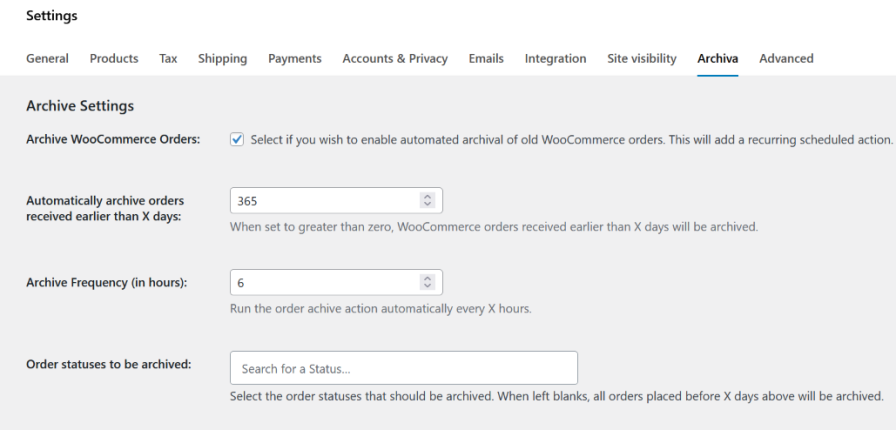
Choose an archive frequency that is perfect for you store. Archiva runs the automated archive schedule once every 12 hours by default. But you can set it to run as frequently as every 30 minutes. 
If you wish to archived failed/canceled orders quickly (within a few days) while continuing to retain the normal orders for a year, we have you covered. Set a shorter retention period for such orders.

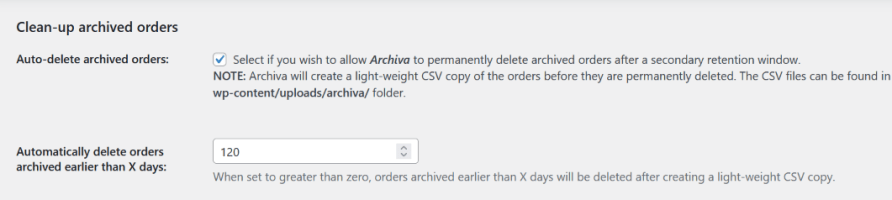
Delete older archived orders automatically after retaining them for a secondary retention window. The plugin creates a lean CSV backup of the orders on the site before permanently deleting them.
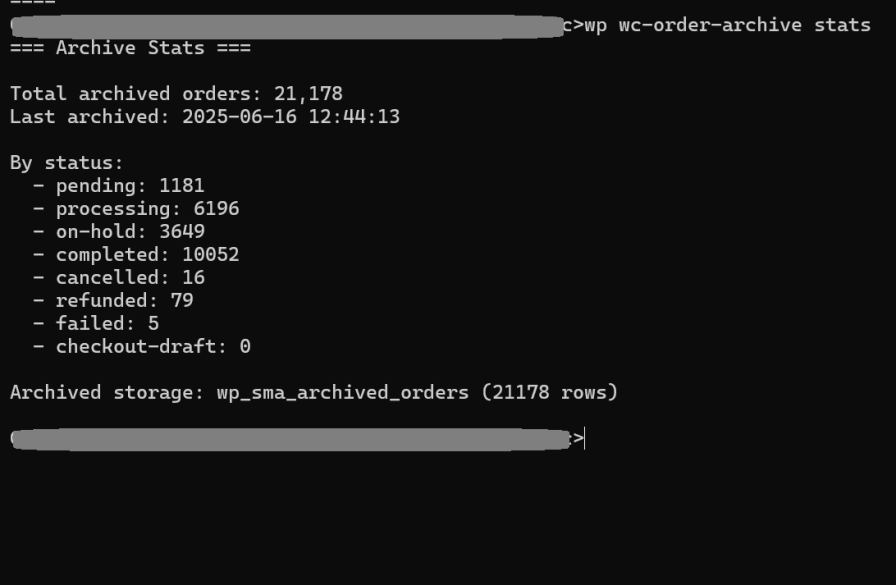
More comfortable working via WP-CLI? Archive orders in bulk using the WP-CLI tool. List, view, archive, unarchive and delete archived orders via the command line at your convenience.
Easily manage your archived orders from the WooCommerce Archived Orders page. View, unarchive, export, or delete orders as needed, all in one place.
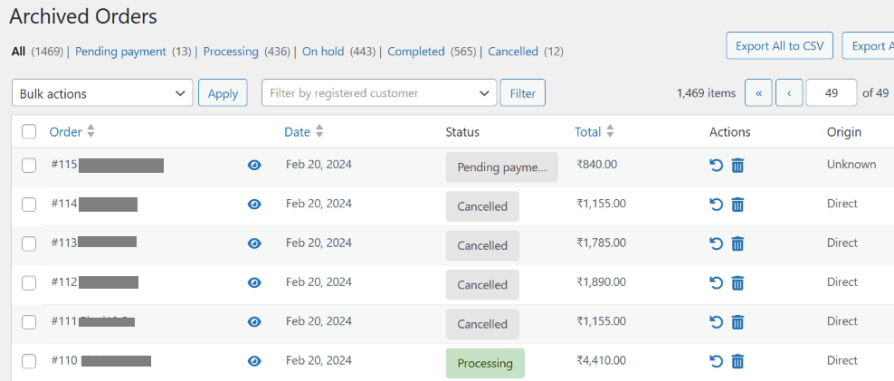
Orders are segregated based on status and can be filtered by customer.
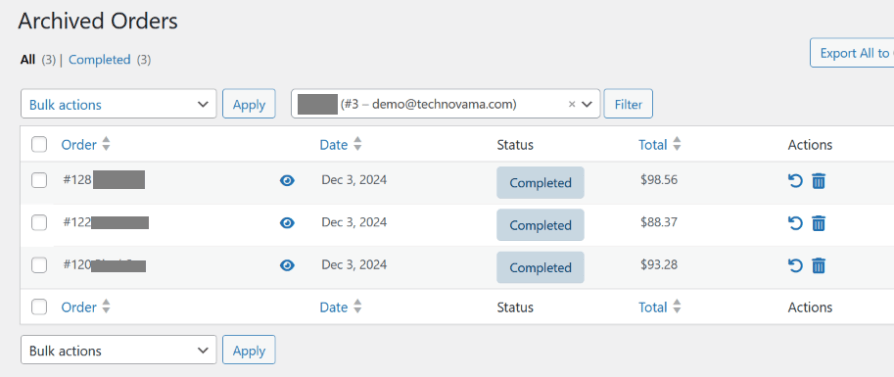
View archived order details with just a click.
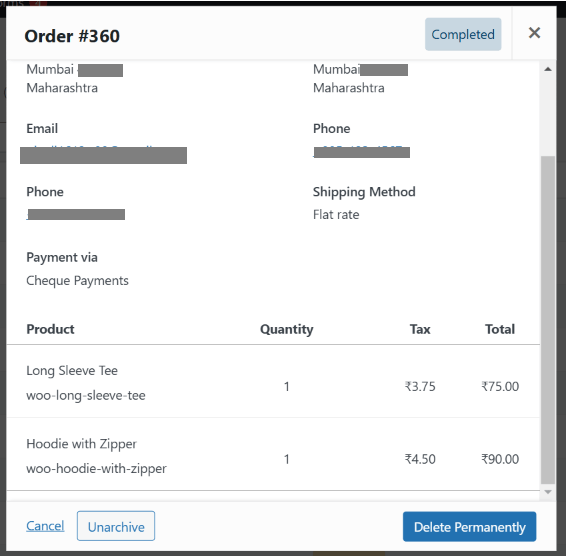
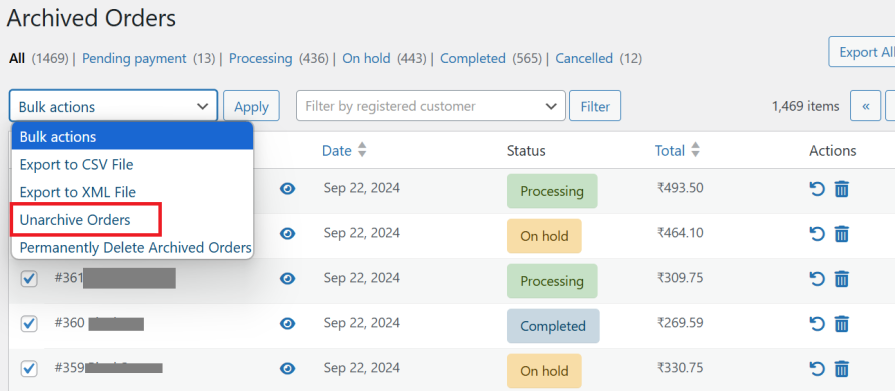
Need to restore an archived order? Unarchive it with a single click. You can also unarchive multiple orders at once using Bulk Actions for faster management.
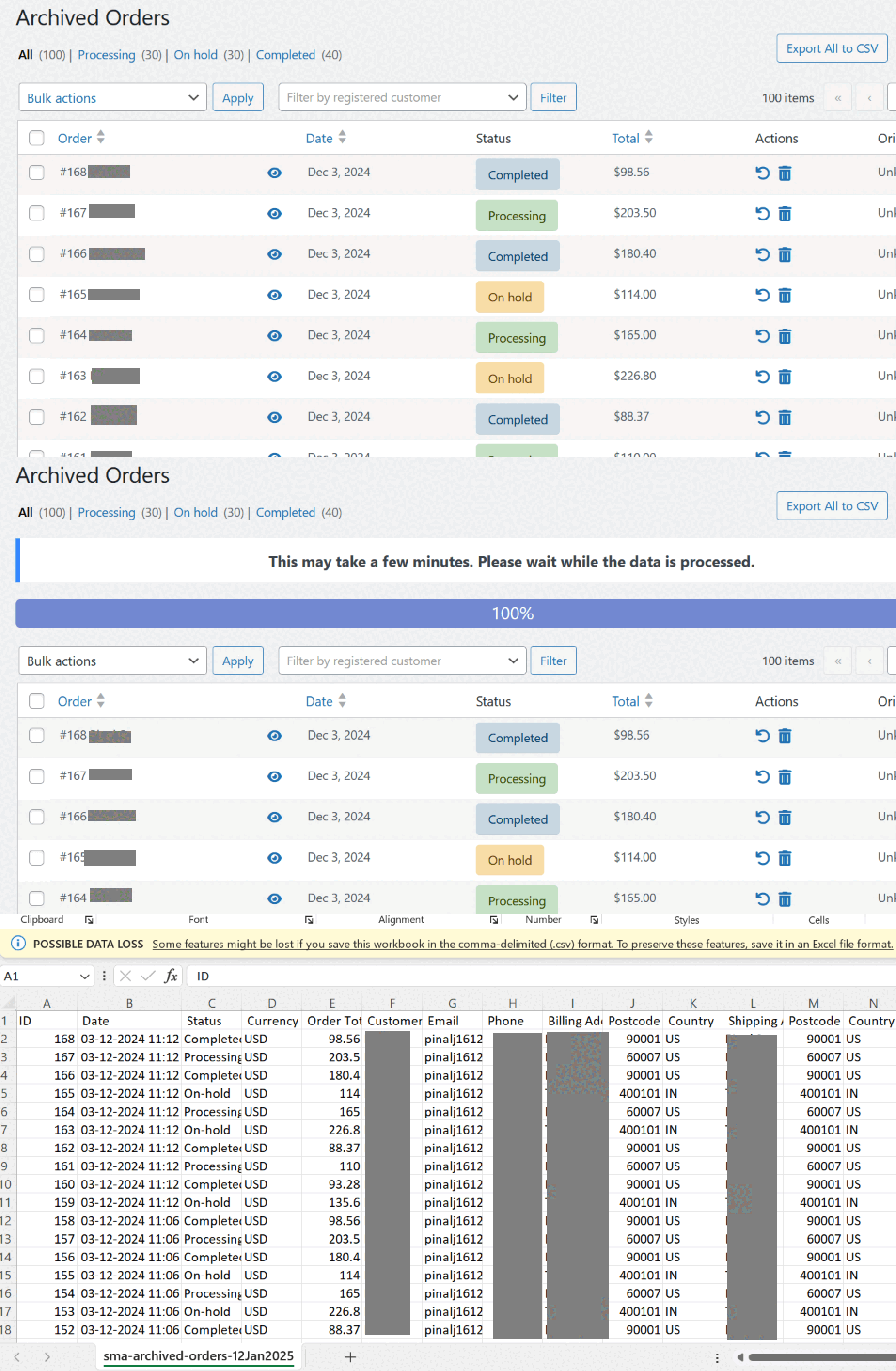
Export order data to a CSV or XML file for safekeeping and easy record-keeping. Filter orders by status, customer, and more before exporting and downloading the files in just a few clicks.
Manually archive orders whenever needed with just a click. Select individual orders or use Bulk Actions to archive multiple orders at once for better order management.
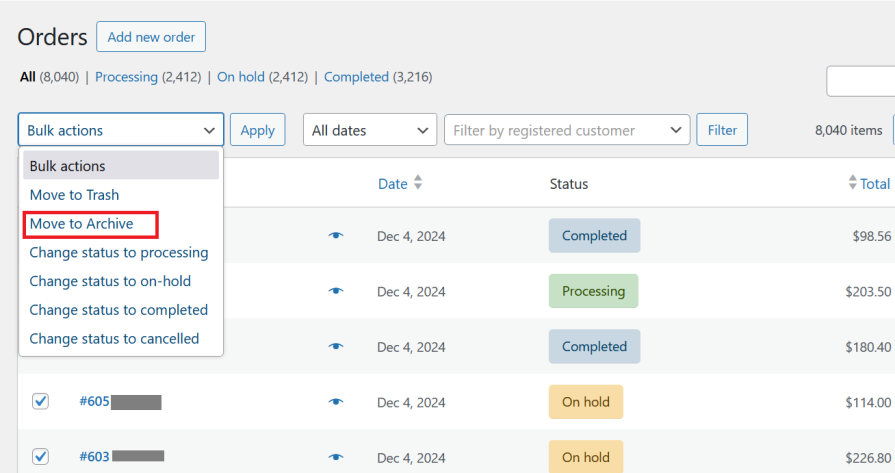

Manually delete archived orders when they’re no longer needed. Delete a single order using row actions or remove multiple orders at once with Bulk Actions for efficient cleanup.

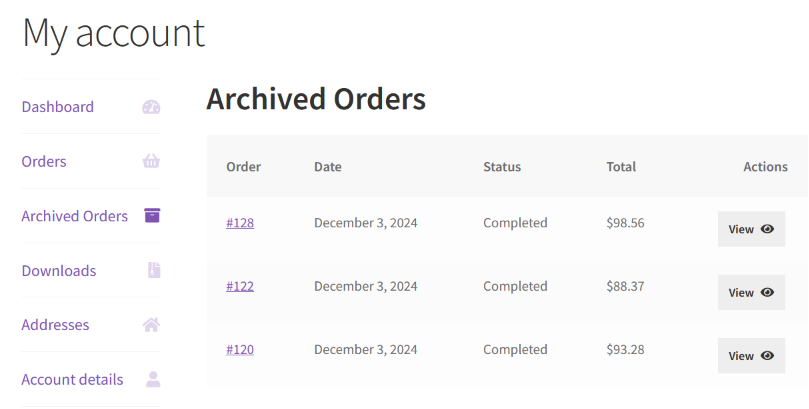
Let customers access their archived orders easily from My Account > Archived Orders. This dedicated page displays all archived orders for convenient viewing.

Archiva is built to support growing WooCommerce stores without changing existing workflows.
Join our family of 4000+ delighted TechnoVama users and experience the difference!”
Have a feature request? Submit one here.
By default, the automated archival action runs once every 12 hours. You can choose to run it once every 30 minutes. 50 orders are archived in each cycle.
You can choose to archive orders via WP-CLI. Detailed documentation is available here
Yes, you can modify the Automatically archive failed/cancelled orders received earlier than X days setting to a smaller value (such as 7, 14 or more) based on your requirements.
Yes. For example, if you want to archive orders 2 years (730 days) after they are received and then delete them after another year (365 days), here’s how:
Set "Automatically archive orders received earlier than X days" to 730.
Enable "Auto-delete archived orders" and set "Automatically delete orders archived earlier than X days" to 365.
Before deleting, the plugin will create a lightweight CSV backup of the archived orders on your site for safekeeping.
Extension information
Quality Checks
Länder










