

Product comparison
Das Abonnement beinhaltet
Support
Display your upcoming products with a badge and countdown timer, allowing you to attract customers before launch. The coming soon product plugin for WooCommerce lets you preview upcoming arrivals with a customizable badge and countdown timer, control exactly how (or if) customers can purchase before launch, and automatically notify interested shoppers via Email or WhatsApp the moment a product goes live.
Show the badge and timer on your Shop page, Product page, or both. Automatically flag out-of-stock items as coming soon until they’re restocked. Choose whether to block purchases entirely, keep the Add to Cart button active, or open up backorders and pre-orders. Once the arrival time hits, decide what happens next: do nothing, mark the product in stock, or auto-restock with a set quantity.
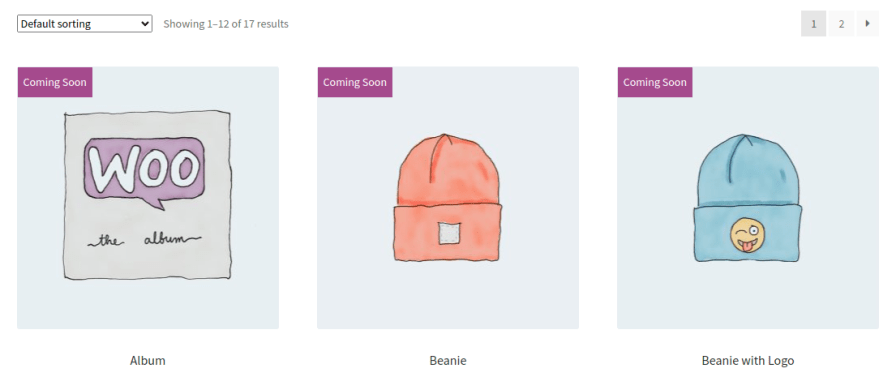
Add a coming soon badge to upcoming products so customers instantly know a launch is on the way. Set the badge text, font size, opacity, position, and colors to match your store’s branding, and place it on the Shop page, Product page, or both.
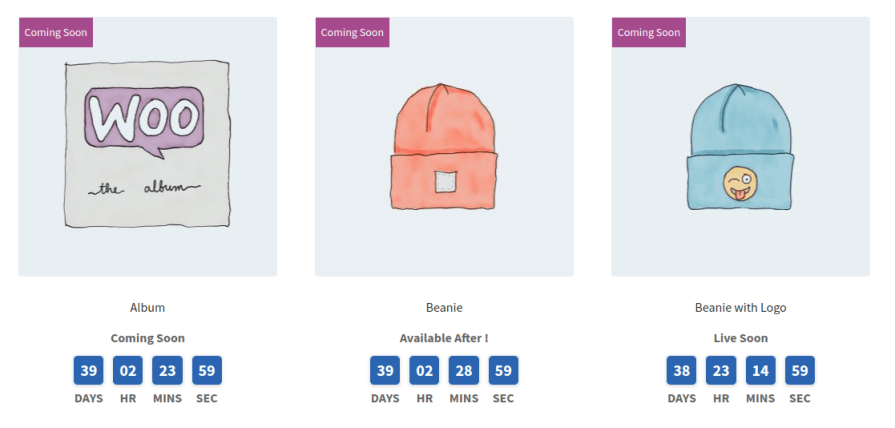
A visible countdown gives customers a reason to come back. Set the timer’s text and background color, choose where it appears (Shop page, Product page, or both), and enable it individually at the product level with a specific arrival date and time.
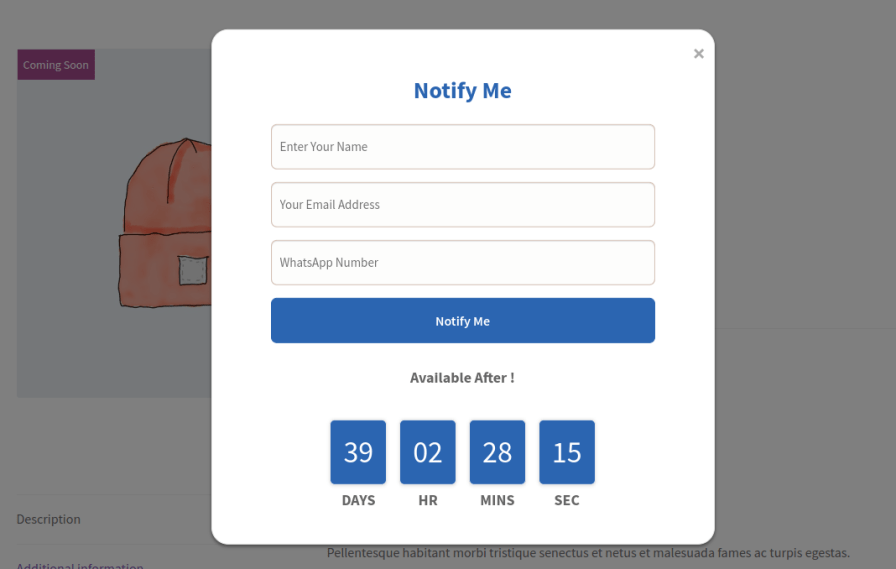
Enable the Notify Me form at the product level so shoppers can register interest before launch. Customize the form title, button text, button colors, and the confirmation message shown after submission.
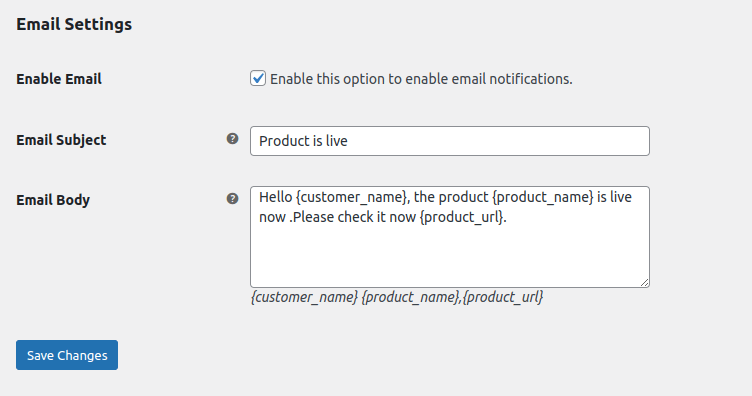
Notify interested customers by email the moment a product becomes available for purchase. Customize the subject line and body, using placeholders like customer name, product name, and product URL for a personalized touch.
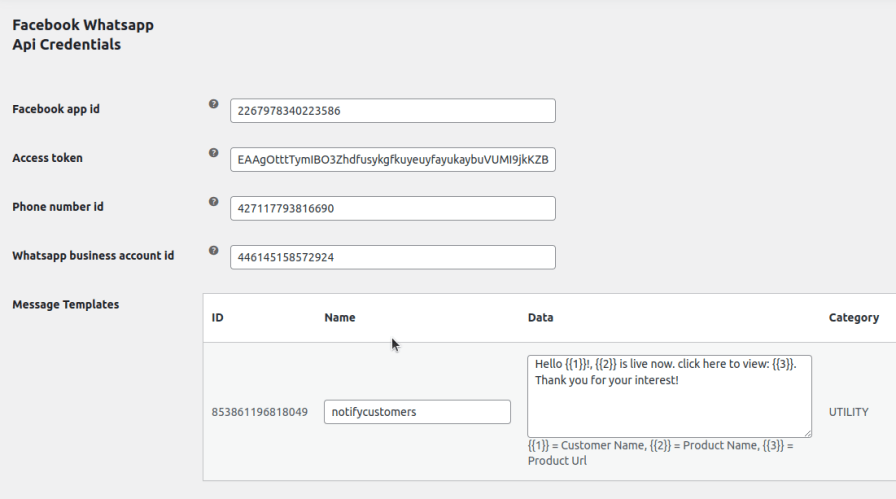
Reach customers directly on WhatsApp when their awaited product launches. Connect your Facebook App ID, Access Token, Phone Number ID, and WhatsApp Business Account ID, then customize message templates and language to match your brand voice.
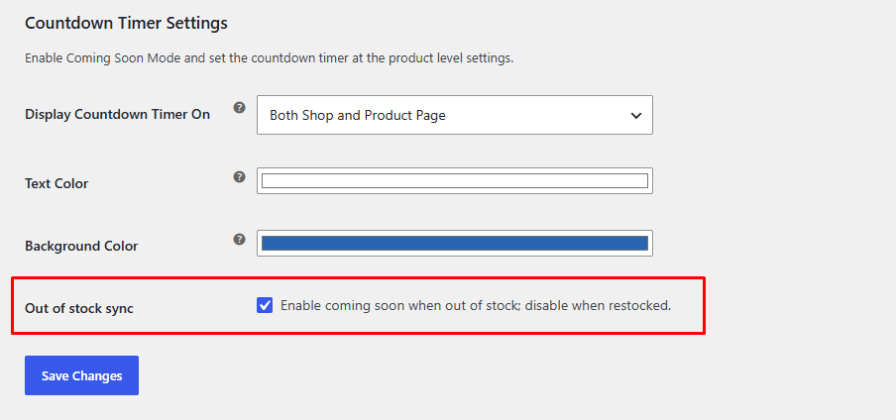
Enable Out of Stock Sync, and any product that runs out of stock automatically switches to coming soon status. Once it’s restocked, the coming soon label is removed on its own, so you never have to manage it manually.
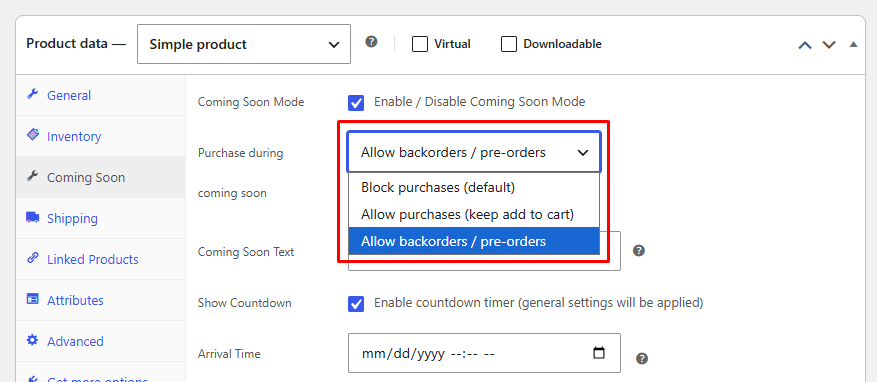
Decide exactly how customers interact with a product before it’s live. Block purchases completely until launch, keep the Add to Cart button active for early sales, or enable backorders and pre-orders to capture demand ahead of time.
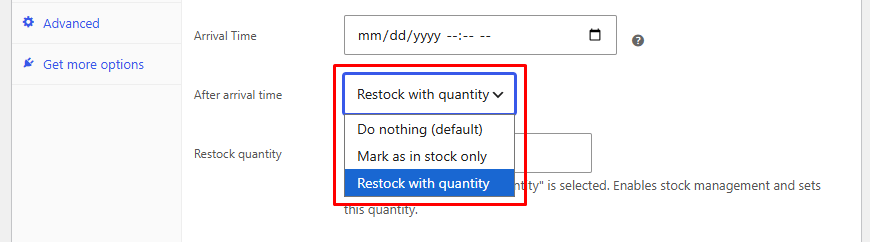
Set what the plugin does the moment a product’s arrival time is reached: leave it as is, automatically mark it in stock, or restock it with a specific quantity, so your store stays accurate without manual updates.
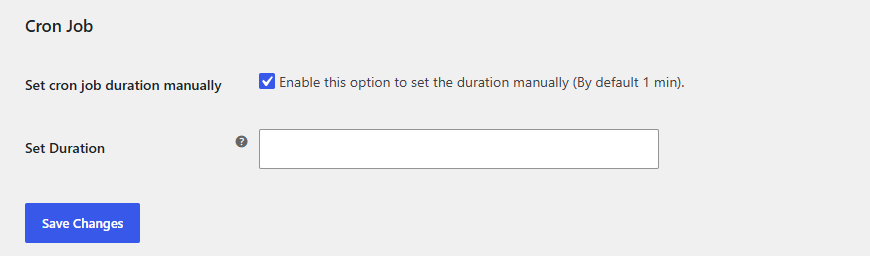
Manually set how often notifications are sent out. This keeps alerts arriving at sensible intervals so customers aren’t overwhelmed with messages.
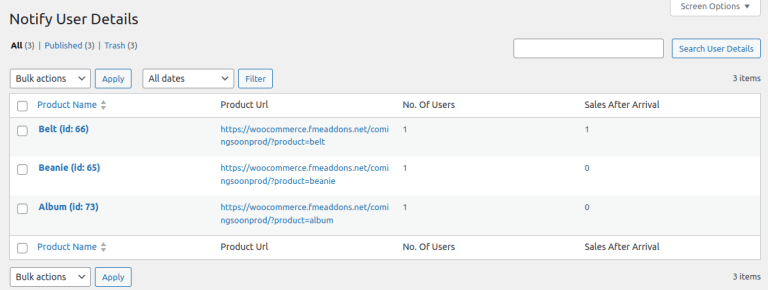
See exactly which products customers are interested in, how many people signed up for alerts, and how many sales followed once the product launched, all in one place.
That's up to you. Choose to block purchases entirely, keep the Add to Cart button active, or allow backorders and pre-orders at the product level.
You control this too. The plugin can leave the product as is, mark it in stock, or restock it with a specific quantity you set in advance.
Yes, if you enable Out of Stock Sync. The coming soon status is applied automatically and removed on its own once the product is restocked.
Customers can submit a Notify Me form on the product page, and you can send them automated alerts via Email, WhatsApp, or both.
Yes, both Email and WhatsApp notifications support custom subject lines, message bodies, and placeholders like customer name and product URL.
The plugin allows you to send automated email notifications to customers who have signed up for product availability updates. You can customize the email subject and content for a personalized experience.
Extension information
Quality Checks
Länder







