


Aktive Installationen
400+
Das Abonnement beinhaltet
Support
Use Order Bump for WooCommerce to show customers last-minute product offers through Order Bumps and Upsell Funnels and add value to their purchase while increasing your average order value!
When a customer accepts an Order Bump offer, they’ll spend more than they’d initially planned to spend.
Displaying targeted, customized offers based on customers’ current cart contents improves the overall customer experience, which means more customer loyalty.
Customers who have benefited from the Order Bump are likely to refer new users to your site.
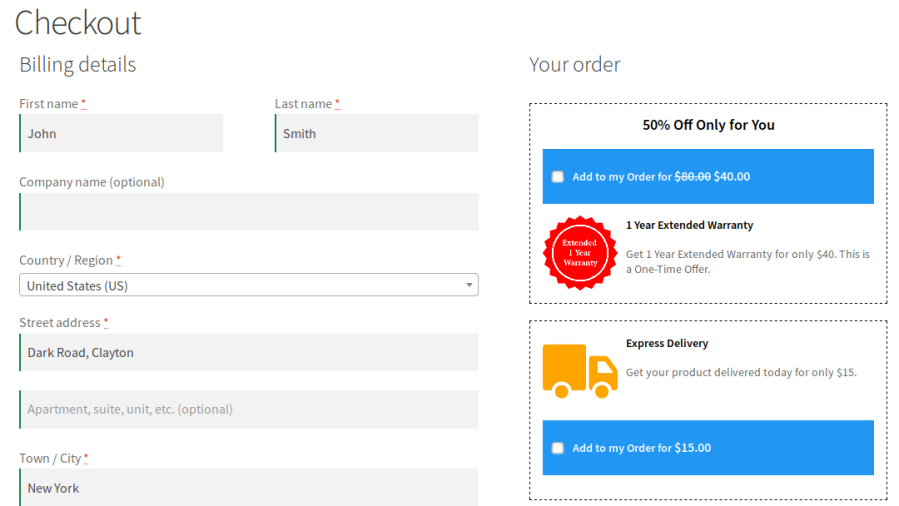
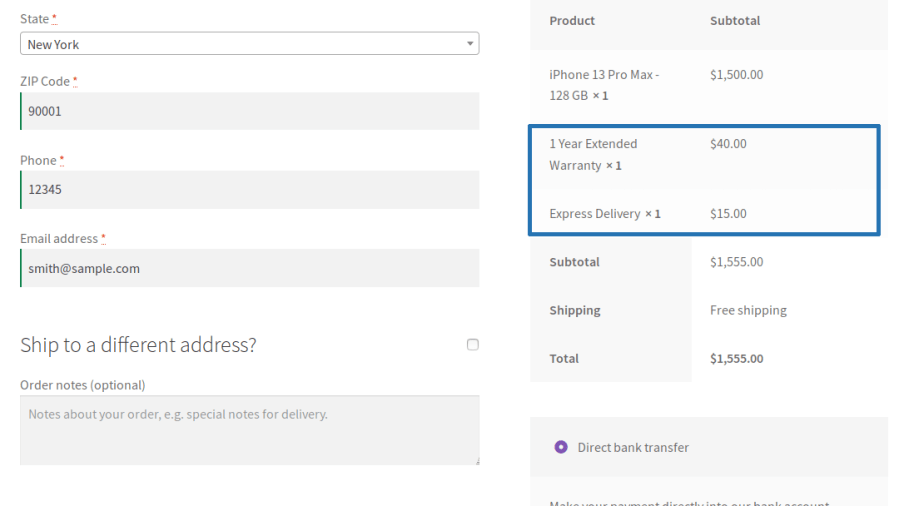
Order Bumps are last-minute offers presented to the users on the checkout page. These offers are generally applicable to the entire cart. You can present offers like Express Delivery, Purchase Protection, etc using Order Bumps.
You can present the offer in a Single Order Bump or in Multiple Order Bumps based on your requirements. Your users can accept any number of Order Bump offers in a single transaction when Multiple Order Bump is allowed to be chosen.
Offers will be sorted based on the configured display priority and number of Offers will be decided based on the configured display count when Multiple Order Bumps is allowed to be chosen.
The offered product’s quantity can be defined in two ways,
The customer will be allowed to accept the Offer Product with the Fixed Quantity.
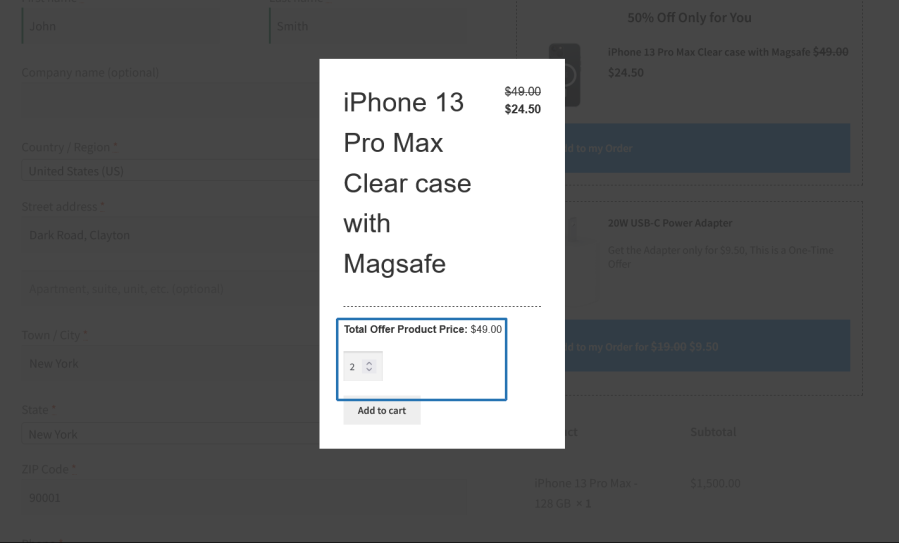
The customer will be allowed to accept the Offer Product with the allowed Minimum and Maximum Quantity selection.
The offered product acceptance can be done in the following ways,
The customer will be allowed to accept the Offer Product on the Checkout page.
The customer will be redirected to the Product page and they can add it in there when they are trying to accept the offer. In this case, the customer will get clear idea about the Offered Product as well as make the best choice.
Product Image
The image of the selected product will be displayed as Offer Product Image.
Custom Image
You can upload a unique image that will be displayed for the Product when it becomes for the Offer.
Offer Product can be awarded based on the below criteria conditions,
Example:
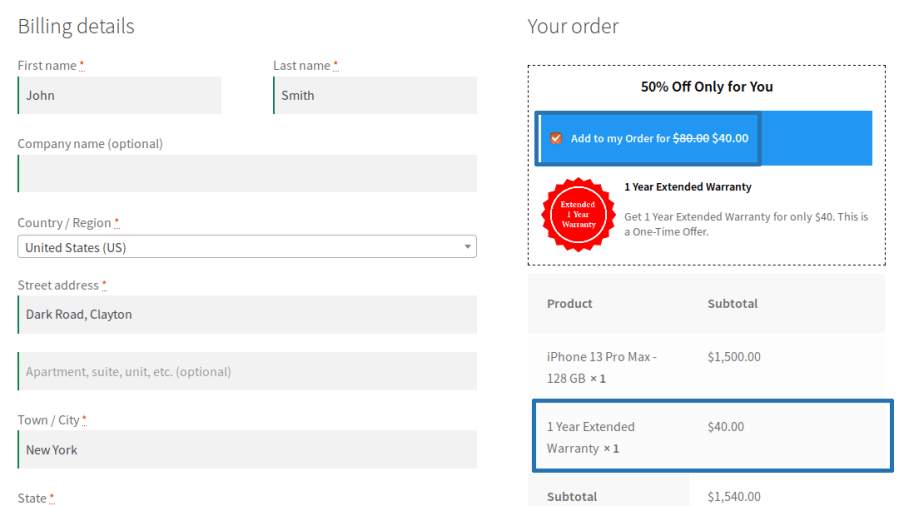
A customer buying a mobile phone proceeds to the checkout page. There they’ll see a one-time discount on an additional 1 year warranty for the mobile phone:

If the shopper wants to accept the offer, checking the “Add to my Order” box automatically adds the item to the cart at the discounted price.


Upsell Funnels are last-minute offers on products presented to the users on the checkout page. The offer products can be products related to the items in the cart.
Offer Products will be decided based on the type[i.e Related Products, Best Selling Products & more]. The number of Offer Products will be displayed based on the configured Number of Products to display value.
The offered product’s quantity can be defined in two ways,
The customer will be allowed to accept the Offer Product with the Fixed Quantity.
The customer will be allowed to accept the Offer Product with the allowed Minimum and Maximum Quantity selection.
Offer Product can be awarded based on the below conditions,
Offer Product can be awarded based on the below criteria configurations,
The Offered Products display can be customized using various display options and color customization.
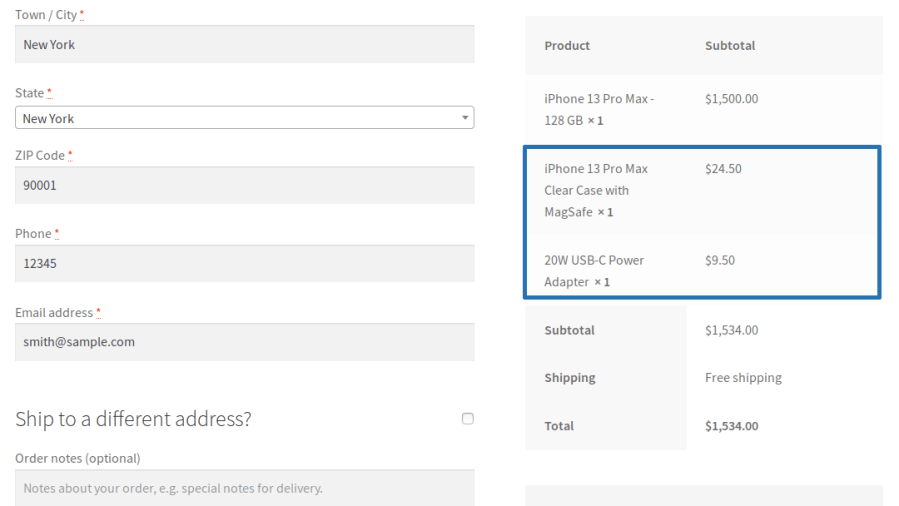
Example
A customer buying a mobile phone proceeds to the checkout page. There they’ll see a one-time discount on the accessories for the mobile phone:



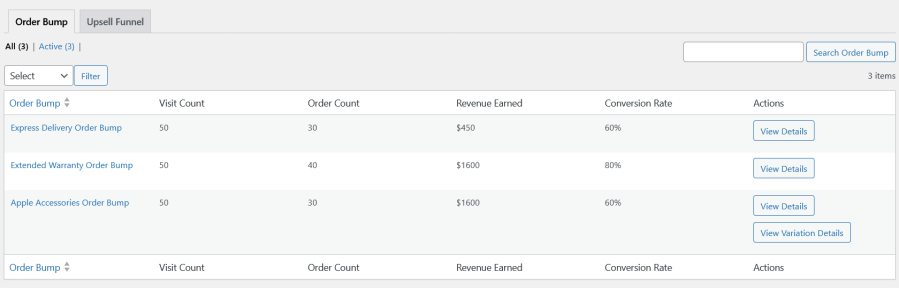
The site admin can get insights on the following data for Order Bumps and Upsell Funnels,


1. Smart Order Bumps
Increase average order value by presenting targeted product offers directly on the checkout page when customers are most likely to accept them.
Key Capabilities
Present customers with additional product recommendations during checkout to maximize sales opportunities without disrupting the purchase flow.
Key Capabilities
Show the right offer to the right customer using flexible conditions and eligibility rules.
Key Capabilities
Match order bump offers to your store branding with customizable layouts and styling controls.
Key Capabilities
Optimize conversions by displaying offers at the most effective point in the checkout experience.
Key Capabilities
Provide customers with flexible purchasing options while maintaining control over promotional offer quantities.
Key Capabilities
Protect promotional pricing and maintain profitability when offers and coupons are used together.
Key Capabilities
Prevent duplicate or unnecessary promotions and ensure customers see only relevant offers.
Key Capabilities
Show multiple promotional products in an engaging format designed to increase visibility and customer interaction.
Key Capabilities
Measure the effectiveness of every order bump and upsell campaign with detailed performance insights.
Key Capabilities
Manage multiple campaigns simultaneously with dedicated administration tools.
Key Capabilities
Minimum PHP version: 5.6
Extension information
Kompatibilität
Länder
Sprachen







