

Product comparison
Das Abonnement beinhaltet
Support
The default WooCommerce shop layout works well for small stores, but it can slow down wholesale and B2B buyers who need to browse large product catalogs quickly. This WooCommerce Product Table plugin replaces the traditional grid layout with a clean and organized table view. Customers can easily scan products, compare information, and place orders faster from a single page.
Customers can view product details without opening individual product pages. The table includes instant AJAX search, advanced product filters, quantity selectors, inline add to cart, bulk ordering, and quote request options.
The WooCommerce Product Table plugin includes a visual table builder. Select the product or categories to display in the table. With the help of drag and drop, you can reorder the columns. Toggle columns on or off and rename labels to match your brand. Once saved, place the shortcode on any page. Each table can be configured independently, and you can create a different layout for each category or audience on your store.
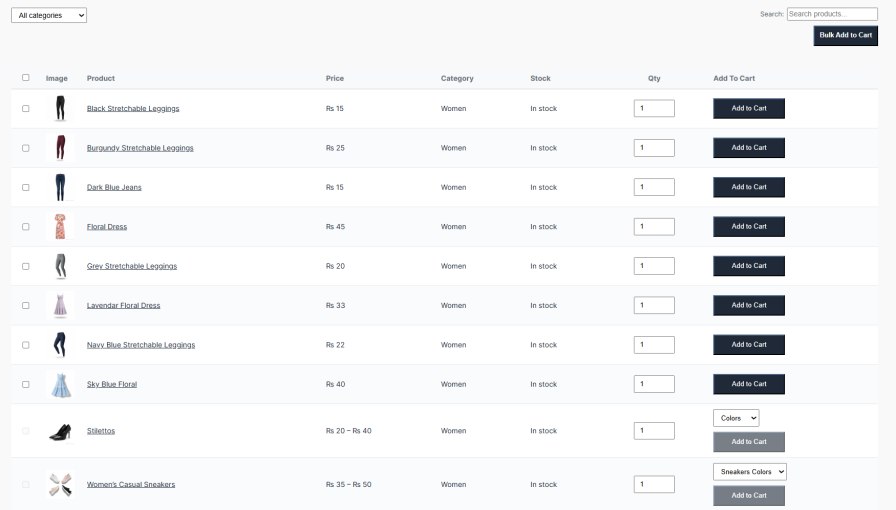
Customers should never scroll through hundreds of products just to find one item. The product table plugin for WooCommerce includes an AJAX-powered search bar that filters results live as customers type. Filter dropdowns for category, price, attributes, and sort order update the table instantly, and a Clear Filters button resets everything in one click.
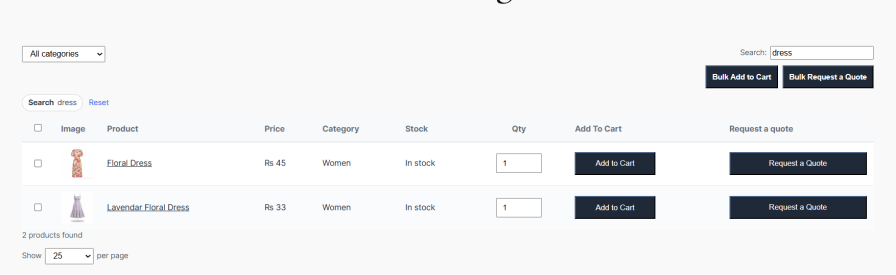
Product table and list for WooCommerce enables customers to select multiple products using row checkboxes, set quantities, and add everything to the cart in one action. The same flow works for quotes, select multiple products, and submit one bulk quote form covering all selected items. Individual row buttons are also available for single-product orders or quote requests.
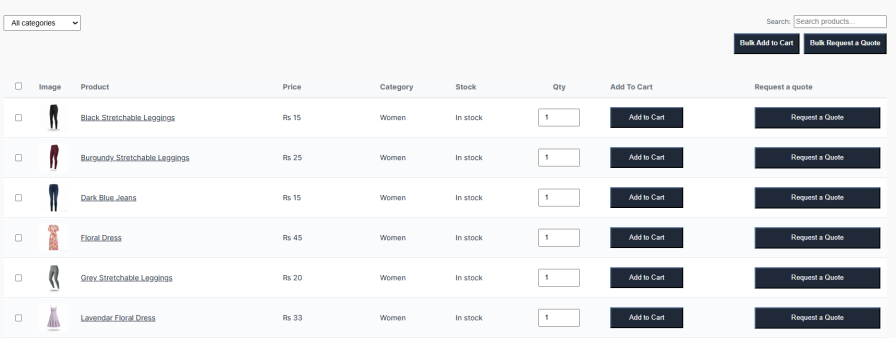
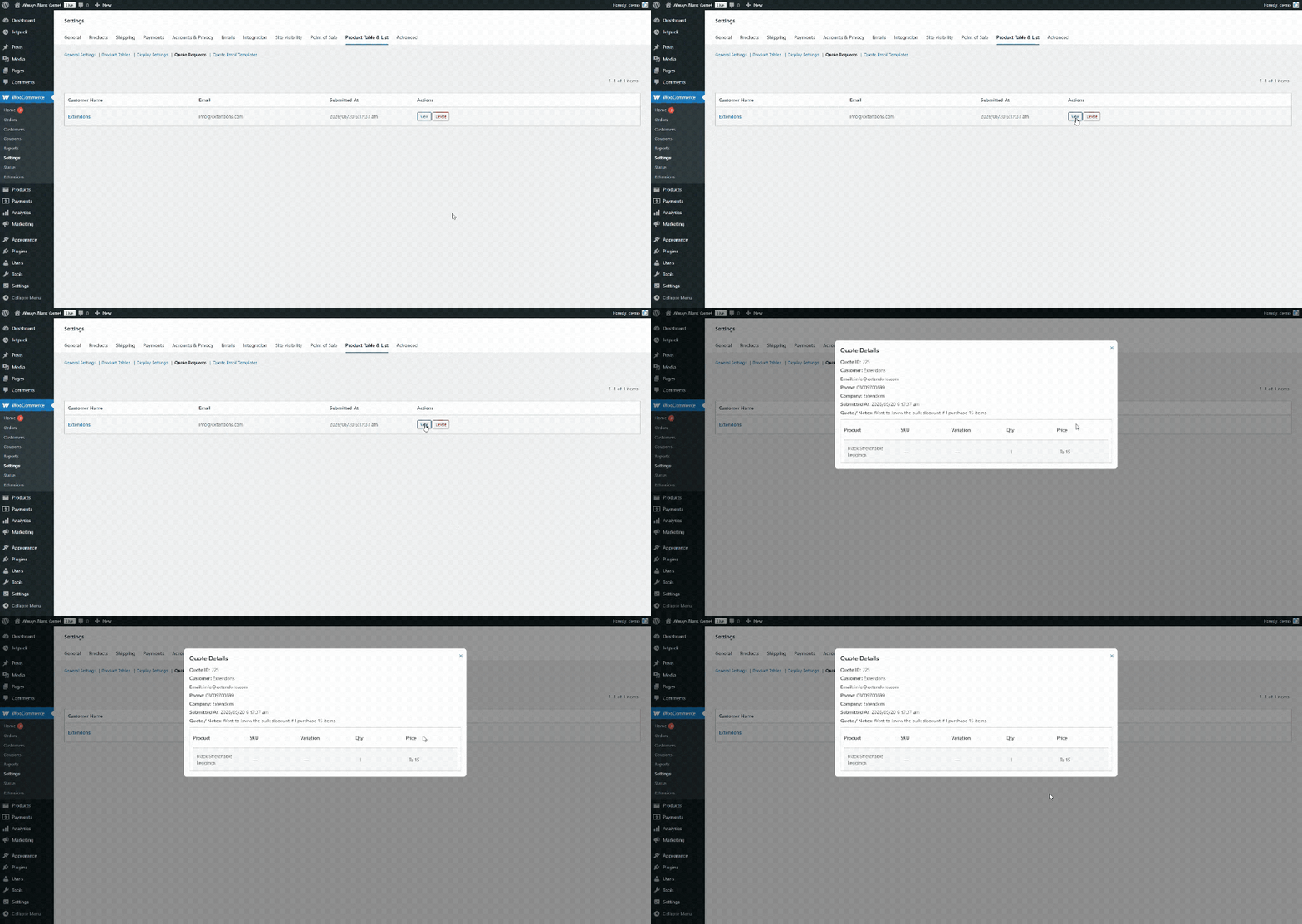
Customers can request a quote for any product directly from the table, or select multiple products and submit a single bulk quote form. Each quote captures the customer name, email, phone, company, and notes alongside a full product list. All submissions are saved in the admin dashboard, where you can view full quote details or delete entries.
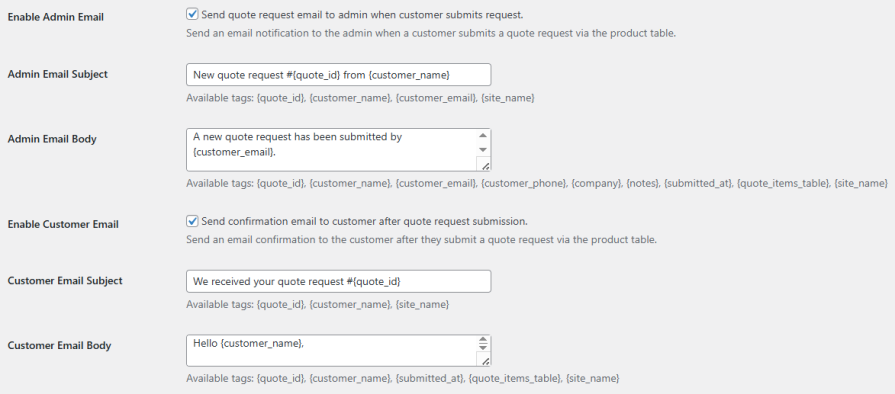
Once a customer submits a quote, the product table WooCommerce plugin automatically sends a notification to the store admin and a confirmation email to the customer. Both emails are fully customizable from the Quote Email Templates tab, including subject lines, body content, and header and body colors, so every email matches your store’s branding.
Personalize your product table with the help of the display settings, as it allows you to customize font sizes, row padding, column widths, table border style, and more. You can also change the colors of the table and buttons to align with your store theme.
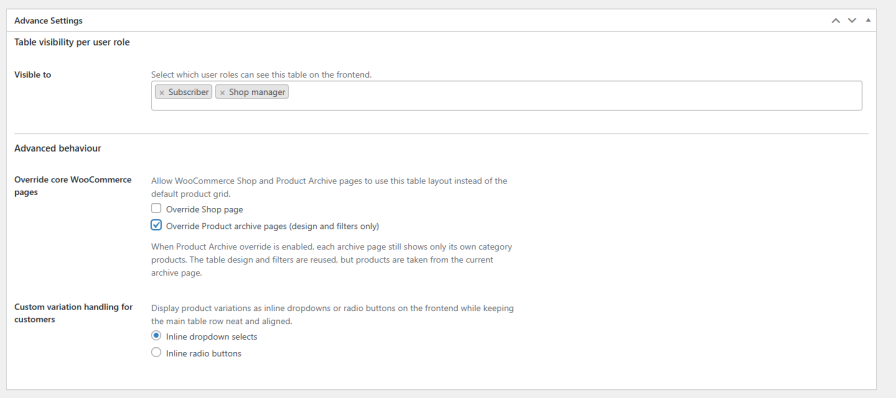
Product table for WooCommerce includes several features for wholesale and B2B stores. Restrict any table to specific user roles so only the right customers can see it. You can override the WooCommerce shop page or category archive pages with your table layout. Enable the wholesale buyers to add quantities across multiple variations in a grid view rather than selecting one at a time.
Products appear in a list view with configurable columns. Customers can search, filter, and add to cart or request a quote directly from the table without visiting individual product pages.
Yes. The product table plugin WooCommerce supports unlimited tables, each with its own column layout, product selection, and design settings. Every table gets a shortcode you can place anywhere on your site.
Each row has a Request a Quote button for individual products. Customers can also select multiple products and submit one bulk quote form. All quotes are saved in the admin dashboard and trigger automated emails to both the admin and the customer.
Yes. Variation selectors appear as inline dropdowns or radio buttons within the table row. You can also enable the Wholesale Variation Matrix so buyers can add quantities for multiple variations at once.
Yes. From the Advanced Settings panel you can apply your table layout to the Shop page or category archive pages, keeping each archive showing its own products while using your custom table design.
Kategorien
Extension information
Quality Checks
Länder







