

Das Abonnement beinhaltet
Support
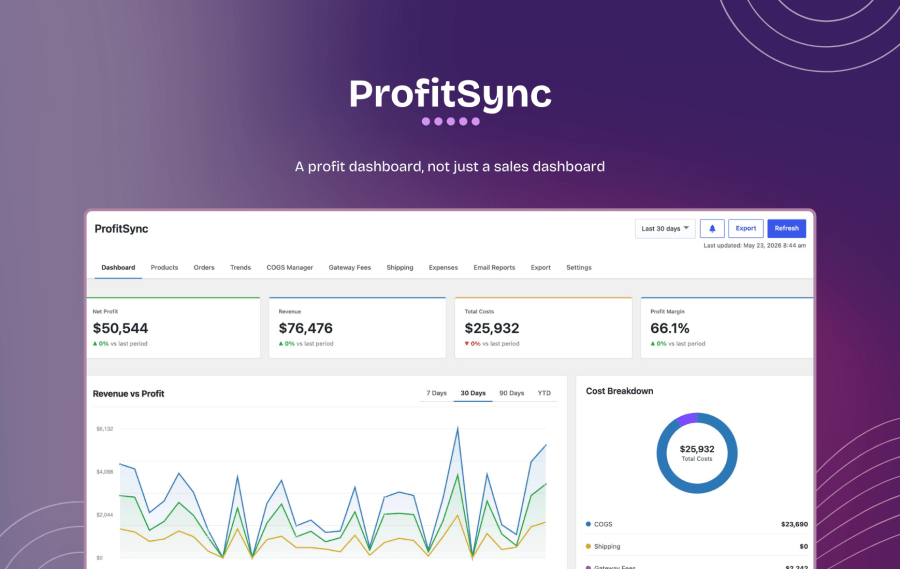
Revenue tells you how busy your store is. It doesn’t tell you if you’re actually making money. ProfitSync sits inside WooCommerce and turns every order into a real profit number. Cost of goods, payment gateway fees, shipping cost, and business expenses are all deducted automatically, so the figure on your dashboard is the one that actually matters.
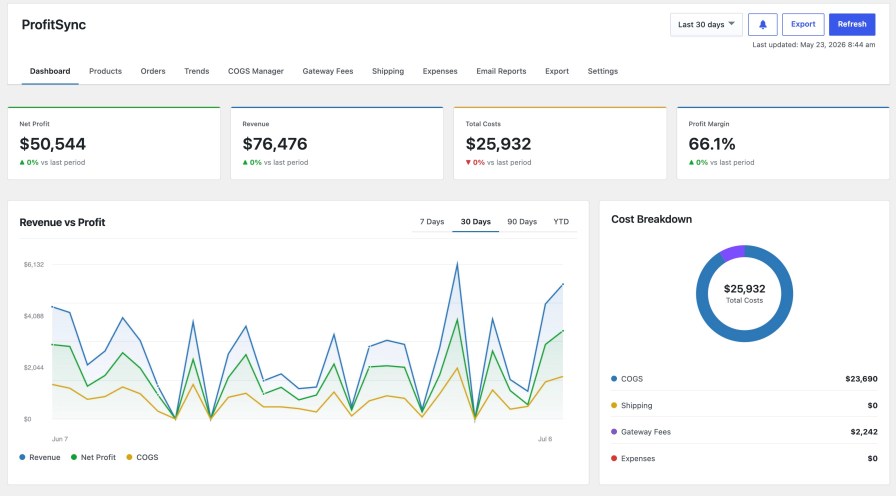
A profit dashboard, not just a sales dashboard
Revenue, total costs, net profit, and margin, all at one glance, for any date range. Underneath, a revenue-vs-profit trend chart, a cost breakdown (COGS, shipping, gateway fees, expenses), your top products by profit, and profit broken down by category.
Product-level cost tracking that doesn’t fight WooCommerce
ProfitSync uses WooCommerce’s own native Cost of Goods Sold field, so your cost data lives where WooCommerce (and any other plugin that reads it) expects to find it: nothing proprietary, nothing to migrate later.
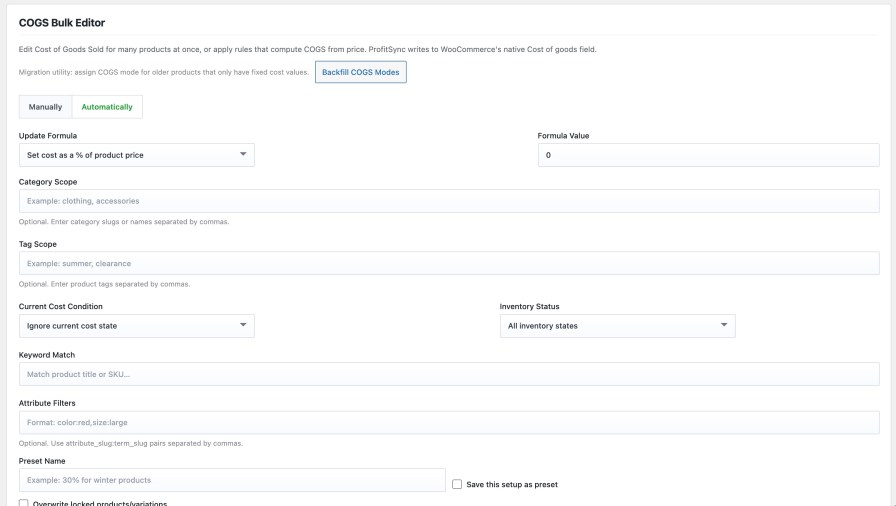
Update cost of goods for one product, or ten thousand
The COGS Manager gives you two speeds: edit products one at a time, or apply a rule across your entire catalog in one pass.
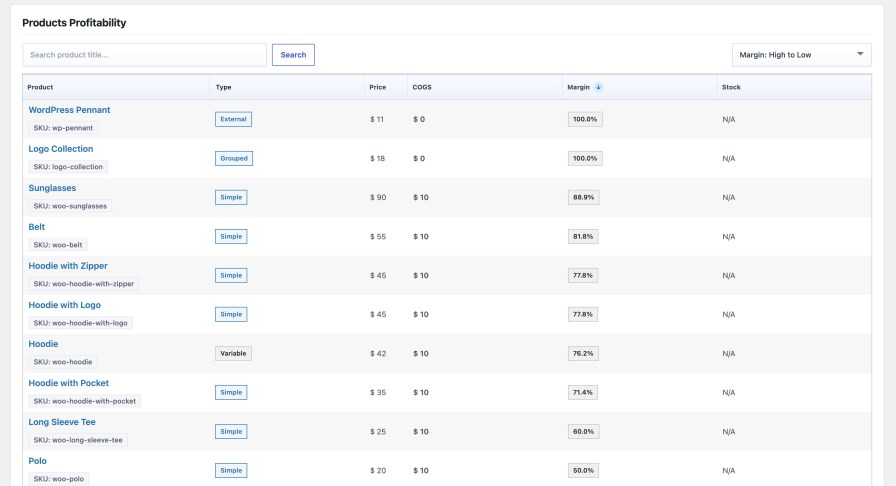
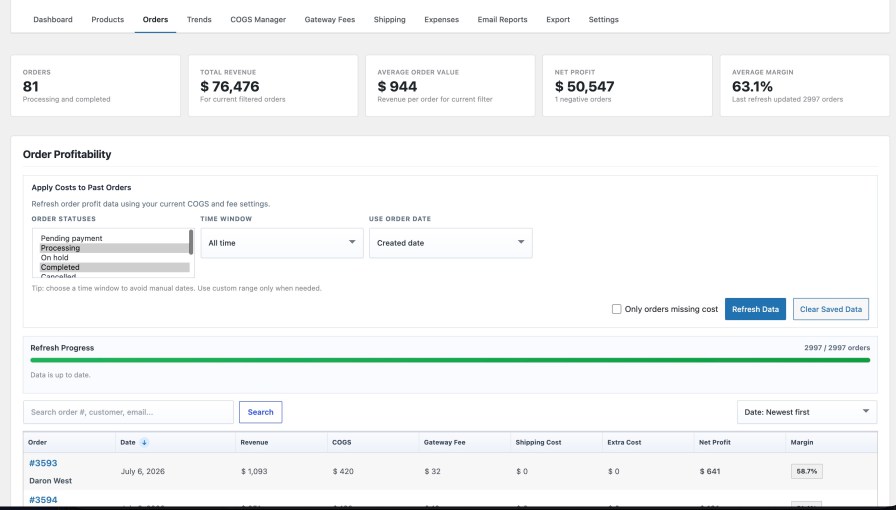
Every order, priced to the cent
Orders get their own profit ledger: revenue, COGS, gateway fee, shipping cost, and net profit per order, kept in sync automatically as orders are placed, refunded, or updated.
See where the money moves over time
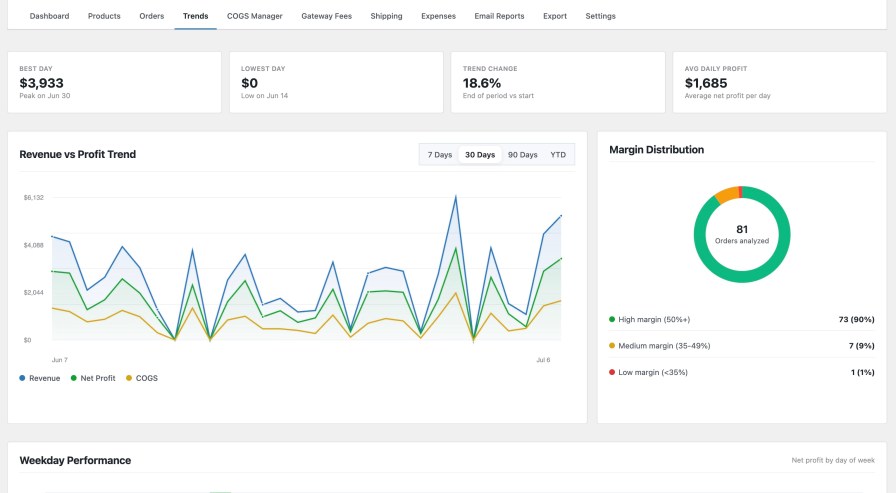
The Trends tab turns your order history into a story: best day, lowest day, average daily profit, and a margin-distribution breakdown across your whole order base.
Fee and shipping rules that mirror your real payment stack
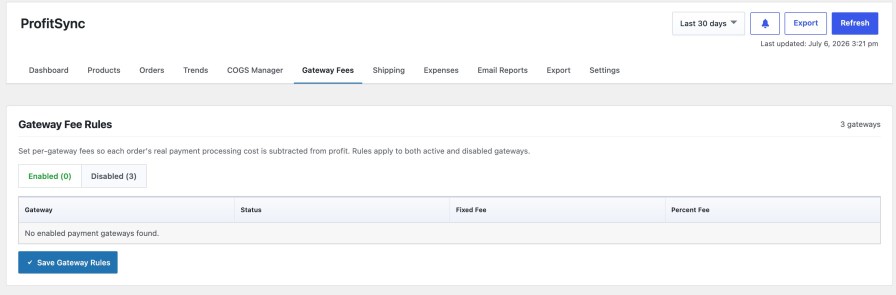
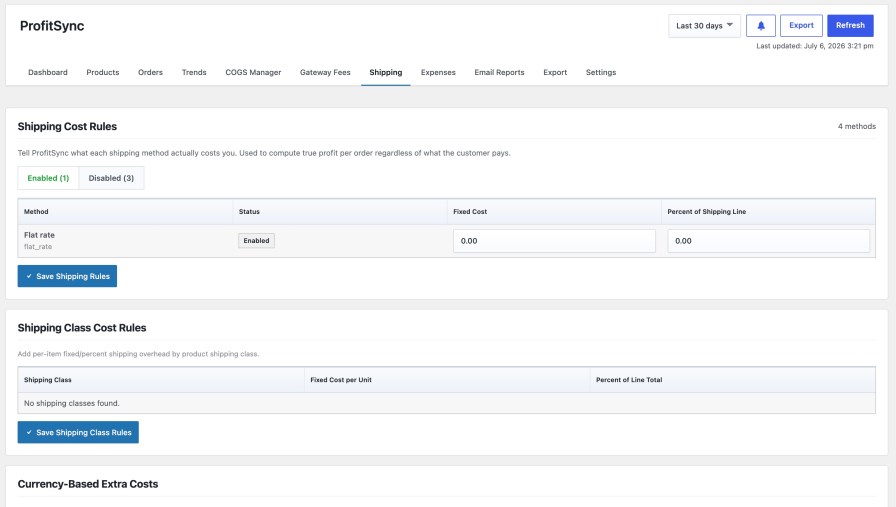
Every payment gateway takes a different cut. Every shipping method costs you something different to fulfill. ProfitSync pulls both directly from your WooCommerce configuration so the numbers are never generic.
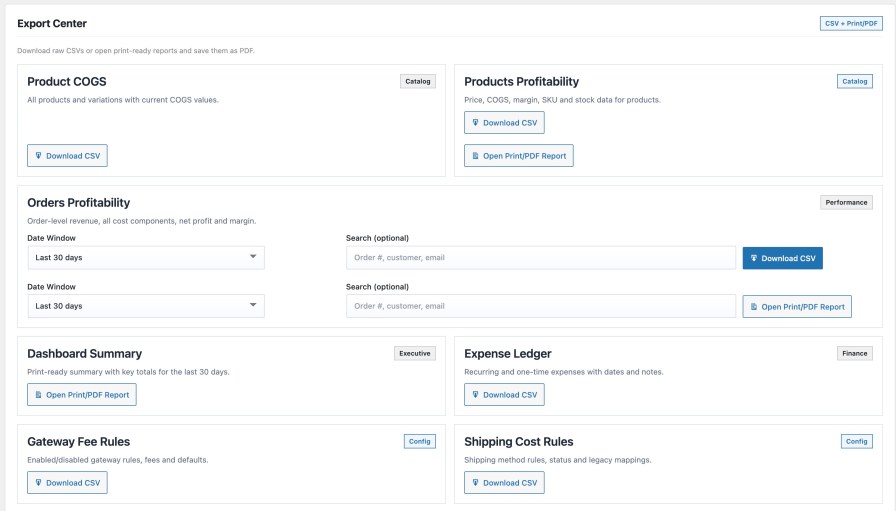
Export everything, in the format you actually need
It shows up inside WooCommerce Analytics too
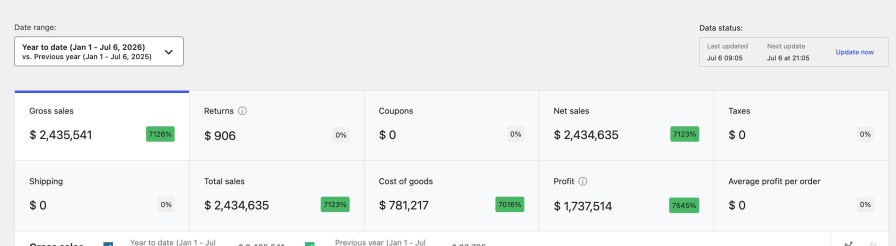
ProfitSync doesn’t just add a new screen. It enriches the reports you already use.
Built to fit your store, not the other way around
Currency, rounding, included order statuses, refund handling, and internal alert thresholds are all configurable from one Settings screen, with changes saving instantly and no page reload required.
No. It uses it. ProfitSync reads and writes to WooCommerce’s native COGS field, so your cost data is portable and compatible with any other tool that supports it, not locked into ProfitSync.
No. All profit calculation happens in the WordPress admin, on a background-processed snapshot table. Nothing runs on the storefront or at checkout.
Yes. Use the “Apply Costs to Past Orders” recalculation tool to re-price any date range, the whole store or just the orders missing a cost, using your current rules.
Yes. Costs can be set per-variation, inherited from the parent product, or driven entirely by an automatic rule scoped to category, tag, attribute, or stock status.
Yes. Schedule daily, weekly, or monthly profit summary emails to any address, or export CSV/PDF reports on demand.
Yes. Set per-currency fee and cost adjustments so profit stays accurate no matter which currency an order was placed in.
No. All calculation and storage happens on your own WordPress database. Webhook notifications are opt-in and only fire to a URL you configure yourself.
Quality Checks
Länder